

Optimizing your Amazon product listings is all about fine-tuning every single part of your product page—from the title and images to those all-important backend keywords—to get more eyes on your product, more clicks, and ultimately, more sales. This isn't a one-time setup; it's an ongoing process that's absolutely critical if you want to compete in a marketplace this crowded. A truly optimized listing speaks to both Amazon's A9 algorithm and the real people browsing your page.
Why Listing Optimization Drives Amazon Success
Let’s be real: a 'set it and forget it' approach is a surefire way to fail on Amazon. Your product listing is your digital storefront, your best salesperson, and your product packaging all rolled into one powerful asset. It's the single most important lever you can pull to boost your visibility and drive sales.
This playbook will walk you through mastering the core pillars of that process. We're talking about more than just stuffing in a few keywords; this is about crafting a seamless customer journey from start to finish. We'll break down how to find the right keywords, write copy that actually converts, design visuals that stop the scroll, and build the kind of social proof that seals the deal.
The Path to Purchase
Every element of your listing has to work together to guide a shopper from discovery to purchase. It’s a simple but incredibly powerful flow.
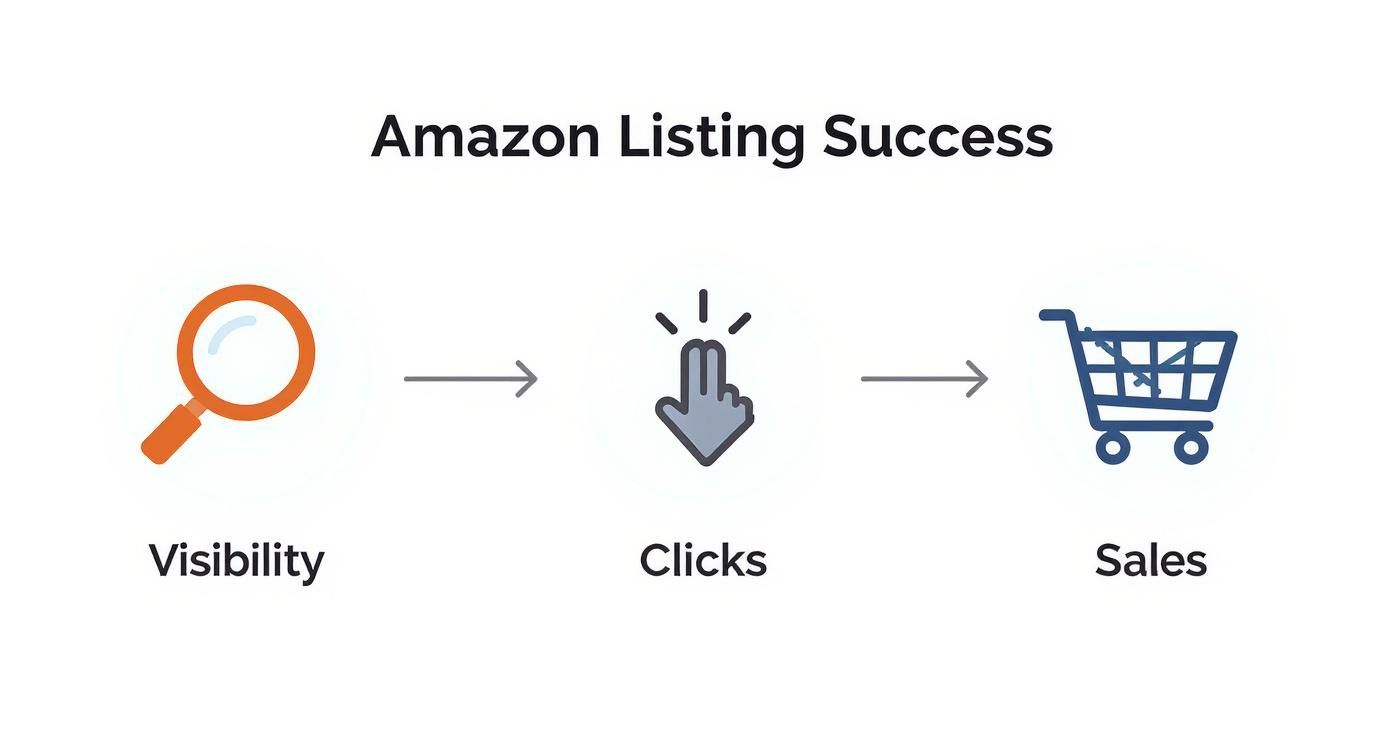
First, you have to get found (visibility). Then, your listing has to be compelling enough to earn a click. And finally, it needs to be persuasive enough to convince someone to buy.
You’re not the only one focused on this, either. As of 2025, nearly 80% of Amazon sellers are actively prioritizing listing optimization. That stat from a recent Jungle Scout seller study shows just how competitive things have gotten. Even an amazing product will get lost in the noise without a rock-solid optimization strategy.
Think of your listing not as a static page, but as a dynamic sales engine. Every component—from the main image to the last bullet point—must work in concert to attract Amazon's algorithm and convince a real person to click 'Add to Cart'.
To give you a quick overview, here are the essential parts of a listing and what you're trying to achieve with each one.
Core Components of an Optimized Amazon Listing
This table breaks down the main elements of your product page and their primary goal. Think of it as your cheat sheet for what to focus on.
| Listing Component | Primary Goal | Key Optimization Tactic |
|---|---|---|
| Product Title | Visibility & Clicks | Weave in top-priority keywords naturally. |
| Bullet Points | Conversion & SEO | Highlight benefits and features with secondary keywords. |
| Product Description | Information & Conversion | Tell a compelling story; expand on key benefits. |
| Product Images & Video | Engagement & Trust | Showcase the product from all angles with high-quality visuals. |
| A+/EBC Content | Brand Story & Conversion | Use rich media to build brand trust and increase sales. |
| Backend Keywords | Visibility | Target long-tail and competitor keywords shoppers won't see. |
| Reviews & Ratings | Social Proof & Trust | Encourage authentic reviews to build credibility. |
Each of these components plays a distinct role, but they all need to work together to create a cohesive and convincing sales pitch for your product.
This strategic approach is fundamental to success. To see how it fits into the bigger picture, you can dive deeper into proven strategies for boosting e-commerce sales. For more Amazon-specific tactics, don't miss our guide on how to increase sales on Amazon.
Uncovering Keywords That Actually Convert
Solid keyword research is the absolute bedrock of a successful Amazon listing. It’s so much more than just grabbing popular search terms; it’s about getting inside your customer’s head and understanding the exact words they use when they’re ready to pull out their credit card. Get this right, and you put your product in front of the right shoppers at the perfect moment.
The goal here is to build a comprehensive keyword arsenal. You’ll want to blend data from smart tools with some good old-fashioned manual digging to find the terms that don’t just bring in traffic, but actually drive sales.
Building Your Foundational Keyword List
First things first, you need to cast a wide net and gather as many relevant search terms as you can. The best way to start? Think like a customer. If you were looking for your product, what would you type into that Amazon search bar?
Let's say you're selling a "stainless steel water bottle." Your first ideas will probably be pretty straightforward:
- "metal water bottle"
- "insulated bottle"
- "reusable water bottle"
These broad, short-tail keywords are your foundation. Go ahead and type them into Amazon and watch what happens. The auto-suggestions that pop up are a goldmine—these are real, popular searches giving you instant clues about what people are actually looking for.
Once you’ve got those initial ideas down, it’s time to do some recon. Pull up the listings for your top three to five competitors and meticulously pick apart their titles, bullets, and descriptions. You're hunting for keywords you might have missed. Sure, tools like Helium 10 or Jungle Scout can speed this up, but there's no substitute for a manual review to truly understand their strategy.
Your goal isn't to copy your competitors, but to understand the keyword landscape they are operating in. This reverse-engineering process often uncovers high-performing phrases and customer pain points you can address in your own listing.
Finding High-Intent Long-Tail Keywords
While short-tail keywords get a lot of search volume, the real conversion magic is often in the long-tail keywords. These are the longer, more specific phrases that signal a shopper is much further along in their buying journey. Someone searching for a "stainless steel water bottle" is just browsing. But someone searching for a "leak proof stainless steel water bottle for hiking" knows exactly what they need.
Customer reviews are the best place to find these gems. Go dig through the reviews on your competitors’ listings (and your own, if you have any) and look for recurring words and phrases.
- Pay attention to how customers describe using the product ("great for my morning commute").
- Note the problems they were trying to solve ("finally found a bottle that doesn't sweat").
- Identify the features they love ("love the wide mouth for adding ice cubes").
These quotes are literally the voice of your customer. You should lift these phrases and weave them directly into your keyword strategy and your listing copy. For a deeper dive, you can explore our other resources on advanced ecommerce SEO best practices that apply far beyond Amazon.
Structuring Your Keyword Strategy
Okay, now you have a massive, messy list of keywords. A disorganized list is a useless one. To make it actionable, I recommend bucketing everything into three distinct categories. This will guide every part of your listing optimization.
| Keyword Category | Description | Example (for a Water Bottle) |
|---|---|---|
| Primary Keywords | These are your non-negotiables—the most critical, high-volume terms that describe exactly what your product is. They belong front and center in your title. | "stainless steel water bottle," "insulated water bottle 24 oz" |
| Secondary Keywords | These terms add context by describing key features, benefits, or use cases. They capture a wider net of searches and should live in your bullet points and description. | "BPA free," "leak proof lid," "hot and cold drinks," "gym bottle" |
| Backend/Hidden Keywords | This is your catch-all for synonyms, common misspellings, and related terms you couldn't fit into the visible copy. These are just for the algorithm's eyes. | "thermos," "canteen," "metal flask," "watter botle" |
This structured approach ensures you’re methodically targeting customers at every stage of their search. By loading your most powerful keywords into the title, you give yourself the best shot at ranking. Then, your secondary keywords in the bullets and description seal the deal by answering specific questions and proving your product is the one they've been looking for. It’s a systematic way to make both the A9 algorithm and the human shopper happy.
Creating Visuals and A+ Content That Sell
Your title and bullets might get a shopper to click, but your images and A+ Content are what actually close the deal. In the blink-and-you-miss-it world of online shopping, great visuals aren't just a nice-to-have; they're the single most important part of turning a curious browser into a paying customer.
Think of your image block as your silent salesperson. It’s there to tell a story, answer questions, and build desire before a customer even bothers to read a single word of your description. Done right, it's one of the most powerful tools you have for optimizing amazon product listings.

Building Your Essential Image Stack
Every single listing should have a minimum of seven images, and each one needs to have a specific job. If you’re just showing off the same product from slightly different angles, you're missing the point. The goal is to create a premium experience that builds trust and makes your price feel like a bargain.
Your visual story needs to unfold in a logical way, starting with the basics and then moving toward an emotional connection. Here's how to structure it:
-
The Perfect Main Image: This is your hero shot, and Amazon has strict rules for a reason. It absolutely must be on a pure white background (RGB 255, 255, 255) and at least 1,000 pixels on the longest side to enable the zoom function. Your product should fill at least 85% of the frame and be perfectly clear, showing exactly what the customer gets in the box. No exceptions.
-
Informative Infographics: Use your next two or three image slots to spell out key features and benefits visually. Combine a high-quality product photo with some clean, minimal text overlays to call out dimensions, special materials, or unique selling points. For a water bottle, a great infographic might show a cross-section of its double-wall insulation to prove it keeps drinks cold.
-
Lifestyle and In-Context Photos: These are non-negotiable. You have to show your product being used in its natural habitat. A photo of that stainless steel water bottle on a messy work desk, in a car's cup holder, or clipped to a hiking backpack helps customers picture it in their lives. This is how you build an emotional connection that goes beyond specs and features.
-
Comparison Chart: A simple chart that stacks your product up against a generic competitor can be incredibly effective. Highlight your advantages—better materials, more features, a longer warranty. You're preemptively answering the "Why should I buy yours?" question before they even have to ask.
-
Instructional or 'How-To' Images: Show how simple your product is to use, clean, or assemble. For the water bottle, this could be a quick graphic showing how the leak-proof lid works. This simple step removes any potential hesitation or friction that might stop someone from clicking "Add to Cart."
Elevating Your Brand with A+ Content
If you're enrolled in Amazon's Brand Registry, A+ Content (what used to be called Enhanced Brand Content or EBC) is an absolute game-changer. It lets you swap out that boring, plain-text product description with a rich, module-based layout. It basically turns that space into a mini landing page right on your listing.
This is your chance to stop looking like just another product on an Amazon shelf and start building a real brand experience. Use this space to tell your story, go deeper into product features, and tackle any final objections a customer might have.
The boost from A+ Content isn't just about looks; it's tied directly to your bottom line. Amazon's own data shows that listings with A+ Content see a conversion rate lift of 3-10% and a traffic increase of 5-8%. This makes it one of the highest-impact optimizations you can make. You can learn more about these powerful listing optimization findings.
Designing A+ Content That Converts
Effective A+ Content isn't just about dropping in a few pretty pictures. It demands a strategic approach to both the layout and the story you're telling. Amazon gives you a bunch of different modules to mix and match.
A layout that consistently wins often includes:
- A Brand Story Header: Kick things off with a big, bold banner image and a short mission statement. Introduce your brand right away and build an immediate connection.
- Feature Spotlight Modules: Use the modules that pair an image with a text block to highlight three or four key benefits. Give each major feature its own module and explain why it matters to the customer.
- Comparison Charts: The A+ Content comparison chart is a fantastic tool. It lets you cross-sell other products from your catalog, which helps keep shoppers clicking around within your brand's ecosystem instead of wandering off to a competitor.
- Full-Width Image Banners: Break up the text-heavy sections with stunning, high-resolution lifestyle photos. These images reinforce your brand's vibe and the aspirational quality of your product.
When you combine a meticulously planned image stack with compelling A+ Content, you transform a simple product page into a powerful conversion machine. This visual one-two punch is fundamental to winning on Amazon.
Maximizing Your Backend Search Terms
What shoppers don’t see can often make the biggest difference. While your title and bullet points are doing the heavy lifting for your human readers, the backend search terms field is your direct line to Amazon's A9 algorithm.
It's shocking how many sellers either ignore this space or, worse, fill it incorrectly. They're leaving a massive opportunity for visibility on the table.
This hidden field is your secret weapon for capturing traffic you couldn't otherwise. It’s the perfect spot to index for keyword variations, common misspellings, and even secondary language terms that would look messy or out of place in your visible copy. Think of it as a spillover container for all the valuable phrases you couldn't naturally weave into your main content.

Best Practices for Backend Keywords
To make the most of this space, you need to understand the rules of the game. Amazon gives you a character limit (currently under 250 bytes), and every single character counts. The key is to be efficient and strategic.
Here are the essential do's and don'ts I follow for every single product:
- DO include synonyms and variations. If you're selling a "laptop stand," you need to include terms like "computer riser" or "notebook holder."
- DO add common misspellings. For a "calendar," you might include "calender." Shoppers make typos all the time, and you want to be there when they do.
- DO NOT repeat keywords. If "laptop stand" is already in your title or bullets, adding it here again is a complete waste of precious space. Amazon already knows.
- DO NOT use punctuation. Commas and semicolons are totally unnecessary and just eat up bytes. A simple space between keywords is all you need.
- DO NOT include competitor brand names. This is a fast track to getting your listing suppressed and is strictly against Amazon's Terms of Service.
Your backend search terms are not a place for keyword stuffing. They are for strategic keyword coverage. The goal is to cast the widest possible net with relevant, unique terms that the algorithm can use to connect your product with a broader range of customer searches.
Going Beyond the Generic Keyword Field
While the main search terms field gets all the attention, it isn't the only backend area that matters. Tons of sellers overlook other valuable fields that provide critical context to Amazon's algorithm, helping them appear in more filtered searches and targeted categories.
For instance, fields like 'Subject Matter' and 'Intended Use' are incredibly powerful. Filling these out tells Amazon much more about your product's specific application.
Let's say you're selling a yoga mat. You might specify:
- Subject Matter: "Ashtanga Yoga," "Mindfulness," "Meditation"
- Intended Use: "Home Gym," "Studio Practice," "Travel Fitness"
This extra data helps Amazon show your product to shoppers who actually use the filter options on the left-hand side of the search results. A shopper filtering for "Travel Fitness" gear is way more likely to see your mat if you've given Amazon that information. This is one of those simple yet effective tactics that mirrors some of the quick SEO wins you can apply to traditional websites.
By methodically filling out every single relevant backend field, you're giving the A9 algorithm a rich, detailed profile of your product. This comprehensive data allows Amazon to index you for a wider array of searches, ultimately driving more qualified traffic right to your page.
Using Reviews and Pricing to Build Momentum
So, you've keyword-stuffed your listing to perfection and your photos look incredible. Great. But even the most polished listing will collect dust without sales momentum. Optimizing an Amazon listing isn't a "set it and forget it" task; it's about kicking off a powerful feedback loop that pulls in shoppers and keeps the A9 algorithm happy.
This is where the one-two punch of strategic pricing and social proof comes in.
Your pricing strategy is the first lever you can pull. It has a massive, immediate impact on your conversion rate, sales velocity, and whether you even get a sniff of the coveted Buy Box. If you get it wrong, you'll either torch your margins or send potential buyers running for the hills.
The goal is to find that sweet spot between being competitive and actually being profitable. You need a price that holds its own against similar products but doesn't gut your bottom line. This takes real analysis, not just a wild guess. For a much deeper dive into striking this critical balance, check out our complete guide on how to determine the price of a product for profit.
Building Trust with Social Proof
Once your price is dialed in, it’s time to build trust. On Amazon, trust is spelled R-E-V-I-E-W-S. It's second nature for shoppers to glance at that star rating before they even bother reading your title. A product with zero reviews just feels like a gamble, no matter how amazing the listing is.
Getting those first crucial reviews is one of the biggest hurdles for any new product. The trick is to use ethical, Amazon-compliant methods to encourage people to share their feedback.
- Amazon Vine Program: If you’re brand registered, Vine is your best friend. Amazon invites its most trusted reviewers to get your product for free in exchange for an honest review. It’s hands-down the fastest and safest way to get your first batch of high-quality, unbiased reviews.
- "Request a Review" Button: Don't sleep on this simple tool. Inside Seller Central, you can click the "Request a Review" button on individual orders. It sends a standardized, totally compliant email to the buyer asking for both a product review and seller feedback.
- Product Inserts: A simple, well-designed card inside your packaging can gently ask for an honest review. You have to be extremely careful with the wording here—never offer an incentive or specifically ask for a positive review. Something as simple as "We'd love to hear your feedback on Amazon!" is all you need.
A listing with a healthy number of positive reviews tells shoppers two things: your product is legit, and other people like it. This social proof dramatically reduces purchase anxiety and is a massive signal to the A9 algorithm that your product is a winner.
Kickstarting Sales with Strategic Promotions
With your pricing and review strategy in motion, it’s time to pour some fuel on the fire. Promotions like coupons and limited-time deals are fantastic for driving that initial surge of sales. And on Amazon, that spike in sales velocity is a huge ranking factor.
Think of it this way: when Amazon’s algorithm sees a product suddenly start selling, it takes notice. It assumes the product is relevant and popular, so it starts showing it to more people. This creates a powerful cycle:
- You run a coupon, which boosts your conversion rate.
- The higher conversion rate leads to more sales (that’s your increased sales velocity).
- Amazon's algorithm sees the sales spike and rewards you with a better rank for your target keywords.
- Higher ranking means more organic visibility, which leads to… you guessed it, even more sales.
This feedback loop is the engine of Amazon growth, and it’s tangible proof that a holistic approach works. For example, one notable case study showed a 156% increase in conversion rate within 60 days of implementing a full optimization strategy, which took a product from page three all the way to page one. You can discover more insights about these optimization results on edesk.com.
By combining an attractive price with growing social proof and a promotional push, you make your listing irresistible to both shoppers and the algorithm.
How to Monitor and Continuously Improve Your Listing
If you think optimizing an Amazon listing is a "set it and forget it" task, you're leaving money on the table. The top sellers I know treat their listings like living, breathing assets, not static pages that get ignored after launch. Adopting this mindset of continuous improvement is what separates stagnant products from the ones that climb the ranks and stay there.
The best way to refine your listing is to let data—not guesswork—call the shots. Amazon’s own “Manage Your Experiments” tool is the perfect place to start. This feature, which is available to brand-registered sellers, lets you A/B test critical parts of your listing without messing up your sales flow.

You can methodically test different versions of your most important assets to see what actually gets shoppers to click "Add to Cart."
- Main Image: Is a lifestyle photo more compelling than a clean, white-background product shot? Test it.
- Product Title: Pit a benefit-driven title against one that's packed with features and see which one converts better.
- A+ Content: Experiment with different module layouts or a new brand story. Does a comparison chart work better than a wall of text? Probably, but let the data prove it.
Amazon runs the test for you, declares a winner based on real performance, and then lets you implement the winning version with a single click. This data-driven approach takes the emotion out of it and makes sure your changes are actually improving your bottom line.
Connecting PPC Data to Organic Performance
Your Pay-Per-Click (PPC) campaigns are so much more than just an advertising channel. They're a goldmine of keyword and conversion data. The search terms report from your ad campaigns shows you the exact phrases real customers are using to find and, more importantly, buy your product.
Dig through that report for high-converting keywords you might have missed during your initial research. If a specific long-tail keyword in your ad campaign has a killer conversion rate, that’s a massive signal. It means you should integrate it into your title or bullet points to start ranking organically for that term.
Your advertising data provides a direct feedback loop for your organic strategy. High-performing search terms from PPC are proven winners that deserve a permanent home in your listing’s copy to maximize organic visibility and sales.
Key Metrics to Track in Seller Central
To keep the momentum going, you need to be regularly monitoring your listing’s health right inside Seller Central. Don't get distracted by vanity metrics; focus on the numbers that directly impact your sales and ranking. For a more complete picture of your performance, you can also analyze your Amazon sales data to spot longer-term trends.
Here are the key performance indicators I always watch:
- Unit Session Percentage (Conversion Rate): This is the holy grail. It tells you what percentage of people who land on your page actually buy something. If this number starts to dip, it could be a red flag for an issue with your pricing, images, or recent reviews.
- Sessions: This is your traffic. A sudden drop might mean a new competitor just showed up, or you've lost ranking for a key term.
The key to continuous improvement is truly understanding your performance metrics. For a broader perspective on improving e-commerce conversion rates beyond just Amazon, it's always smart to see what's working on other platforms. By regularly checking these core metrics, you can spot problems before they turn into disasters and uncover new opportunities to keep optimizing your Amazon product listings.
Got Questions About Amazon Listing Optimization? We've Got Answers.
Even after you've nailed down the core strategies, optimizing an Amazon listing always brings up a few more questions. It’s a constantly shifting landscape, and staying on top of the details is what separates the top sellers from everyone else.
Let's clear up some of the most common questions we hear from sellers who are fine-tuning their approach.
How Often Should I Be Updating My Listing?
Your product listing is never a "set it and forget it" asset. Things change fast on Amazon, so a good rule of thumb is to give your listing a full, strategic audit at least every 90 days. This is your chance to check keyword rankings, see what your competitors are up to, and mine your latest customer reviews for new long-tail keywords.
But don't wait for that 90-day mark if you see trouble. If you notice a sudden dip in sessions or your conversion rate takes a nosedive, you need to dive in and investigate immediately. A problem today needs a solution today.
Think of your listing as a living, breathing part of your business. Small tweaks based on PPC data can happen anytime, but a full-blown strategic review should be on your calendar every quarter. It's how you stay ahead of the game.
Can I Put the Same Keywords in My Title and Backend Search Terms?
Absolutely not. This is one of the most common mistakes sellers make, and it’s a massive waste of prime keyword real estate. Once a keyword is in a visible spot like your title or bullet points, Amazon's algorithm has already indexed it for ranking.
Repeating that same keyword in your backend search terms field gives you zero additional benefit. Your backend is precious space meant for all the keywords you couldn't fit into your main copy. Think synonyms, common misspellings, and secondary search terms. Every character should be used for unique terms to cast the widest net possible.
For instance, if your title already features "stainless steel water bottle," your backend should be filled with terms like "metal canteen," "insulated flask," or even "gym drink container." This simple shift dramatically expands the number of search queries you can show up for, which directly translates to more visibility and more sales.
Ready to turn your product pages into high-converting sales engines? The team at Next Point Digital specializes in data-driven Amazon listing optimization that gets results. Let us build a strategy that drives visibility and grows your bottom line. Find out more at https://npoint.digital.