

Choosing the right ecommerce platform is less about features and more about fit. The whole process really boils down to knowing your business inside and out—mapping your customer journey, defining must-have functions, and getting honest about your product complexity before you even start looking at demos.
Think of it as your blueprint. This document will be your guide to finding a platform that doesn't just work for now, but grows with you.
Defining Your Business Needs Before You Shop
Jumping straight into platform comparisons without a solid plan is one of the most common mistakes I see. It’s like going grocery shopping hungry—you end up with a cart full of things you don't actually need.
To make a smart decision, you have to look inward first. Create a detailed map of what your business truly requires to function and scale. This foundational work stops you from getting distracted by slick marketing and ensures your final choice actually solves your problems.
When you do this right, a confusing search turns into a methodical evaluation. You'll know exactly what to look for, making it far easier to spot the platform that’s a true partner for your operations.
Map Your Entire Customer Journey
Before you can even think about features, you need to walk in your customers' shoes. Trace their steps from the very first touchpoint all the way through to that "Your order has shipped!" email and beyond.
- Discovery: How do people find you? Is it through organic search, a TikTok ad, or a listing on Amazon? Your platform has to play nice with these channels.
- Consideration: What info do they need to pull the trigger? This could mean high-res product photos, customer reviews, or maybe even a tool to compare different models.
- Purchase: Is the checkout clean and simple? Can they buy as a guest, or do they have to create an account? Get specific about what that ideal flow looks like.
- Post-Purchase: What happens after they click "buy"? Think about order confirmation emails, shipping updates, and how they'll get in touch with customer support if something goes wrong.
This process flow visualizes the core steps of defining your business needs, starting with the customer journey, identifying necessary features, and understanding your product catalog.
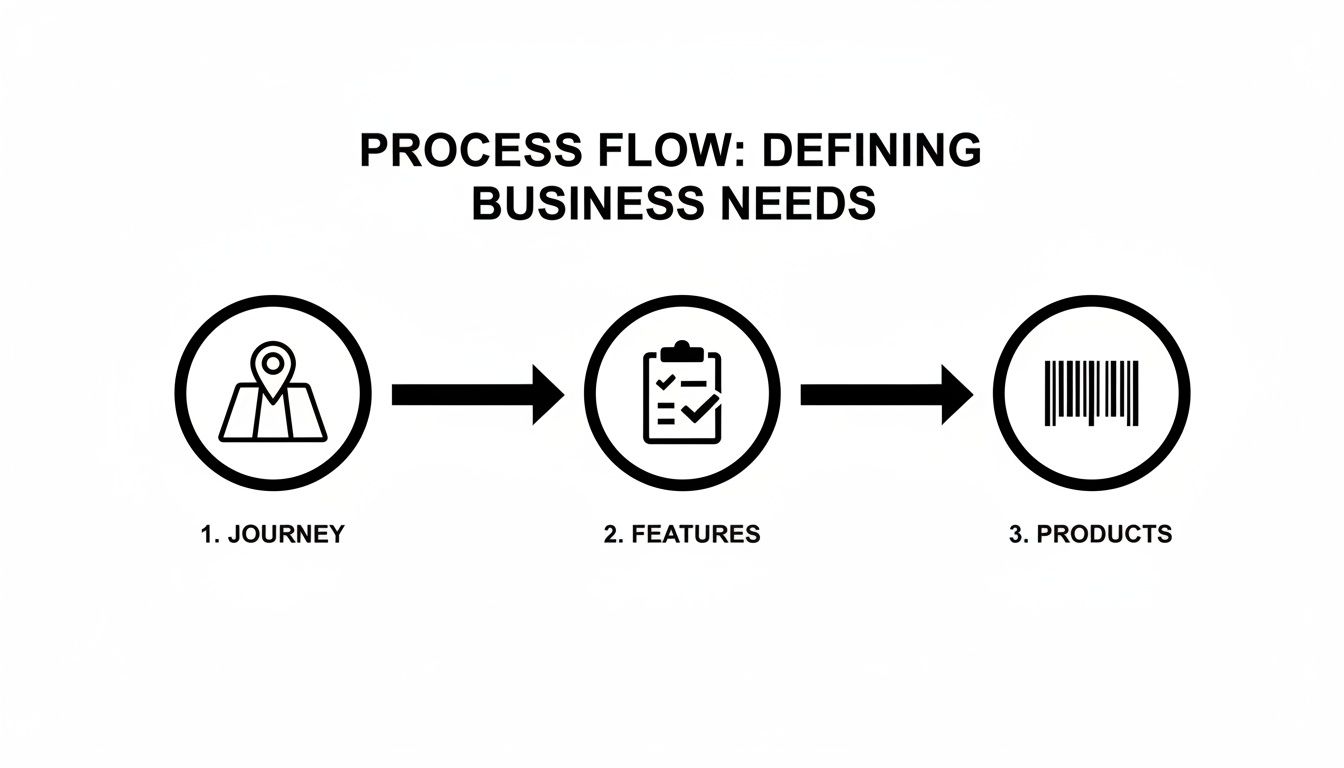
By mapping these stages, you build a practical list of "must-have" features that are directly tied to your customer experience and day-to-day operations.
Document Your Product and Inventory Complexity
Next, get granular about what you actually sell. The nature of your products has a massive impact on the platform features you’ll need. A shop selling five t-shirt designs has completely different requirements than one selling custom furniture with hundreds of variants.
For example, a clothing brand needs powerful tools for managing attributes like size, color, and material. A business selling digital courses needs a platform that can handle recurring billing and secure content delivery. And before you go too deep, it's worth getting a clear understanding of omnichannel vs multichannel strategies to make sure your choice aligns with your sales goals.
Don't just list your products. Map out exactly how you need to sell them. Consider all the variations, whether they're digital or physical, and if you plan to offer bundles or subscriptions. This document will become your most valuable tool in this entire process.
This deep dive into your catalog helps you pinpoint specific platform needs. For more on this, our guide on how to scale an ecommerce business takes a closer look at the operational challenges you’ll face as you grow.
Create Your Non-Negotiable Feature Checklist
With your journey and product maps done, you can finally build a concrete requirements checklist. This list becomes your scorecard for evaluating every platform you look at.
Your checklist should hit several key areas:
- Marketing & Sales Tools: Do you need built-in email marketing, abandoned cart recovery, or a flexible discount engine?
- Inventory & Order Management: Will you need to track inventory across multiple warehouses, get low-stock alerts, or manage purchase orders?
- Payments & Shipping: Which payment gateways are absolute must-haves for your customers? Do you need to offer real-time shipping rate calculations?
- Reporting & Analytics: What data is non-negotiable for making business decisions? Look for detailed sales reports, customer analytics, and traffic source data.
By documenting these needs upfront, you ensure the platform you choose is built to support not just where you are today, but where you plan to be tomorrow.
SaaS vs. Open-Source vs. Headless Architectures
The technology powering your store is a huge decision. It dictates your flexibility, budget, and even your day-to-day workload. Choosing the right architecture isn't about finding the "best" one—it's about finding what's best for you. This is one of those foundational decisions that shapes how you'll run your business for years to come.
Think of it like this: are you renting a fully furnished apartment, building a custom house from the ground up, or designing a futuristic, modular home? Each path has its own costs, responsibilities, and of course, rewards. Let's break down the three main options.

The Simplicity of SaaS Platforms
Software-as-a-Service (SaaS) platforms like Shopify or BigCommerce are the all-inclusive resorts of the e-commerce world. For a predictable monthly fee, they take care of everything behind the scenes—hosting, security, updates, and all the technical maintenance.
This "done-for-you" model lets you put all your energy into marketing and selling your products instead of managing servers. It's the perfect path for businesses that want to get online quickly with minimal technical headaches. You get a secure, scalable foundation right out of the box, usually with 24/7 support baked in.
When you're weighing your options, market share is a good indicator of reliability and community support. As of 2025, Shopify is the clear leader, holding 26.2% of all global e-commerce sites and powering over 4.65 million websites. Its dominance is even more pronounced among high-traffic sites, where it captures 28.8% of the market, proving its ability to scale. You can dig into these e-commerce market share statistics to get a feel for the landscape.
The Total Control of Open-Source
Open-source platforms, with WooCommerce being the prime example, are like building a custom home. The core software is free to download, but you're on the hook for everything else: buying hosting, setting up security, and handling all the updates and maintenance yourself. This is the ultimate "do-it-yourself" route.
The payoff for all that work? Unmatched freedom. You can tweak every line of code, design completely unique customer experiences, and build custom features that no SaaS platform could ever offer. This makes it ideal for businesses with very specific needs, a strong in-house development team, or anyone who wants to avoid monthly fees and maintain total ownership of their data.
Just remember, while the software is "free," the Total Cost of Ownership can creep up once you add in hosting, developer time, and premium plugins.
Key Takeaway: The biggest factor here is your technical comfort level. SaaS prioritizes ease of use and speed to market. Open-source prioritizes ultimate control and customization, but it demands more technical management.
The Ultimate Flexibility of Headless Commerce
Headless is the most modern approach, and it works by separating the "head" (the customer-facing storefront) from the "body" (the back-end commerce engine that manages orders, products, and payments). Think of it as a powerful brain that can connect to and power any number of different bodies.
This means your e-commerce platform—say, Shopify Plus or BigCommerce—can manage all the commerce functions while you use a completely separate system to build the user experience. This could be a custom-built website, a mobile app, or even an in-store kiosk. You connect the front-end and back-end using an API.
This approach gives you maximum creative freedom and blistering performance. Brands usually go headless to:
- Create lightning-fast, unique shopping experiences that aren't constrained by templates.
- Power multiple storefronts (web, mobile app, kiosks) from a single back-end.
- Seamlessly integrate commerce features into existing content sites or applications.
Headless is incredibly powerful, but it's also complex. It requires significant development resources and is best suited for established, high-growth businesses ready to innovate on the customer experience. If you're exploring this advanced route, getting professional web services and development support is a smart first move.
To help you visualize the trade-offs, here’s a quick comparison of the three architectures.
Comparing Ecommerce Platform Architectures
| Factor | SaaS (e.g., Shopify) | Open-Source (e.g., WooCommerce) | Headless (e.g., Shopify Plus with a custom front-end) |
|---|---|---|---|
| Ease of Use | High. Built for non-technical users. | Low to Medium. Requires technical expertise. | Low. Requires significant development resources. |
| Customization | Medium. Limited by themes and apps. | High. Full source code access. | Very High. Complete front-end freedom. |
| Time to Launch | Fast. Can be live in days. | Slow. Weeks or months of development. | Very Slow. Extensive development required. |
| Cost Model | Monthly subscription fee. | Free software, but ongoing hosting & dev costs. | High subscription fee + significant development costs. |
| Maintenance | Included in subscription. | User is responsible for everything. | Shared. Platform manages back-end; user manages front-end. |
| Scalability | High. Managed by the platform. | High, but requires expert configuration. | Very High. Designed for enterprise-level performance. |
Ultimately, the best choice aligns with your team's skills, your budget, and your long-term vision. SaaS gets you to market fast, open-source gives you total control, and headless offers unparalleled creative freedom for those who can afford the complexity.
Evaluating App Ecosystems and Critical Integrations
Your ecommerce platform is the heart of your business, but it doesn't beat alone. Its real strength comes from how well it connects to the other tools you use every single day to market, sell, and fulfill orders. When you're figuring out how to choose an ecommerce platform, the app ecosystem is a massive factor that separates a merely functional store from a high-growth machine.
A platform might look great on the surface, but if it can't talk to your accounting software or email marketing service, you’re just signing up for a future filled with manual data entry and costly mistakes. This is where integrations stop being a "nice-to-have" and become a core business requirement.
Beyond the App Count: Quality Over Quantity
It’s easy to get wowed by a platform boasting thousands of apps in its marketplace. But honestly, a massive number can be a vanity metric. A healthy ecosystem isn't about having the most apps; it's about having the right apps—the ones that are high-quality, reliable, and actually relevant to your business.
Think of yourself as a detective when you're browsing an app store. You need to look for the signs of a truly robust ecosystem:
- The Heavy Hitters: Does the platform have official, well-supported integrations with the tools you already can't live without? I'm talking about Klaviyo for email, QuickBooks for accounting, and major carriers like UPS and FedEx.
- Recent Updates: Check the "last updated" date on any app that seems crucial to your workflow. If an app hasn't been touched by its developers in over a year, that’s a big red flag. It probably isn't being actively supported.
- Real-World Reviews: User reviews are your best source of unfiltered truth. Look for patterns in the feedback. Do people consistently praise an app’s reliability and the developer’s support team? Or are the comments filled with complaints about bugs and non-existent help?
A platform with 200 high-quality, frequently updated, and well-supported apps is infinitely more valuable than one with 2,000 outdated or buggy plugins. Prioritize the quality of the ecosystem, not just its size.
Mapping Your Must-Have Connections
Before you even start looking at app stores, make a list of your non-negotiable integrations. This isn't a wish list; it's a map of your essential business operations. Start by outlining the core functions of your business and the specific software you depend on for each.
A classic scenario I see all the time is a retailer who sells on their own site and on marketplaces like Amazon. For them, a native integration that automatically syncs inventory and orders between their platform and Amazon isn't a convenience—it's absolutely critical to prevent overselling and keep customers happy.
And while you’re evaluating, don’t forget payment gateways. Your ability to accept payments smoothly and securely is foundational. A great guide to choosing the best payment gateway for ecommerce can be a huge help in navigating all the options out there.
Native vs. Third-Party vs. API
It’s just as important to understand how these integrations actually work. You'll generally run into three different types:
- Native Integration: This is built directly into the ecommerce platform by its own developers. These are usually the most stable and seamless connections you can get.
- Third-Party App: This is a connection built by an outside developer, available through the platform’s app marketplace. Many are fantastic, but quality can vary, and they often come with an extra monthly fee.
- Custom API Integration: If a pre-built app doesn't exist for a tool you need, you can use the platform's API (Application Programming Interface) to build a custom connection. This gives you total flexibility but requires serious development resources.
For example, using a platform’s built-in abandoned cart email tool is a decent starting point. But integrating a specialized tool can unlock much more advanced features. In fact, many brands connect a dedicated ecommerce personalization software to deliver highly targeted messages that significantly improve their recovery rates.
Ultimately, a strong ecosystem gives you the agility to adapt. It means that as your business grows and your needs change, your platform can grow right along with you, connecting to the best tools on the market without forcing you into a painful and expensive replatforming project.
Planning for Future Growth and Scalability
The platform that gets you through your first year in business might be the very thing that holds you back in year three. When you’re choosing an ecommerce platform, you’re not just solving today’s problems; you're picking a partner for the future. The real question is whether it can support you when you're processing ten, or even a hundred, times your current order volume.
Getting this right is what separates the brands that scale smoothly from the ones that hit a wall.
Scalability isn't just a buzzword. It’s the ability of your platform to handle a massive, sudden surge in traffic without even blinking. Picture this: it’s Black Friday morning, and your marketing campaign goes viral. A platform that can't scale will crash under a 1,000% traffic spike, killing your sales and your reputation in minutes. A truly scalable one will just keep humming along, processing every order without a glitch.
That difference is what you need to be digging into. Don't just ask a sales rep if their platform is "scalable." Ask them to prove it.
Assessing High-Volume Performance
A big part of your evaluation should focus on how the platform performs under pressure. This goes way beyond just handling traffic. You need to investigate a few critical areas.
First up is order processing. Can the platform handle thousands of simultaneous orders without creating a bottleneck in your fulfillment system? A great way to test this is to ask potential providers for case studies from clients who manage massive daily order volumes or survive extreme seasonal peaks.
Next, think about your product catalog. A platform might feel zippy with 100 SKUs, but what happens when you hit 10,000 SKUs, each with dozens of variants, high-res images, and custom fields? A system that slows to a crawl as your catalog grows is a serious liability. Make sure the database architecture is built for complexity without sacrificing speed.
Pro Tip: Look for a platform with a guaranteed uptime Service Level Agreement (SLA). The industry standard is 99.9% uptime or higher. Every minute your store is offline, you're not just losing money—you're losing customer trust.
The stakes are high, especially with global sales projected to hit $6.42 trillion in 2025. With mobile commerce expected to account for 60% of that, you need a platform that handles mobile traffic flawlessly. For example, Shopify currently powers 4.82 million active stores and captures 28.8% of the top one million high-traffic sites, which speaks volumes about its ability to scale.
Features That Enable Global Expansion
Real scalability also means having the flexibility to go after your biggest goals, like selling internationally. Expanding into new markets brings a ton of complexity that a basic platform just can't handle. Your chosen solution should be built for global commerce from the ground up.
Make sure it has these essential features for selling abroad:
- Multi-Currency Support: Can you display prices and accept payments in local currencies? This is a non-negotiable for reducing checkout friction and boosting conversion rates in new regions.
- Multi-Language Capabilities: Your platform needs to let you easily translate your storefront, product descriptions, and checkout flow for different countries.
- Region-Specific Compliance: How does the platform handle different tax rules, like VAT in Europe, and stay compliant with local regulations?
The Role of APIs in Future Growth
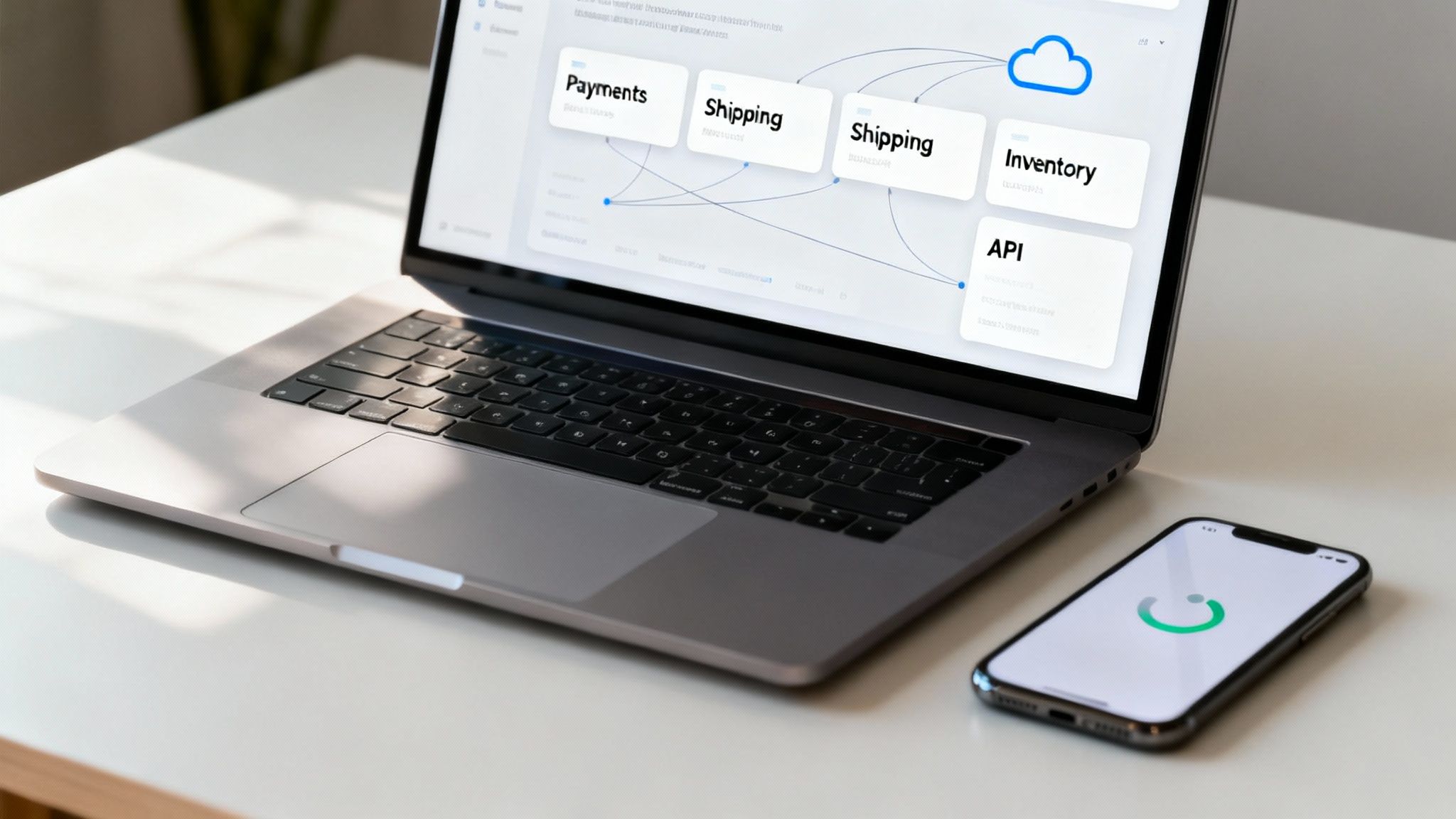
Finally, a platform’s Application Programming Interface (API) is your secret weapon for long-term growth. A robust and well-documented API lets you build custom solutions and integrations as your business needs change. It’s what allows you to connect your store to a new warehouse management system or a custom mobile app a few years down the line.
Choosing a platform with a weak or poorly supported API is like building a house with no doors. You’re essentially trapping yourself inside its native feature set. A strong API ensures that no matter how your business evolves, your technology can adapt right along with it.
And if you're serious about expansion, check out our guide to powerful ecommerce growth strategies to make sure your platform choice aligns with your long-term vision.
Calculating the True Total Cost of Ownership
A platform's price tag is rarely the full story. If you want to make a smart financial decision, you have to look beyond the advertised monthly fee and figure out the Total Cost of Ownership (TCO). This approach uncovers all the expenses you'll actually face, preventing nasty budget surprises down the road.
Too many brands get drawn in by a low subscription price, only to discover a mountain of extra costs required to run their store effectively. I've seen it happen time and again: a platform that seems cheap at first quickly becomes more expensive than a premium competitor once you factor in everything you need for a fully functional, professional online store.
Beyond the Subscription Fee
The first step in calculating your TCO is to itemize every potential cost. Think of the monthly subscription as just the starting line. Here are the other major expenses you need to account for.
- Payment Processing Fees: Every time a customer buys something, a payment gateway like Stripe or PayPal takes a cut. These fees typically range from 2.5% to 3.5% of the transaction.
- Transaction Fees: Some platforms charge their own separate fee on top of the payment processor's cut. This can be an additional 0.5% to 2% of every sale, which can seriously eat into your margins.
- Premium Themes and Design: While free themes exist, most businesses invest in a premium theme (a one-time cost of $150-$350) or hire a designer for custom work. You need a credible and professional look, and that often costs money.
This is where the cost differences between platforms really start to show. Open-source options like WooCommerce, which holds 37% of the global market share, are popular for their zero upfront fees. But SaaS platforms like Shopify, with a 21-26.2% share, can add transaction fees up to 2% if you don’t use their native payment system—a trade-off for simplicity.
The Hidden Costs of Apps and Maintenance
The next layer of costs comes from the tools and support needed to operate and grow your store. These recurring expenses are often the most underestimated part of the TCO.
Essential apps for functions like email marketing, customer reviews, or advanced shipping calculations almost always come with their own monthly subscription fees. A handful of these "essential" apps can easily add an extra $50-$200 per month to your bill. Optimizing your checkout is also crucial, and our guide on conversion rate optimization tips shows how small tweaks there can have a big impact on your bottom line.
Maintenance costs also differ significantly. With a SaaS platform like Shopify, things like hosting, security, and updates are all bundled into your subscription. For an open-source solution like WooCommerce, you're on the hook for those costs, which can include hosting fees, security plugins, and potentially hiring a developer for updates and troubleshooting.
Your TCO isn't just a number—it's a realistic financial model for your business. By projecting these costs over one to three years, you get a much clearer picture of what each platform will truly demand from your budget.
A Realistic TCO Comparison Example
Let's break down the TCO for a hypothetical business on Shopify's $39/month plan versus a self-hosted WooCommerce setup. While WooCommerce has no platform fee, it requires hosting and potentially paid plugins. Here’s a look at the first year.
| Cost Component | Shopify (Year 1) | WooCommerce (Year 1) |
|---|---|---|
| Platform Fee | $468 | $0 |
| Hosting | Included | $180 |
| Premium Theme | $250 (one-time) | $80 (one-time) |
| Essential Apps | $720 ($60/mo) | $600 ($50/mo) |
| Developer Help | $0 | $300 (setup/tweaks) |
| Year 1 Total | $1,438 | $1,160 |
This simple breakdown shows that while Shopify has a higher recurring fee, the initial and ongoing costs for a robust WooCommerce store can be surprisingly comparable. By creating a similar spreadsheet for your own needs, you can make a decision based on a complete financial picture, not just a sticker price.
Still Have Questions About Choosing a Platform?
Making the final call on an ecommerce platform often comes down to a handful of last-minute, nagging questions. Even after weeks of research, a few key uncertainties can stand between you and a confident decision. Let's tackle the most common ones that come up.
Getting clear, direct answers here will help you iron out those final details and commit to a platform that’s truly built for your business.
Which Ecommerce Platform Is Best for SEO?
There’s no magic bullet platform for SEO. Your success will always hinge more on your strategy and execution than on the software itself. That said, certain platforms definitely give you a stronger foundation to build on.
A platform like WooCommerce, for example, is built on WordPress and gives you incredible control through powerful plugins like Yoast SEO. This lets you tweak every technical SEO element imaginable. On the flip side, a SaaS platform like Shopify handles a lot of the heavy lifting for you, providing excellent out-of-the-box features like a fast, secure infrastructure—both crucial ranking signals for Google.
The best choice is the platform whose tools and ecosystem feel most comfortable for you to execute on SEO fundamentals. That means things like optimizing for site speed, ensuring a mobile-first design, and maintaining a clean URL structure.
At the end of the day, the platform is just the vehicle, not the driver. A great platform makes SEO easier, but it doesn’t do it for you. Your commitment to high-quality content and a strong backlink profile will always matter more.
Should I Choose Based on My Current Size or Future Goals?
Always plan for your future goals, but operate within your current budget. It's a balancing act, and it’s critical for long-term success. Choosing a platform that only meets today’s needs is just kicking the can down the road, setting yourself up for a painful and expensive migration later on.
But don't go too far in the other direction. Overspending on a complex enterprise solution before you're ready will drain cash that would be better spent on marketing and inventory. The smart move is to pick a platform with a clear, scalable growth path.
- Real-World Example: You could launch on a basic Shopify plan for a predictable monthly fee. As your order volume and feature needs grow, you can upgrade to Shopify Plus without having to rebuild everything from scratch.
This approach ensures your platform can scale right alongside your business, saving you from a complete do-over the moment you hit your next growth spurt.
How Important Is 24/7 Customer Support?
For most businesses, especially if you don't have a dedicated tech team on payroll, 24/7 customer support is mission-critical. When your checkout fails at 10 PM on a Friday or your site goes down during a flash sale, every minute of downtime costs you money and erodes customer trust.
SaaS platforms like Shopify or BigCommerce really shine here, offering immediate help via phone, email, or live chat. That access is a lifesaver when you need an urgent fix.
With open-source platforms like WooCommerce, your support system looks different. It’s usually found in community forums, documentation, or by paying a third-party developer. If you're not ready to troubleshoot issues yourself or don't have a developer on standby, you should make built-in, round-the-clock support a top priority.
What Are the Biggest Risks of Migrating Platforms?
Don't underestimate a platform migration—it's a major technical project loaded with serious risks. The biggest one is data loss. Mess this up, and you could lose irreplaceable customer, order, and product information.
Another huge risk is SEO damage. If you fail to map and implement 301 redirects for all your old URLs, your search rankings can get wiped out, sometimes overnight. You also risk significant downtime during the switch, which means lost sales and frustrated customers.
A detailed plan isn't just a good idea; it's non-negotiable.
- Full Backups First: Before touching anything, create complete backups of your entire site, including all databases and files.
- Map Every Single URL: Create a spreadsheet that maps every old URL to its new equivalent on the new platform. No exceptions.
- Migrate During Off-Hours: Schedule the final switch for your store’s quietest hours to minimize the impact on sales.
- Test, Test, and Test Again: Use a staging environment to run a full test migration. Check the entire customer journey, from login to checkout, before you even think about going live.
Given the high stakes, hiring an experienced migration expert or agency is almost always a smart investment. It’s the best way to protect your revenue and your rankings.
Choosing the right platform is just the first step. To truly accelerate your growth, you need a partner who can turn that platform into a sales machine. Next Point Digital specializes in optimizing your entire ecommerce ecosystem, from marketplace SEO and AI-driven advertising to conversion rate optimization. We build the strategies that turn clicks into loyal customers. Let's build your growth roadmap together.