

So, you're thinking about selling on eBay? It's a fantastic idea, but it’s easy to get bogged down by all the "how-to" guides out there. Let's cut through the noise.
Learning how to sell on eBay boils down to three simple things: creating a seller account, finding items to sell, and crafting optimized product listings. That’s it. The secret is to start small, get comfortable with the process, and then build up as your confidence and positive feedback grow.
Getting Started Without Getting Overwhelmed
Jumping into eBay can feel like a huge step, but I promise it doesn’t have to be intimidating. Instead of staring at a massive to-do list, just focus on the first three moves: setting up your account, finding something to sell, and getting that first listing live.
This simple flowchart lays it all out.
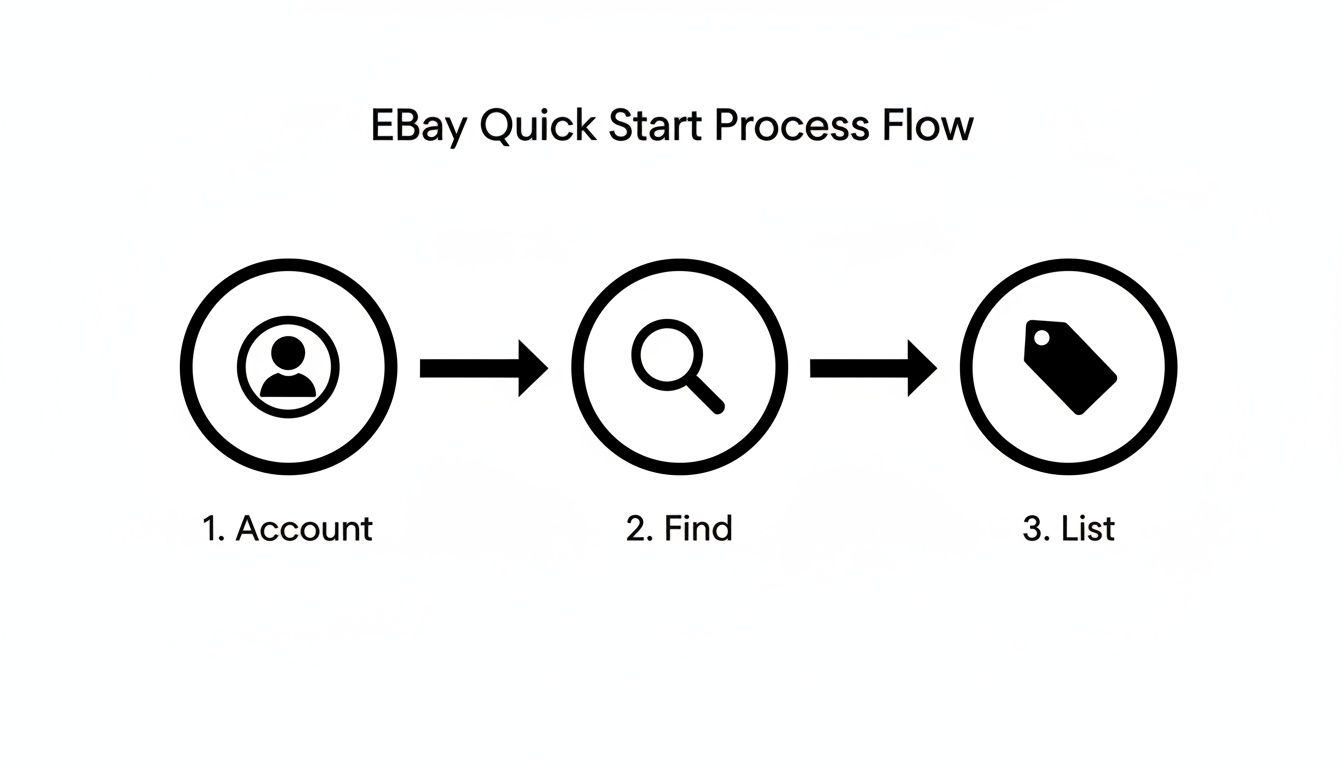
Think of this as your roadmap. It breaks the whole thing down into a manageable path so you can build momentum from day one. You don't need to be an expert overnight.
Why Now Is the Perfect Time to Start
The opportunity on eBay is massive. You've got 134 million active buyers constantly searching the platform, browsing through 2.4 billion live listings. For new sellers, that’s a built-in audience waiting for you.
And the proof is in the numbers. Sellers generated a staggering $74.7 billion in gross merchandise volume in a recent year. This isn't just a playground for big brands; it’s a launchpad for side hustles and small businesses. If you're serious about turning this into more than a hobby, it's worth reading this guide on how to start a resale business.
Your Beginner Quick-Start Checklist
To help you get moving, I've put together a quick checklist covering the five most important first steps. Don't get distracted by advanced tactics yet—just nail these fundamentals to get your first item live. The skills you learn here are transferable, so if you ever decide to expand, check out our guide on how to sell on Walmart Marketplace.
To get your eBay journey started on the right foot, just focus on these five core action items. This table breaks down what to do and, more importantly, why it matters.
| Step | Action Item | Why It Matters |
|---|---|---|
| 1 | Create Your Seller Account | This is your foundation. A properly set up account builds credibility and ensures you get paid smoothly. |
| 2 | Find Your First Item to Sell | Start with something you already own and know well. This lowers the stakes and simplifies your first listing. |
| 3 | Take Clear, Bright Photos | Photos are your most powerful sales tool. Good lighting and multiple angles can make or break a sale. |
| 4 | Write a Keyword-Rich Title | Think like a buyer. Use descriptive words (brand, size, color) so your item appears in relevant searches. |
| 5 | Weigh Your Item for Shipping | Accurate weight is critical for calculating shipping costs correctly and avoiding profit loss on your first sale. |
Remember, success on eBay isn't about knowing everything from the start. It’s about taking that first small, consistent step. Your first listing is the most important one because it finally gets you in the game.
Setting Up Your Seller Account The Right Way
Before you can make your first sale, you need a place to do business. Getting your eBay seller account set up is that first critical step, and doing it right from the start saves a ton of headaches later on. This is how you establish your identity on the platform, make sure you get paid, and build a professional storefront for your buyers.
Think of your seller account as your digital shop's address and bank account all in one. It’s where eBay sends your earnings and where customers see your business info. The setup process itself is pretty straightforward, but a few key decisions you make here will shape your entire selling journey.
Choosing Your Account Type
Right out of the gate, you'll need to choose between a personal account and a business account. This decision really just comes down to your long-term goals.
A personal account is perfect if you’re just clearing out your closet or selling a few things here and there. It’s simple to set up and ideal for casual sellers who aren't trying to build a brand.
But if you're serious about creating a side hustle or even a full-time business, a business account is the way to go. It lets you operate under a company name, gives you access to more advanced selling tools, and can even unlock different fee structures down the line. It just sets a more professional tone from day one.
Pro Tip: Don't get stuck here. If you’re just testing the waters, start with a personal account. You can always upgrade to a business account later as your sales grow—without losing any of your feedback or sales history.
Gathering Your Essential Information
Once you’ve picked an account type, eBay will walk you through the registration. To make this part go smoothly, have this information ready to go:
- A Valid Email Address: This is your main line of communication with both eBay and your future buyers.
- Your Contact Information: A verifiable phone number and physical address are required for account security. No way around this one.
- Bank Account Details: eBay uses a system called Managed Payments, so you’ll need to link a checking account for them to deposit your earnings directly. It's a secure and standard process.
During this stage, you'll also pick a user ID. Choose something that sounds professional and is easy for people to remember. A name like "TomsVintageFinds" is a thousand times better than a random string of numbers like "user_8675309." A good user ID is your first piece of branding.
Once your details are in, you'll land on the Seller Hub dashboard. This is your new command center for creating and managing all your listings.
To Subscribe to a Store or Not
As a new seller, you’ll probably hear about eBay Store subscriptions. This is a paid monthly service that offers perks like more free listings and slightly lower final value fees.
So, do you need one right away? Almost certainly not.
Every seller gets 250 free listings each month without a store subscription. For most beginners, that’s more than enough to get your feet wet. A store subscription only really starts to make financial sense when your monthly sales volume is high enough that the savings on fees are greater than the subscription cost itself.
Here's a quick breakdown to help you see when it might be time to upgrade:
| Feature | Without a Store | With a Basic Store |
|---|---|---|
| Monthly Cost | Free | ~$22/month (paid annually) |
| Free Listings | 250 per month | 10,000+ per month (in select categories) |
| Final Value Fees | Standard rates (e.g., 13.25% in most categories) | Slightly lower rates (e.g., 12.35% in most categories) |
| Best For | New sellers listing under 250 items a month. | Sellers listing hundreds of items or with consistent, high sales volume. |
For now, just focus on getting your first few dozen items listed and becoming comfortable with how the platform works. Once your account is set up, it's also a great time to think about where eBay fits into your bigger picture. To see how it stacks up against other channels, you can take our marketplace evaluation test to find the best fit for your goals.
Finding Profitable Items to Sell
The biggest question every new seller asks is simple: “What should I sell?”
You can have the perfect account and the best photos in the world, but without a product people actually want, you won’t make any sales. The goal here is to find items that are in demand, offer a decent profit margin, and aren't a nightmare to ship.
Don't overcomplicate this. Your journey into product research doesn't need to start with expensive tools or complex market analysis. It can start right in your own home.
Start With What You Already Own
The easiest and lowest-risk way to get started is by selling items you no longer need. This "house-flipping" method lets you learn the entire eBay process—listing, packing, and shipping—without spending a dime on inventory. You get to practice and build your seller feedback score with zero upfront cost.
Look around your home for these common profit-hiders:
- Used electronics: Old phones, video game consoles, or digital cameras often have surprising resale value.
- Brand-name clothing or accessories: A designer handbag or a pair of lightly-used premium-brand jeans can sell quickly.
- Collectibles and media: Think vintage toys, old vinyl records, or out-of-print books.
Selling your own stuff first is like a practice run. You’ll learn firsthand what sells, how to describe conditions accurately, and how to calculate shipping on different-sized items. This experience is invaluable before you start investing your own money into products.
Uncover What Buyers Are Searching For
Once you've made a few sales and are ready to source inventory, it’s time to do some real research. You want to find products with proven demand. Trying to create demand for an unknown product is an uphill battle; it's much easier to supply what people are already looking for.
eBay gives you a powerful, free tool to do exactly this: Terapeak Product Research. It's built right into the Seller Hub and shows you what has actually sold, for how much, and how often.
Terapeak is your crystal ball for product demand. It uses real eBay sales data from the past three years to show you pricing trends, sell-through rates, and average shipping costs. This eliminates guesswork and helps you make data-backed decisions.
For example, imagine you find a vintage board game at a thrift store. A quick search on Terapeak might show that similar games in good condition have consistently sold for $50-$70 over the past few months. That data instantly tells you there's a market and gives you a clear pricing target.
A Simple Framework for Vetting Products
Not every in-demand item is a good fit for a beginner. A profitable product is more than just popular; it also has to be practical for you to sell. Before you decide to list something, run it through this simple three-part check.
-
Profit Margin: Is there enough room between your cost and the potential sale price to make a profit after fees and shipping? A good rule of thumb for beginners is to aim for items you can sell for at least 3-4 times what you paid for them. This buffer covers eBay fees (which are typically around 13%), shipping supplies, and still leaves you with a healthy profit.
-
Shipping Complexity: How difficult will this item be to pack and ship? A coffee mug is easy. A fragile, oversized antique lamp is not. As a beginner, stick to items that are small, lightweight, and durable. This keeps your shipping costs low and predictable, reducing the risk of losing money on an unexpected postage charge.
-
Competition Level: How many other sellers are offering the same item? If there are thousands of listings for the exact same new-in-box product, it will be a race to the bottom on price. Instead, look for items with moderate demand but less saturation—things like unique vintage pieces or specific replacement parts.
Putting it all together, let’s say you’re at a garage sale and see a brand-name programmable coffee maker for $10.
- Profit: You use Terapeak on your phone and see it sells for an average of $45. That's a great margin.
- Shipping: It's a bit bulky but not too heavy and fits in a standard box. Manageable.
- Competition: There are a few dozen active listings, not thousands. You can compete.
This is a green light. It hits all the marks of a smart product choice for a new seller. To discover more high-potential categories and items, our guide on what sells on eBay well offers a deeper dive into profitable niches. Finding your first few winners will build the confidence you need to grow your eBay venture.
Creating Listings That Actually Convert
So you've found a great product to sell. Awesome. Now comes the hard part: convincing a total stranger to pull out their wallet and buy it. Your eBay listing is your entire sales pitch, product display, and checkout counter rolled into one.
Getting it right is the difference between an item that sits for weeks and one that sells in hours. Think of your listing as a digital storefront. It needs to be clean, informative, and compelling enough to stop a casual scroller in their tracks. Let’s break down what makes a listing actually work, from the title that grabs attention to the photos that close the deal.
Nail the Title with Buyer-Focused Keywords
Your title is the #1 most important part of your listing's SEO. It’s the main thing eBay's search engine, Cassini, looks at to match your item with what people are searching for. A weak title makes you practically invisible.
The best titles are a smart blend of descriptive terms and the exact keywords buyers are typing into that search bar. You have to think like your customer. What words would you use to find your item?
Forget the generic, fluffy words like "Awesome!" or "Great Deal!" They waste precious character space and do absolutely nothing for search. Instead, stick to a clear, repeatable formula that packs a punch.
A winning title structure usually looks something like this:
- Brand Name: (e.g., Nike, Sony, Pyrex)
- Product Name/Type: (e.g., Air Max 90, PlayStation 5 Console, Vintage Casserole Dish)
- Key Descriptors: (e.g., Men's Size 11, Black/White, 2 Quart with Lid)
- Condition: (e.g., New with Tags, Used, For Parts)
For example, a terrible title would be: "Cool Nikes for sale!!!" A much better, search-friendly title is: "Nike Air Max 90 Men's Running Shoes Size 11 Black/White – Excellent Condition." See the difference? That second one is packed with keywords that will actually get you found.
Your Photos Are Your Product
Online, your photos aren't just part of the product—they are the product. Buyers can't pick up your item, feel it, or inspect it up close. Your pictures have to do all of that heavy lifting for them. And no, you don't need a fancy professional camera; your smartphone is more than capable.
The two things that matter most are lighting and clarity. Take your photos in a well-lit area, ideally using natural light from a window. A simple, neutral background like a white poster board or a clean wall makes your product the star of the show.
Key Insight: eBay gives you up to 24 free photos for every listing. Use every single one of them. A buyer can never have too much information, and showing every angle, tag, and potential flaw builds massive trust. This alone will dramatically cut down on returns.
If you really want to stand out, learning the basics of taking professional product photos will pay for itself a hundred times over. Be sure to capture close-ups of labels, unique features, and—most importantly—any imperfections. Transparency is non-negotiable if you want to build a solid reputation.
Write Descriptions That Answer Questions
Once the title and photos have pulled a buyer in, the description is where you seal the deal. This is your chance to fill in the details, answer any lingering questions, and give them the confidence to click "Buy It Now."
Keep it scannable. Nobody wants to read a giant wall of text. Use short paragraphs and bullet points to break up information and make it easy to digest on a phone screen.
Your description should always cover:
- A quick summary: Reiterate what the item is.
- Condition details: Be brutally honest here. Point out any scuffs, scratches, or signs of wear. It's far better to over-disclose than to deal with an unhappy customer later.
- Measurements: Always include dimensions for clothing, furniture, or anything where size matters.
- What’s included: Clearly state if accessories, manuals, or the original box are part of the sale.
Try to anticipate every single question a buyer might have and answer it proactively in your description. This not only builds trust but also saves you from answering the same messages over and over. Many of these principles are universal; you can find more detailed strategies in our guide to optimizing Amazon product listings.
Fill Out Item Specifics for Maximum Visibility
Just below the description section, you'll find the "Item Specifics"—all those structured data fields for brand, size, color, material, and so on. Let me be clear: filling these out is not optional if you want to make consistent sales.
These fields are what power eBay's search filters. When a shopper narrows their search by "Size 10" or "Brand: Apple," your listing will only show up if you've filled out those specific fields. Leaving them blank makes you invisible to a huge group of highly motivated buyers.
Take the extra few minutes to be thorough. Go through every single relevant field eBay provides for your category. The more data you give eBay, the better it can match your listing to the right person. It's a simple step with a massive impact on your visibility.
Mastering Your Shipping and Fulfillment Process
Once you've made a sale, the final—and arguably most important—step is getting the item safely into your buyer's hands. Shipping can feel like the most complex part of learning how to sell on eBay for beginners, but it's where you build trust and earn that all-important positive feedback.
A smooth, transparent fulfillment process is what turns a one-time buyer into a repeat customer. Getting this right isn't just about sticking an item in a box. It means accurately calculating costs so you don’t lose money, choosing the right supplies to prevent damage, and understanding eBay’s expectations for speed and communication.

Calculating Shipping Costs Accurately
Guessing your shipping costs is one of the fastest ways to completely erase your profit margin. Before you even list your item, you need to know exactly what it will cost to ship. This means you have to weigh and measure your item after it has been packed.
Use a simple kitchen or postal scale for the weight. Then, use eBay's built-in shipping calculator when you create your listing. This tool is a lifesaver; you just enter the package weight and dimensions, and it shows potential buyers real-time shipping costs based on their location.
You have a few ways to set up shipping in your listings:
- Calculated Shipping: This is the most accurate and fair method. The buyer pays the exact shipping cost based on their location, the package details, and the service you choose (e.g., USPS, UPS). No guesswork needed.
- Flat Rate Shipping: You charge one single price for shipping to all buyers, no matter where they live. This is simpler, but you have to estimate an average cost—you might overcharge some buyers and undercharge others.
- Free Shipping: This is a powerful marketing tool that can definitely attract more buyers. But let's be real, shipping is never truly free. You absolutely must bake the estimated shipping cost into your item's sale price to protect your profit.
Choosing Your Shipping Carrier
Through eBay, you can easily purchase and print shipping labels from major carriers, often at a discounted rate compared to what you'd pay walking into the post office. Your main choices are USPS, UPS, and FedEx.
For beginners, USPS (United States Postal Service) is usually the most convenient and cost-effective option for smaller, lighter packages. Services like USPS Ground Advantage are perfect for items under a few pounds and automatically include tracking. You can even get free Priority Mail boxes delivered right to your home.
Pro Tip: Always use eBay’s platform to print your shipping labels. Not only do you get a commercial discount on postage, but the tracking number is automatically uploaded to the order details. This keeps your buyer informed and protects you as a seller.
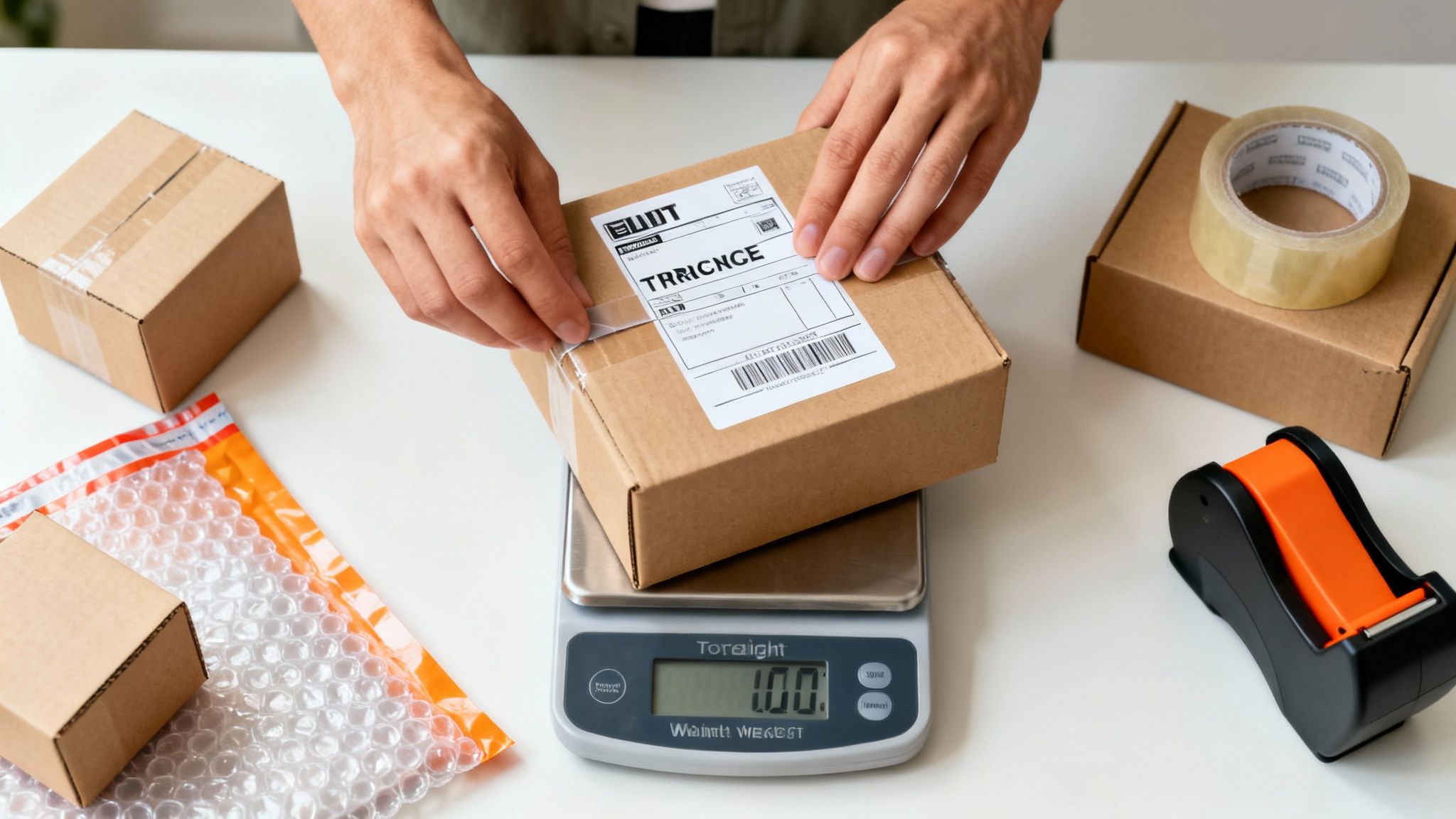
Essential Packing Supplies and Best Practices
Protecting your item during its journey is non-negotiable. An item arriving damaged leads to a refund, a negative review, and a lost customer. It's just not worth it. Invest in quality packing materials to ensure everything arrives safely.
Your beginner packing toolkit should include:
- Sturdy Boxes: Start collecting various sizes. It's perfectly fine to reuse boxes from your own online orders as long as they are clean and strong.
- Bubble Wrap or Packing Paper: Use this to cushion the item on all sides. A good rule of thumb is to have at least two inches of padding between the item and the box walls.
- Packing Tape: Don't skimp here. Use strong, high-quality tape to securely seal all the seams of the box. A cheap tape job is asking for trouble.
- A Scale: A simple digital kitchen scale is perfect for weighing packages up to 10-15 pounds.
When you're done packing, give the box a little shake. Does the item move? If it does, you need more cushioning. This simple "shake test" is the best way to confirm you've packed it securely. It’s a small step that prevents big problems down the road.
Managing Sales and Growing Your eBay Business
Making that first sale feels incredible, but it's really just the beginning. Now the real work starts. Your focus shifts from simply listing products to actually running a business and building a reputation that brings customers back. This is the part where you turn a one-off sale into a sustainable side hustle or even a full-time gig.
As soon as a sale comes through, eBay will ping you. Your job is to get that item packed securely and shipped out fast. Always print your shipping labels right from eBay’s platform—it’s cheaper, and it automatically uploads the tracking info for you. Getting items to the carrier within your stated handling time is one of the easiest ways to earn positive feedback.
Understanding Your Numbers
You can’t grow what you don’t measure. To see if you’re actually making money, you need to get familiar with your numbers. It’s not just the sale price minus what you paid for the item; you have to factor in eBay's cut. There are two main fees to watch:
- Insertion Fee: You get 250 free listings every month. After that, you'll pay a small fee (usually around $0.35) for each additional listing.
- Final Value Fee: This is the big one. It’s a percentage of the total sale amount—including whatever the buyer paid for shipping—and it usually falls between 10% and 15%, depending on the category.
eBay deducts these fees automatically before the money hits your bank account. I recommend tracking all your costs in a simple spreadsheet. It’s the only way to know which products are your real money-makers.
Leveraging the Seller Hub for Growth
Think of the eBay Seller Hub as your command center. This dashboard is packed with data that tells you exactly what’s working and what’s not. Keep a close eye on these metrics:
- Traffic: How many people are actually viewing your listings?
- Impressions: How many times did your listings pop up in someone's search results?
- Click-Through Rate (CTR): This shows you the percentage of people who saw your listing and actually clicked on it. A low CTR is often a red flag for a weak title or a bad main photo.
Key Takeaway: Dive into the Seller Hub's Performance tab to spot your best-performing listings. If a certain type of product gets tons of traffic and sales, that's your cue to go find more of it.
Once the sales start rolling in, you’ll naturally start thinking about what’s next. Maybe that means sourcing more inventory, dabbling in Promoted Listings to get more eyes on your stuff, or even signing up for an eBay Store subscription. The principles of scaling are pretty universal, and you can learn more about how to scale an ecommerce business in our detailed guide. It all comes down to reinvesting what you’ve learned into smarter decisions.
Got Questions? Let's Get Them Answered
Diving into eBay for the first time? You've probably got a few things on your mind. Here are some quick, no-nonsense answers to the questions I hear most often from new sellers.
How Much Does It Really Cost to Sell on eBay?
For most beginners, the costs are actually pretty straightforward. You get 250 free listings every month, so you likely won’t pay a dime in insertion fees when you’re just starting out.
When an item sells, eBay takes what they call a final value fee. Think of it as their commission. This is just a percentage of the total amount the buyer pays, including the shipping. For most categories, you’re looking at somewhere between 10% to 15%. No need for a paid store subscription until you're much further down the road.
What Are the Easiest Things to Sell When You're New?
Honestly, the best things to sell first are the things you already know and can get your hands on easily. Look around your house for items that are simple to pack and ship.
- Used books and media: Super lightweight and a breeze to pack.
- Brand-name clothing: Those jeans you haven't worn in years? They could have some solid resale value.
- Small electronics or collectibles: These often have dedicated communities of buyers who know what they're looking for.
Starting with low-cost items from your own home is the smartest, most risk-free way to learn the ropes. You'll get the hang of everything—from listing to shipping—while building up that all-important seller feedback score.
Key Takeaway: Your first few sales aren't about making a massive profit. They're about learning the system. Get comfortable with the process using low-stakes items, and you’ll be ready to invest in real inventory with confidence.
Should I Use Auction or "Buy It Now"?
For just about every beginner out there, Buy It Now (fixed price) is the way to go. It's simple, it's predictable, and you're in total control of your pricing.
Auctions can be a thrill for super rare or in-demand collectibles, but for most everyday items, a fixed price is far more reliable. It also means you get paid right away. This approach lets you focus on mastering the basics without the stress of watching bids or dealing with unpredictable sale prices.
Ready to turn your eBay efforts into a real, scalable business? Next Point Digital helps marketplace sellers build data-driven marketing strategies that deliver real results. Let's create your roadmap for profitable growth.
Schedule your free consultation with Next Point Digital today!