

Amazon listing optimization is the hands-on process of refining your product pages to climb higher in Amazon's search results, pull in more traffic, and—most importantly—turn those clicks into sales. It’s about methodically improving every single element, from your title and images to your keywords and reviews, to win over both Amazon's A9 algorithm and actual shoppers. This is how you transform a basic product page into a sales-generating machine.
Why Your Amazon Listing Is Your Most Valuable Asset
Think of your Amazon listing as your digital storefront. It’s your one shot to grab a customer's attention, show them what your product is all about, and close the deal in a marketplace packed with millions of shoppers ready to buy. That's why mastering Amazon Product Listing Optimization isn't just a technical tweak; it's a core business strategy.
The competition on Amazon is fierce, and the numbers don't lie. The platform's net sales revenue hit a mind-boggling $574.78 billion in 2023, and it owns a massive 37.6% of the entire U.S. ecommerce market.
Even more telling is how shoppers behave:
- A full 63% of them start their product hunt directly on Amazon.
- A staggering 70% never even bother clicking past the first page of search results.
If your listing isn't optimized, you’re basically invisible. You're handing sales over to competitors who took the time to get it right.
Before we dive into the step-by-step process, let's get a high-level view of what a fully optimized listing looks like. Each component has a specific job to do, and they all work together to drive visibility and sales.
Core Components of a Fully Optimised Amazon Listing
| Component | Primary Goal | Key Metric |
|---|---|---|
| Keywords | Attract relevant traffic from search | Search Rank |
| Title | Capture attention and communicate relevance | Click-Through Rate |
| Bullet Points | Highlight key benefits and features | Conversion Rate |
| Images & Video | Showcase the product and build trust | Conversion Rate |
| A+ / EBC | Tell the brand story and overcome objections | Conversion Rate |
| Backend Fields | Provide additional data for the A9 algorithm | Indexed Keywords |
| Pricing & Offers | Create a compelling reason to buy now | Sales Velocity |
| Reviews & Q&A | Build social proof and answer questions | Star Rating |
This table gives you a quick roadmap of what we'll be covering. Mastering each of these areas is the key to building a listing that not only ranks well but also converts browsers into loyal customers.
The A9 Algorithm and Customer Behavior
At the heart of Amazon's search engine is its algorithm, A9. Unlike Google, which is built to answer questions, A9 has one mission: sell products. It ranks listings based on one simple question: "Which product is most likely to result in a sale?"
A9 looks at two main buckets of signals to make its decision:
- Relevance Factors: How well does your listing match what the customer typed into the search bar? This is all about your title, bullet points, product description, and the keywords you’ve tucked away in the backend.
- Performance Factors: Does your product actually sell? A9 watches metrics like your sales history, conversion rate, customer reviews, and even your price point to gauge performance.
Essentially, A9 learns from customer behavior. When a shopper searches for a keyword, clicks on your listing, and buys your product, it sends a powerful signal to the algorithm that your listing is a great match for that term. This creates a flywheel effect: more sales lead to higher rankings, which in turn drives even more sales. For sellers in programs like FBA, keeping this cycle spinning is absolutely critical. You can learn more about what Amazon FBA means in our detailed guide.
This is a constant loop between the algorithm, your data, and the customer.
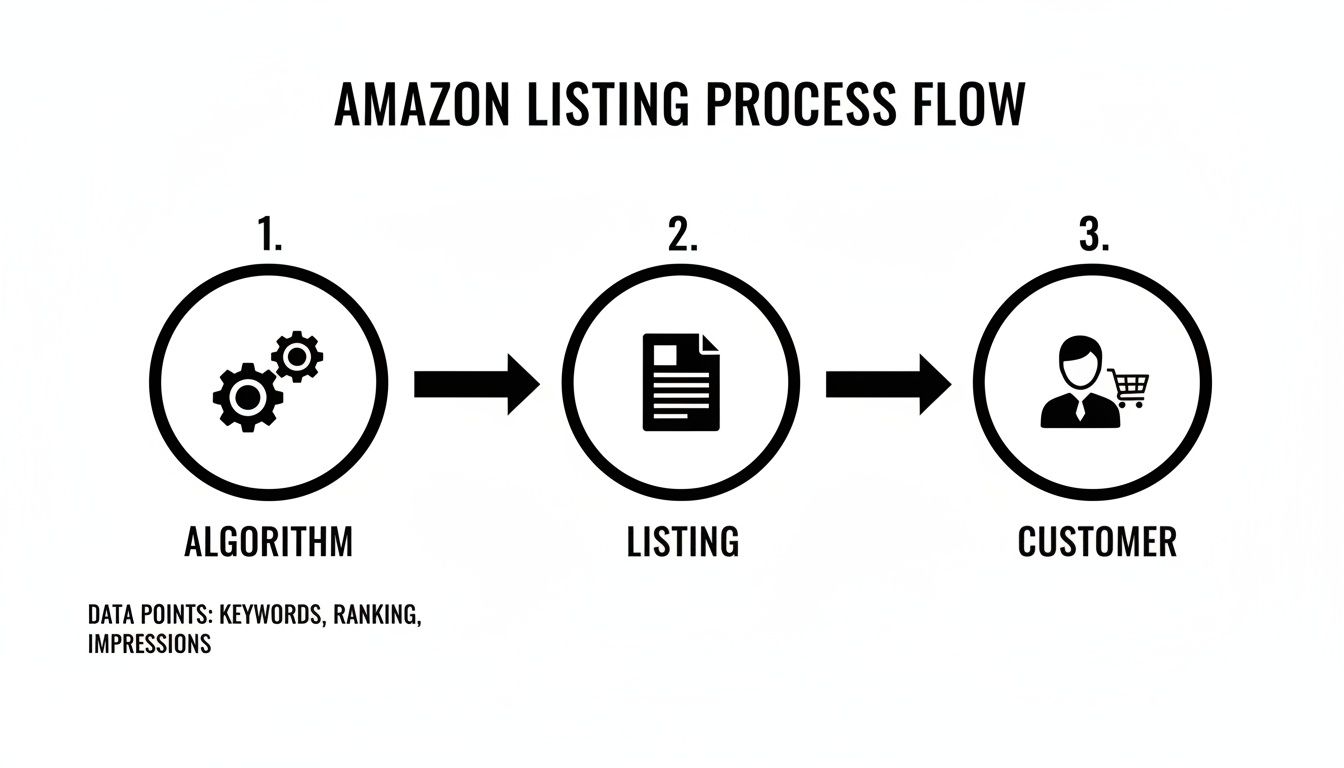
Here's the key takeaway: optimizing for the algorithm and optimizing for the customer are two sides of the same coin. You can't do one without the other.
Your listing must be built to satisfy the data-driven demands of the A9 algorithm while simultaneously building trust and desire in a human shopper. Neglecting either side will cause your entire strategy to fail.
Without a strong, optimized foundation, even the most amazing product will get lost in the noise. Let's get started on building that foundation.
Uncovering Keywords That Drive Real Traffic
Real Amazon listing optimisation starts by getting inside your customer’s head. You need to understand the exact words and phrases they type into the search bar when they’re ready to buy. It’s not about guessing; it's about knowing. This is where you move past basic keyword stuffing and into smart, strategic keyword intelligence.
The goal here is simple: find high-intent keywords that signal a customer is ready to pull out their wallet. Think about the difference between a vague search like "water bottle" and a super-specific one like "leak proof insulated water bottle for hiking." That second searcher knows exactly what they want, and your job is to be the solution they find.
To make that happen, we need to hunt down three specific types of keywords:
- Primary Keywords: These are the bread and butter—the core, high-volume terms that directly describe your product. They can be competitive, but they’re absolutely essential for getting broad visibility.
- Long-Tail Keywords: These are the longer, more detailed phrases. They have lower search volume, but they often bring in much higher conversion rates because the shopper’s intent is crystal clear. Someone searching for a "24 oz stainless steel water bottle with straw lid" is way past the browsing stage.
- Competitor Keywords: These are the terms your top competitors are already ranking for. Why reinvent the wheel? Analyzing their keywords gives you a proven roadmap of what’s already working in your niche.
Finding Your Core Keywords
The best place to begin your search is often the simplest: the Amazon search bar itself. Start typing a core term for your product and watch the autocomplete suggestions pop up. Those aren’t random—they are real, popular searches from actual customers.
Ready to level up? It’s time to bring in some specialized tools. Platforms like Helium 10 or Jungle Scout are non-negotiable for serious sellers. They let you peek behind the curtain to see estimated search volumes, gauge keyword difficulty, and ethically spy on the keywords sending traffic to your competitors. If you really want to get this right, it's worth digging into expert keyword research techniques that go beyond the basics.
A huge mistake I see sellers make is chasing only the highest-volume keywords. These are often brutally competitive, especially for new products. A much smarter move is to find relevant, mid-volume keywords where you can realistically hit a top-three ranking. Build up some sales velocity there before you try to take on the giants.
Strategic Keyword Mapping in Action
Once you've got a solid list of keywords, you can't just throw them at your listing and hope for the best. The next step is assigning them to specific places where they'll have the most impact. I call this strategic keyword mapping—it's the art of placing the right keywords in the right spots to make Amazon’s A9 algorithm happy.
Think of your listing as having different "zones," and each one has a specific job to do.
- The Title: This is your most powerful SEO real estate, period. It needs to contain your most critical, high-volume keywords, but they must be arranged in a readable and compelling way.
- The Bullet Points: Use this space to weave in your secondary and long-tail keywords. Don’t just list them; embed them in benefit-driven sentences that show customers how your product solves their problems.
- Backend Search Terms: This is your secret weapon—an invisible field for keywords you couldn't fit naturally into your visible copy. It's the perfect spot for synonyms, common misspellings, and even Spanish-language equivalents.
This structured approach is a core part of building a successful online store, something we cover in depth in our guide to ecommerce SEO best practices.
Let’s walk through a real-world example. Say you're selling a stainless steel water bottle. Here’s a quick look at how you might map your keywords:
| Listing Section | Assigned Keywords |
|---|---|
| Title | Insulated Water Bottle, Stainless Steel, 24 oz, Leak Proof |
| Bullet Points | metal water bottle, keeps drinks cold for 24 hours, sports cap |
| Backend Search Terms | botella de agua, hydro flask alternative, bpa-free, gym use |
Mapping your keywords this way ensures your listing is optimized from every angle. You're not just telling shoppers why your product is great; you're telling the A9 algorithm exactly what your product is and which customer searches it belongs in front of. This methodical approach is the foundation for driving consistent, organic traffic that actually converts.
Writing Compelling Copy That Actually Converts
With your keyword map in hand, it’s time to move from the science of data to the art of persuasion. This is where we turn raw keywords into copy that doesn’t just rank on Amazon but actually convinces a real person to click “Add to Cart.”
Every single word has to pull double duty—satisfying the A9 algorithm while also tapping into the emotional triggers of your customer.
It's a taller order than you might think. The marketplace is incredibly crowded, with third-party sellers now accounting for well over 90% of all products on the platform. In 2023 alone, U.S. sellers moved over 4.5 billion items—that’s about 8,600 products every single minute. More on navigating this competitive space can be found in this guide from Canopy Management. In a sea of endless options, generic copy just gets ignored.
Crafting a High-Performance Product Title
Your product title is the single most important piece of SEO real estate on your entire listing. It’s the first thing shoppers see, and if it doesn’t grab them, it’s often the only thing they see. A great title has to be both keyword-dense for the algorithm and instantly clear for the customer.
Forget just listing what the product is. A battle-tested formula that consistently performs looks something like this:
[Primary Keyword] + [Brand Name] + [Key Feature/Benefit] + [Size/Color/Quantity]
Let's look at an example. A generic title like "Yoga Mat" is weak and will get lost. A much stronger, optimized version would be:
- "Non-Slip Yoga Mat by Aura Fitness – Eco-Friendly TPE with Carrying Strap – 6mm Thick, Black"
This title tells both Amazon and the shopper exactly what the product is, who makes it, what makes it special, and gives them the key specs they need. It’s the perfect balance of searchability and scannability, which is what earns you that first click.
Transforming Features into Benefits in Your Bullet Points
Your bullet points are where you make your pitch. So many sellers make the mistake of just listing features, like "Made from TPE material." That tells the customer what it is, but it fails to answer the most important question: Why should I care?
The secret is to always lead with the benefit. You need to translate every feature into a tangible outcome that improves the customer's life. This simple shift is the cornerstone of great copywriting and is absolutely essential for driving sales. We cover this concept more in our guide on conversion rate optimization best practices.
Let’s rework some feature-focused bullets for our yoga mat into benefit-driven powerhouses:
| Feature-Focused (Weak) | Benefit-Driven (Strong) |
|---|---|
| Made from TPE material. | Practice with Peace of Mind: Our mat is made from eco-friendly, non-toxic TPE material, ensuring your workout is safe for both you and the planet. |
| 6mm thickness. | Protect Your Joints: The extra-thick 6mm cushioning provides superior comfort and support, absorbing impact to protect your knees and wrists during any pose. |
| Comes with a strap. | Workout Anywhere, Anytime: Includes a complimentary carrying strap, making it effortless to take your practice from home to the studio or even outdoors. |
See the difference? The strong examples speak directly to the customer's needs and aspirations. They paint a picture of a better experience. You're selling the solution, not just the product.
Weaving a Story in Your Product Description
While many shoppers decide based on the title and bullets, the product description is your chance to seal the deal with anyone still on the fence. This is where you can go deeper, tell your brand's story, and overcome any lingering objections.
Use this space to answer questions before a shopper even thinks to ask them. For example, if you know a common concern is a slippery mat, you can address it head-on: "Our unique textured surface provides unrivaled grip, so you can hold your downward dog with confidence, even during the most intense hot yoga sessions."
Pro Tip: Let your brand's personality shine through here. Are you energetic and fun? Calm and mindful? Infusing that voice into your description helps you build a memorable brand identity that stands apart from the countless generic listings out there.
Remember to keep your paragraphs short and easy to scan. Use bold text to make key phrases pop, and use plenty of white space to guide the reader’s eye. Your goal is to lead them through a compelling story that makes them feel confident and excited to make a purchase. When you do this right, your listing transforms from a simple product page into a finely-tuned, SEO-powered sales machine.
Boosting Sales with High-Impact Visuals and A+ Content

In the world of online retail, your images do most of the talking. Think about it—they’re your digital handshake, your silent salesperson, and often the final nudge that turns a casual browser into a buyer. Great visuals stop the scroll and answer questions before a customer even thinks to ask them.
A solid visual strategy is so much more than a few clean product shots. It's a carefully crafted experience designed to build trust and show off your product's real value. Get this part of your Amazon listing optimisation right, and you'll see a direct impact on your bottom line.
Building a Complete Image Stack
Your main goal here is to create a set of visuals that leaves no stone unturned. A potential customer should be able to look at your images and instantly understand your product's size, features, benefits, and how it’s used in real life—all without reading a single word.
Your image stack should always include:
- The Perfect Main Image: This is your hero shot, the one that does the heavy lifting in search results. It has to be on a pure white background, showcasing only your product. Make sure it's high-resolution and fills at least 85% of the frame so it really pops.
- Lifestyle Shots: Show your product in action. If you're selling a yoga mat, get some photos of someone using it in a peaceful studio or a sunny park. These shots are crucial because they help customers imagine the product in their own lives.
- Infographics: These are visual powerhouses for communicating key details quickly. Use them to highlight features with text overlays, spell out dimensions, or explain a unique benefit. A good infographic can break down complex information way better than a block of text ever could.
- Product Video: A short, engaging video might be the most powerful conversion tool you have. Use it to demonstrate how your product works, show off its durability, or just tell a more compelling story about its benefits.
Taking this comprehensive approach is a key part of any strategy designed to improve your ecommerce conversion rate. It's all about building the confidence someone needs to click "Add to Cart."
Unlocking Conversions with A+ Content
For brand-registered sellers, A+ Content (also known as Enhanced Brand Content or EBC) is an absolute game-changer. It lets you swap out that plain-text product description with a visually rich, module-based layout. Essentially, it’s a dedicated landing page sitting right in the middle of your listing.
A+ Content is your chance to stop just selling a product and start building a brand. It's where you can tell your story, showcase your values, and create a premium experience that makes you stand out from all the generic competitors.
Using A+ Content effectively can seriously lift your sales. It gives you the space to build trust, dive deeper into features, and present your brand in a polished, professional way. The impact is remarkable; data-driven agencies have reported an average sales increase of 77% within weeks—sometimes just days—after rolling out a full visual and A+ Content strategy.
Strategic Use of A+ Modules
The secret to great A+ Content isn't just filling up the space; it's using the modules strategically to guide the customer on a journey. Each module has a purpose, and a smart layout can answer questions before they're asked while driving additional sales.
Consider using these popular modules:
- Brand Story Banners: Use large, impactful images to introduce your brand’s mission or the problem your product solves. This is perfect for making an immediate emotional connection.
- Detailed Feature Spotlights: Combine images with short, benefit-focused text to break down your most important features. This is your chance to expand on the points you made in your bullet points.
- Comparison Charts: This is an incredibly powerful module. Use it to compare your product against other models in your own lineup. This not only helps customers choose the right product for their needs but is also a fantastic way to upsell them to a premium version.
When you arrange these modules thoughtfully, you create a visual narrative that reinforces your product's value and guides the customer toward a confident purchase. On Amazon, visuals aren't just decoration; they are your most effective conversion tool.
Mastering Backend Optimisation and Conversion Levers
Some of the most powerful moves you can make in your Amazon listing optimisation are completely invisible to shoppers. These backend fields and conversion levers are your direct line to the A9 algorithm, letting you tell it exactly how to index your product and who to show it to.
Think of it this way: your title, bullets, and images are for the shopper, but the backend is for the machine. Nail this part, and you’ll start showing up for relevant searches you could never cram into your public-facing copy.
Tapping into Backend Search Terms
The "Generic Keyword" field in Seller Central is your secret weapon for expanding your search footprint. This is where you can drop in all those keywords you want to rank for but couldn't fit into your title or bullets without sounding like a robot. You typically get up to 249 bytes—use every last one.
Here are the non-negotiable rules for getting the most out of this space:
- Don't Repeat Keywords: Never waste space on words already in your title, bullets, or other attributes. Amazon already sees them. Repetition does nothing for you here.
- No Punctuation Needed: Forget commas or semicolons. Just separate your keywords with a single space. Simple.
- Avoid Brand Names: Steer clear of your brand name and your competitors' names. It’s a policy violation and gives you zero SEO benefit anyway.
- Include Synonyms and Translations: This is the perfect spot for common synonyms (like "pouch" for a "bag") or Spanish translations if they’re common search terms in your market.
Too many sellers treat this field like a keyword junkyard. Don't. Use it strategically for terms you found during research that are highly relevant but just a step below your primary keywords.
Think of your backend search terms as a spillover container for valuable, secondary keywords. It's not a junkyard for every term imaginable, but a strategic reserve for phrases that broaden your reach without cluttering your main copy.
Optimising Price and Driving Urgency
Your pricing strategy is more than just a number; it’s a powerful conversion lever. It’s not about being the cheapest guy on the block—it’s about signaling value and giving shoppers a reason to buy right now. The A9 algorithm loves sales velocity, and your price is the gas pedal.
When your price is sharp and your offer is compelling, you’re far more likely to win the Featured Offer (what we used to call the Buy Box). That little button is responsible for over 82% of all Amazon sales.
Consider weaving these pricing tactics into your strategy:
- Psychological Pricing: That classic trick of ending a price with .99 or .97? It still works.
- Coupons and Promotions: A bright green coupon badge is a magnet in search results. It creates urgency and can give your click-through rate a serious boost.
- Strike-Through Pricing: Showing a "List Price" with a lower "Your Price" next to it instantly frames your offer as a great deal.
Building Social Proof with Reviews and Q&A
Let’s be honest: modern shoppers trust other shoppers way more than they trust brands. That’s why your customer reviews and the Questions & Answers section are the bedrock of your conversion strategy. In fact, more than 90% of consumers check reviews before they even think about clicking "Add to Cart."
You can't just sit back and hope for reviews to trickle in. Proactively managing this social proof is non-negotiable. Use automated email follow-up tools (just make sure they’re within Amazon's Terms of Service) to gently ask for feedback.
And when it comes to the Q&A section, you need to be the first one to answer every single question. It shows you’re on top of your game and lets you control the narrative. A fast, thorough answer can be the final nudge a hesitant shopper needs to become a customer.
How to Monitor Performance and Continuously Improve
If you think you can optimize your Amazon listing once and walk away, think again. The most successful sellers I know treat their listings like living, breathing assets. It’s a constant cycle of testing, learning, and tweaking. Getting this right is what separates sustainable growth from a slow fade into irrelevance.
The first step is knowing what to look for. Don't get lost in a sea of data. Instead, focus on the handful of Key Performance Indicators (KPIs) that actually tell you what’s going on. These numbers, right inside Seller Central, are your direct line to shopper behavior, showing you exactly how people are responding to your listing.
Key Metrics to Obsess Over
To really get a handle on your performance, you need to understand the story behind the numbers. For a much deeper dive, you can check out our guide on how to interpret Amazon sales data to inform your strategy.
Here are the essential KPIs you should be watching like a hawk:
- Unit Session Percentage: This is your conversion rate, plain and simple. It’s the number of units you sold divided by the number of people who visited your page. If this number is going up, your optimizations are working. Period.
- Impressions: This tells you how many times your product showed up in search results. If your impressions are low, you’ve likely got a keyword problem or your PPC bids aren't cutting it.
- Click-Through Rate (CTR): This is the percentage of shoppers who saw your product in the search results and actually clicked on it. A low CTR is almost always a sign of a weak main image or a title that just doesn’t grab attention.
The most common mistake sellers make is focusing only on sales. Your Unit Session Percentage is a far more powerful indicator of listing health because it isolates how well your page converts traffic, independent of how much traffic you're getting.
Before we dive into how to use this data, here's a quick-reference table of the metrics you should be tracking consistently.
Essential KPIs for Tracking Listing Performance
This table breaks down the most important metrics in Seller Central to help you gauge the success of your optimization efforts.
| Metric (KPI) | What It Measures | Why It Matters |
|---|---|---|
| Unit Session Percentage | The percentage of sessions that result in a purchase (your conversion rate). | The single best indicator of your listing's effectiveness at converting visitors into buyers. |
| Impressions | The total number of times your product was displayed in search results. | Measures your top-of-funnel visibility. Low impressions mean you're not even in the game. |
| Click-Through Rate (CTR) | The percentage of shoppers who click on your listing after seeing it in search results. | Tells you how compelling your main image, title, price, and review rating are at first glance. |
| Sessions | The number of unique visits to your product detail page within a 24-hour period. | Measures the total traffic your listing is receiving from all sources (organic, paid, external). |
| Total Order Items | The total number of units ordered. | Tracks your raw sales volume, which is important but needs context from other KPIs. |
Keeping an eye on these KPIs is your first step. It gives you a baseline and helps you spot problems before they snowball.
A Data-Driven Approach to Improvement
Guesswork has no place in a winning Amazon strategy. Amazon gives you a powerful tool called Manage Your Experiments, which lets you A/B test different versions of your titles, main images, and A+ Content. Stop arguing with your team about which headline is better and let the customers decide for you. This is how you make changes based on real data, not just a gut feeling.
And don't forget your PPC campaigns—they are a goldmine of keyword data. I tell our clients all the time to dig through their Advertising reports to find new, high-converting search terms people are actually using to find their products.
Once you spot a winning keyword, pull it out of your PPC campaigns and weave it into your organic listing copy. This creates a powerful feedback loop where advertising informs your SEO, and stronger SEO makes your advertising more efficient. It’s a flywheel effect that builds momentum over time.
Your Top Amazon Optimisation Questions, Answered
When you're deep in the weeds of Amazon listing optimisation, it’s natural for questions to pop up. Getting straight answers is the best way to move forward with confidence, knowing your strategy is built on solid ground. Let's tackle some of the most common questions we hear from sellers every day.
How Often Should I Be Updating My Listing?
Think of optimisation as an ongoing process, not a "set it and forget it" task. As a solid baseline, plan on doing a full, top-to-bottom audit of your listings at least once per quarter.
That said, you should be keeping an eye on your performance weekly. If you suddenly see a dip in sessions or your conversion rate takes a nosedive, don't wait for the quarterly review. Jump in and start investigating right away. Market trends change, new competitors show up, and the way customers search for products is always evolving. Staying on top of these shifts is how you protect and improve your rank over the long haul.
What's The Single Biggest Mistake Sellers Make?
Hands down, the biggest mistake is ignoring the backend search term fields. It's shocking how many sellers either leave them completely blank or, just as bad, stuff them with keywords they've already used in their title and bullets. This is a massive missed opportunity.
Think of your backend search terms as free, invisible real estate. It's your chance to tell Amazon's A9 algorithm exactly what your product is, using all the words you couldn't fit into your visible copy. Fill this space with synonyms, common misspellings, and long-tail phrases to cast a wider net. It's one of the simplest ways to expand your reach.
How Long Until I See Results From My Changes?
This is a big one, and the answer is: it depends. Amazon listing optimisation isn't always an instant-gratification game.
Some tweaks, like a killer new main image or a well-timed coupon, can give your click-through and conversion rates a noticeable bump within just a few days. But for the deeper SEO work—the keyword changes in your copy and backend—you'll need a bit more patience. It can take anywhere from a few weeks to a couple of months for the A9 algorithm to fully re-index your listing and reflect those changes in your keyword rankings. Trust the process, and keep your eye on the metrics.
Ready to stop guessing and start growing? Next Point Digital combines data, strategy, and relentless execution to turn your product listings into sales-generating assets. We manage the complexities of marketplace SEO and AI-driven advertising so you can focus on your business. Discover how we can simplify your growth today at npoint.digital.