

To really succeed on eBay, you need more than just a few things to sell. You need a solid foundation built on smart market research, a professional brand presence, and a clear-eyed view of the platform's fees and policies. This isn't about just listing stuff; it's about building a scalable business from the ground up.
Building Your Foundation for eBay Success
Jumping onto eBay without a plan is like setting sail without a map. Sure, it’s exciting, but you’re probably not going to get where you want to go. The top sellers and serious brands all know that long-term profit starts way before the first listing ever goes live. It all begins with a well-researched foundation.
This early stage is all about making informed decisions that will define your store's entire future. It means looking past a single product to find a profitable niche with real, consistent demand. It also means setting up your operations the right way to build buyer trust and protect your margins from day one.
Conduct Practical Market Research
Guesswork is the fastest way to lose money on eBay. Instead of picking products based on a gut feeling, you need to use data to find real opportunities. This is where a tool like eBay's Terapeak becomes your best friend.
Terapeak gives you access to actual sales data, showing you what’s selling, for how much, and how often. Use it to dig into a few key metrics:
- Sell-Through Rate: This number tells you what percentage of listed items in a category actually sold. You're looking for a high sell-through rate—ideally above 50%—as it signals strong, consistent buyer demand.
- Average Selling Price (ASP): Knowing the ASP helps you figure out if there's enough profit margin left after you subtract all the fees and shipping costs. No margin, no business.
- Listing Trends: This helps you see when demand for certain products spikes. It's how you time your inventory buys and listings for the biggest impact.
For instance, a quick search for "vintage leather jackets" might show that certain brands have a 70% sell-through rate in the fall. That’s a crystal-clear signal telling you exactly what to source and when to list it.
Establish a Professional Brand Presence
If you're just selling a few things from around the house, a basic account is fine. But if you're a brand aiming for real growth, you have to look professional and trustworthy from the very start. Your brand presence is built on a few key things that tell buyers you’re a serious and reliable business.
A good place to start is choosing the right eBay Store subscription. If you plan on having more than the 250 free monthly listings, a Basic Store subscription usually pays for itself just in the savings on insertion fees, not to mention the extra promotional tools you get.
Key Takeaway: A professional setup isn't just about looking good; it's about building the operational trust that turns a one-time buyer into a loyal customer. Clear policies and a branded storefront are your first steps.
Getting this right is a huge part of learning how to scale an ecommerce business—these principles of branding and solid operations are universal, no matter where you sell.
Understand Fees and Business Policies Upfront
Profitability on eBay is a game of margins. To win, you have to know every single one of your costs before you even think about setting a price. eBay's fee structure is pretty straightforward, but you have to account for all of it:
- Insertion Fee: This is the fee for creating a listing (though you get a monthly allowance for free).
- Final Value Fee: This is the big one. It's a percentage of the total sale amount, including what the buyer paid for shipping. For most categories, this is around 13.25%.
- Promoted Listings Fees: This is an optional, extra fee you pay if you decide to use eBay's advertising to boost your visibility.
I always tell new sellers to create a simple spreadsheet to calculate the net profit for every single item. You have to factor in your cost of goods, all the eBay fees, shipping supplies, and the actual shipping cost. This simple habit will stop you from accidentally selling products at a loss.
Your business policies for shipping, returns, and payments are just as crucial. Make them clear, fair, and easy to understand. Offering something like a 30-day return policy can seriously boost a buyer's confidence and might even give your listings a little bump in search results.
Don’t underestimate the platform’s power to launch a real business. In fact, a staggering 94% of sellers say their business achievements are directly tied to the platform, with many crediting it for getting their entire venture off the ground and helping them break into new markets.
Creating Product Listings That Actually Convert

Think of your eBay listing as your digital salesperson. It works around the clock to turn casual browsers into paying customers. A weak listing will simply get lost among the 1.7 billion others on the platform. A great one, on the other hand, pulls in the right buyers, builds instant trust, and convinces them to hit that "Buy It Now" button.
Knowing how to sell on eBay successfully really comes down to mastering the art of the listing itself. It’s a mix of smart SEO, great photos, and clear communication that answers a buyer’s questions before they even think to ask them.
Write SEO-Driven Titles That Match Search Intent
Your title is, without a doubt, the most important part of your listing. It's the primary tool eBay’s search engine, Cassini, uses to connect your item with a buyer's query. You have to get inside your customer's head: what exact words would they type into the search bar?
A winning title is a carefully crafted blend of keywords. It needs to be descriptive and accurate but also packed with relevant terms—without sounding like it was written by a robot.
I’ve found that a simple formula works best most of the time:
- Brand + Product Name + Key Features (Model, Size, Color) + Condition
For example, a title like "Nice Men's Coat" is a complete waste of space. A powerful, SEO-driven version would be: "Patagonia Men's Down Sweater Jacket Puffer Coat Size Large Black Excellent." This one hits all the right notes: brand, product line, style, size, color, and condition. These are the critical keywords real buyers are searching for.
Produce High-Quality Product Photos
When you’re selling online, your photos do all the talking. Buyers can't pick up your product, so your images have to do the heavy lifting of showing its value and condition. Good photos build trust and sell your item far better than words ever could. eBay lets you add up to 24 photos for free per listing—use every single one.
The goal is to create bright, clear, and professional-looking shots. You don't need a fancy studio. A modern smartphone, good lighting (natural light from a window is your best friend), and a simple, uncluttered background will get you 90% of the way there.
- Show Every Angle: Don't be shy. Capture the front, back, sides, top, and bottom.
- Highlight Key Details: Zoom in on brand tags, unique features, model numbers, or anything else important.
- Be Honest About Flaws: If there's a scuff or a small tear, take a clear picture of it. This kind of transparency builds trust and saves you from dealing with returns and negative feedback later.
Seriously, high-quality images are non-negotiable for turning browsers into buyers. If you're selling apparel, for instance, learning how to photograph clothes for crisp, pro-level shots can make a massive difference.
Expert Insight: The top sellers I know all agree: photos sell the product. Invest the time to create a consistent, professional look across all your listings. This visual branding tells buyers you're a serious, trustworthy business.
Craft Descriptions and Item Specifics That Sell
While a great title gets the click, the description and Item Specifics are what close the deal. Your description should be scannable and focus on benefits. Use short paragraphs and bullet points to break up the text. Answer the obvious questions upfront: What are the dimensions? What is it made of? What’s included in the sale?
But honestly, the Item Specifics section is even more critical for getting found. These are the structured data fields—like brand, size, color, and material—that buyers use to filter their search results. Filling these out completely is an absolute must. If you leave them blank, your listing becomes invisible to anyone using those filters.
It's no coincidence that the top 4% of eBay sellers (PowerSellers) crush it with high-volume sales and top ratings. They master the platform's tools, and that includes data-driven optimizations like detailed Item Specifics. In a marketplace where 80% are small businesses, this is how you get an edge.
Choose Between Auction and Fixed-Price Formats
Picking the right listing format is a key strategic decision. Even though eBay got its start with auctions, today over 80% of items are sold using the "Buy It Now" fixed-price format.
Here’s a quick guide to help you choose:
| Format | Best For | Pros | Cons |
|---|---|---|---|
| Auction-Style | Rare collectibles, one-of-a-kind items, or products with unpredictable demand. | Can create urgency and drive prices up if a bidding war starts. | The final sale price isn't guaranteed; you might sell for less than you hoped. |
| Fixed-Price | Everyday products, items with a stable market value, or when you have multiple units. | Offers predictable pricing and an immediate sale. It's much easier to manage at scale. | You need to be priced competitively to stand out from other sellers. |
For most brands and sellers looking to scale, the Fixed-Price format offers the consistency and control you need for steady growth. You can always add a "Best Offer" option to stay flexible. If you want to dig deeper into turning views into sales, check out these conversion rate optimization tips.
Mastering Your Pricing and Shipping Strategy
Profit on eBay isn't just about what you sell; it's about what you actually keep after every single sale. Two pieces of the puzzle determine your success here: a smart pricing model and a dialed-in shipping strategy. Getting these right is the difference between a thriving business and a frustrating hobby where you’re just spinning your wheels.
A lot of new sellers fall into the trap of just matching the lowest price they can find. That’s a race to the bottom that kills your margins and completely ignores the real costs of doing business. The winning move is to set prices that are both competitive and genuinely profitable, backed by a shipping process that’s cost-effective for you and reliable for your buyers.
Calculating Your True Profit Margin
Before you even think about setting a price, you have to know your numbers cold. Your profit isn't the sale price minus what you paid for the item. It’s the sale price minus a whole bunch of other costs that add up faster than you’d think.
To get a real handle on your margin, you need to account for every single expense:
- Cost of Goods Sold (COGS): This is the straightforward cost of acquiring your product.
- eBay Final Value Fee: A percentage of the total sale amount, including shipping (usually around 13.25%).
- Per-Order Fee: A small fixed fee, typically $0.30, tacked onto every transaction.
- Promoted Listings Fee: Any ad costs you pay to get your listing more visibility.
- Shipping Supplies: The cost of boxes, mailers, tape, labels, and bubble wrap.
- Actual Shipping Cost: What you pay the carrier to get the package delivered.
Only after you subtract all of these expenses do you land on your net profit. A simple spreadsheet for this is one of the most powerful tools you can have—it will stop you from accidentally selling items at a loss. If you need to go deeper, our guide on how to determine the price of a product gives you a complete framework.
Developing a Winning Fulfillment Strategy
Shipping is so much more than getting an item from point A to point B. It's a huge part of the customer experience and a massive factor in your bottom line. These days, buyers expect shipping to be fast and either free or dirt cheap. In fact, data shows that nearly 80% of shoppers now expect free shipping on their orders.
Offering "free" shipping can be a powerful psychological trigger for buyers. Of course, shipping is never actually free—you just roll the cost into your item's list price. This simplifies the buying decision and can give you a serious competitive edge.
To pull this off without losing your shirt, you need to know your exact shipping costs up front. This is where eBay's calculated shipping feature is an absolute game-changer. By entering your packaged item's precise weight and dimensions, the tool automatically shows the buyer the correct shipping cost based on their location. This protects you from undercharging and losing money, especially on heavy items or packages going clear across the country.
Pro Tip: Invest in a small digital shipping scale. Weighing every item after it's fully packaged and ready to go is the only way to guarantee you're charging and paying the correct postage. Guessing is just a recipe for lost profits.
Comparing Carriers and International Options
While USPS is the go-to for many sellers—especially with great rates on lighter packages via services like USPS Ground Advantage—it’s not always the cheapest option. For heavier or bulkier items, carriers like UPS or FedEx can often offer much better pricing. Always compare your options right there on the eBay label printing platform before you buy.
Thinking about selling globally? It might sound complicated, but eBay’s International Shipping Program (EIS) makes it incredibly simple.
Here’s the breakdown:
- An international buyer purchases your item.
- You ship the package to a domestic eBay shipping hub here in the U.S.
- eBay takes over from there. They handle all the customs forms, international postage, and final delivery to the buyer.
This program removes all the biggest headaches of international sales. You're only responsible for that first domestic leg of the journey, and eBay even protects you from negative feedback related to international shipping delays or damage. It's a low-risk way to open your store up to a massive new customer base.
Building a Five-Star Reputation on eBay
On eBay, your reputation isn't just a number; it's the currency of trust. Your seller feedback directly impacts where you appear in search results and whether a buyer feels confident enough to click "Buy It Now." Honestly, building and fiercely protecting a five-star reputation is one of the most important parts of learning how to sell on eBay successfully.
A stellar reputation is built proactively, not reactively. It’s all about creating a smooth, transparent experience for every single buyer, from the moment they see your listing to the day the package arrives at their door. This takes more than just shipping on time; it requires clear communication, fair policies, and a commitment to fixing issues before they ever turn into negative feedback.
Proactive Communication and Issue Resolution
Excellent customer service starts before the customer even has a question. Don't wait for them to ask, "Has my item shipped yet?" As soon as you ship their order, send a quick, friendly message with the tracking number. This simple step keeps them in the loop and shows you're on top of your game.
But what if a buyer reaches out with a problem? Your response is critical. Always be professional, empathetic, and focused on finding a solution. Remember, an unhappy buyer often just wants to be heard and treated fairly. A fast, polite response can often turn a potentially negative experience into a positive one.
Key Insight: Many negative feedback situations can be avoided with a single, timely message. A buyer who feels ignored is far more likely to leave a bad review than one who receives a quick, helpful response, even if the issue isn't fully resolved in that first message.
Effectively managing these interactions is a core part of building a trustworthy brand. For businesses looking to create a seamless customer journey across all touchpoints, it’s worth exploring different types of ecommerce personalization software to deliver that tailored experience.
Handling Returns and Feedback Professionally
Let's be real: returns are an unavoidable part of ecommerce. How you handle them defines your reputation. eBay heavily favors sellers who offer a generous return policy, like 30-day free returns. This not only builds immense buyer confidence but can also give your listing’s visibility a nice boost in search.
Make the process as frictionless as possible. When a return request comes in, approve it promptly and provide a shipping label. Once you get the item back, issue the refund quickly. You'd be surprised how often a smooth return process leads to buyers leaving positive feedback, even though they returned the product.
And then there's the dreaded negative feedback. It happens to the best of us. When it does, never respond emotionally.
- Assess the Situation: First, take a breath. Was the feedback fair? Is there anything you can do to make it right for the buyer?
- Reach Out Privately: Contact the buyer directly through eBay messages. Apologize for their negative experience and offer a concrete solution, like a partial refund or a replacement.
- Request a Revision: If you manage to resolve the issue, you can send the buyer a Feedback Revision Request. They are never obligated to change their feedback, but many will if you've made a genuine effort to fix the problem.
The Roadmap to Top Rated Seller Status
Achieving Top Rated Seller status is a major milestone. It’s eBay's seal of approval, rewarding its best sellers with real benefits that directly impact your bottom line and visibility. The requirements are strict, but they're absolutely achievable with consistent effort.
This decision tree shows how even the first step—shipping—is fundamental to customer satisfaction and, ultimately, your reputation.
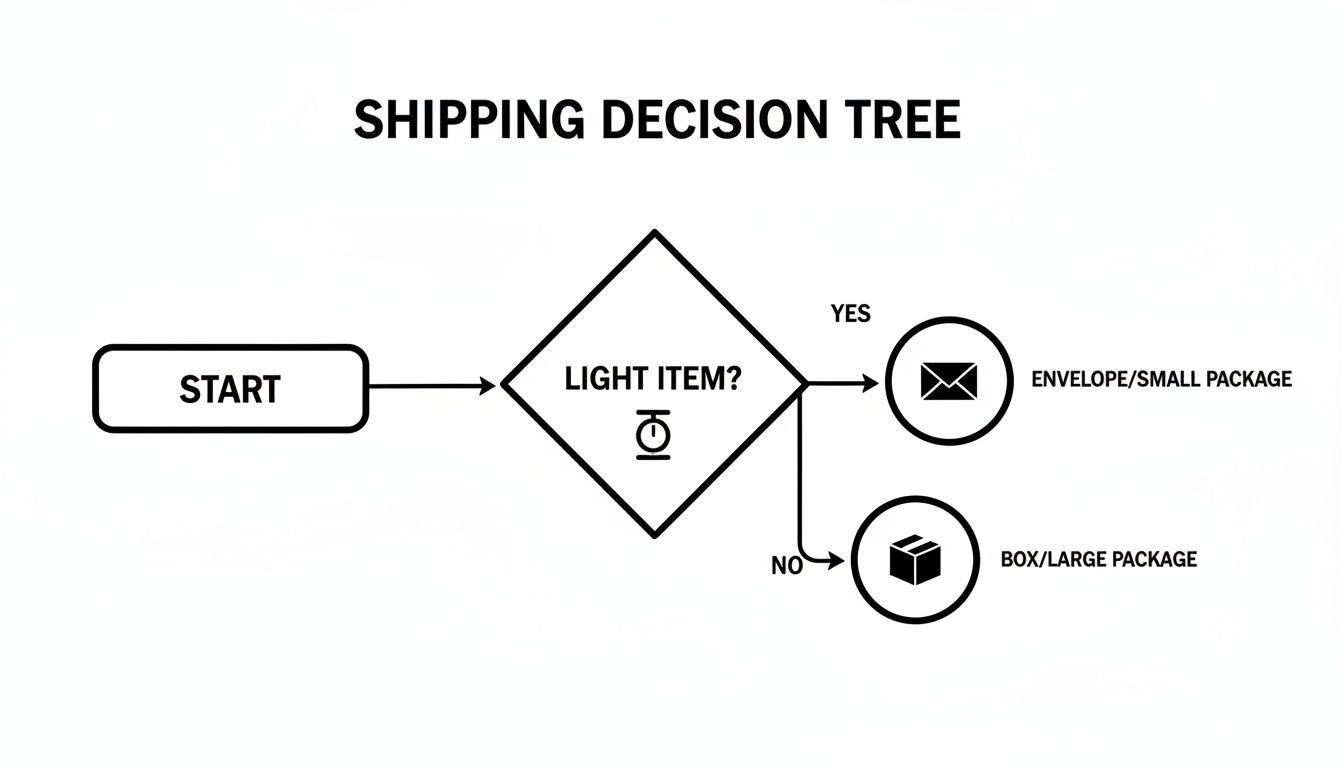
It's a great reminder that small choices, like picking the right packaging, are the building blocks of the customer experience that grows your reputation.
To earn and maintain this coveted status, you have to hit some high-performance standards:
- Low Defect Rate: Your transaction defect rate must be 0.5% or lower, with a maximum of three defects from unique buyers. A defect is something like a seller-canceled transaction or a case closed without your resolution.
- Minimal Late Shipments: Your late shipment rate needs to stay at 3% or lower. This is why uploading tracking on time is non-negotiable.
- High Tracking Upload Rate: You must upload valid tracking information for 95% of your transactions within your stated handling time.
The rewards are well worth the effort. Top Rated Sellers get a prominent badge on their listings, better search placement, and even a 10% discount on final value fees. This status is a clear signal to buyers that you're a trusted, reliable professional, making it a critical goal for any serious brand on the platform.
Scaling Your Sales with Advanced eBay Tools
Making the leap from a casual seller to a serious brand on eBay means you have to start thinking differently. Once you've nailed down how to create great listings and handle customer service, the real growth begins. This is where you graduate from just listing items to actively driving traffic and making sales happen.
Too many sellers hit a wall because they run their store passively, just waiting for buyers to show up. To really learn how to sell on ebay successfully and scale your operation, you need to take control. Thankfully, eBay gives you a powerful set of tools designed to do exactly that, turning your store into a proactive sales machine.
Drive Traffic with Promoted Listings
The fastest way to get more eyeballs on your products is with eBay Promoted Listings. It's like paying for premium shelf space right at the front of the store. According to eBay, items in these campaigns can get a visibility boost of 36% or more. In a marketplace this crowded, that’s a massive advantage.
You’ve got two main options to work with:
- Promoted Listings Standard: This is the low-risk entry point. You only pay a fee after your item sells. You set an ad rate—a percentage of the final sale price—that you're comfortable with. Perfect for getting your feet wet with advertising.
- Promoted Listings Advanced: This is a classic pay-per-click (PPC) model, a lot like Google Ads. You bid for the top spots in search results and pay every time someone clicks on your ad. This gives you far more control and is ideal for hot-ticket items where you want to dominate the page.
A great starting point is to run a Standard campaign on a handful of your proven best-sellers. Set a conservative ad rate, maybe in the 5-7% range, and let it run for a couple of weeks. Keep a close eye on your Seller Hub to see how it impacts your impressions, clicks, and sales. As you get the hang of it, you can start adjusting your rates based on what’s working, putting more fuel behind your most profitable products.
Boost Sales with Promotions and Coded Coupons
Getting a shopper to your listing is one thing, but getting them to buy more is where the real money is made. Promotions are your best friend here. They create a sense of urgency and are fantastic for bumping up your average order value (AOV).
Head over to the "Marketing" tab in your Seller Hub, and you'll find some powerful tools waiting for you:
- Order Discounts: These are perfect for encouraging bigger carts. Think "Save 15% when you spend $50" or the classic "Buy 2, Get 1 Free." It's a killer way to move inventory or upsell customers on related items.
- Markdown Sales Events: Put an entire category or a few select items on sale for a limited time. This creates buzz and can generate a quick sales spike, especially during slow periods.
- Coded Coupons: Create unique discount codes you can share on social media or send directly to loyal, repeat buyers. This is a game-changer for building a customer base and driving traffic from outside eBay back to your store.
Expert Tip: Don't be afraid to stack your promotions. Try running a markdown sale on one category while also offering an order discount. A buyer might click on the sale item, but then they'll add more to their cart just to hit that spending threshold for the extra discount.
Master Your Data in the Seller Hub
Your eBay Seller Hub is mission control for your entire operation. It's packed with data that tells you the full story of what's working and what isn't. Flying blind by ignoring these numbers is one of the biggest mistakes you can make. If you want to scale intelligently, you have to get comfortable with your analytics.
Zero in on the "Performance" tab. This is where you'll find the vital signs of your business:
- Impressions: This simply tells you how many times your listings are showing up in search results. If this number feels low, it’s a big red flag that your title SEO needs work or it’s time to start using Promoted Listings.
- Click-Through Rate (CTR): This is the percentage of people who see your listing and actually click on it. A low CTR is almost always a sign of a weak main photo or uncompetitive pricing.
- Sales Conversion Rate: Out of all the people who clicked, what percentage actually bought something? If this number is low, your description might be confusing, your shipping costs could be a deal-breaker, or your return policy isn't giving buyers enough confidence.
By watching these trends over time, you can spot problems before they snowball and find hidden opportunities for growth. For example, if an item gets tons of impressions but has a terrible CTR, you know people are searching for it—you just need a better hook to get them to click. This data-driven mindset is crucial for understanding what sells on eBay well for your store, letting you stop guessing and start building a predictable, profitable business.
Common Questions About Selling on eBay
Even the sharpest sellers run into questions when trying to scale their eBay business. It’s one thing to have a strategy, but navigating the nuts and bolts of the platform is where a lot of brands get stuck. Let's clear up some of the most common hurdles sellers face.
Getting these details right is what separates the sellers who thrive from those who just get by. These are the small but critical factors that directly impact your profitability and growth.
What Are the Most Profitable Items to Sell on eBay?
Everyone wants to know the "hot" items, but profitability is always a moving target. Sure, certain categories are consistently strong—think refurbished electronics, collectible trading cards, and high-end fashion like designer sneakers. These are evergreen niches for a reason.
But the real secret isn't chasing trends. It's about using a tool like Terapeak to find products with a high sell-through rate (you want 50% or higher) and a solid average selling price. This data-driven approach beats guesswork every time. Many of the most successful sellers I know started with pre-owned goods, which often have rock-bottom sourcing costs and surprisingly high demand.
Don't sleep on used items. I've seen sellers make more profit flipping a used item sourced for $5 that sells for $50 than a new item sourced for $40 that sells for $60. Once you factor in fees and shipping, the margins on used goods can be incredible.
How Do eBay Seller Fees Actually Work?
If you don't understand eBay's fees, you can't protect your margins. It’s that simple. The fee structure really boils down to two main costs you need to watch.
- Insertion Fee: This is what it costs to list an item. The good news is that most sellers get 250 free listings each month, so you probably won’t even see this charge until you start listing in higher volumes.
- Final Value Fee: This is the big one. It’s a percentage of the total sale amount, which includes the item price plus whatever the buyer paid for shipping. For most categories, this fee hovers around 13.25%, with an additional fixed fee of $0.30 per order.
Once you’re moving serious volume, an eBay Store subscription becomes a no-brainer. It gives you more free listings and slightly lower final value fees, which adds up to significant savings over time.
Is an eBay Store Subscription Worth the Cost?
An eBay Store subscription stops being a cost and becomes an investment at a very clear point: when you consistently list more than your 250 free monthly listings. At that stage, a Basic Store subscription almost always pays for itself just by wiping out your insertion fees.
It also makes sense when your sales volume gets high enough that the small discount on your final value fees adds up to more than the monthly subscription cost. On top of that, subscribers get access to better promotional tools, like creating your own coupon codes, and a credit for eBay-branded shipping supplies. It's more than just fee savings.
How Can I Avoid Common Mistakes as a New Seller?
The three tripwires I see new sellers fall over constantly are miscalculating shipping costs, using terrible photos, and writing weak titles.
First, always weigh your item after it's fully packaged before you list it. Use eBay’s shipping calculator to get an accurate rate so you don't lose money. Second, take bright, clear photos from every single angle against a neutral background. Your smartphone is more than capable of producing great shots.
Finally, write a title that actually works for you. Pack it with keywords. Include the brand, item name, size, color, model number, and condition. A detailed, optimized title is what gets you found in search.
Ready to stop guessing and start growing your eBay sales with a data-driven strategy? The experts at Next Point Digital specialize in optimizing marketplace performance for brands just like yours. We combine deep platform knowledge with powerful analytics to create product listings that convert, manage ad campaigns that deliver ROI, and build a scalable foundation for your ecommerce success.