

The right inventory management software is more than just a tool for tracking stock—it’s the central nervous system for a modern ecommerce business. It has to deliver on real-time multichannel syncing, provide accurate demand forecasting, and offer dead-simple integrations with giants like Amazon, Shopify, and Walmart. The best platforms act as a true operations hub, stopping you from overselling, keeping your stock levels lean, and automating everything from purchasing to fulfillment.
Why the Right Inventory Software Is a Growth Engine
Let's be honest: picking inventory management software feels like an operational chore. But it's one of the most strategic decisions you can make to actually grow your brand. Without a central system keeping everything in sync, you’re bound to run into the classic ecommerce nightmares—overselling on Amazon during a flash sale or, even worse, running out of your best-seller on Shopify right before a holiday weekend.
These aren't just minor hiccups. They lead to lost revenue, angry customers, and a brand reputation that’s hard to rebuild.
This guide is designed to give you a clear, unbiased way to cut through the noise. We're not just going to list features; we’ll dig into how the right software solves the real-world problems you face every day. Think of it as a way to:
- Prevent Costly Stockouts: Keep just the right amount of inventory on hand to meet demand without tying up all your cash in products that aren't moving.
- Eliminate Manual Errors: Automate the tedious work of data entry and reconciliation. This saves hundreds of hours and ensures your numbers are actually accurate.
- Enhance Customer Experience: Make sure your products are in stock and ship out on time. That's how you build loyalty and get those five-star reviews.
- Enable Data-Driven Decisions: Use solid inventory data to inform your marketing campaigns, ad spend, and overall business strategy instead of just guessing.
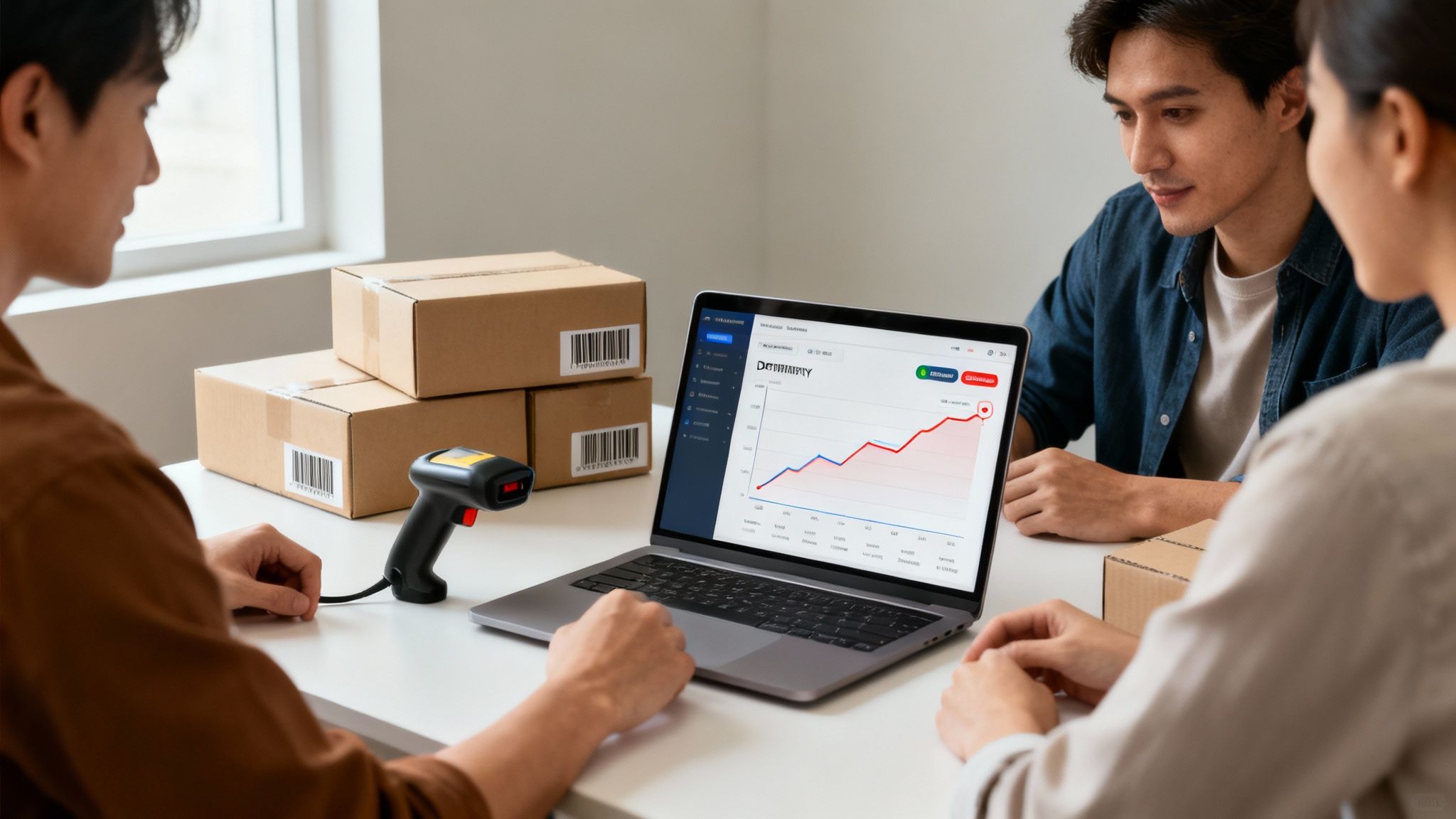
The Market Boom and Your Opportunity
The demand for these tools isn't just growing; it's exploding. The ecommerce inventory management software market was valued at $16.16 billion in 2025 and is on track to hit a staggering $36.67 billion by 2035.
Why the huge jump? Because marketplaces like Amazon and Walmart demand flawless inventory syncing to handle their massive order volumes. Sellers who can't keep up get left behind.
To really scale your store and move beyond spreadsheets and basic apps, choosing the best inventory management software for Shopify is one of the most important moves you'll make. The goal is to find a partner that not only fixes today's inventory headaches but is also built to handle your growth for years to come. You can find more information on this topic in our detailed guide to ecommerce growth strategies at https://npoint.digital/ecommerce-growth-strategies/.
What Really Matters in an Inventory Platform?
When you’re vetting inventory management software, it's easy to get distracted by flashy dashboards and sales pitches. But the real value isn’t in the bells and whistles—it’s in the core features that automate the messy, time-consuming tasks that can either make or break your ecommerce business. These are the workhorses that power a leaner, more profitable operation.
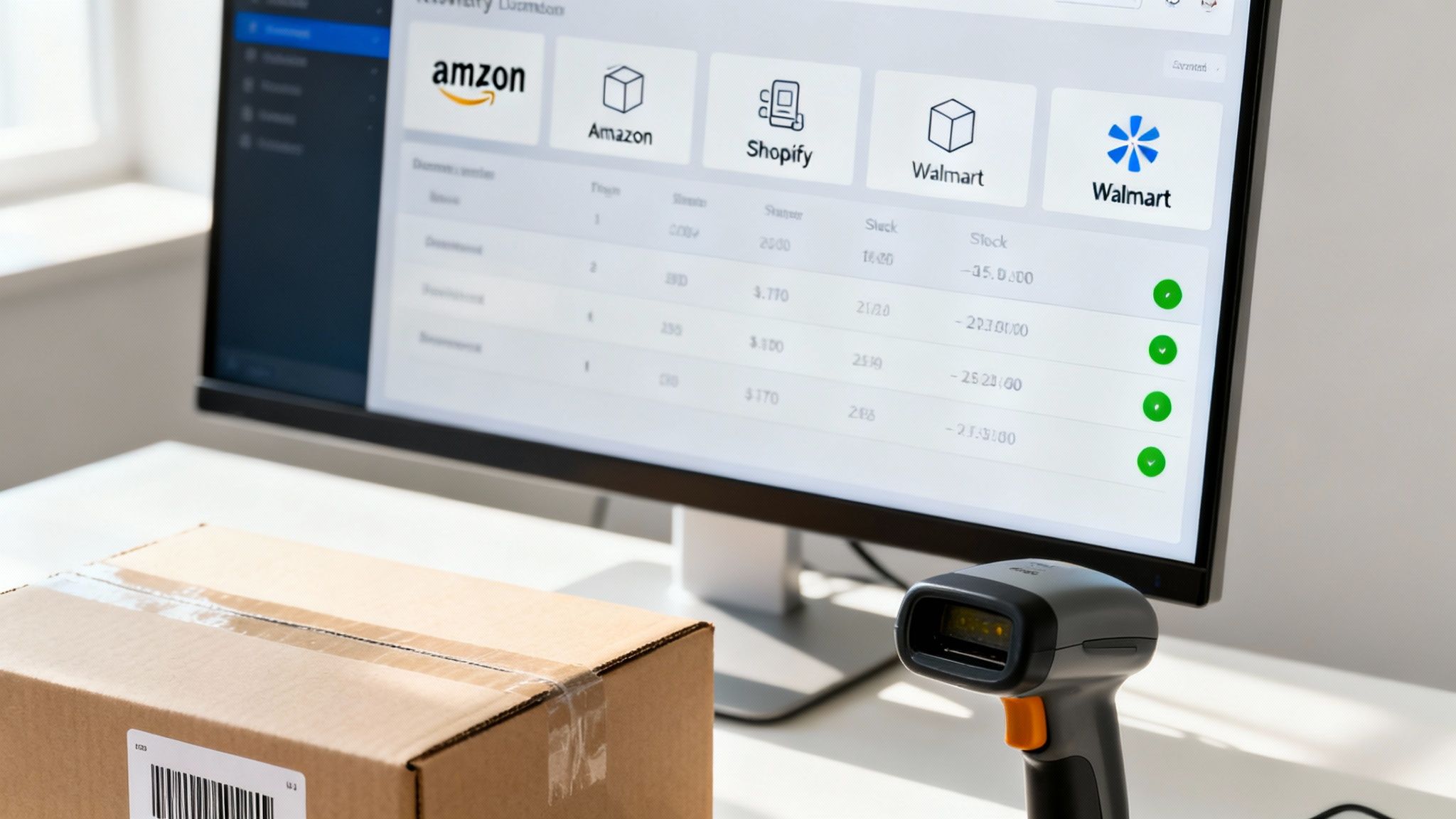
The absolute must-have is real-time, multi-channel syncing. This is about more than just updating stock counts; it’s about creating a single, reliable source of truth for your entire business. When an item sells on Amazon, your system better instantly update the available quantity on your Shopify store, eBay, and anywhere else you’re listed.
Without it, you’re setting yourself up for the dreaded oversell. There’s nothing worse than telling a customer the product they just happily paid for is actually out of stock. It’s a fast track to canceled orders, bad reviews, and getting slapped with penalties from the marketplaces.
Advanced Order and Warehouse Management
Beyond just keeping track of what you have, the best platforms bring intelligence to order management. They can automatically route an order to the most logical fulfillment center based on the customer's location, shipping costs, and where you have stock. That simple logic translates directly to lower shipping bills and faster delivery times—two things that give you a serious edge.
Inside the warehouse, forget about manual checklists. Integrated barcode scanning is non-negotiable for anyone serious about accuracy. It turns receiving, picking, and packing into a streamlined, nearly error-proof workflow.
- Receiving: As new stock arrives, a quick scan updates your inventory and confirms you got what you paid for. No more guesswork.
- Picking: Warehouse staff are guided to the exact bin location, ensuring the right products get pulled for every single order.
- Packing: A final scan before the box is sealed acts as a last line of defense, confirming the order is 100% accurate and preventing costly shipping mistakes.
This level of precision isn't just a "nice-to-have." A dialed-in pick-and-pack process is fundamental to keeping customers happy and protecting your margins from the costs of returns and redos.
A shocking 46% of SMBs either don't track inventory at all or still use a manual process. That’s a recipe for disaster. On the other hand, a solid system with barcode scanning can get your inventory accuracy above 99%, which has a huge impact on your bottom line.
Kitting, Bundling, and Getting Your Numbers Right
Another game-changer is native support for kitting or bundling. This lets you package multiple individual SKUs into a single product, like a "Complete Hair Care Kit" made up of a separate shampoo, conditioner, and hair mask.
The software does the heavy lifting, tracking the inventory of each component. When a kit sells, it automatically deducts the right quantity from each individual item. It's a fantastic way to boost your average order value (AOV) and move some slower-selling products. Trying to manage bundles with a spreadsheet is a logistical nightmare just waiting to happen.
Finally, a top-tier system closes the loop by connecting your inventory operations to your finances, specifically by calculating landed costs and your Cost of Goods Sold (COGS). A landed cost isn't just what you paid your supplier; it includes all the other expenses like freight, customs, and duties needed to get that product onto your shelf.
Knowing these numbers gives you a true picture of your profitability on a per-product basis. This is the data you need to make smart pricing decisions and actually understand your margins. For any brand looking to scale, digging into marketplace performance is key, and you can learn more about how to interpret those numbers by exploring our guide to understanding Amazon sales data. Having accurate COGS and landed cost data is the foundation for all of that analysis.
Matching Software Capabilities to Your Business Model
The biggest mistake you can make when picking inventory management software is looking for a one-size-fits-all solution. There isn’t one. A feature that’s a game-changer for a high-volume marketplace seller could be an expensive distraction for a niche D2C brand.
The trick is to first figure out your operational DNA. Are you primarily an Amazon and Walmart seller juggling FBA and WFS? Are you a fast-growing D2C brand building a loyal following on Shopify? Or are you a multichannel retailer trying to unify your online stores, marketplaces, and maybe even a few physical locations?
Each model has its own headaches and priorities. Once you know your profile, you can cut through the marketing noise and zero in on the tools that will actually make your life easier and support your growth.
The High-Volume Marketplace Seller
If your business lives and dies on marketplaces like Amazon, Walmart, or eBay, the quality of the software’s integration is everything. Your biggest worry is flawless, real-time synchronization to prevent overselling, protect your seller metrics, and keep your listings live.
Look for deep, native integrations that do more than just update stock counts. The best systems for this model get into the weeds with features like:
- Advanced FBA & WFS Support: You absolutely need to track inventory at Amazon (FBA) and Walmart (WFS) fulfillment centers right alongside your own warehouse stock. It has to be seamless.
- Multi-Warehouse Routing: If you’re using a 3PL or have your own network of warehouses, the software must be smart enough to route orders to the most efficient location based on stock levels and shipping costs.
- Repricing Tool Connectivity: Your system has to talk to your repricing tools. If the stock data is off, your repricer can’t do its job, and you either lose the Buy Box or sell phantom stock.
For marketplace sellers, smart inventory management is directly tied to profitability and visibility. For more strategies on this, our guide on how to increase sales on Amazon details techniques that depend on rock-solid inventory data.
The Fast-Growing D2C Brand
Direct-to-consumer brands selling mainly through their own Shopify, BigCommerce, or Adobe Commerce store play a different game. While marketplace sync might still be on the radar, the real focus is on owning the customer experience and managing the entire product lifecycle from purchase order to final sale.
Here, demand forecasting and purchasing automation are king. You need a system that helps you see sales trends coming, avoid stockouts on your bestsellers, and manage your cash flow without just guessing.
Your inventory software shouldn't just count what you have; it needs to help you predict what you’ll need. Accurate forecasting stops you from tying up precious capital in slow-moving stock, freeing it up for things that actually grow the business, like marketing and product development.
Key features to hunt for as a D2C brand include:
- Demand Forecasting: Find tools that analyze historical sales, seasonality, and even marketing promotions to give you solid reorder points.
- Purchase Order Automation: The ability to automatically generate and send POs to suppliers when stock hits a set level will save you countless hours of manual work.
- Kitting and Bundling: If you want to offer product bundles or gift sets to boost average order value (AOV), this feature is non-negotiable. It prevents logistical nightmares.
The Multichannel Retailer
If your business spans multiple online channels and physical retail locations (think BOPIS or ship-from-store), you’re facing the most complex inventory puzzle of all. Your goal is a single, unified view of every piece of stock, everywhere, in real time.
For this model, the software must be your central command center. It needs to pull in orders from every channel and provide one source of truth for inventory. This is the only way to stop channel-specific stockouts and run sophisticated fulfillment strategies.
This kind of operational complexity is a huge driver of market growth. North America is expected to command over 35-40% of the global inventory management software market by 2025. The entire sector is projected to grow from $2.51 billion to $5.52 billion by 2034, largely because enterprises are wrestling with huge inventories where stockouts can cost retailers a staggering $1.1 trillion globally each year, according to Fortune Business Insights.
To win as a multichannel retailer, you have to prioritize capabilities that connect everything.
Software Feature Priorities by Ecommerce Business Model
The right inventory management software isn’t about having the most features; it’s about having the right features for your specific business. This table breaks down which capabilities should be at the top of your list based on how you sell. Use it to filter out the noise and focus your search on what truly matters.
| Business Model | Top Priority Feature | Secondary Priority Feature | Key Integration Need | Example Scenario |
|---|---|---|---|---|
| High-Volume Marketplace Seller | Flawless Marketplace Sync (Amazon/eBay/Walmart) | Multi-Warehouse Routing | Fulfillment by Amazon (FBA) & Walmart Fulfillment Services (WFS) | Preventing overselling during a flash sale by syncing FBA and 3PL stock in real-time. |
| Fast-Growing D2C Brand | Demand Forecasting & PO Automation | Kitting & Bundling Support | Shopify, BigCommerce, or CRM platform | Automatically reordering a bestseller before it stocks out based on recent sales velocity. |
| Multichannel Retailer | Unified Stock View (All Channels & Locations) | Advanced Order Logic | Point of Sale (POS) Systems & ERP | Fulfilling an online order from a retail store's inventory to save on shipping costs. |
By aligning your software choice with your operational reality, you move from simply managing inventory to using it as a strategic asset. You’ll be better prepared to scale, adapt, and keep your customers happy, no matter where they shop.
How Well Does It Play With Others? Sizing Up the Integration Ecosystem
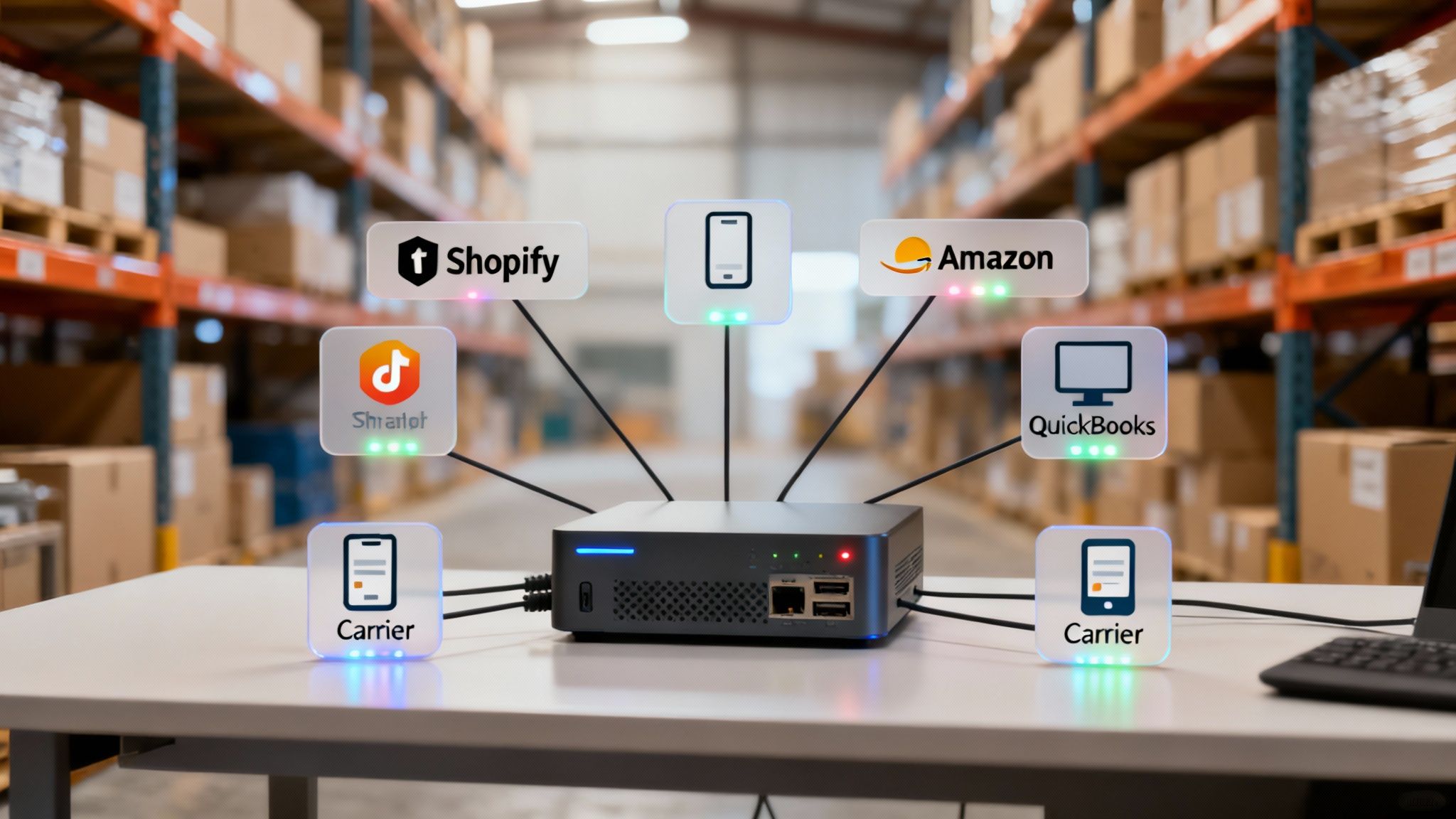
An inventory platform doesn't exist in a bubble. Its real power comes from how well it connects to the other tools you rely on every single day. A beautiful interface means absolutely nothing if the software can't talk to your ecommerce storefront, marketplaces, accounting software, and shipping carriers without a hitch. This network of connections—the integration ecosystem—is what turns a simple tracking tool into the central nervous system of your operations.
You'll see a lot of software vendors plaster their websites with a wall of logos, but don't be fooled. Not all integrations are created equal. The real difference is in the quality and depth of those connections. You have to dig a little deeper and ask the right questions.
Native vs. Third-Party Connections
The most dependable integrations are native, which means they were built and are maintained directly by the inventory software provider. These connections are almost always faster, more stable, and offer much deeper functionality because they were designed for one specific purpose. A native Shopify integration, for example, shouldn't just sync stock levels; it needs to pull in orders, push out fulfillment updates, and manage product data flawlessly.
On the flip side, many platforms lean on third-party connectors or middleware apps like Zapier to bridge the gap between systems. While these can be flexible, they often introduce some serious headaches:
- Lag Time: Data transfers aren't always in real-time. They often run on a schedule, like every 15 minutes. That lag is a recipe for overselling during a flash sale.
- More Failure Points: These connections add another link in the chain that can break. If the third-party app glitches or an API changes, your entire workflow could grind to a halt.
- Hidden Costs: A lot of these connectors have their own subscription fees, tacking on another expense to your monthly bill you might not have planned for.
When you're vetting a platform, make it a point to ask if its key integrations—especially with your sales channels like Amazon and accounting software like QuickBooks—are native or require a third-party workaround.
Does It Actually Scale or Just Say It Does?
"Scalability" is one of the most overused buzzwords in the software world. For an ecommerce business, though, it’s a make-or-break reality. A system that hums along nicely with 50 orders a day can completely choke under the pressure of 5,000 orders during Black Friday. True scalability isn't just about handling more data; it's about maintaining performance when things get chaotic.
Don't just take a vendor's word for it. Ask for case studies or references from businesses that are at least twice your current size or operate in a similar high-volume niche. This is the best way to gauge how the system performs when the stakes are high.
Think about scalability in two ways: transactional volume and business complexity. Transactional scalability is all about raw processing power. Can the system handle a massive order spike from a viral marketing campaign without slowing to a crawl or crashing entirely?
Operational scalability is different. It’s about the software’s ability to adapt as your business evolves. This means supporting your expansion into new channels, whether you’re adding a new marketplace or launching a wholesale B2B portal. A truly scalable system grows with you, so you aren't forced into a painful and expensive migration two years down the road. For brands expanding their digital footprint, a thorough marketplace evaluation test can help identify which new channels are worth pursuing and what your inventory system needs to support them.
Your Essential Integration Checklist
When you're evaluating the best inventory management software for ecommerce, use this framework to put its integration ecosystem to the test. A confident "yes" to these questions is a good sign you're looking at a platform built for serious growth.
- Ecommerce Platforms: Does it have native, real-time integrations with your core storefronts (e.g., Shopify, BigCommerce)?
- Marketplaces: Can it connect deeply with Amazon, Walmart, and eBay, including support for FBA and WFS inventory?
- Shipping & Fulfillment: Does it integrate directly with major carriers (UPS, FedEx, USPS) and shipping software (ShipStation, Shippo) to automate label printing and tracking?
- Accounting Software: Can it sync sales, purchase orders, and cost of goods sold with QuickBooks, Xero, or NetSuite to keep your financials accurate?
- 3PLs and WMS: If you outsource fulfillment, does it have an established network of integrations with third-party logistics providers and warehouse management systems?
A solid, reliable integration ecosystem isn't a "nice-to-have"—it's non-negotiable. It’s what ensures data flows freely and accurately across your entire business, cutting out manual work and preventing the costly errors that can become a massive operational bottleneck.
A Practical Guide to Implementing Your New Software
Picking the right inventory management software is a huge win, but your real return on investment comes from how well you implement it. A rushed or sloppy rollout can cause more chaos than it solves, leaving your team frustrated and your data a mess. A smart, phased approach is the only way to guarantee a smooth transition and set yourself up for long-term success.
The whole thing starts with your data. Before you even think about migrating, you need to do a full-on audit and cleanup of your existing product information. This means standardizing your SKUs, double-checking supplier details, and making sure every product's dimensions and costs are accurate across the board.
Think of it as a digital spring cleaning. It’s tedious, sure, but it’s the only way to stop bad data from poisoning your powerful new system from day one. Garbage in, garbage out isn't just a saying—it's a harsh reality in inventory management.
Preparing Your Team for Adoption
The software is only half the battle; your team is the other. Getting everyone on board hinges on training that goes way beyond just showing them new features. Your warehouse crew, operations managers, and customer service reps all need to understand why you're making this change and how it makes their specific jobs less of a headache.
Create training sessions tailored to each role. A warehouse picker needs to master the barcode scanner and new picking routes. An operations manager needs to know how to fire off purchase orders and analyze fulfillment speed reports.
The goal isn't just to teach people which buttons to click. It's to build confidence and show them how this tool eliminates their biggest daily frustrations, whether that's manual stock counts or hunting down tracking numbers for customers.
A well-trained team is far less likely to slide back into old, inefficient habits. They’ll actually champion the new system because they can see how it directly benefits them.
Designing a Phased and Measured Rollout
Trying to flip the switch on everything over a single weekend is a recipe for disaster. A phased rollout minimizes disruption and lets you troubleshoot problems on a much smaller, manageable scale. Kick things off with one piece of your operation.
For example, you could start by using the new software just for receiving and putting away stock. Once your team has that down and you’ve ironed out the kinks, you can roll out the picking and packing workflows next.
Here’s a strategic sequence that works:
- Data Migration and Verification: Import your clean product data into the new system. Then, have multiple team members verify that everything looks right.
- Receiving and Putaway: Go live with just your inbound logistics. Use this phase to confirm the barcode scanning and location tracking are flawless.
- Order Syncing (Read-Only): Connect your sales channels but hold off on activating fulfillment. Make sure all orders are flowing into the system correctly.
- Full Fulfillment: Once you trust the data completely, turn on the picking, packing, and shipping functions for all new orders.
This methodical approach keeps you from getting overwhelmed and ensures each part of the system is stable before you build on top of it.
Defining and Tracking Success from Day One
How do you know if the new software is actually working? You have to define what success looks like with clear, measurable Key Performance Indicators (KPIs). These metrics are what turn your software from a line-item expense into a strategic asset.
Start tracking these KPIs before you implement anything to get a baseline. This is the only way you can prove tangible improvements and calculate a clear ROI later.
Essential Implementation KPIs:
- Inventory Accuracy: You should be aiming for 99% or higher. This is the percentage of your physical stock that perfectly matches what the software says you have.
- Order Accuracy Rate: This tracks the percentage of orders shipped without any errors. A good system should easily push this above 98%.
- Inventory Turnover: How quickly are you selling through and replacing your stock? An increase here means your demand forecasting is getting sharper and less cash is tied up in slow-moving products.
- Fulfillment Speed: Measure the time from when an order is placed to the moment it’s shipped. The new software should help you shrink this cycle time significantly.
Setting and watching these KPIs is fundamental to proving the value of your investment. It's also a core part of building a resilient operation ready for growth. You can learn more by reading our detailed blueprint on how to scale an ecommerce business and applying those principles directly to your inventory strategy.
Making a Confident Final Decision
You’ve waded through the complex world of features, pricing models, and integrations. Now comes the final step: turning all that research into a confident, data-driven choice that actually fits your brand’s long-term vision. This isn't just about picking software; it’s about choosing a strategic partner.
The last part of finding the best inventory management software for ecommerce is a hands-on, tough evaluation of your shortlisted vendors. It’s time to push past the slick marketing claims and see how these platforms hold up under the pressure of your real-world operations. This is where you’ll find clarity.
Running Effective Software Demos
A standard sales demo is built to show off the highlights, but you need to see how it handles your specific problems. Don't be afraid to insist on a sandbox environment where you can plug in your own data. Give them your most complicated SKUs—the ones with tons of variants, tricky bundles, or confusing cost structures—and ask them to walk you through a full workflow, from creating a purchase order to final fulfillment.
During the demo, hit them with pointed, scenario-based questions:
- "Show me exactly how the system stops an oversell if we get a sudden sales spike on Amazon."
- "Walk me through the process for receiving a partial shipment from a supplier. What happens next?"
- "How does the software calculate landed costs for an international shipment with duties and freight included?"
Questions like these force vendors off their script and make them prove their system can do what they claim it can.
The most crucial part of any demo is seeing your own data in action. If a vendor can't or won't accommodate this, it's a significant red flag about their system's flexibility and their commitment to solving your actual problems.
This decision tree gives you a clear roadmap for the key implementation stages, from getting your data ready and training the team to defining what success looks like with clear KPIs.
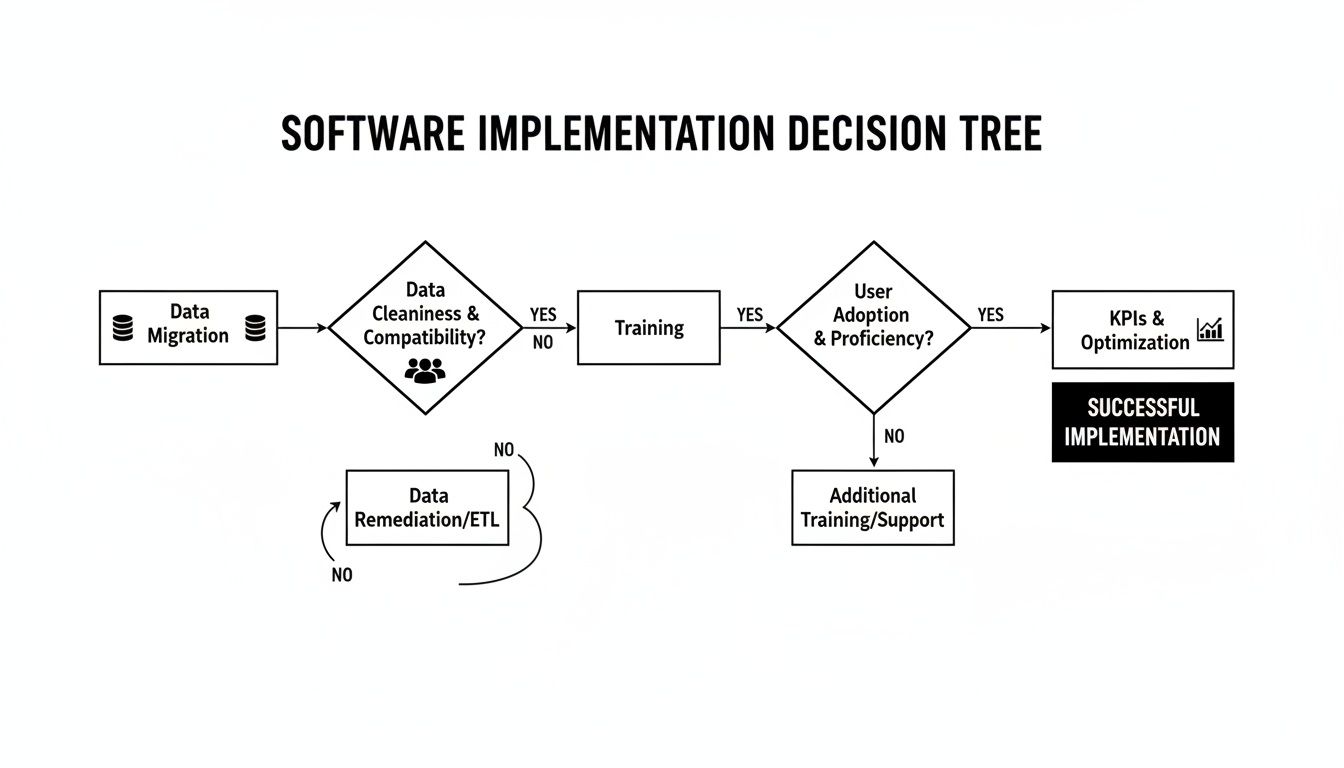
As you can see, a successful rollout is a structured process, not a one-and-done event. It requires careful planning at every turn to get results you can actually measure.
Understanding the Fine Print
Finally, it’s time to get into the contract details. Look beyond the flashy monthly fee to figure out the total cost of ownership. Are there hidden charges for going over your order limit, adding more users, or getting API support? Make sure you’re crystal clear on the terms for onboarding, data migration help, and ongoing customer support. A true partner will have transparent pricing and offer support that scales with you.
To help you lock in a final decision for your specific needs, it's worth checking out comprehensive comparisons like this guide to the best inventory management software for small businesses. By circling back to the core pillars—features, alignment, integrations, and scalability—you can make an informed choice that will genuinely fuel your brand's growth.
Unpacking the FAQs
Navigating the world of ecommerce inventory software always brings up a few key questions. Here are some quick, practical answers to what brands usually ask when they’re looking to bring on a new system.
How Much Does Ecommerce Inventory Software Cost?
The price tag on these systems varies wildly. You'll find free plans out there, mostly aimed at startups with very low order volumes. From there, paid plans usually kick off around $50 to $100 per month for the basics.
But for enterprise-level systems loaded with advanced automation and analytics, you could be looking at several hundred or even thousands a month. Always dig deeper than the advertised monthly fee; ask about implementation costs, transaction fees, and any extra charges for adding users or sales channels. That’s the only way to understand the real cost.
How Do I Choose the Right Software for My Business?
There’s no magic "best" option. The right choice is all about what fits your business model.
- Marketplace Sellers: Your world revolves around Amazon, Walmart, and eBay. You need a system with flawless, real-time sync. No exceptions.
- D2C Brands: You’re focused on your own storefront. Strong demand forecasting and purchase order automation should be at the top of your list.
- Multichannel Retailers: Juggling online and physical stores? You absolutely need a unified view of your stock, which means solid POS integration is a must-have.
A good starting point is to pinpoint your biggest operational headache. Is it constant overselling? Or maybe you’re drowning in manual purchasing tasks? Let that problem guide your search.
The most effective approach is to map your daily operational workflows first. Then, during software demos, ask vendors to show you exactly how their platform solves each step. This shifts the focus from a generic feature list to your specific, real-world needs.
Can This Software Integrate With My Existing Tools?
Yes, but this is where you need to be careful. The quality of integrations is everything. The best inventory management software for ecommerce will have native, real-time connections to the big players like Shopify, QuickBooks, and ShipStation.
Be wary of solutions that lean too heavily on third-party connectors like Zapier. While useful, they can introduce data lags and create more potential points of failure in your tech stack.
Before you even think about signing a contract, make a checklist of your essential tools—from your ecommerce platform down to your accounting software. Then, verify that the inventory system you’re considering has robust, pre-built integrations for every single one. This is how you ensure data flows smoothly without getting stuck doing manual workarounds.
Choosing the right software is just one piece of the puzzle. At Next Point Digital, we help ecommerce brands optimize their entire operational and marketing strategy to drive profitable growth. From marketplace management to conversion-focused advertising, we build the systems that turn your inventory into sales.