

An Amazon Brand Store is a free, multi-page storefront you can build right inside Amazon. Think of it as your brand's dedicated home on the platform—a place to show off your entire product line, tell your story, and really connect with customers without the distractions of competitor ads.
Laying the Groundwork for Your Brand Store
Before you even touch the design tools, you need a solid foundation. A great Brand Store isn't just thrown together; it's the result of smart planning that starts long before you pick a single template. Getting this initial phase right ensures your store is purposeful and ready to convert from day one.
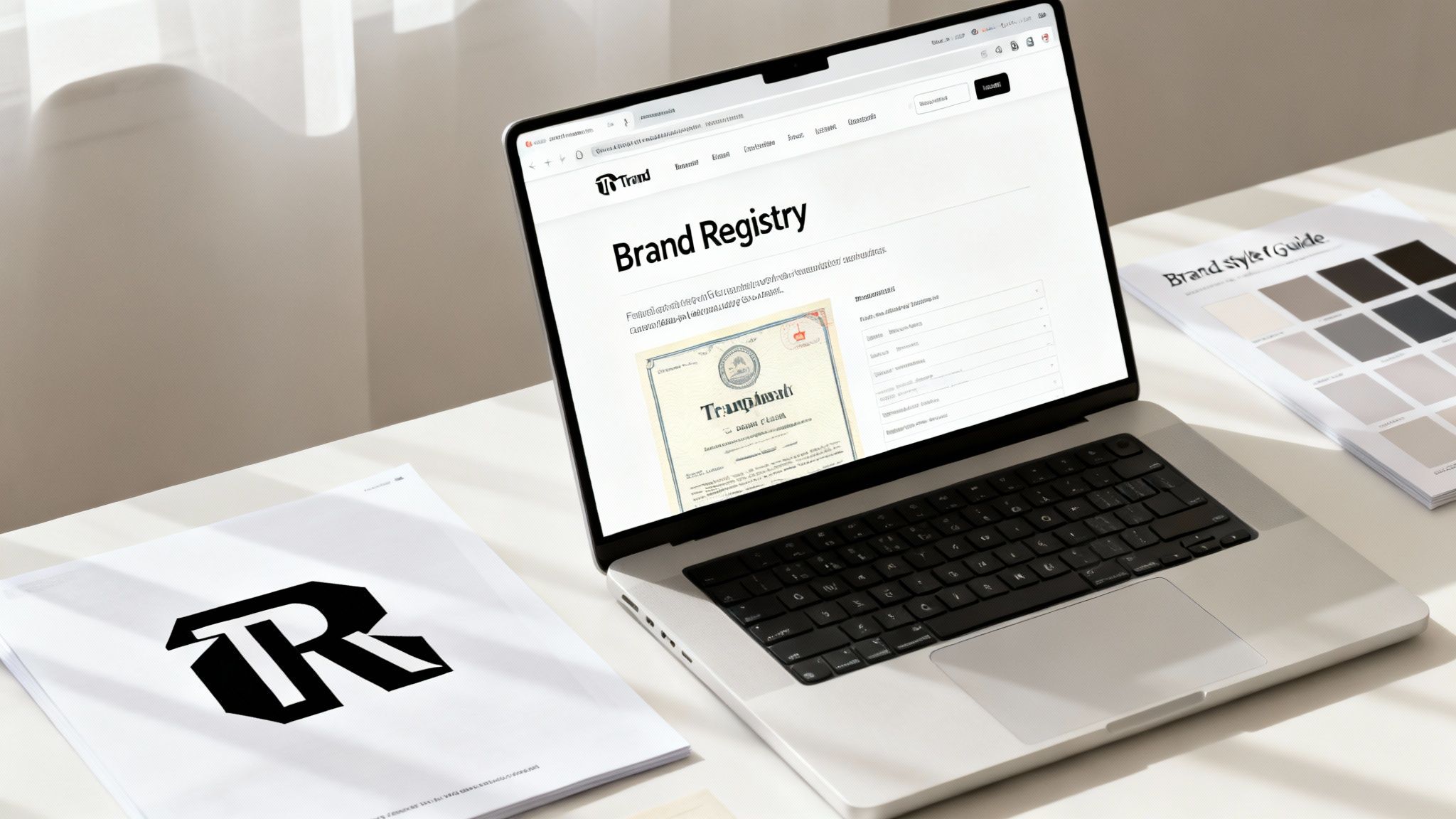
The entire process hangs on one thing you absolutely can't skip: Amazon Brand Registry. This is the key that unlocks Brand Stores, A+ Content, and a whole suite of other powerful tools. To get in, you need an active, registered trademark for your brand. This isn't just a bureaucratic hoop to jump through—it's how Amazon verifies you're the real owner, protecting you from hijackers and giving you control.
Defining Your Store's Purpose
Once you're brand registered, the real strategic work begins. Too many sellers treat their store like a simple product catalog, and that's a huge missed opportunity. You need to think of it as a strategic asset with a specific job. What’s the main goal you want this store to achieve?
Figuring this out upfront will shape every design and content decision you make. A few common objectives I've seen work well are:
- Launch New Products: Build a dedicated page to generate buzz around your latest items, keeping them separate from your established bestsellers.
- Showcase Bestsellers: Create a "greatest hits" collection that guides new shoppers straight to your most popular, highly-rated products. It makes their buying decision a lot easier.
- Educate Customers: Use video and text modules to tell your brand story, explain your mission, or dive deep into the unique benefits of your products in a way a standard detail page never could.
- Drive Cross-Selling: Organize your products into logical categories and collections. This encourages shoppers to browse related items, bumping up your average order value.
This clear purpose becomes your north star, guiding every choice you make about your store's layout and content.
This visual breaks down the three core phases of getting your foundation right, from registry all the way to asset collection.
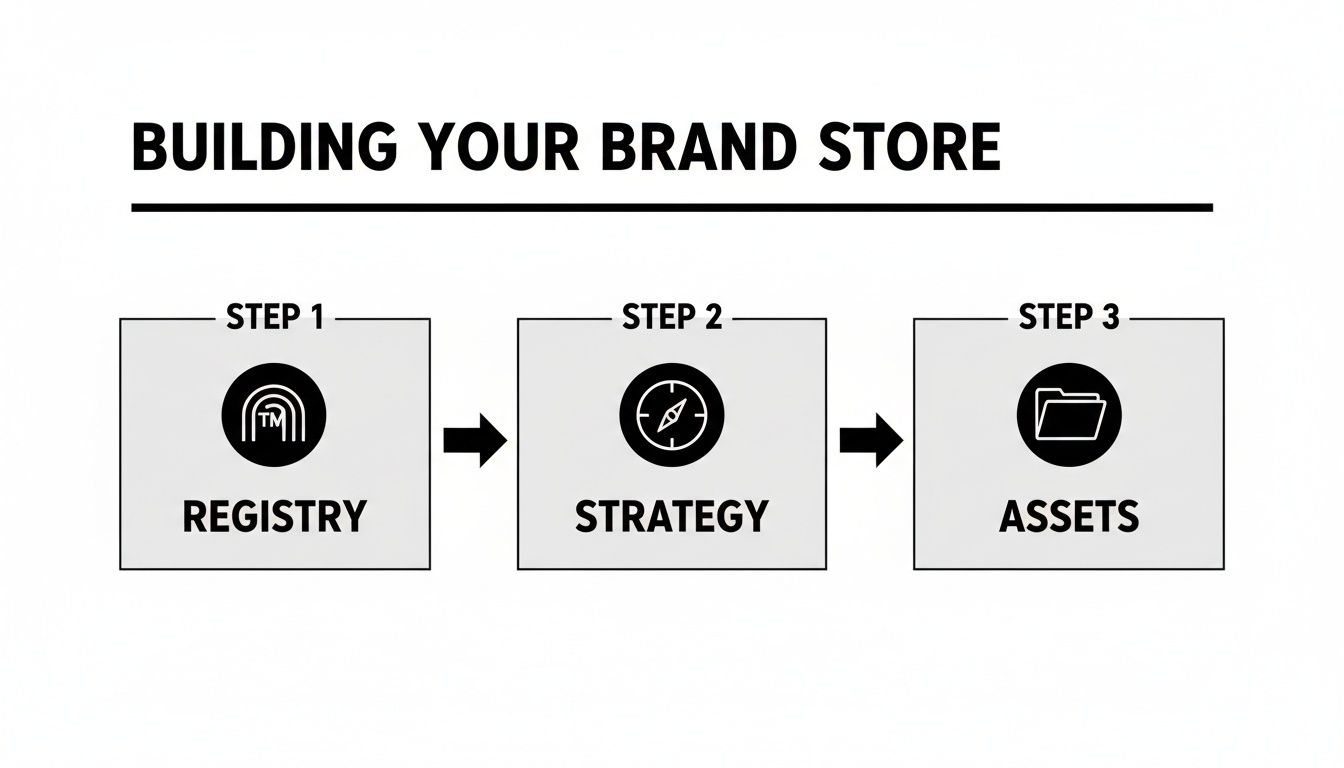
As you can see, a killer store starts with official verification, moves into strategic planning, and then the creative work begins. And of course, before you dive into any of this, make sure you have a solid grasp on how to start selling on Amazon FBA to ensure a smooth setup from the get-go.
Key Takeaway: A successful Amazon Brand Store is built on a foundation of clear objectives. Without a defined goal, your store risks becoming a directionless collection of products rather than a powerful conversion tool.
Finally, get all your creative assets in one place. This is the practical, roll-up-your-sleeves step of gathering your raw materials. Having everything ready beforehand saves a ton of time and keeps your branding consistent. If you need more ideas on how to grow, check out our guide on https://npoint.digital/how-to-increase-sales-on-amazon/.
Make sure you have high-resolution logos, a brand style guide (with hex codes and fonts), professional lifestyle photos, and any video content you have. This prep work makes the actual design process a whole lot smoother.
Alright, the strategic groundwork is laid. Now comes the fun part: actually designing an Amazon Brand Store that captures your brand's personality and steers shoppers toward making a purchase.
The Amazon Store builder is a pretty slick drag-and-drop tool, but its flexibility can feel a little overwhelming at first. The key is to stay focused on creating an intuitive, engaging experience from the second a customer lands on your homepage.
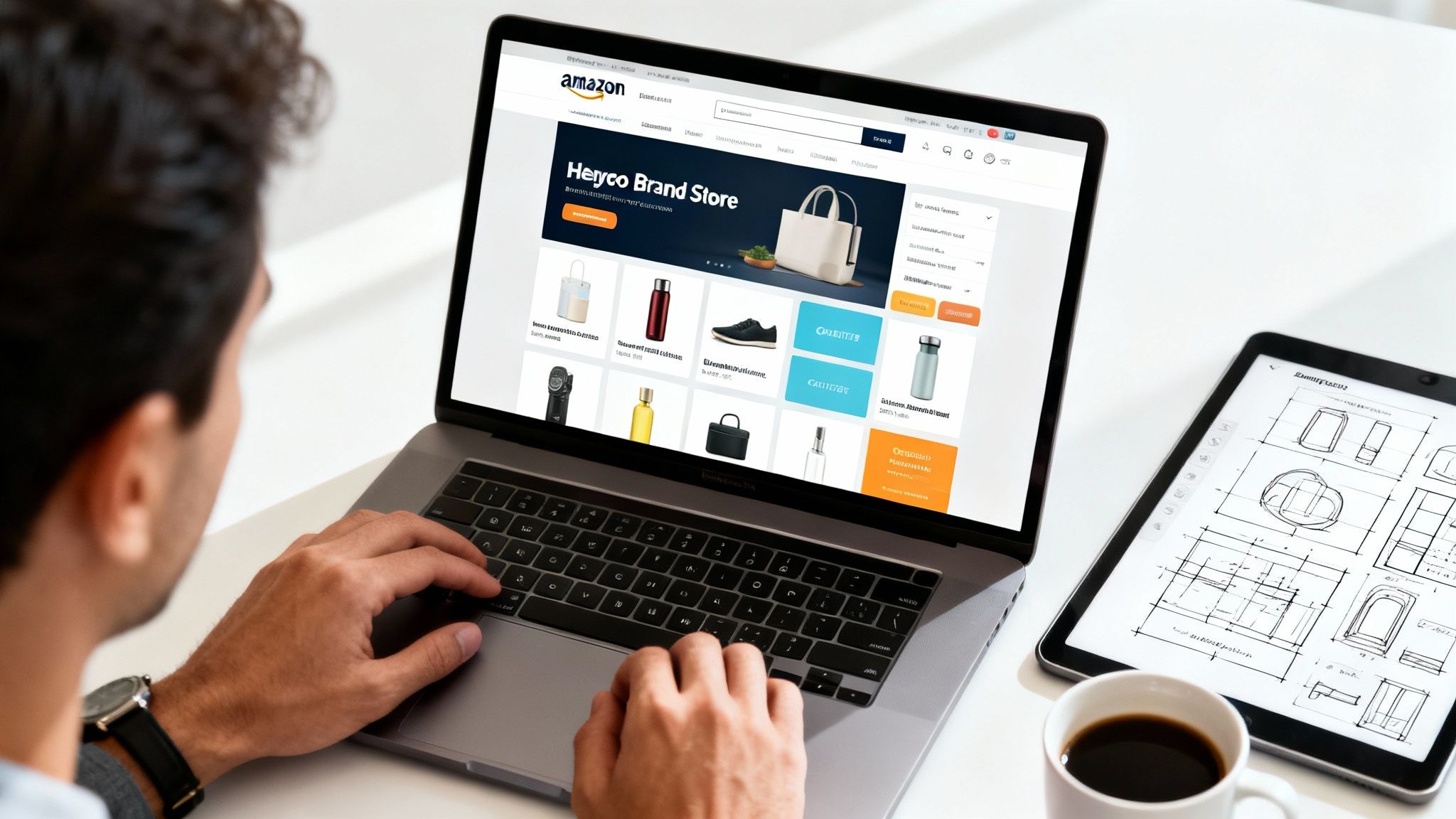
Your first big decision is the template. Amazon gives you a few starting points, and each one is built for a different goal. For instance, a Product Grid template is clean, simple, and perfect for brands with a big catalog where you just need to make browsing easy. On the flip side, the Marquee template is much more immersive. It’s ideal for lifestyle brands that want to lead with a bold hero image or video to tell a compelling story right away.
Structuring Your Store for a Seamless Journey
One of the most common mistakes I see is brands treating their store like one massive, scrolling page. That's a recipe for confusion. A well-structured store uses multiple pages to create a logical, uncluttered shopping journey.
Think of your store's navigation bar as a map for your customers. It needs to be simple and dead clear.
Your page structure should always include these three essentials:
- A Compelling Homepage: This is your digital welcome mat. It needs to immediately feature your brand's value proposition, shine a spotlight on best-sellers, and guide shoppers to your key category pages. Use that "above the fold" space—what people see without scrolling—for your most powerful message.
- Distinct Category Pages: Don't throw everything on one page. Group related products into their own categories (e.g., "Skincare," "Haircare," "Body Care"). This prevents cognitive overload and helps shoppers find exactly what they're looking for without getting lost.
- An 'About Us' Page: This is your chance to connect on a human level. Share your brand's origin story, your mission, or what makes your manufacturing process special. Shoppers who connect with your story are far more likely to become loyal fans.
A well-designed storefront does more than just show off products; it creates a curated shopping environment. According to Amazon, shoppers who visit a Brand Store are 62.7% more likely to purchase, which just goes to show the immense power of a dedicated brand experience.
Leveraging Content Tiles for Visual Storytelling
The real magic of the Store builder is in its content tiles. These are the building blocks you use to construct each page, and mixing them up is what creates engagement. Don’t just lean on basic product grids and call it a day.
For example, the shoppable image tile is a game-changer. It lets you place clickable hotspots on a lifestyle photo that link directly to the products featured. This is perfect for showing your products in a real-world context. A brand selling outdoor gear could use a killer shot of a campsite, letting customers click on the tent, sleeping bag, and lantern to jump right to those product pages.
Another powerful tool is the video gallery. Use it for product demos, customer testimonials, or a brand story video. Video content can seriously lift engagement and answer customer questions before they even have to ask. This level of visual storytelling is impossible on a standard product detail page and is a core advantage of having an Amazon Brand Store.
By carefully planning your page structure and getting creative with content tiles, you transform your store from a simple product list into an immersive brand destination. This doesn't just boost engagement—it also builds a stronger foundation for all your marketing campaigns.
For those looking to really dial in their sales funnel, our deep dive into conversion rate optimization best practices offers complementary strategies to maximize your results. Ultimately, a store that is both beautiful and functional is a store that's built to convert.
Crafting Content That Connects and Converts
A brilliant design for your Amazon Brand Store is the hook, but it's the content that actually reels in the sale. This is your chance to move beyond a simple product listing and start building a real connection with shoppers. Your words, images, and videos are the engine that drives the entire experience and, ultimately, the conversions.
Unlike a standard product detail page, your Brand Store gives you way more creative freedom. You can finally tell a story that resonates, ditching the dry feature bullet points to talk about real-world benefits.
Mastering Your Visual Assets
The quality of your visuals sets the tone for your entire brand. I can't stress this enough: grainy photos or poorly lit videos are an instant red flag. They scream "unprofessional" and can kill a customer's trust before they even read a single word of your copy.
Getting the technical specs right is table stakes. You want your store to look crisp and professional on every device, from a giant monitor to a smartphone.
Here are the core visual elements you absolutely have to nail:
- Hero Images: These are the big banners at the top of your pages. Aim for at least 3000 x 1500 pixels so they look sharp on high-res displays. Use them to show off your brand's lifestyle or a flagship product.
- Product Images: For your product grids and individual tiles, a minimum of 1500 x 1500 pixels on a clean, white background is the standard. The only exception is if you're using a high-quality, shoppable lifestyle image.
- Video Content: Upload videos in the highest resolution you can, preferably 1080p or even 4K. Keep them short and sweet—under 60 seconds is the sweet spot for product features or brand stories.
Seriously, if you want to make an impact, focus on creating Amazon Product Videos That Convert and Sell. There's no better way to bring your products to life, demonstrate value, and build the confidence a shopper needs to click "Add to Cart."
Writing Copy That Builds a Relationship
Your Brand Store is your shot to speak directly to your customer. The copy needs to do more than just describe products; it has to tell your brand’s story, share your mission, and explain what makes you different. This is how you build an emotional connection that turns a one-time buyer into a loyal fan.
Think about your "About Us" page. Don't just give a dry corporate history. Tell the origin story. Did you start the brand to solve a personal problem? Is there a unique manufacturing process you're proud of? These are the narratives people actually remember and connect with.
Pro Tip: Write like you're talking to a single person—your ideal customer. Using words like "you" and "your" makes the copy feel personal and direct. This simple shift in perspective can make your brand feel much more human and approachable.
If you really want to dial in your product descriptions, our guide to optimize Amazon product listings is a great next step.
Weaving in SEO for Greater Visibility
Finally, don't forget that your Amazon Brand Store isn't just an island within Amazon. It can be discovered by search engines like Google, which means basic SEO is critical for pulling in external traffic.
Strategically placing keywords can make a huge difference. Here's where to focus your efforts:
- Page Titles (Meta Titles): Every page in your store has a title that shows up in the browser tab and search results. Be descriptive and include relevant keywords. Instead of a generic title like "Our Products," use something like "Organic Skincare for Sensitive Skin."
- Image Alt-Text: This is the text that describes an image for search engines and visually impaired users. Write a clear description and include keywords where they fit naturally. Instead of "Image123.jpg," your alt-text should be something like "vegan-friendly-vitamin-c-serum."
- Content Descriptions: Weave your primary and secondary keywords into your headlines and body copy. Don't stuff them in—write for your human reader first, but be mindful of the terms they're likely searching for.
When you combine stunning visuals, compelling storytelling, and smart SEO, your content stops being just text on a page and becomes a powerful tool for connection and conversion.
Driving Targeted Traffic to Your Storefront
You’ve built a beautiful Amazon Brand Store, and it's officially live. Awesome. But here's the hard truth: building it is only half the battle. A store without visitors is just a digital showroom collecting dust.
Now, the real work begins: bringing a steady stream of high-intent shoppers to your virtual doorstep. This isn't about just flipping a switch; it takes a smart, multi-channel approach that blends on-Amazon advertising with your own external marketing efforts.
Using Amazon Ads to Funnel Shoppers to Your Store
The fastest and most direct way to get eyes on your store is by using Amazon’s own advertising suite. These tools are incredibly powerful because you’re targeting people who are already on Amazon with their wallets out, ready to buy. Two ad types, in particular, are perfect for this.
- Sponsored Brands: Think of these as the billboards of Amazon. They're the banner ads you see at the very top of the search results. Instead of just linking to a single product, you can point all that prime traffic straight to your store's homepage or a specific category page. This is your best bet for building broad brand awareness and introducing shoppers to your entire collection.
- Sponsored Display: These ads are great for chasing down shoppers who got away. They can appear on and off Amazon, letting you retarget people who have already looked at your products. Sending these warm leads back to a curated page in your store is a killer strategy for re-engaging them and closing the sale.
Aligning Ad Campaigns with Your Store Architecture
Here’s a rookie mistake I see all the time: sending every single ad click to the store's homepage. It works for general brand-building, sure, but a much sharper strategy is to create ad campaigns that mirror your store’s category structure. This creates a seamless and hyper-relevant journey for the shopper.
Let's say you sell kitchen gadgets and have separate store pages for "Coffee Accessories" and "Baking Tools." You should be running distinct Sponsored Brands campaigns for each. An ad targeting keywords like "espresso tamper" should click through directly to your "Coffee Accessories" page—not the homepage where they might get distracted by spatulas and rolling pins.
This alignment between your ad creative, keywords, and landing page drastically improves the user experience. It just makes sense, and your conversion rates will prove it.
Key Insight: Treat each page of your Amazon Brand Store as a potential landing page. By matching your ad targeting to the specific content on each page, you reduce friction and guide shoppers more effectively from that first click to the final purchase.
Tapping into Valuable External Traffic
While Amazon ads are essential, don't sleep on the power of driving your own audience to your store. Bringing in traffic from outside of Amazon can introduce brand-new customers to your products and help you build a more direct relationship with your audience—something that’s notoriously hard to do on Amazon.
Your social media platforms, email newsletters, and influencer collaborations are all goldmines for this. The key is to make your store's URL the main destination for any Amazon-focused marketing. Instead of sending your followers to a single, lonely product page, guide them to your store where they can explore your full range and really get to know your brand story.
Measuring What Matters with Amazon Attribution
So, how do you know if your off-Amazon marketing is actually moving the needle? This is where Amazon Attribution becomes your best friend. It’s a free tool that lets you create unique tracking URLs for all your external campaigns.
By using these tagged links in your social media posts, emails, or influencer content, you can see exactly what's working. You get data on clicks, detail page views, add-to-carts, and most importantly, the actual sales generated from your efforts.
This data is pure gold. It tells you which external channels are delivering a positive ROI, allowing you to double down on what works and cut your losses on what doesn't. If you want to dive deeper into the nuts and bolts of Amazon advertising, you can learn more about Amazon PPC in our detailed guide.
Using Data to Optimize and Grow Your Store
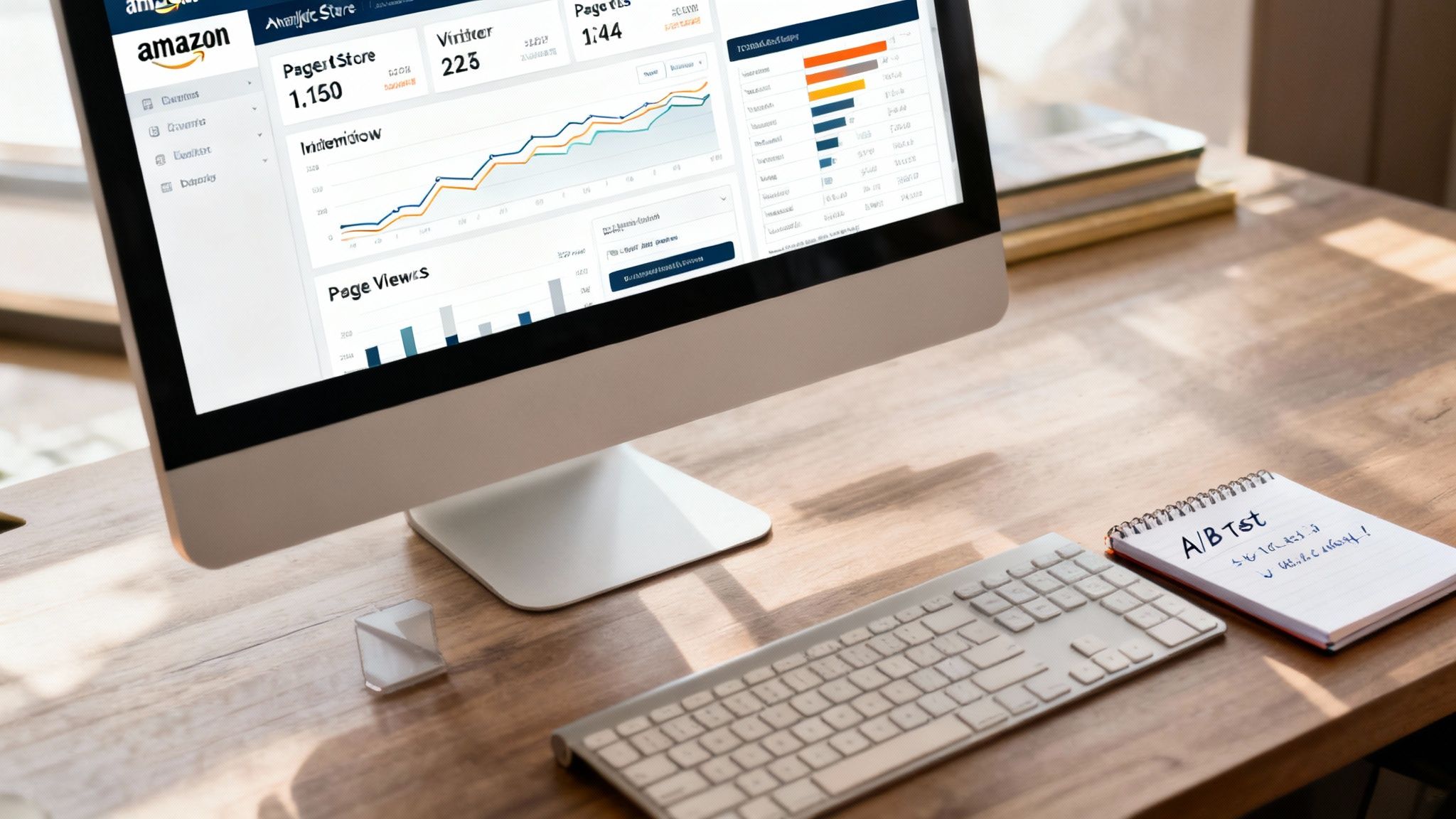
Launching your Amazon Brand Store is a huge milestone, but it's really just the starting line. The best stores are living, breathing assets that evolve based on real customer behavior. The secret to making that happen is buried inside your Amazon Store insights dashboard—a goldmine of data telling you exactly what’s working, what isn’t, and where your best growth opportunities are hiding.
This data-first mindset is no longer just a good idea; it's essential. On December 12, 2025, Amazon completely changed how it grades a store’s performance. They ditched old-school engagement metrics like time spent on a page and replaced them with a new, sales-based quality rating. This update, which hit 29 countries including the U.S., UK, and Japan, means the only thing that truly matters now is the revenue your store generates. You can get the full story on this shift in Amazon's Brand Store rating system.
Decoding Your Insights Dashboard
Your insights dashboard is the control center for your entire optimization strategy. It can look like a lot at first, but you can pull some incredibly powerful takeaways by focusing on just a few core metrics. These numbers tell you the story of your store's health and your customers' journey.
At a minimum, you should be tracking:
- Daily Visitors: This is the raw count of unique shoppers walking through your virtual door each day. Watch for spikes—they can often be tied directly back to ad campaigns or an email blast, showing you what’s actually driving traffic.
- Page Views: This metric tracks the total number of pages viewed, including when the same shopper looks at multiple pages. If your page views are way higher than your daily visitors, that’s a fantastic sign. It means people are digging deeper, exploring categories, and really engaging with your brand.
- Sales: The bottom line. This is the total revenue attributed to your store within a 14-day window after a visit. It's the ultimate proof that your design, copy, and product selection are converting browsers into buyers.
Key Takeaway: Want the fastest path to actionable insights? Look at your top-performing pages. If one category page is driving a huge chunk of your sales, that’s a massive signal. Feature those products on your homepage or build ad campaigns around them immediately.
Once you know what the numbers are telling you, it’s time to start using them. Let's look at the key metrics you’ll find in your Store insights dashboard and how to interpret them.
Key Amazon Brand Store Performance Metrics
This table breaks down the essential metrics in the Store insights dashboard and what they really mean for your business.
| Metric | What It Measures | Actionable Insight |
|---|---|---|
| Visitors | The number of unique devices that visited your Store. | Use this to gauge the overall reach of your marketing efforts. Spikes often correlate with ad campaigns or external traffic drivers. |
| Page Views | The total number of pages viewed within your Store. | A high page view-to-visitor ratio suggests strong engagement. Shoppers are exploring multiple products and categories. |
| Views / Visitor | The average number of pages each visitor views during their session. | If this number is low (e.g., 1-2), it might mean your navigation is unclear or your homepage isn't compelling enough to encourage deeper browsing. |
| Sales | Total sales generated from shoppers who visited your Store within 14 days. | This is your ultimate performance indicator. If sales are low despite high traffic, you likely have a conversion problem on your pages. |
| Units Sold | The total number of products sold that are attributed to a Store visit. | Compare this to sales to understand your average order value (AOV). Are customers buying one high-priced item or multiple cheaper ones? |
| Orders | The total number of orders placed after a Store visit. | A high number of orders with low units sold per order might suggest an opportunity to create product bundles or "shop the look" pages. |
By regularly checking these metrics, you move from guessing what your customers want to knowing what they respond to, which is where real growth begins.
Turning Insights into Action
Data is worthless if you don’t do anything with it. The real magic happens when you use these metrics to create a hypothesis and then test it. This cycle of continuous improvement is what turns a static product catalog into a powerful, dynamic sales engine.
You don’t need fancy software to get started. A simple A/B testing framework—where you change one thing at a time and measure its impact on sales and units sold—can make a massive difference.
Here are a few high-impact ideas you can start testing right away:
- Homepage Hero Image: Pit a product-focused image against a lifestyle shot. Does one get more clicks and drive more visitors to your category pages?
- Page Headlines: Try rewriting the headlines on your most popular category pages. Does a benefit-driven headline like "Get a Deeper, More Restful Sleep" convert better than a simple, descriptive one like "Shop Our Bedding Collection"?
- Product Grid Order: Your top-viewed pages are telling you what shoppers want to see. Try reordering your product grids to put your best-sellers or most-viewed items right at the top.
By digging into your analytics, you can understand not just how much traffic you’re getting, but what that traffic is doing. For a deeper dive into sales analytics, check out our guide on understanding Amazon sales data. This process of analyzing, hypothesizing, and testing is the secret to turning your Amazon Brand Store into your most profitable sales channel.
Common Amazon Brand Store Questions
When you're diving into setting up or managing an Amazon Brand Store, a few questions always seem to pop up. Whether you're just getting your feet wet or looking to tighten up an existing storefront, you need clear, straight-to-the-point answers. Think of this as your go-to guide for the most common sticking points sellers run into.
We'll get into everything from the real costs involved (or lack thereof) to how long you’ll be waiting for approval, giving you the confidence to get your store built and optimized the right way.
How Much Does It Cost to Create an Amazon Brand Store
This is always the first question, and the answer is one of the best things about this feature. Creating, designing, and publishing an Amazon Brand Store is completely free for any seller enrolled in Amazon Brand Registry.
You read that right—there are zero fees. Amazon doesn’t charge you to use the store builder, access the templates, or publish your multi-page storefront. They provide this incredible tool as an incentive for brands to build a more permanent, engaging presence on the platform.
The only real costs you'll run into are indirect. These are the resources you pour into creating the high-quality assets that will make your store stand out. For example, you might invest in:
- Professional photography for those crisp hero images and lifestyle shots.
- Video production to create an engaging brand story or product demo.
- Copywriting services if you need a hand crafting compelling, SEO-friendly content.
- An advertising budget for Sponsored Brands campaigns to drive traffic to your brand-new store.
So, while the tool itself costs nothing, the quality of what you put into it will ultimately determine its success and your associated costs.
Can I Edit My Brand Store After It Is Published
Absolutely, and you really should. Your Brand Store isn't a "set it and forget it" kind of asset. You have the freedom to edit your store whenever you need to, keeping it fresh, relevant, and optimized for what’s working.
Making changes is a breeze. Just head back into the Store builder, make your updates, and resubmit it for review. The approval process is usually just as quick as the first time around, often taking less than 72 hours.
This flexibility is a huge advantage for adapting to market shifts or running timely promotions. You could:
- Swap out your main homepage banner to reflect a seasonal event like Black Friday or Mother's Day.
- Build a whole new page dedicated to a big product launch.
- Reorganize your product collections based on what your analytics show is selling best.
We recommend a quarterly review as a best practice. It’s the perfect cadence to dig into your performance data, refresh your content, and test new ideas to bump up your conversion rates. An updated store shows both Amazon and your customers that your brand is active and paying attention.
What Are the Most Common Mistakes to Avoid
The store builder is pretty user-friendly, but there are a few common traps that can seriously drag down a store's performance. Knowing what they are ahead of time can save you a ton of headaches—and lost sales.
Here are the biggest blunders we see brands make all the time:
- Confusing Navigation: A complicated menu with too many pages or vague labels is a recipe for disaster. If a shopper can't find what they're looking for in a few seconds, they're gone.
- Low-Quality Visuals: Using pixelated, low-res images or poorly shot videos is a quick way to make your brand look unprofessional and untrustworthy.
- Information Overload: Jamming pages with way too many products or massive blocks of text is overwhelming. A cluttered experience leads to decision fatigue, and shoppers will just bounce.
- Ignoring Mobile Optimization: A massive chunk of Amazon's traffic comes from mobile. Always use the preview function in the builder to check how your store looks on a smaller screen. If it's not easy to navigate, you're losing customers.
- Failing to Update: The "one-and-done" approach guarantees stagnation. A store that isn't regularly updated with new content and optimized based on performance data will get left in the dust.
Steering clear of these mistakes will put you miles ahead of competitors who treat their Amazon Brand Store as an afterthought.
How Long Does It Take for an Amazon Brand Store to Be Approved
Once you hit that "Submit for publishing" button, your store enters Amazon's moderation queue. Officially, Amazon says the review process can take up to 72 hours. In our experience, though, it’s often much faster—sometimes as quick as 24 hours.
During the review, Amazon's team is making sure your store follows all their content policies and creative guidelines. They're looking for specific things to ensure a good customer experience.
To avoid any frustrating delays or rejections, give these areas one last check before you submit:
- Proofread everything: Typos and grammar mistakes can actually trigger a rejection.
- Substantiate your claims: If you say something is "all-natural" or "clinically proven," you better have the proof to back it up on your product detail pages.
- Check image quality: Make sure all your images meet Amazon's resolution and quality standards.
- No external links: You can't link out to your own website or any other external site from your Brand Store. Period.
Being meticulous before you submit is the best way to ensure a quick and painless approval.
At Next Point Digital, we specialize in transforming your Amazon presence from a simple sales channel into a powerful brand-building engine. If you're ready to build an Amazon Brand Store that not only looks great but also drives serious results, let's talk. Contact us today for a personalized strategy session.