

If you’re just listing products on Amazon and hoping for the best, you’re leaving money on the table. The real game-changer is Amazon keyword tracking—the process of keeping a close eye on where your products rank for the search terms your customers actually use. It’s how you move from guesswork to a reliable, data-driven strategy.
Why Amazon Keyword Tracking Is Your Most Powerful Tool

Let's be direct. Consistent keyword tracking is the foundation of any serious Amazon sales strategy. It’s not just about checking your rank; it’s about creating an essential feedback loop that tells you what’s working and what isn’t.
This loop shows you if your recent listing optimizations are actually driving results, where you should focus your precious PPC budget, and how you can outmaneuver the competitors fighting for the exact same shoppers. Without it, you're flying blind, making changes without knowing if they're helping or hurting your sales.
A winning Amazon keyword strategy is built on a few core principles. Each one serves a specific purpose, but together, they create a powerful engine for predictable growth.
The Pillars of a Winning Amazon Keyword Strategy
This table breaks down the core components of a strong tracking strategy and the tangible business results they deliver.
| Tracking Pillar | Primary Goal | Business Impact |
|---|---|---|
| SEO Validation | Confirm that listing changes (title, bullets, backend keywords) are improving organic rank for target terms. | Stop wasting time on optimizations that don't work and double down on what does. |
| PPC Optimization | Identify keywords with strong organic rank (e.g., top 5) to potentially reduce ad spend and reallocate budget. | Lower your ACoS and improve overall profitability by spending smarter, not harder. |
| Competitor Monitoring | Get alerted when a rival overtakes you for a critical keyword, allowing for a swift, strategic response. | Protect your market share and proactively defend your most valuable keyword positions. |
| Opportunity Discovery | Find emerging long-tail keywords that are starting to gain traction and drive conversions. | Open up new, less competitive traffic sources to capture incremental sales. |
Ultimately, this data-first mindset turns your Amazon store from a reactive operation into a proactive sales machine.
The Direct Link Between Rank and Revenue
Ever had a mysterious sales slump you couldn't explain? More often than not, it can be traced back to a sudden rank drop for a single, high-volume keyword. Your product's position in the search results directly impacts how much you sell—it's that simple. Let's be honest, very few shoppers ever click to page two.
Your organic rank isn't just a vanity metric; it's a direct indicator of your product's visibility and, ultimately, its sales potential. A drop from position #3 to #12 might seem small, but it can slash your click-through rate by over 50%.
Imagine this real-world scenario: a seller of "silicone baking mats" notices sales have dipped by 15%. Without tracking, they might blame seasonality or weak ad performance. But with tracking, they see their rank for their main keyword, "silicone baking mat," has fallen from #4 to #11. The problem is immediately clear, and so is the solution: double down on SEO and targeted ads for that specific term.
This proactive approach is everything. Research from Viral Launch shows that over 70% of Amazon buyers start their shopping journey in the search bar. High visibility for relevant keywords isn't just nice to have—it's how you get traffic and make sales. This mindset is central to any effective plan on how to increase sales on Amazon.
Building a Smarter Keyword Tracking List

A powerful Amazon keyword tracking system is only as good as the keywords you feed it. Let’s be honest, a bloated, unfocused list just generates noisy data, while a smart, segmented one gives you clear signals for growth.
The goal here is to build a portfolio that truly reflects how real customers search for your products. Think of it like a balanced diet—each keyword group serves a different but essential purpose. If you neglect one, you leave yourself vulnerable to competitors or blind to new opportunities.
Your Core Keyword Categories
To get a complete picture of your product's visibility, you need to be tracking several types of keywords at once. This gives you a full 360-degree view of your place on the digital shelf.
-
Primary "Money" Keywords: These are the big ones. The high-volume, high-relevance terms that drive the bulk of your traffic and sales. For a yoga mat, this is "yoga mat" or "exercise mat." Ranking well for these is non-negotiable, and any slip demands immediate attention.
-
High-Intent Long-Tail Phrases: These are the super-specific, multi-word phrases that signal a shopper is close to pulling the trigger. Someone searching for "extra thick non slip yoga mat for women" has way more purchase intent than someone just typing "yoga mat." These terms usually have lower competition and much higher conversion rates.
-
Competitor & Branded Terms: Tracking your rank for a competitor's brand, like "Lululemon yoga mat," shows you where you can peel off some of their customers. At the same time, you absolutely have to track your own brand terms to make sure rivals aren't bidding on your name and stealing your traffic.
-
Seasonal & Trend-Based Keywords: Does your product’s demand change with the seasons? If you sell "outdoor string lights," you better be tracking "Christmas string lights" in Q4 and "patio lights" in the summer. Staying on top of these trends lets you shift your strategy before it's too late.
A crucial first step is to conduct thorough Pay Per Click keyword research to pinpoint the most valuable terms for both your ads and your organic tracking.
Finding and Validating Your Keywords
Building this list isn't a guessing game. You have to use the right tools to uncover what customers are actually typing into that search bar.
This is where reverse-ASIN lookups become your secret weapon.
Tools like Helium 10's Cerebro let you plug in a competitor's ASIN and see the exact keywords driving their sales. It's one of the fastest ways to build a relevant, validated keyword list and find high-performing terms you might have completely missed.
The best keyword lists are living documents, not static spreadsheets. Review and refine your tracked keywords every quarter. Ditch the terms that no longer drive traffic and add new ones that reflect changing customer habits or emerging trends.
Once you have a master list, the real work begins: organization. Don't just dump everything into one giant bucket. Segmentation is what makes the data clean and actionable.
Segmenting Your List for Clarity
A well-organized list prevents data overload and helps you spot specific issues or opportunities in seconds. It turns a confusing dashboard into a clear roadmap for what to do next.
Here’s a simple, practical way to structure your list:
-
By Product Line: If you sell different products—say, yoga mats and yoga blocks—create separate tracking groups for each. This stops the keyword data from one product from muddying the waters for another.
-
By Keyword Type: Create distinct segments for your "money" keywords, long-tail phrases, and competitor terms. This setup lets you quickly check performance across your different strategic pillars.
-
By Campaign Focus: Running a PPC campaign targeting "eco friendly" keywords? Create a dedicated tracking group just for them. This is the only way to measure the direct impact of your ad spend on organic rank for those specific terms.
This level of organization is absolutely critical when you start to optimize your Amazon product listings. It ensures that every change you make is guided by precise data, not just a gut feeling.
Setting Up Your Keyword Tracking Dashboard
Once you've nailed down your strategic keyword list, it's time to build a system that actually watches it for you. This is where your Amazon keyword tracking dashboard comes in—think of it as your command center for visibility. The whole point is to ditch the random manual checks and create a proactive system that spots opportunities and threats before they hit your sales.
You've got two main paths here: stick with Amazon's own tools inside Seller Central, or level up with specialized third-party software. Frankly, while Amazon’s tools are a decent place to start, any serious seller will outgrow them pretty fast.
Amazon's Native Tools: What You Get and What You Don't
If you’re Brand Registered, Seller Central gives you two key reports:
- Brand Analytics: This is where you’ll find the Top Search Terms report. It shows you the most popular keywords for a given period and the top three clicked ASINs for each one. It's solid for getting a feel for broad market trends.
- Search Query Performance Dashboard: This report is all about your brand. It shows which search terms are driving impressions, clicks, and sales for your products, giving you a direct line of sight into how customers are finding you.
But here’s the catch—these tools have some major limitations. They don't offer real-time rank tracking, historical data is limited, and most importantly, they don't let you systematically track your competitors' performance. You can see who is ranking, but you can’t monitor their rank changes for a specific keyword over time. That’s a huge blind spot for competitive analysis.
The Power of Third-Party Keyword Tracking Tools
This is exactly why dedicated third-party tools are a must for any growth-focused seller. Platforms like Helium 10, Jungle Scout, or Viral Launch were built from the ground up for proactive Amazon keyword tracking, filling all the gaps Seller Central leaves behind.
Getting your dashboard set up in one of these tools is usually pretty straightforward. You’ll start by adding your product ASINs and then plugging in the segmented keyword lists you already built—your "money" keywords, long-tail phrases, and competitor terms.
From there, you can tell the system to monitor both your organic and sponsored rank for every single term. A killer feature is setting up automated alerts for big rank changes, like if you suddenly fall off page one for a core keyword.
The best tools take it even further. Some platforms can track thousands of keywords and refresh the data every few hours, which is critical on a marketplace as dynamic as Amazon. They also provide deep historical ranking data, so you can analyze long-term trends and even account for seasonality. You can find out more by exploring this breakdown of real-time Amazon keyword trackers.
A well-configured dashboard isn’t just a pile of data; it’s an early warning system. It should tell you at a glance if a competitor just jumped you in the rankings, if your latest listing optimization is actually working, or if a new keyword is starting to gain traction.
To make sure your dashboard gives you clear, actionable insights, it’s worth brushing up on some data visualization best practices for effective dashboards. The goal is to build something you can understand in minutes, not hours. This idea of clear, efficient data presentation is a fundamental part of good ecommerce SEO best practices in general. When you combine the right tools with a smart setup, you turn raw data into a clear view of your performance, empowering you to act decisively.
Turning Keyword Data into Actionable Insights
Collecting data is one thing; turning it into profit is a completely different skill set. This is where you shift from being a data-gatherer to a data-driven strategist, making sharp, high-impact decisions based on what your keyword tracking dashboard is telling you.
It's all about learning to read the story behind the numbers. A single rank change isn't just a blip on a chart—it could be a competitor's new ad campaign, a shift in customer search habits, or an early warning sign for your own listing.
The first choice you'll face is whether to stick with Amazon's native tools or invest in a more powerful third-party platform. Each has its place, but they serve very different strategic needs.
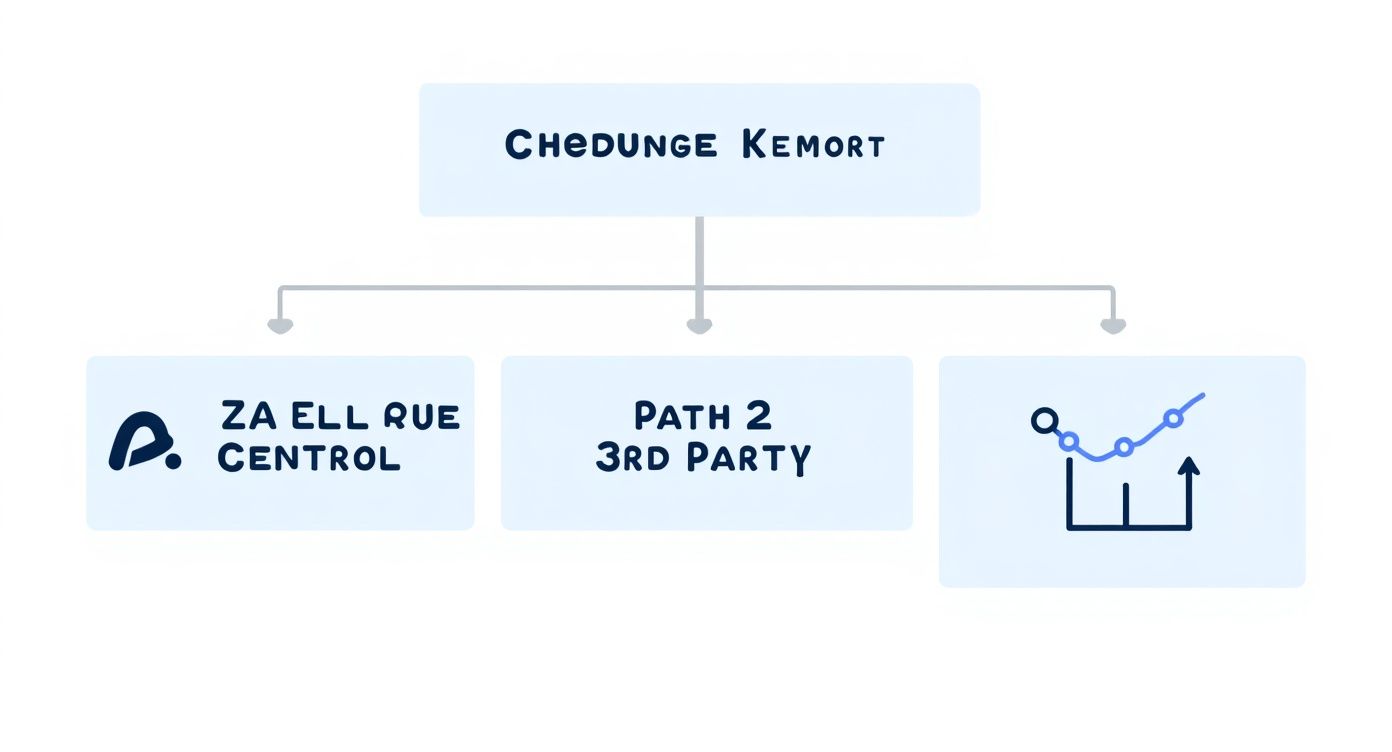
As the visual shows, Seller Central gives you a decent starting point. But for deep competitive analysis and proactive strategy, dedicated third-party tools are where the real power lies.
Interpreting Ranking Trends for SEO
Think of your organic ranking data as a direct feedback loop on the health of your product listing. Spotting a gradual but consistent rank drop for a core "money" keyword is a classic signal that your listing is getting stale.
This doesn't mean you need to panic and overhaul everything. Instead, treat it as a surgical signal. Start by re-evaluating your product title or bullet points to see if they're still truly optimized for that specific term.
On the other hand, what if your rank is steadily climbing for a long-tail phrase you weren't even targeting? That's a golden opportunity. Amazon's algorithm is already connecting your product to that search intent. You can pour gas on that fire by strategically adding that exact phrase into your backend search terms or product description.
Pro Tip: Never analyze keyword rank in a vacuum. Always cross-reference rank changes with other key metrics like your Best Seller Rank (BSR) and session-to-conversion rate to get the full picture.
A strong keyword rank should lead to a healthy BSR. If it doesn't, you might have a conversion problem on your hands. To really nail down how these metrics work together, it helps to review a detailed guide on how to interpret your core Amazon sales data.
Translating Rank Data into PPC Actions
Your keyword tracking data isn't just for SEO; it's also a powerhouse for optimizing your ad spend. It lets you build a smarter PPC strategy that works hand-in-hand with your organic visibility.
For example, if you manage to grab and hold a top-three organic spot for a high-volume keyword, it might be time to pull back your PPC bid for that same term. You're already dominating the search results organically, so you can reallocate that budget to target newer keywords where you need more visibility.
Conversely, a rising organic rank—say, jumping from position #25 to #12 in a week—is a clear signal to support that momentum with a dedicated PPC campaign. This "one-two punch" of organic lift and paid advertising is one of the fastest ways to secure a spot on page one, telling Amazon's algorithm that your product is highly relevant for that search.
Decoding Keyword Trends for Smarter Decisions
Let's break down some common scenarios into a practical framework. The table below translates raw ranking data into specific, actionable steps for both your product listing and PPC campaigns.
| Observed Trend | Potential Cause | Recommended Action (Listing SEO) | Recommended Action (PPC) |
|---|---|---|---|
| Rank rising for a new keyword | Amazon is testing your product's relevance for a new search term. | Add the keyword to your backend search terms or product description to solidify the connection. | Launch a small, targeted "exact match" campaign to accelerate visibility and prove conversion. |
| Rank slowly declining for a core keyword | Competitors are optimizing more effectively or have better conversion rates. | A/B test a new main image or update your product title to be more compelling. | Increase your bid slightly to defend your position and run a top-of-search placement report. |
| Rank dropped suddenly | A new aggressive competitor entered the market or you ran out of stock. | First, check your inventory levels. Then, analyze the new competitor's listing for weaknesses. | Monitor the new competitor’s sponsored rank. Consider a defensive product targeting campaign. |
| Rank is high, but sales are low | The keyword is driving traffic, but your listing isn't converting it. | Audit your listing for conversion killers: low-quality images, poor reviews, or uncompetitive pricing. | Pause PPC spend on that keyword until you fix the conversion issue on the listing. Don't pay for traffic that won't convert. |
By mastering the art of turning raw data into these kinds of tangible insights, your keyword tracking efforts become much more than simple monitoring. They become the central pillar of an intelligent growth strategy that keeps you one step ahead of the competition.
Advanced Tracking for a Competitive Edge

Basic keyword monitoring is a start, but if you want to truly own your category, you need to think bigger. The top sellers I know treat keyword tracking less like a report card and more like a competitive intelligence tool, digging for opportunities their rivals completely miss.
This is all about gaining a strategic advantage. It’s where you start benchmarking your performance directly against top competitors, finding critical gaps in your keyword strategy, and really getting a feel for the subtle shifts in Amazon's algorithm.
Multi-ASIN Tracking and Competitor Benchmarking
One of the most powerful moves you can make is multi-ASIN tracking. Instead of just watching your own product’s rank for a keyword, you start tracking your top two or three direct competitors for that same exact keyword.
Suddenly, your dashboard transforms from a simple health check into a dynamic competitive map. You can see, in real-time, who's gaining momentum and who's losing ground on the search terms that actually drive sales.
Imagine you sell a "bamboo cutting board." By tracking your ASIN alongside two major competitors, you might notice that Competitor A consistently holds the #2 spot, while Competitor B bounces between #5 and #10. That tells you Competitor A has a much stronger organic footing—something worth digging into.
Combining multi-ASIN tracking with some deep competitor analysis is a game-changer. It helps you accurately benchmark your performance, spot emerging keyword opportunities, and make smarter calls on where to put your ad budget for the best return. You can see how this fits into a broader toolkit by exploring some of the top Amazon keyword trackers on estorefactory.com.
Uncovering and Exploiting Keyword Gaps
A direct payoff from multi-ASIN tracking is the ability to run a keyword gap analysis. This process is all about finding the high-value keywords your competitors are ranking for, but you aren't. These "gaps" are pure, untapped traffic and sales opportunities just waiting for you.
Plenty of third-party tools can automate this. They’ll compare your ASIN’s keyword profile against your rivals' and spit out a list of terms where they rank in the top 30, while your product is nowhere in sight.
Think of a keyword gap report as a strategic roadmap for your next optimization push. It's a list of proven, relevant keywords that are already working for someone else in your niche, taking the guesswork out of your research.
This data is incredibly actionable. Once you've got a list of keyword gaps, you can start weaving them into your listing's backend search terms, bullet points, and A+ Content. It also gives you a ready-made list of new targets for your PPC campaigns, letting you challenge competitors on their own turf. Understanding what PPC on Amazon is all about is key to making this info work for you.
Anticipating Trends with Historical Data
Top sellers don't just react to the market; they see what's coming. The historical data in your keyword tracking tool is a goldmine for predicting seasonal spikes and consumer trends. By looking at a keyword's rank performance over the past year or two, you can spot patterns that are clear as day.
Let's say you sell "garden hoses." A quick look at historical data will almost certainly show a massive surge in search volume and competition starting in April and peaking in June.
With that foresight, you can get ahead of the game:
- Inventory Management: Make sure you're fully stocked before the seasonal rush hits, avoiding costly stockouts when demand is at its highest.
- Ad Budget Allocation: Plan to ramp up your PPC bids and daily budgets in late March to capture that first wave of shoppers.
- Listing Optimization: Refresh your main image and title in early spring with seasonal messaging, like "Get Your Lawn Ready for Summer."
This proactive approach, fueled by historical rank data, lets you ride the seasonal wave instead of getting caught in its wake. It turns your Amazon keyword tracking system from a reactive tool into a predictive engine for smarter business decisions, keeping you one step ahead.
Answering Your Top Amazon Keyword Tracking Questions
Even with the best strategy, you're going to have questions. It’s just part of the game. Getting the hang of Amazon keyword tracking means knowing how to handle weird scenarios and clarify best practices as you go.
This section tackles the most common questions we hear from sellers. Think of it as your go-to guide for those moments when you're staring at your data and wondering, "What now?" From timing your rank checks to figuring out why a keyword suddenly tanked, these answers will help you make smarter moves.
How Often Should I Be Checking My Keyword Rankings?
This really comes down to how important the keyword is to your business. For your absolute "money" keywords—the ones that drive the most sales—you'll want to keep a close eye on them, ideally daily. This is especially true during a product launch or a huge sales event like Prime Day when every position matters. Most tracking tools have automated alerts that can do the heavy lifting for you here.
For the rest of your list, like secondary phrases and long-tail keywords, a weekly check-in is plenty. It’s frequent enough to catch any meaningful trends but not so often that you start panicking over normal daily wiggles in the rankings. The key is consistency; it’s what lets you build a clear performance baseline over time.
What’s Actually Considered a Good Organic Rank on Amazon?
Everyone wants to know what a "good" rank is, but it's always relative. The goal is always page one, and if we're being honest, you really want to be in the top 10 spots. The hard truth is that the top three organic results gobble up the lion's share of clicks, making that real estate incredibly valuable.
But you have to set realistic goals based on the keyword itself.
- For a super competitive, high-volume keyword (think "air fryer"), just breaking into the top 20 is a massive win. It means you're in the game and within striking distance of page one.
- For a less competitive, long-tail keyword (like "stainless steel air fryer for small kitchen"), you should be aiming for a spot in the top five. Anything less, and you're likely leaving conversions on the table.
Don't chase a one-size-fits-all number. Your target rank should match the keyword's search volume and difficulty.
My Keyword Rank Dropped Out of Nowhere. What Do I Do First?
First thing's first: don't panic. A sudden drop calls for a methodical investigation, not a frantic, knee-jerk reaction that could make things worse. Before you touch a single thing in your listing, run through this quick diagnostic checklist.
Start by checking these factors, in this order:
- Check Your Listing Status: Is your product still active? Is it in stock and buyable? A suppressed listing or an out-of-stock product will lose rank almost instantly.
- Scope Out the Competition: Take a look at the top results for that keyword. Did a competitor just slash their price or launch an aggressive PPC campaign? Sometimes their moves can push you down.
- Review Your Own Recent Changes: Did you recently tweak the product title, main image, or price? Even a small change can temporarily confuse Amazon's algorithm and cause a dip.
- Look at Your Performance Metrics: Dive into your recent customer reviews and conversion rate data. A sudden burst of negative feedback or a drop in your conversion rate will absolutely hurt your organic rank.
By systematically working through these common culprits, you can find the real reason for the drop and create a targeted plan to fix it, instead of just making blind changes and hoping for the best.
Can I Track Keywords for Amazon in Different Countries?
Yes, and you absolutely should if you sell internationally. This is a standard, must-have feature for any serious third-party keyword tracking tool. All the major players are built to support multiple Amazon marketplaces, like the US, UK, Germany, and Japan.
When you set up a new campaign in your tracking software, you’ll just select the specific marketplace you want to monitor for that product and its keywords. This is critical because what shoppers search for in the US can be completely different from what they search for in Germany. A top keyword in one country might be irrelevant in another.
At Next Point Digital, we turn complex data into clear, actionable growth strategies. If you're ready to move beyond basic tracking and build a truly competitive Amazon presence, our team of experts can help. We combine advanced analytics with hands-on marketplace management to optimize your listings, refine your advertising, and drive measurable results.
Discover how our Amazon growth services can scale your brand at npoint.digital