

So you've got a killer product. That's great, but on Amazon, it's only half the battle.
Amazon listing optimization is the art and science of fine-tuning your product pages to get seen, get clicked, and ultimately, get sold. It's about strategically crafting your title, bullet points, images, and even backend keywords to win over both shoppers and Amazon’s A9 algorithm. This is single-handedly the most important lever you can pull for sales growth on the platform.
Why Smart Listing Optimization Is Your Biggest Advantage
On a digital shelf packed with millions of competitors, getting seen is everything. You have to stop thinking of Amazon as just a retailer and start treating it like the world’s largest product search engine. Your listing needs to be perfectly tuned to answer a shopper's search query and then persuade them to click "Add to Cart." Without that, even the best products stay invisible.
This is where a deliberate approach to optimization becomes your biggest competitive edge. It’s the difference between hoping for sales and actually engineering them.
We once worked with a brand selling premium kitchen gadgets that was completely buried on the third page for its main keyword. After a complete overhaul—revising the title for clarity, rewriting bullets to focus on benefits instead of features, and adding new lifestyle images—their conversion rate jumped by 156%. They didn't change the product, only how they presented it.
The Foundation of Amazon Success
Effective listing optimization directly fuels your visibility and sales velocity, which are two of the biggest factors the A9 algorithm uses to rank products. A well-optimized page hits several critical goals at once:
- Boosts Organic Ranking: It clearly tells the algorithm exactly what your product is and which search terms it’s relevant for.
- Increases Click-Through Rate (CTR): A compelling main image and a clear, benefit-driven title will always entice shoppers to click on your listing over a competitor's.
- Improves Conversion Rate: High-quality images, persuasive copy, and detailed A+ Content build trust and answer questions, turning browsers into buyers. Our guide on how to increase ecommerce sales digs deeper into many of these conversion-focused principles.
The reality is that optimization isn’t a one-and-done setup; it’s an ongoing strategy. The most successful sellers are the ones constantly testing, learning, and refining their listings to stay ahead of the curve.
The Data-Backed Case for Optimization
In a marketplace flooded with over 2.7 billion monthly visits, this strategy is no longer optional. It's a non-negotiable part of running a successful business on Amazon.
Don't just take my word for it. A striking statistic reveals that nearly 80% of sellers now prioritize optimizing their listings with high-quality, relevant keywords to drive visibility and sales. You can read more about what sellers prioritize for Amazon optimization.
This guide is your complete roadmap, covering everything from deep-dive keyword research and compelling copy to advanced A+ Content and backend tactics. Let's get started.
Uncovering Keywords That Actually Drive Sales
Every truly successful Amazon listing is built on a foundation of solid keyword research. This isn't about guessing what your customers are searching for; it's about digging into the data to find the exact phrases they type into the Amazon search bar.
Think of keywords as the bridge connecting your product to a shopper who's ready to buy. Get this part right, and you’ve created a direct path to sales.
It’s way more than just stuffing your title with popular terms. The goal is what we call strategic keyword mapping, where every single phrase has a specific job and a specific place within your listing. This is where you’ll unearth the high-volume keywords that build awareness, but also the long-tail phrases that capture high-intent buyers your competition is probably ignoring.
The entire optimization journey flows from this single starting point: research, then optimization, and finally, conversion.
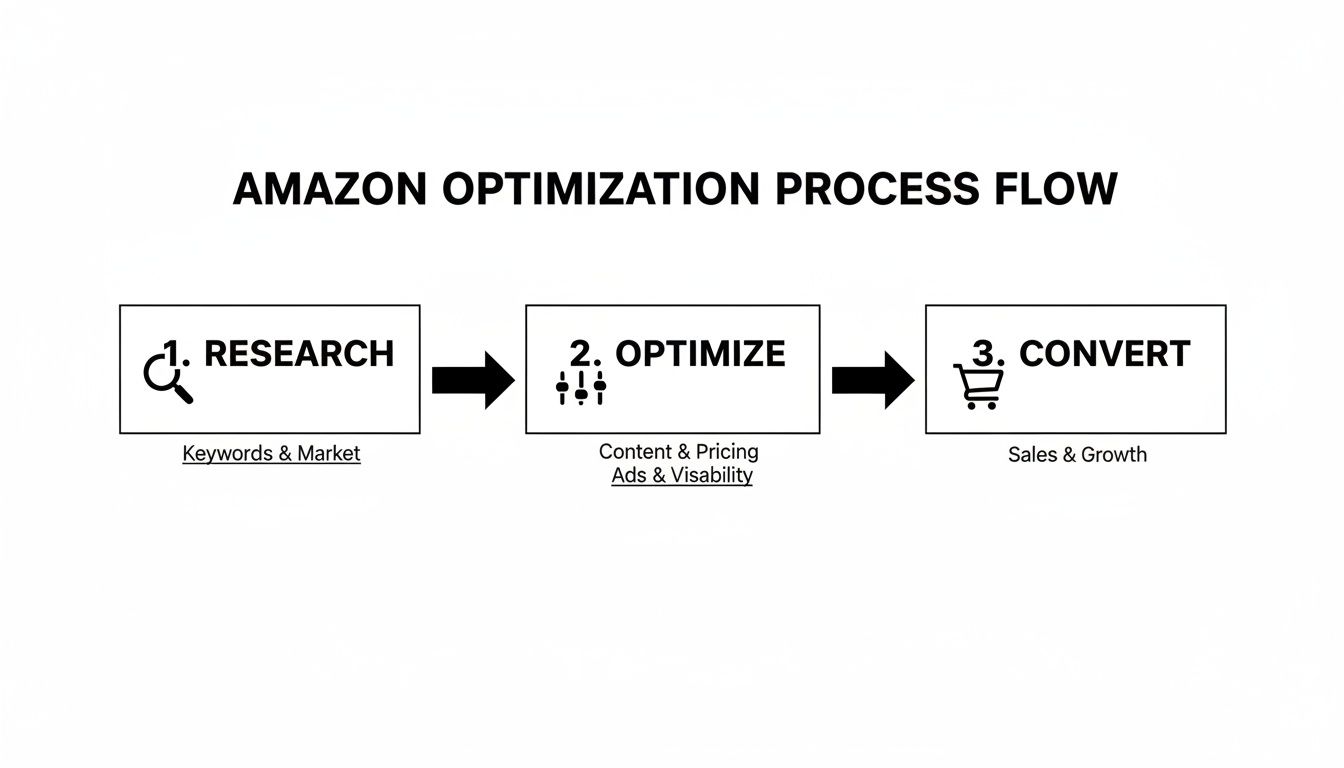
This simple flow nails it. Uncovering the right keywords is what fuels the optimization of your listing, which in turn is what drives conversions and, ultimately, your sales.
Building Your Keyword Foundation
Your first move should always be to see what your top competitors are doing. Identify the top three to five listings for your main keyword and start dissecting them.
Tools like Helium 10 or Jungle Scout are non-negotiable here. They can pull the exact keywords—both organic and paid—that your competitors are ranking for. This kind of reverse-engineering gives you a powerful starting list right out of the gate.
But don't just copy and paste. Look for patterns, and more importantly, look for gaps. Are they missing obvious synonyms or ways people might use the product? Those gaps are your golden opportunities to scoop up traffic they're completely missing out on.
Categorizing Keywords for Maximum Impact
Once you have a monster list of keywords, it's time to get organized. Not all keywords are created equal, and where you put them on your listing matters a ton to Amazon's A9 algorithm. I always sort them into three buckets:
- Primary Keywords: These are your non-negotiables—the most important, highest-volume terms. They absolutely must go in your title. For a "silicone baking mat," this is the exact phrase "silicone baking mat."
- Secondary Keywords: Think of these as supporting terms and long-tail variations. They are perfect for your bullet points and product description. This would include phrases like "non-stick oven liner," "reusable pastry sheet," and "heat resistant dough mat."
- Backend & PPC Keywords: This group is for everything else. Synonyms, common misspellings ("silicon" instead of "silicone"), and related terms you couldn't fit naturally into your visible copy. These are perfect for your backend search term fields and for targeting in PPC campaigns.
This structured approach ensures you’re hitting a wide spectrum of customer searches without making your listing sound like it was written by a robot. For a deeper dive into how this fits into a broader content strategy, check out these SEO content writing best practices.
Think of your listing like a targeted marketing campaign. The title grabs the broadest audience, the bullets engage those seeking specific benefits, and the backend terms sweep up all the niche, specific queries.
Validating Your Keyword Choices with Data
Gut feelings are great, but data is what makes you money. Once you've sorted your lists, it's time to validate them.
If you're brand registered, Amazon Brand Analytics is your best friend. It has dashboards that show the top search queries leading customers to both your brand and your competitors. Sifting through this data can reveal which keywords aren't just getting searched, but are actually leading to clicks, adds to cart, and sales.
You'll also want to use a keyword research tool to check the estimated monthly search volume for your chosen terms. Prioritize keywords that have a healthy balance of high volume and direct relevance. A term with 10,000 monthly searches might look tempting, but if it doesn't precisely describe your product, you'll tank your conversion rate and, eventually, your ranking. You can see how this data connects to the bigger picture in our overview of Amazon sales data.
This meticulous research and mapping process is the most critical part of optimizing your Amazon listing. It sets the stage for everything else, ensuring your perfectly crafted copy and stunning images actually get seen by the right shoppers.
Writing Titles and Bullets That Convert Clicks to Sales
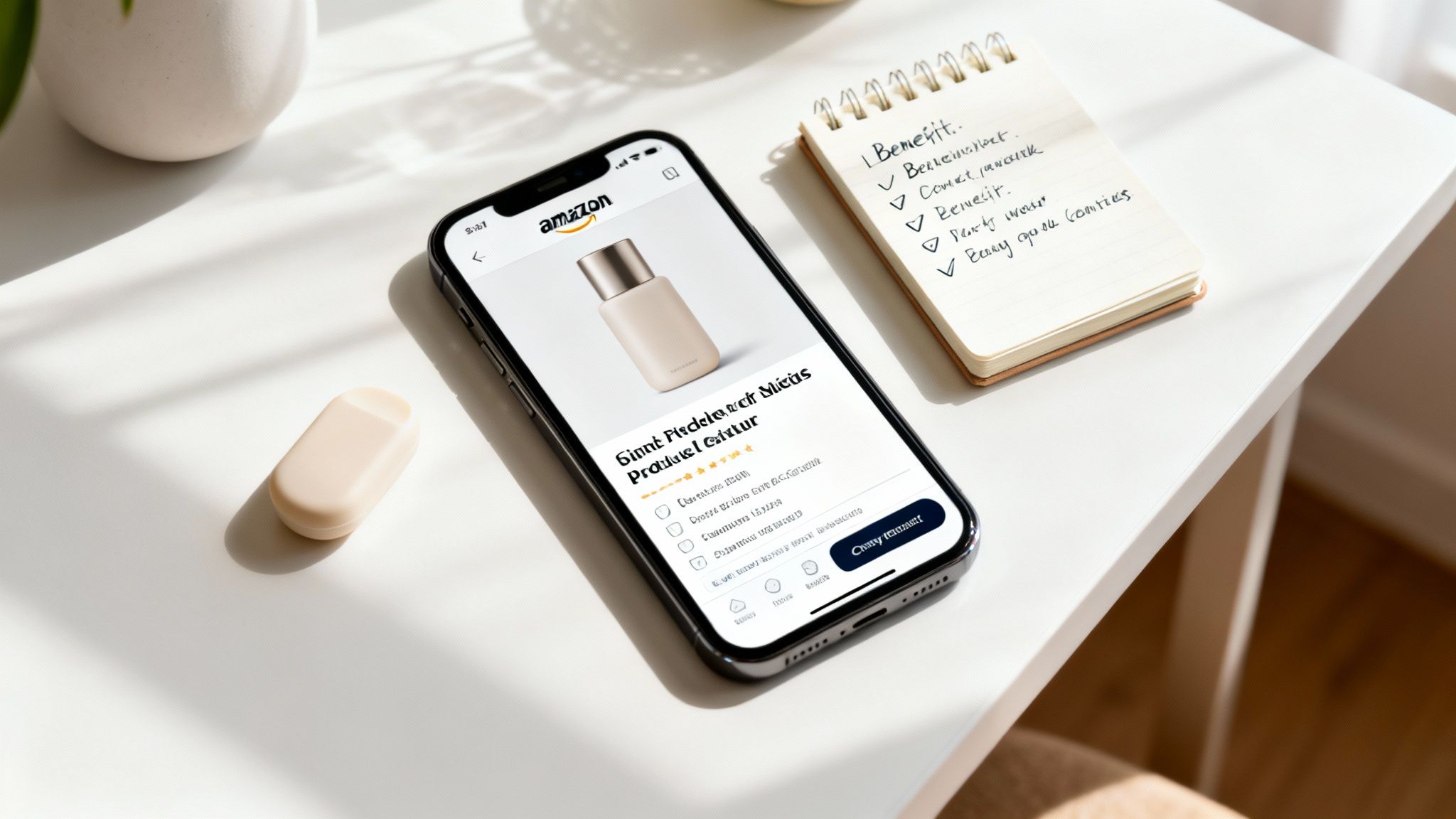
Once you’ve got your keywords mapped out, it’s time to put them to work in your copy. Your product title and bullet points are your front-line sales pitch. You have just a few seconds to grab a shopper’s attention and show them your product is exactly what they’ve been looking for.
These elements aren't just for show, either. They're critical signals for Amazon's A9 algorithm. A well-written title and informative bullets, strategically seeded with your most important keywords, are the engine that drives both your organic ranking and your conversion rate.
Crafting the Perfect Amazon Title
Your title is hands down the most important piece of copy on your entire listing. It’s the first thing shoppers see in the search results, and it carries the most weight when it comes to keyword ranking. The goal is to create something that’s both highly searchable and instantly understandable.
One of the most common mistakes I see is sellers just stuffing their titles with every keyword they can think of. This creates a spammy, unreadable mess that repels customers. A much better approach is to use a proven formula that balances keywords with clarity and the information shoppers actually need.
To make this easier, here's a blueprint that I've found works wonders for both search visibility and click-through rates.
Title Structure Blueprint for Maximum Impact
| Element | Purpose | Example |
|---|---|---|
| Brand Name | Builds brand recognition and trust right from the start. | Brandly |
| Main Keyword | Captures the highest-volume, most relevant search term. | Insulated Water Bottle |
| Key Feature/Benefit | Highlights a major selling point that solves a problem. | with Straw Lid, Leakproof |
| Specifications | Provides crucial details like size, material, or quantity. | 24oz Stainless Steel |
| Use Case/Color | Helps shoppers visualize the product in their lives. | for Gym & Travel – Midnight Blue |
Putting it all together, you get a title like: Brandly Insulated Water Bottle with Straw Lid, Leakproof 24oz Stainless Steel for Gym & Travel – Midnight Blue.
This structure front-loads the most critical information, which is especially important for mobile shoppers who only see a truncated version. It satisfies the algorithm with core keywords while giving real people the key details they need to click.
Transforming Features into Compelling Benefits
As soon as a shopper lands on your listing, their eyes dart to the bullet points. This is your big chance to sell the outcome of your product, not just its specs. People don't buy features; they buy the benefits those features create in their lives.
Here’s a simple way to reframe dry features into persuasive benefits:
- Feature: "Made with 18/8 stainless steel."
- Benefit: Keeps Your Drink Ice-Cold for 24 Hours so you can enjoy refreshing hydration all day long, from your morning workout to your evening commute.
- Feature: "Leakproof straw lid."
- Benefit: Toss It in Your Bag with Confidence thanks to a 100% leakproof design that protects your laptop, books, and other essentials from spills.
That simple shift in perspective is a game-changer. It helps the customer picture themselves actually using the product and experiencing the positive result, making the decision to buy so much easier. This is a foundational concept in good sales copy and a key part of our broader conversion rate optimization best practices.
A feature tells the customer what your product is. A benefit tells them why that matters to them. Always lead with the "why."
Best Practices for Writing Bullet Points
To get the most out of your bullet points, stick to a few simple guidelines. Amazon gives you five of them—use every single one to answer questions, overcome objections, and show why your product is the best choice.
- Start with a Capitalized Hook: Kick off each bullet with a short, capitalized phrase that sums up the main benefit. This makes them incredibly easy to scan.
- Incorporate Secondary Keywords: Naturally weave in your secondary and long-tail keywords where they fit. Never force them in; the language should always feel natural and focused on the customer.
- Address Potential Objections: Put yourself in the shopper's shoes. What are they worried about? Is it hard to clean? Will it break easily? Use your bullets to answer these questions before they even have to ask.
- Highlight Use Cases: Paint a clear picture of how and where someone can use your product. Mentioning specific scenarios like "perfect for hiking" or "ideal for the office" helps them connect with your product on a personal level.
- Keep It Concise and Readable: Stay away from long, dense walls of text. Break up your sentences, use clear language, and get straight to the point. Your goal is to communicate value as quickly and effectively as possible.
Creating Visuals and A+ Content That Sell
On Amazon, shoppers absolutely buy with their eyes first. After your title and bullets hook them, your images and A+ Content are what will actually close the deal. This is your shot to build a visual experience that doesn't just show off your product, but tells your brand's story and builds unshakable trust.
Think of your image gallery as a silent, visual sales pitch. Amazon gives you up to nine slots, and for any serious seller, using every single one is non-negotiable. Each image needs to have a specific job, working together to answer customer questions and show your product's value from every possible angle.
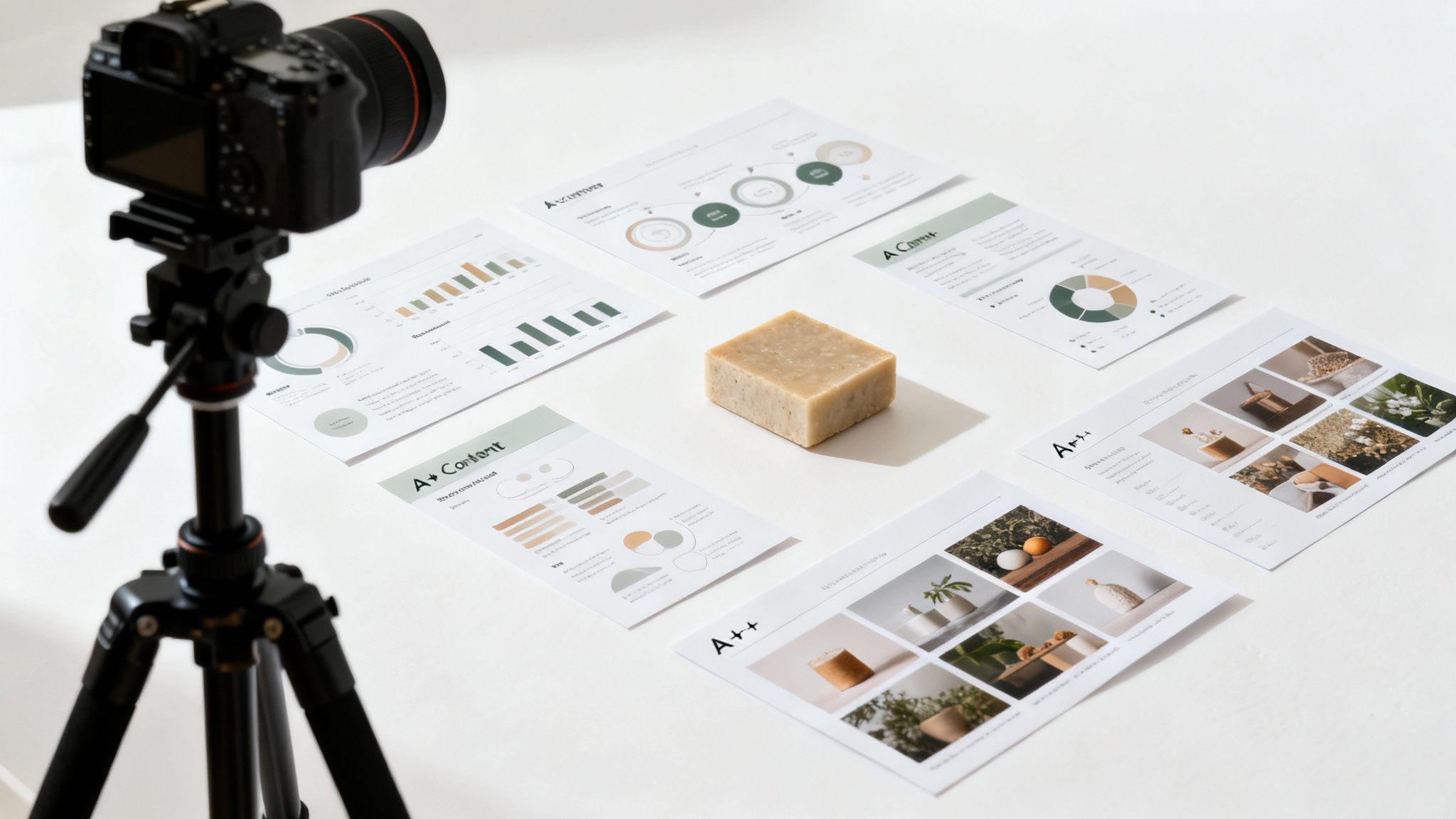
This isn't just about snapping a few pretty pictures; it's a fundamental part of your Amazon listing optimization strategy. High-quality visuals have a direct, measurable impact on your conversion rate, which sends a strong signal to the A9 algorithm that your product is a winner.
Mastering Your Product Image Gallery
Your main image is the hero shot, and it comes with the strictest rules: it has to be on a pure white background and feature nothing but the product itself. No exceptions. But the other image slots are where you get to be creative, persuasive, and really start selling.
A winning image stack almost always includes a mix of these:
- Lifestyle Images: Show your product in action. Selling a backpack? Show it on a hiker halfway up a mountain. If it's a coffee mug, show someone curled up with a warm drink on a rainy morning. This helps customers picture the product in their own lives.
- Infographics: These are huge. Use text overlays and slick graphics to call out key features, dimensions, or materials. An infographic can communicate a ton of info in a highly scannable format that people actually absorb.
- Comparison Charts: Pit your product against competitors or even other models in your own lineup. It’s a bold move, but it's also a powerful way to steer a customer’s buying decision and clearly show why your product is the best choice.
- Instructional Shots: Show someone using the product or highlight how simple it is to assemble. This proactive approach can head off a lot of negative reviews from customers who might otherwise get frustrated.
Every image in your gallery should answer a question or crush a potential objection. If a customer has to wonder about the size, material, or what it feels like to use it, you haven't used your images effectively.
Unlocking the Power of A+ Content
For brand-registered sellers, A+ Content is an absolute game-changer. It lets you swap out the boring, plain-text product description for a visually rich layout of images, text modules, and comparison charts. The numbers don't lie: listings with A+ Content can see a conversion rate lift of up to 10%.
Think of A+ Content as your personal storefront right there on the product page. It's your space to go beyond just the product specs and dive deep into your brand’s story, mission, and what makes you different. You can use this valuable real estate to build a real connection that turns a one-time buyer into a loyal fan. This is a critical piece of the puzzle for achieving product optimization for maximum impact.
Structuring A+ Content for Conversions
One of the biggest mistakes I see brands make is treating A+ Content like an image dump. To make it work, you need a narrative. You need to guide the shopper through a journey.
Start with a big, impactful banner that hammers home your main value proposition. From there, use modules that speak directly to common customer pain points and show exactly how your product solves them. Use comparison charts to cross-sell other products in your catalog, which is a fantastic way to increase average order value.
To really stand out, product videos in your listings and A+ content are key. Static images can only do so much. If you're looking to create dynamic content efficiently, you might explore some of the Top AI Video Generator Tools to demonstrate your product in a way that truly engages shoppers.
At the end of the day, your image gallery and A+ Content have to work together. They need to be sharp, professional, and mobile-friendly, creating a seamless and persuasive experience that leaves no doubt in the customer’s mind.
Using Backend Search Terms for an Unfair Advantage
What shoppers don't see on your Amazon listing can be just as critical as what they do. While your title, bullets, and images are out front making the sales pitch, a powerful, unseen element is working behind the scenes to pull in traffic: your backend search terms.
Think of it as your own private, 250-byte space to feed Amazon's A9 algorithm extra keywords without cluttering up your customer-facing copy. This is where you can catch all those valuable search queries that didn't quite fit naturally into your main listing but are still incredibly relevant.
Maximizing the 250-Byte Limit
That 250-byte limit isn't much, so every character has to pull its weight. This isn't the place for full sentences or repeating keywords you've already stuffed into your title or bullet points. You need to be surgical.
Your goal here is to use this space for terms that are relevant but might look messy or confusing to a human reader. This is your chance to get creative and cover all your bases.
- Synonyms and Variations: If you sell a "laptop stand," you'll want to include terms like "computer riser" or "notebook holder."
- Common Misspellings: Don't underestimate how many people type "silocone" instead of "silicone." Capturing these common slip-ups is like getting free traffic.
- Foreign Language Terms: Selling in a market with a large Spanish-speaking population? For a garlic press, you might add "prensa de ajos." It’s a brilliant and often overlooked move.
- Niche Use Cases: Maybe you couldn't fit every application into your bullets. For that laptop stand, you could add terms like "wfh setup" or "dj laptop mount."
The best backend keywords are a clean spillover from your main keyword research. They should be relevant, single words separated only by spaces—no commas or repetition. Every byte should be used to introduce a new way for a customer to find you.
Backend Keyword Do's and Don'ts
Getting this right is pretty straightforward if you stick to a few simple rules. Amazon has clear guidelines, and if you ignore them, your keywords can get ignored or, worse, your listing could get suppressed.
Here’s a quick checklist to keep you on the right path:
| Do | Don't |
|---|---|
| Use synonyms and spelling variations. | Repeat keywords already in your title or bullets. |
| Fill the space without going over 250 bytes. | Use competitor brand names (this is against ToS). |
| Separate words with a single space. | Include punctuation like commas or semicolons. |
| Keep everything in lowercase. | Add subjective claims like "best" or "amazing." |
Following these guidelines ensures Amazon's algorithm can properly index your backend terms, giving you the biggest possible boost in discoverability.
Shifting from a Task to a Process
Here’s a hard truth many sellers miss: optimization is not a one-time task. It’s a continuous process. The market shifts, competitors adapt, and new search trends pop up out of nowhere. Treating your listing—especially your backend keywords—as a "set it and forget it" project is a recipe for being left behind.
Successful optimization is an ongoing loop. Top sellers often update their content monthly to weave in new keywords and react to what the market is doing. Smart tweaks can lead to noticeable improvements in impressions and ad performance within 4-6 weeks.
A practical monthly review is essential. Dive into Amazon Brand Analytics and pull up your Search Query Performance report. This dashboard is a goldmine, showing you the exact terms shoppers are using to find—or not find—your products.
Ask yourself these questions every month:
- Are new, relevant search terms popping up? If so, can you work them into your backend?
- Are your impressions for key terms trending up or down? A downward trend might mean a competitor just optimized better than you.
- How are your ads performing? Your advertising data can reveal high-converting keywords you haven't added to your organic listing or backend yet. Understanding the interplay between paid and organic is vital, and you can learn more in our guide to what PPC is on Amazon.
By regularly analyzing this data and refreshing your backend search terms, you turn a static product page into a dynamic, responsive asset. This ongoing process is what separates the listings that stall from the ones that consistently climb the ranks and stay there.
Common Questions About Amazon Listing Optimization
Even with a solid playbook, questions are bound to pop up. When you get into the weeds of optimizing a listing, it's natural to wonder about timelines, common pitfalls, and what all these different features actually do.
Here are some of the most frequent questions I hear from sellers, with straight-to-the-point answers.
How Long Does It Take to See Results?
This is the big one, and the answer isn't as simple as "overnight." While you might notice a quick bump in your click-through rate a few days after tweaking a title or main image, real changes in organic ranking take a bit longer to materialize.
Generally, you should give it about 4 to 6 weeks to see meaningful movement. This buffer gives Amazon's A9 algorithm enough time to re-index your listing, collect fresh performance data, and figure out where you belong in the search results. The first signs are usually an uptick in impressions or better performance in your PPC campaigns.
But landing a stable, page-one ranking? That's a marathon, not a sprint. It's built on sustained sales velocity and a steady stream of positive reviews, which is exactly why optimization has to be an ongoing effort, not just a one-and-done task.
What Are the Biggest Mistakes to Avoid?
I see so many sellers make the same handful of mistakes that kill their growth before it even starts. Just avoiding these common traps will put you miles ahead of the competition.
- Keyword Stuffing: This is the most common sin. Forcing a laundry list of keywords into your title and bullets makes your copy unreadable and creates a terrible customer experience. It looks spammy, turns shoppers away, and can even get your listing flagged by Amazon.
- Ignoring Backend Search Terms: That 250-byte backend field is free, invisible keyword real estate. Leaving it empty is like turning down free advertising. It's a massive missed opportunity to rank for synonyms, misspellings, and long-tail phrases you couldn't fit elsewhere.
- Poor Quality Images: Low-res photos, zero lifestyle shots, or not using all the available image slots will tank your conversion rate. Period. People buy with their eyes, and bad visuals scream "untrustworthy product."
- A 'Set It and Forget It' Mindset: The Amazon marketplace is a living, breathing thing. Your competitors are always changing their tactics, and customer search habits evolve. You have to keep an eye on your data and adapt your listings to stay in the game.
How Is A+ Content Different from a Regular Product Description?
The difference is night and day, both in how it looks and how it performs. A regular product description is just a block of plain text. It gets the job done, but it’s not going to win any hearts or minds.
A+ Content, on the other hand, is a powerful tool for brand-registered sellers that replaces that boring text block with a rich, magazine-style layout. You can add high-quality images, comparison charts, and brand story modules right on your product page.
Listings with A+ Content consistently see higher engagement and better conversion rates, typically experiencing a 3% to 10% lift in sales. It creates a more professional and immersive shopping experience that builds trust and helps shoppers feel confident enough to click "Add to Cart."
Should I Put My Brand Name in My Backend Search Terms?
No, absolutely not. It's a complete waste of precious character space.
Amazon’s algorithm is smart enough to know your brand and automatically associates your listings with it. Every single byte in that backend field should be used for a keyword that opens up a new discovery path for a customer.
Worse yet, adding competitor brand names is a fast track to getting your listing suppressed or your account in hot water, as it's a clear violation of Amazon's Terms of Service. The backend is strictly for relevant search terms you couldn't fit naturally into your visible copy. Think synonyms, common misspellings, and niche use cases—that's how you maximize your reach.
Ready to stop guessing and start growing? The team at Next Point Digital specializes in data-driven Amazon listing optimization that gets real results. We build strategies that turn clicks into loyal customers. Let's build your growth plan together.