

So, you're ready to jump into the world of eBay. Getting your account set up is more than just picking a username and password—it's your first real step toward tapping into a global marketplace. Think of this guide as your launchpad, designed to get you from sign-up to your first sale without hitting the usual bumps in the road.
We’ll start with the foundational decisions that set the stage for your success, ensuring you’re building an account that can actually grow with you.
Your Launchpad Into a Global Marketplace
The first big choice you'll make is whether to open a personal or a business account. This isn't just a small detail; it shapes everything from the professional tools you can access to your selling limits and even how you handle fees. Getting this right from the start aligns the platform's power with your goals, whether you're just cleaning out your garage or building a full-fledged online store.
Why eBay Remains a Powerful Channel
Setting up an eBay account plugs you directly into a massive global audience with over 134 million active buyers. For small businesses and direct-to-consumer brands, that number represents a colossal opportunity. The platform is built to support everyone from the casual hobbyist to the serious entrepreneur, making it a flexible and powerful entry point into ecommerce. You can learn more about eBay's massive scale and what it means for sellers.
To really make the most of it, it helps to understand the basics of how to start a resale business. This context gives you a strategic edge right from day one.
Getting this foundation right is all about building trust and credibility. A well-configured account is like a clean, professional storefront. It immediately signals to buyers that you’re a serious seller they can rely on, which is the cornerstone of success on any of the big digital marketplaces in modern commerce.
The journey from a new account to a top-rated seller begins right here. Taking the time to set up your account properly means you're not just showing up—you're positioned to compete. Every single setting, from your return policy to your payment details, is a piece of the puzzle.
Before we dive into the step-by-step process, let's look at a high-level overview of what’s ahead.
Quick Guide to Setting Up Your eBay Seller Account
Here’s a quick overview of the essential steps and decisions for creating a fully functional eBay account for selling.
| Milestone | Key Action | Why It Matters for Sellers |
|---|---|---|
| Account Creation | Choose between a Personal or Business account and register with your basic info. | Establishes your legal identity on the platform and unlocks selling features. |
| Identity Verification | Provide a government-issued ID and/or proof of address as requested by eBay. | Builds trust with both eBay and your buyers, proving you're a legitimate seller. |
| Payment Setup | Link a bank account to receive payouts through eBay Managed Payments. | This is how you get paid. A verified bank account ensures seamless, secure transactions. |
| Business Verification | If you chose a Business account, submit your business registration documents. | Unlocks higher selling limits and professional tools needed for scaling your operations. |
| Policy Configuration | Set up your shipping options, return policies, and payment preferences. | Creates a professional storefront and manages buyer expectations from the very first sale. |
This table maps out the key checkpoints in your setup journey. Now, let’s get into the nitty-gritty of each one.
Choosing the Right Account: Personal vs. Business
One of the first real decisions you'll make when you set up an eBay account is whether to go with a personal or business account. This isn't just a simple label—it completely shapes your selling capabilities, the fees you pay, and the professional tools you get to use. Your choice should line up directly with what you plan to sell.
A personal account is perfect for casual selling. Think of it as your digital garage sale. It's built for offloading old electronics, clothes you don't wear anymore, or collectibles you're ready to part with. It’s designed for low-volume, infrequent listings where you're not trying to run a formal business.
On the other hand, a business account is non-negotiable if you have bigger goals. This is the right move if you plan to resell products for a profit, sell items you've made yourself, or run a consistent side hustle. It tells eBay and your buyers that you're a serious, professional seller.
When a Personal Account Is Enough
For a lot of people, a personal account is the perfect place to start. The setup is simpler and it requires less verification right out of the gate. You can list your items, get paid, and start building your feedback score without jumping through the hoops of a business registration.
A personal account makes the most sense if you're:
- Decluttering: Just selling stuff from around the house to make some extra space and a bit of cash.
- Selling a Hobby: You occasionally sell crafts or collectibles but don't depend on it for income.
- Testing the Waters: You want to try selling a few things on eBay before you commit to a full-blown operation.
And if you find yourself selling more and more, don't worry. eBay makes it easy to upgrade from a personal to a business account whenever you're ready.
This flowchart helps break down the decision.
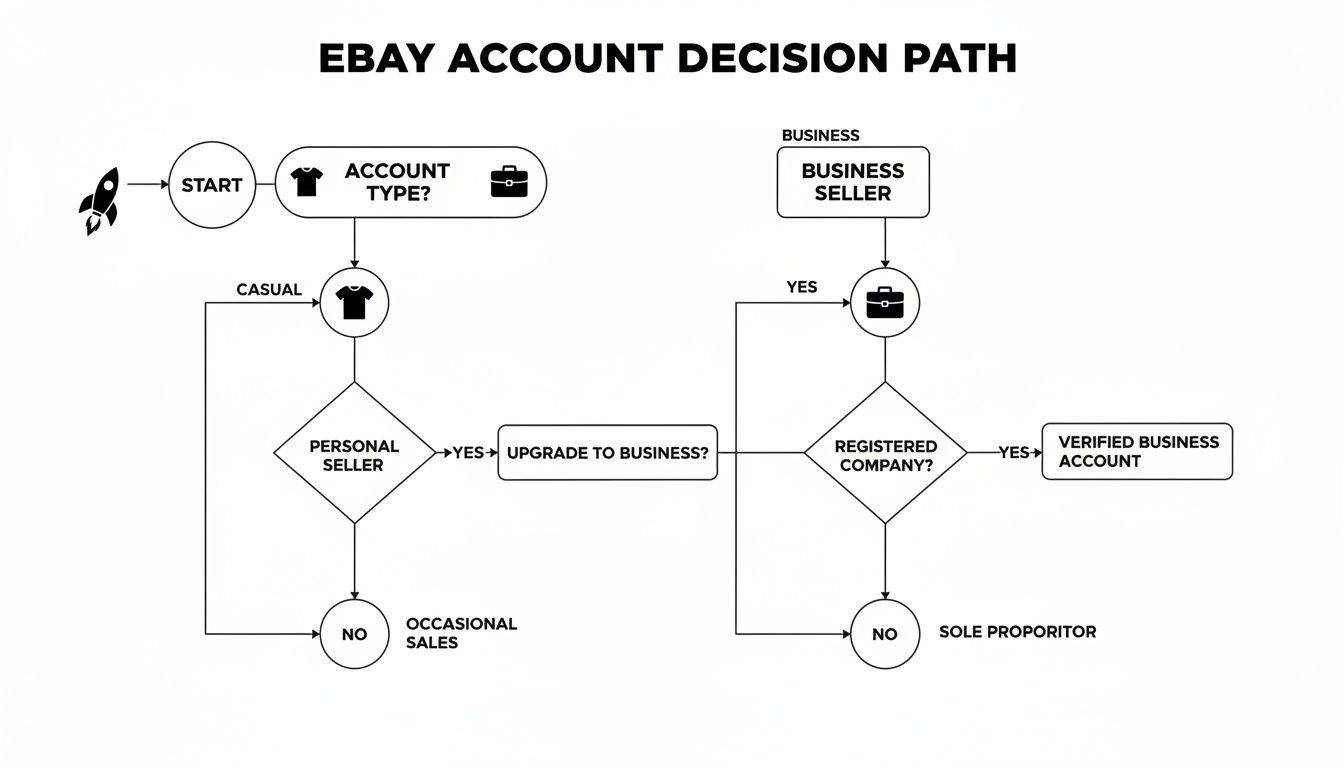
As you can see, it really boils down to your intent. Are you selling casually or are you operating for profit? Answering that question will point you in the right direction.
The Clear Advantages of a Business Account
While a personal account is a great starting point, a business account unlocks a whole suite of powerful features built for serious sellers. The biggest game-changer is access to the eBay Seller Hub, a seriously comprehensive dashboard for managing your entire operation from one place.
Here’s what you get with a business account that a personal one can't offer:
- Higher Selling Limits: Business accounts usually get higher initial selling limits and can get them increased much faster, which means you can scale your sales without hitting a ceiling.
- Professional Branding: You can register with your official business name. This shows up on your profile and in communications, which goes a long way in building trust with buyers.
- Advanced Tools: You'll get access to sales reports, performance analytics, and promotional tools like Markdown Manager to run your own sales events.
- Tax Advantages: When you operate as a registered business, you may be able to deduct expenses like shipping supplies, inventory costs, and even your eBay fees.
A business account is your command center for growth. It moves you from simply listing items to actively managing a storefront, analyzing performance data, and making strategic decisions to increase sales.
Think about it this way: someone starting a vintage t-shirt reselling business would get a massive boost from the analytics in Seller Hub. They could track which designs sell fastest, spot sales trends, and use promotional tools to move stale inventory. That kind of insight just isn't available with a personal account.
If you're still not sure which marketplace is the best fit for your business model, our marketplace evaluation test can give you some much-needed clarity. It helps make sure you're putting your energy into the platform with the highest potential return for your specific products.
Navigating Registration and Account Verification
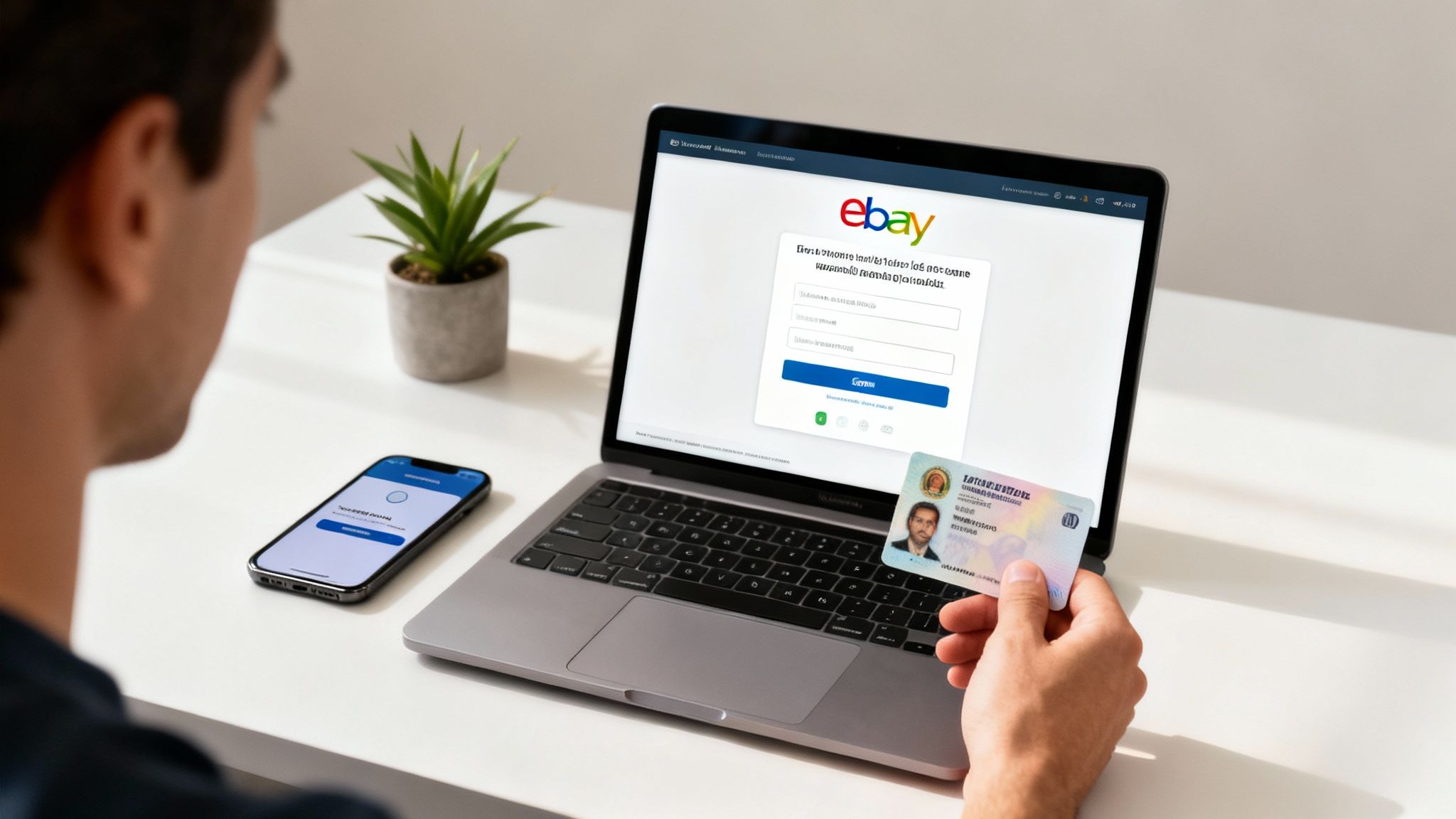
The initial sign-up page looks innocent enough, but this is where a lot of new sellers get tripped up. A simple mistake here can spiral into frustrating account holds or restrictions right when you’re trying to build momentum. Getting this first part right is the foundation of a successful eBay business.
Pay close attention to the address you provide. It needs to be a real, verifiable physical address—no P.O. boxes or mail forwarding services. eBay’s systems often cross-reference this with public records, so a mismatch will throw up an immediate red flag. Make absolutely sure your name and address are identical to what’s on your government ID and bank statements.
Here's another pro-tip: use an established email from a major provider like Gmail or Outlook. A brand-new email or one from a private domain can sometimes be flagged by eBay's automated security, forcing you through extra verification hoops you don't need.
Securing Your Identity for Selling
After you've submitted your basic info, you'll hit the identity verification stage. This is a non-negotiable step that protects the marketplace from fraud, and every new seller has to go through it.
You'll be asked to upload clear, legible copies of a few key documents:
- A government-issued photo ID: This can be a driver's license, passport, or national ID card. The name on the ID must exactly match the name you used to register.
- Proof of address: Sometimes, eBay will ask for a recent utility bill or bank statement showing your name and address. Again, consistency is everything.
Think of this verification process as your first trust-building exercise with eBay. Smoothly providing accurate, consistent information signals to the platform that you're a legitimate seller. This lays the groundwork for getting higher selling limits and fewer restrictions down the road.
Setting up a business account, especially in the U.S., has a few extra requirements. The United States is home to 31% of top sellers, and the process starts at ebay.com/register by selecting 'Business account.' You'll need a compliant U.S. address—avoiding known warehouse or reshipping locations that eBay flags—and a verified phone number. Getting your ID uploaded promptly is the final step to getting your account ready for listings.
The Account Warming Strategy
Before you rush off to list your first item, let's talk about a crucial but often overlooked strategy: "account warming." A brand-new account that immediately lists dozens of high-value products looks suspicious to eBay's algorithms. It fits the classic pattern of a potential scammer.
To avoid getting flagged, you need to build a history that proves you’re a genuine user. The easiest way to do that? Act like a buyer first.
For the first week or two, focus on making a few small, legitimate purchases. Buy something you actually need, like shipping supplies or a cheap item related to your niche. This simple action accomplishes a few critical things:
- It builds a transaction history: You show eBay you understand how the platform works from the other side.
- It verifies your payment method: A successful purchase confirms your linked payment sources are valid and working.
- It starts your feedback score: Pay promptly, and you’ll get positive feedback from sellers, which begins building your reputation.
This warming period shows you're a real person joining the eBay community, not just someone trying to make a quick buck. Taking this patient approach significantly reduces the risk of your new account being suspended or slapped with painfully low selling limits right out of the gate. If you’re still figuring out what to sell, you might be interested in our guide on what types of products sell best on digital marketplaces.
Setting Up Payments, Shipping, and Returns
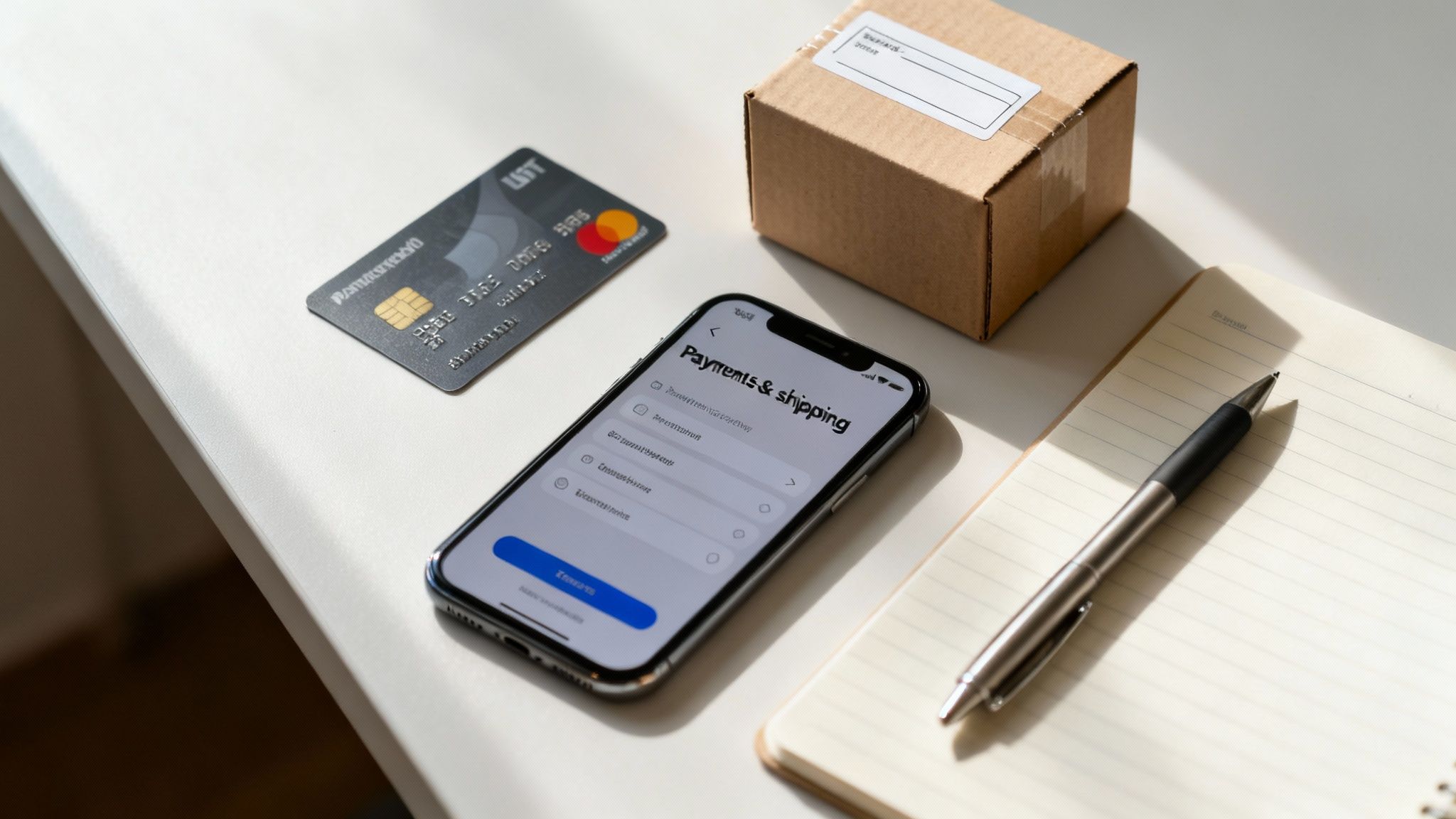
With your account verified, it’s time to build the financial and logistical backbone of your new business. This is where you configure how you get paid, how you ship, and how you handle returns—three pillars that directly impact your profitability and customer satisfaction.
Getting these settings right from the start is non-negotiable. Let’s dive in.
Configuring eBay Managed Payments
First things first: connecting your bank account to eBay Managed Payments. This is the system that processes buyer payments and sends the payouts directly to you. You'll need to link a checking account to receive your funds and have a credit or debit card on file to cover any selling fees and shipping labels.
Head over to the payments tab in your Seller Hub and follow the prompts to add your bank account. You'll need the account and routing numbers handy.
eBay verifies your account by sending two tiny micro-deposits. This can take a day or two, so don't panic if they don't show up immediately. Once they arrive, you'll go back to eBay and enter those exact amounts to confirm you own the account.
It’s also a good idea to add a backup payment method, like a business credit card. This ensures that if there’s ever an issue with your primary method, your selling activities won't grind to a halt.
Understanding the Fee Structure
One of the biggest hurdles for new sellers is getting a handle on eBay’s fees. If you don't account for them, they can quickly eat into your profits. While fees can vary by category and promotions, you’ll always deal with two main types: insertion fees and final value fees.
- Insertion Fees: Think of this as a listing fee. You get a set number of free listings per month (usually 250 for a basic account). After you use those up, you’ll pay a small fee, typically around $0.35, for each new listing.
- Final Value Fees: This is the big one. It's a percentage of the total sale amount, which includes the item price, shipping charges, and even sales tax. For most categories, this fee is 13.25% of the total sale amount up to $7,500.
Let's break it down. Say you sell a vintage camera for $100. The buyer pays $10 for shipping and $7 in sales tax. The total transaction is $117. Your final value fee would be 13.25% of $117, which comes to $15.50, plus a fixed $0.30 per-order fee.
"One of the biggest mistakes I see eBay sellers make is not really understanding their cost and profit breakdown. They often guess their margins instead of knowing their actual numbers." – Nahar Geva, founder of ZIK Analytics
Don't forget about optional upgrades for things like bold titles or listing subtitles. They can add up, so use them wisely. To really nail your numbers, check out our guide on how to determine the price of a product to make sure your strategy covers all these costs.
Establishing Your Shipping Policies
Your shipping strategy is more than just putting an item in a box—it's a massive part of the customer experience and your cost structure. eBay lets you create saved shipping policies, which saves a huge amount of time when listing.
You need to decide on a shipping model. The three main options are:
- Flat Rate Shipping: You charge every buyer the same fixed price. This is simple and works great for items where you know the shipping cost won't vary much by location.
- Calculated Shipping: eBay's calculator uses the buyer's location plus your package weight and dimensions to figure out the exact cost. This is the fairest method and protects you from losing money on shipping.
- Free Shipping: You absorb the shipping cost into the item's price. Let’s be real, it's not truly "free," but it's a powerful marketing tool. Buyers are way more likely to click on listings with this offer.
Also, be brutally honest about your handling time. This is how many business days it takes you to ship an item after the payment clears. A one-day handling time looks great and boosts your seller metrics, but only choose it if you can consistently hit that deadline.
Creating a Clear Return Policy
A well-defined return policy builds buyer confidence and protects you as a seller. Trying to avoid returns can actually hurt sales, as a lot of shoppers will simply skip listings that don't offer that safety net.
Your main choices for a return policy are:
- No returns accepted: This is strongly discouraged. It turns off potential buyers and doesn't actually protect you from "Item Not as Described" claims.
- 30-day buyer-paid returns: This is a standard, fair option. The buyer can return the item for any reason within 30 days but has to cover the return shipping cost.
- 30-day free returns: You cover the cost of return shipping. This is a huge selling point that can boost your sales and even help you earn a "Top Rated Plus" badge, which gives you a 10% discount on final value fees.
Whichever you choose, state it clearly in every listing. Being upfront about returns manages expectations and cuts down on potential headaches, helping you maintain a high seller rating for the long haul.
Creating Your First Listing and Using Seller Hub
Alright, with your account set up and verified, it's time for the fun part: making your first sale. This all starts with creating a product listing—your item's digital storefront—and getting comfortable with your new command center, the Seller Hub.
Creating a listing that actually sells is a mix of art and science. It all begins with the title. You need to think like a buyer. Forget generic phrases like "nice shirt." Instead, get specific with keywords someone would actually type into the search bar, like "Men's Nike Dri-FIT Golf Polo Shirt Size Large Blue."
Your photos are your most powerful sales tool. No, you don't need a fancy studio, but you absolutely need clear, well-lit photos from every possible angle. It's a non-negotiable part of building trust with a buyer who can't see the item in person.
Even a simple setup can produce professional-looking results.

This image is a perfect example. Good lighting and a simple, clean background are all it takes to create photos that give buyers the confidence to make a purchase.
Your New Command Center The Seller Hub
As soon as you create a listing, you'll get access to the Seller Hub. Get ready, because this is where you'll be spending most of your time. This dashboard pulls everything you need to manage your eBay business into one place, from tracking sales to printing shipping labels.
When you're just starting, don't get overwhelmed. Just focus on these three core areas:
- Performance: This is your high-level overview. It shows sales trends, how many people are seeing your listings, and your current seller level. It’s the quickest way to see if what you're doing is working.
- Orders: Think of this as your daily to-do list. It’s where you’ll see what has sold, what's waiting for payment, and what you need to pack and ship.
- Listings: Here, you can manage all your listings—active, unsold, and even drafts. You can make edits, relist items, and create new listings right from this module.
Take the time to get comfortable navigating the Seller Hub. It’s what turns you from someone just listing a few things into a strategic seller who makes decisions based on real data.
Crafting a Listing That Converts
Beyond a great title and solid photos, the description and your pricing strategy are what ultimately close the deal.
Make your description easy to scan. Use bullet points to call out key features, dimensions, and—most importantly—any flaws or imperfections. Honesty is your best policy here; being upfront builds trust and saves you from headaches and returns down the road.
When it comes to pricing, your best friend is research. Don't just look at what other sellers are asking for similar items. The real gold is in the "Sold" listings filter. This shows you what buyers are actually willing to pay. Price your item competitively, but remember, you don’t always have to be the cheapest if your photos and description are a cut above the rest.
A well-crafted listing is your silent salesperson. It anticipates buyer questions, showcases value, and builds the confidence needed for someone to click "Buy It Now" without hesitation.
An eBay account gives you direct access to a marketplace with a buyer-to-seller ratio of 7.6:1, creating immense opportunities. With 134 million shoppers and over 80% of items being new goods, it’s a fertile ground for entrepreneurs.
As your store grows, keeping up with everything can feel like a full-time job. When you hit that point, looking into Ecommerce Virtual Assistant Services can help you manage tasks like customer service and listing creation, giving you more time to focus on sourcing and strategy. And before you list anything, check our guide on what sells on eBay well to make sure you start with products that are already in demand.
Common Questions About Setting Up an eBay Account
Even with a perfect plan, you're bound to have questions when you're setting up a new eBay account. That's completely normal, especially when you’re laying the groundwork for a new business venture.
Let's walk through some of the most common questions that pop up for new sellers during this stage.
Can I Have Multiple eBay Accounts?
Yes, you can, and plenty of savvy sellers do. There's just one big rule: you have to play fair.
Each account needs its own unique email address and user ID. The most critical thing to remember is that you can't open a second account to dodge a suspension, get around your selling limits, or bid on your own stuff to drive up the price. As long as you’re using them for legitimate business reasons, like managing totally different product lines or brands, you’re good to go.
What Are the Initial Selling Limits for a New Account?
Almost every new seller gets hit with some pretty tight restrictions right out of the gate. You'll typically be capped at listing around 10 items or a total value of $500 per month—whichever you hit first. Don't let this discourage you. It’s just eBay's way of weeding out bad actors and giving you a chance to prove you’re a reliable seller.
These limits aren't forever. You can get them lifted by building a solid track record. The formula is pretty simple:
- Ship on time, every single time.
- Keep your buyers happy and rack up that positive feedback.
- If a customer has an issue, jump on it and resolve it professionally.
After about 90 days of consistent performance, eBay often increases your limits automatically. If they don’t, you can pop into your Seller Hub and submit a request to have them raised.
What Should I Do If My Account Gets Suspended During Setup?
Getting an account suspension notice right after signing up is jarring, but it's almost always a simple verification problem. Think of it as an automated security check designed to flag potential issues before they become real problems.
The most common triggers for a new account suspension are usually small mistakes:
- Mismatched Information: The name on your driver's license doesn't perfectly match the name on your bank account or what you entered during registration.
- Using a VPN: Trying to sign up for eBay while using a VPN is a huge red flag for their system.
- Listing High-Risk Items: If your first move is to list a brand new iPhone or a Gucci bag, expect an automatic hold.
If you get suspended, the first thing to do is check your email. eBay will have sent you a message explaining the general reason and telling you exactly what they need from you to fix it.
The only way out of a suspension is to follow eBay's instructions to the letter and work with their support team. This usually means sending over some extra documents to prove you are who you say you are. Patience is key here; the review can take a few days.
Whatever you do, don't try to create another account to get around the suspension. That will only dig you into a deeper hole. Just tackle the issue head-on, provide what they're asking for, and you'll typically be back in business quickly.
At Next Point Digital, we specialize in turning marketplace presence into profitable growth. If you want to move beyond setup and start scaling your sales on eBay, Amazon, or Walmart, our team of experts can build a data-driven strategy to get you there. Contact us today to optimize your listings and accelerate your ecommerce journey.