

An ecommerce website is more than just a digital storefront; it's a complex engine designed to turn clicks into customers. But hidden friction points, technical glitches, and missed optimization opportunities can cause that engine to sputter, costing you sales every single day. Think of it like a pipeline with tiny, invisible leaks. Each one seems small, but together they add up to a significant loss in revenue and customer trust.
Conducting a thorough audit isn't just a technical exercise, it's a crucial business process for identifying exactly where your revenue is leaking. This comprehensive web audit checklist is your roadmap to diagnosing issues across the entire sales funnel, from a potential customer’s initial discovery on Google to the final click on the 'Complete Purchase' button. It provides a structured framework for evaluating every component that impacts performance, ensuring no stone is left unturned.
This guide moves beyond generic advice. We'll break down the 10 most critical areas that directly impact your bottom line, providing actionable steps and expert insights tailored specifically for brands selling on their own sites and major marketplaces like Amazon, eBay, or Walmart. You will learn precisely how to evaluate everything from technical SEO health and mobile user experience to your checkout funnel's efficiency and the persuasiveness of your product pages. Let's plug the leaks and build a foundation for scalable, data-driven growth.
1. Page Speed and Core Web Vitals Optimization
The first stop in any comprehensive web audit checklist is performance. Page speed isn't just a technical metric; it's a foundational element of the user experience and a critical factor for ecommerce success. Google's Core Web Vitals, a set of specific metrics, measure how users perceive the speed, responsiveness, and visual stability of a page.
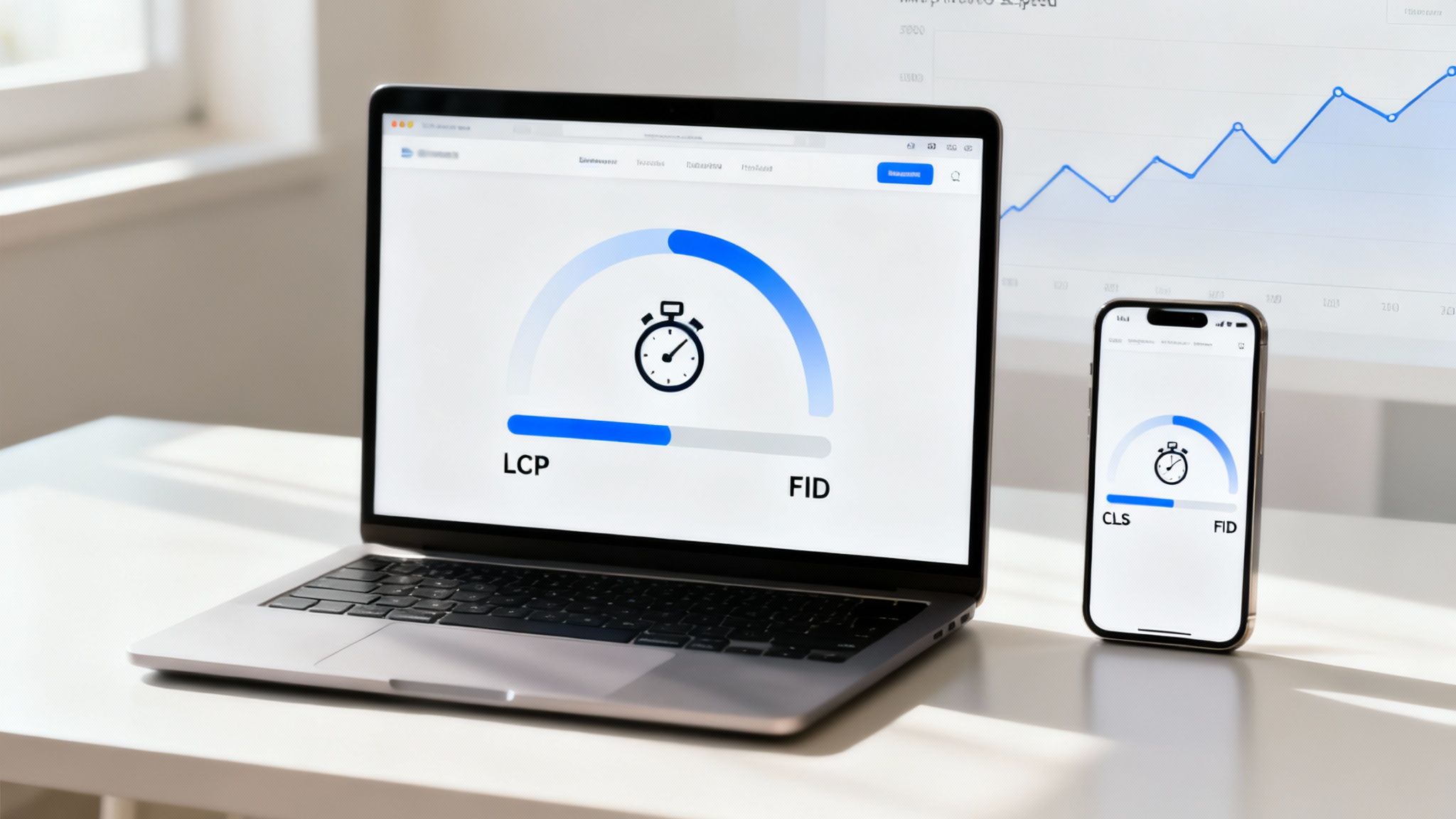
These vitals include Largest Contentful Paint (LCP), measuring loading performance; First Input Delay (FID), measuring interactivity; and Cumulative Layout Shift (CLS), measuring visual stability. For online stores, where over 70% of traffic can come from mobile devices, every millisecond counts. A mere one-second delay can slash conversions by 7%, directly impacting your bottom line.
Why It's a Priority
Slow-loading pages frustrate users, leading to higher bounce rates and abandoned carts. Major brands have proven the value of speed: Amazon famously calculated that a 100-millisecond improvement in load time led to a 1% increase in revenue. Walmart saw a significant rise in mobile checkout completion after focusing on performance optimization. At Next Point Digital, our clients consistently achieve a 15-25% improvement in LCP just by implementing strategic image optimization, a testament to the power of targeted speed enhancements.
Actionable Audit Steps
To audit and improve your site's performance, follow these practical steps:
- Benchmark Your Performance: Use free tools like Google PageSpeed Insights, GTmetrix, and WebPageTest to get a detailed report and identify specific bottlenecks.
- Optimize Your Media: Compress images using tools like TinyPNG or ImageOptim. Implement lazy loading for images and videos that are "below the fold" so they only load when a user scrolls to them.
- Streamline Your Code: Minify your CSS, JavaScript, and HTML files to remove unnecessary characters and reduce file sizes.
- Leverage a CDN: A Content Delivery Network (CDN) stores copies of your site on servers worldwide, delivering content to users from a geographically closer location, which dramatically speeds up load times.
- Audit Third-Party Scripts: Review and defer the loading of non-critical third-party scripts (like those for analytics or social media widgets) that can slow down your initial page render.
By focusing on these core performance areas, you can directly enhance the user experience and create a faster, more reliable sales funnel. For a deeper dive into how speed impacts sales, you can learn more about improving ecommerce conversion rates.
2. Mobile Responsiveness and Cross-Device Testing
With over 75% of ecommerce traffic originating from mobile devices, a flawless mobile experience is no longer optional. This part of the web audit checklist focuses on ensuring your website renders correctly and functions seamlessly across all devices, from smartphones and tablets to desktops. It involves a deep dive into how users interact with your site on different screen sizes, testing touch interactions, form usability, and navigation.
A truly responsive design provides an equivalent, high-quality experience regardless of the device. This principle was solidified by Google's Mobile-First Indexing, which prioritizes the mobile version of a site for ranking and indexing. For ecommerce brands, this means the mobile experience directly dictates visibility and sales performance.
Why It's a Priority
A poor mobile experience is a direct path to lost revenue. Clunky navigation, difficult-to-tap buttons, and stretched images lead to user frustration and immediate abandonment. In contrast, a well-optimized mobile site builds trust and drives conversions. Major D2C brands like Glossier built their empires with a mobile-first approach, generating over 60% of their revenue from mobile shoppers. Similarly, Target attributes more than half of its digital sales to its highly optimized mobile site and app, proving that a seamless cross-device journey is crucial.
Actionable Audit Steps
To audit and enhance your site’s mobile readiness, implement these critical checks:
- Emulate and Test on Real Devices: Start with Chrome DevTools' device emulation for a quick overview, but always follow up with testing on actual physical devices (iPhones, Android phones, and tablets) to assess real-world touch interactions and performance.
- Verify Critical User Journeys: Test the entire sales funnel on mobile, from product discovery and adding to the cart to checkout. Ensure forms are easy to fill out and mobile payment integrations like Apple Pay and Google Pay work flawlessly.
- Check All Orientations: Don't forget to test how your key pages, especially product and checkout pages, render in landscape orientation. Elements that look perfect in portrait mode can break or become unusable when the device is turned.
- Leverage Cross-Browser Testing Tools: Use platforms like BrowserStack or LambdaTest to efficiently test your site's appearance and functionality across a wide range of devices, operating systems, and browsers you can't physically access.
- Monitor Mobile-Specific Vitals: Pay close attention to the mobile report in Google Search Console. It will flag specific mobile usability issues and highlight how your Core Web Vitals are performing for mobile users.
Optimizing for mobile is a fundamental step to capture the modern consumer. For more strategies on capitalizing on mobile traffic, you can explore ways to increase your ecommerce sales.
3. Conversion Funnel and User Journey Analysis
The third crucial component of a comprehensive web audit checklist involves mapping the complete path users take from arrival to purchase. A conversion funnel analysis isn't just about tracking clicks; it’s about understanding user intent, identifying friction points, and optimizing every step of the customer journey to maximize revenue. For ecommerce sites, where the average conversion rate hovers around 2-3%, even minor improvements can yield significant gains.
This process involves analyzing everything from the clarity of your calls-to-action (CTAs) and the complexity of your checkout process to the trust signals that reassure potential buyers. Identifying where users abandon their journey, whether at the product page, cart, or final payment step, provides a clear roadmap for optimization efforts.
Why It's a Priority
A leaky conversion funnel directly translates to lost sales. By pinpointing and fixing drop-off points, you can dramatically increase your store's efficiency and profitability without needing more traffic. Amazon's one-click checkout became an industry standard by ruthlessly eliminating friction. At Next Point Digital, our funnel optimization strategies consistently increase client conversion rates by 15-40%, demonstrating the direct impact of a smoother user journey on the bottom line.
Actionable Audit Steps
To audit and enhance your site's conversion funnel, follow these practical steps:
- Map and Track Your Funnel: Use Google Analytics 4 to set up events that track both micro-conversions (e.g., adding an item to the cart) and macro-conversions (e.g., completing a purchase). This helps visualize drop-off rates at each stage.
- Analyze User Behavior Visually: Implement tools like Hotjar or Crazy Egg to generate heatmaps that show where users click, scroll, and linger. Use session recording tools like Fullstory to watch actual user sessions and identify specific friction points.
- Streamline the Checkout Process: Audit your checkout for unnecessary steps and form fields. Offer a guest checkout option to reduce friction for new customers.
- Reinforce Trust Signals: Ensure trust badges (e.g., secure payment icons), customer testimonials, and clear return policies are prominently displayed throughout the checkout process.
- Test and Refine: Use A/B testing platforms like Optimizely or VWO to test different CTAs, value propositions, and page layouts to see what resonates best with your audience.
By meticulously analyzing and refining your conversion funnel, you can turn more visitors into loyal customers. For a detailed guide on specific tactics, you can learn more about improving ecommerce conversion rates.
4. SEO Technical Audit (Crawlability, Indexation, and Site Structure)
Beyond the user-facing elements, a crucial part of any web audit checklist involves what search engines see. A technical SEO audit evaluates how effectively search engine crawlers can find, understand, and rank your pages. For an ecommerce store, this is the bedrock of organic visibility; if Google can't crawl or index your product pages, they simply won't appear in search results, no matter how great your products are.
This process involves a deep dive into your site's architecture, including XML sitemaps, robots.txt configuration, URL structures, internal linking, and the use of canonical tags to prevent duplicate content issues. It ensures there are no technical barriers between your products and your potential customers searching for them online.
Why It's a Priority
A solid technical foundation is non-negotiable for organic growth. If search engines are blocked or confused, your entire SEO strategy crumbles. Major retailers like Etsy have mastered this by optimizing their URL structures for product discovery, effectively capturing long-tail keyword traffic. Similarly, Target implements comprehensive product schema, enabling rich snippets that stand out in search results. At Next Point Digital, our clients consistently see a 20%+ increase in click-through rates from search results after implementing structured data markup correctly.
Actionable Audit Steps
To conduct a thorough technical SEO audit, follow these critical steps:
- Crawl Your Website: Use a tool like Screaming Frog SEO Spider to crawl your entire site. This will identify crawl errors (like 404s), redirect chains, and duplicate content issues.
- Verify Your
robots.txtFile: Ensure yourrobots.txtfile isn't accidentally blocking important pages or resources from being crawled by search engines. - Analyze Your XML Sitemap: Submit a clean, up-to-date XML sitemap via Google Search Console and Bing Webmaster Tools to help search engines discover all your important pages.
- Implement Schema Markup: Use structured data for all products (name, price, availability, rating) and implement breadcrumb schema to define your site hierarchy. Test your implementation with Google’s Rich Results Test.
- Standardize Your URLs: Use canonical tags to consolidate duplicate product pages (e.g., pages with different color variants). Ensure your internal links and URL structure (
domain.com/category/product-name) are logical and consistent.
A technically sound website is a prerequisite for any successful SEO campaign. For a deeper look at optimizing your online store, you can explore these ecommerce SEO best practices.
5. Checkout Process and Payment Gateway Testing
The final, most critical stage of the customer journey is the checkout. A seamless checkout process is non-negotiable for ecommerce, yet it’s where nearly 70% of potential sales are lost. A key part of any web audit checklist involves scrutinizing every step, from cart to confirmation, to eliminate friction and build trust when customers are ready to pay.
This audit examines form field usability, payment gateway reliability, mobile responsiveness, and the clarity of costs. Even minor obstacles, such as a confusing form field or an unexpected shipping fee, can be enough to trigger cart abandonment and send a customer to a competitor. The goal is to make paying as easy and secure as possible.
Why It's a Priority
A frictionless checkout directly translates to higher conversion rates and revenue. The data is clear: forcing users to create an account is a major drop-off point, and a lack of preferred payment methods can deter a significant portion of buyers. For instance, Shopify stores that enable express payment options like Apple Pay and Google Pay often see a conversion lift of 10-20%. At Next Point Digital, our clients who simplify their checkout forms and offer transparent pricing consistently reduce cart abandonment by 15-30%.
Actionable Audit Steps
To audit and optimize your checkout funnel, follow these practical steps:
- Offer Guest Checkout: Always provide a guest checkout option. You can prompt users to create an account after the purchase is complete, not before.
- Minimize Form Fields: Only ask for essential information: name, email, shipping address, and payment details. Use tools like address autocomplete to reduce manual entry and errors.
- Diversify Payment Options: Integrate multiple payment methods beyond standard credit cards. Include digital wallets (PayPal, Apple Pay) and Buy Now, Pay Later (BNPL) services like Affirm or Klarna, which can significantly boost conversions for higher-ticket items.
- Ensure Cost Transparency: Display all costs, including shipping and taxes, as early as possible. A shipping cost calculator on the cart page prevents last-minute surprises.
- Test and Monitor Gateways: Regularly perform test transactions for all payment methods to ensure they function correctly. Monitor your analytics for failed payment reports to identify and fix issues with specific gateways or card types.
6. Product Page Optimization and Content Quality
Your product pages are your digital salespeople, acting as the final, most crucial step in the sales funnel. This part of your web audit checklist focuses on transforming these pages from simple listings into powerful, revenue-generating assets. The audit evaluates whether your product descriptions, imagery, pricing, and social proof work together to build confidence, answer questions, and compel visitors to purchase.

Effective product pages address a customer's needs and hesitations head-on. They showcase value far beyond the price tag, focusing on benefits and user experience. Underwhelming or vague product pages are a direct cause of high bounce rates and abandoned carts, as potential buyers leave to find the clarity and assurance they need elsewhere.
Why It's a Priority
A weak product page creates friction and doubt, which are conversion killers. Brands that master this art see significant returns. Apple's product pages, for example, are legendary for their focus on elegant design and lifestyle benefits, justifying a premium price. At Next Point Digital, our clients consistently see conversion rate increases of 20-35% after strategic product content optimization. Similarly, brands using Amazon's A+ Content (Enhanced Brand Content) report conversion lifts between 3-10%, proving that rich, informative content directly drives sales.
Actionable Audit Steps
To audit and enhance your product pages for maximum impact, follow these steps:
- Write Compelling Descriptions: Go beyond specs. Answer core buyer questions: How do I use this? What problem does it solve? What's included? Use bullet points for scannable features.
- Invest in High-Quality Visuals: Include 5-10 high-resolution images showing the product from multiple angles, in context, and in use. Add a product demonstration video, which can boost conversion by over 20%.
- Leverage Social Proof: Prominently display star ratings and customer reviews. Actively encourage post-purchase reviews to build a continuous stream of user-generated content and trust.
- Build Unshakable Trust: Clearly highlight your shipping, return, and guarantee policies. This transparency removes a major barrier to purchase for hesitant shoppers.
- Optimize Titles and Structure: Craft product titles under 70 characters that include the primary keyword and a key benefit. Use internal links to guide users to related products or categories, increasing session duration.
7. Trust and Security Signals Audit
An essential, yet often overlooked, part of a web audit checklist is the evaluation of trust and security signals. For ecommerce, trust isn't a "nice-to-have"; it's a core currency. Customers are handing over sensitive financial information, and they need to feel confident that their data is safe and their purchase is protected. This audit involves a systematic review of all visible trust indicators, from SSL certificates to customer testimonials.
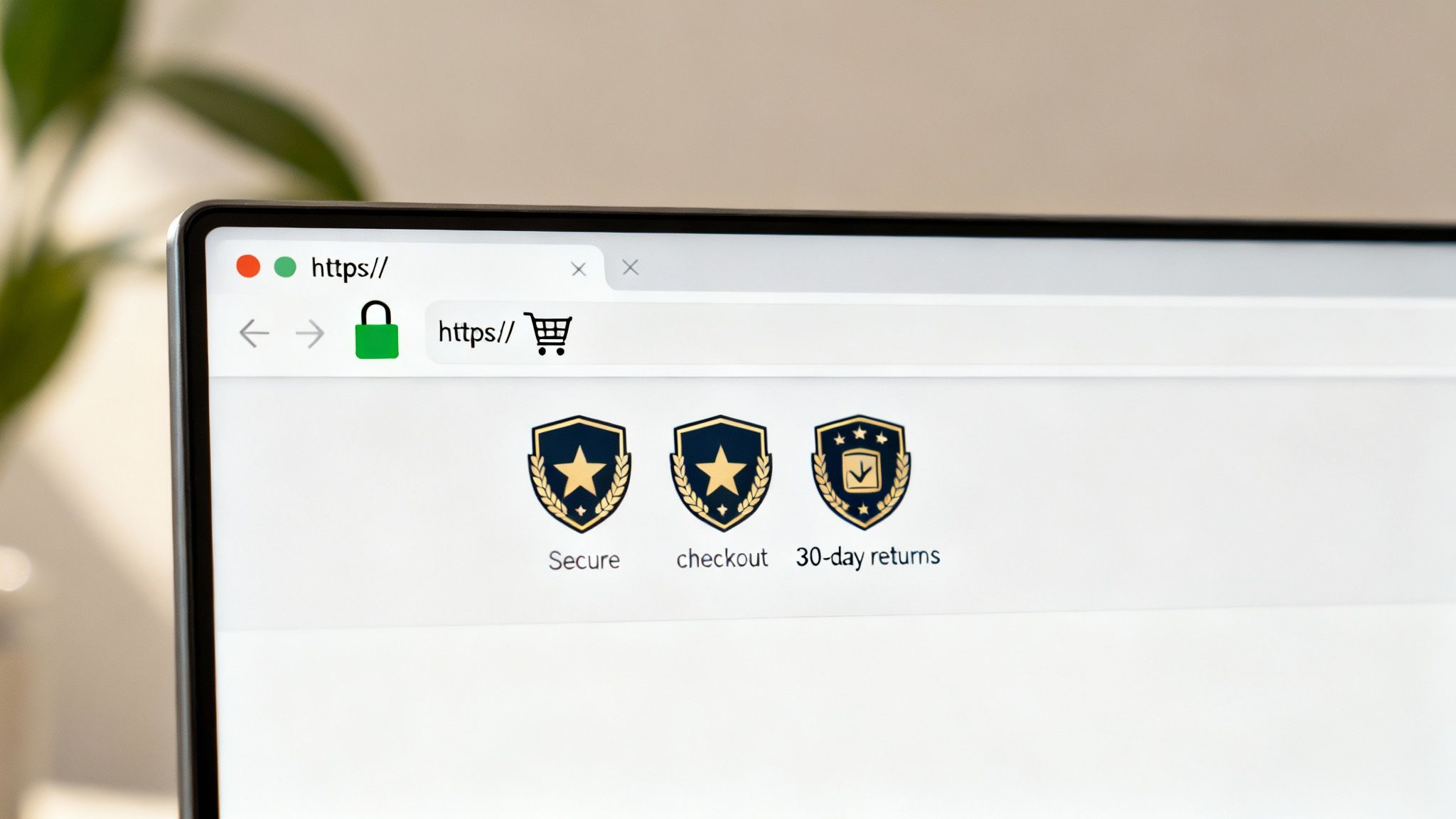
These signals work together to reduce purchase anxiety and friction in the buying decision. The absence of clear security indicators, like a missing padlock icon or an inaccessible privacy policy, can dramatically increase bounce rates and cart abandonment. It communicates risk to potential buyers, sending them straight to your competitors.
Why It's a Priority
In a crowded digital marketplace, trust is a powerful differentiator. Amazon’s A-to-Z guarantee and robust buyer protection framework became a cornerstone of its success by removing purchase hesitation. Similarly, Zappos built its brand on an industry-defining 365-day return policy, turning a potential cost center into a competitive advantage. These policies signal that the company stands behind its products and prioritizes customer satisfaction over a single sale.
Actionable Audit Steps
To strengthen trust and security across your site, perform the following checks:
- Verify SSL/HTTPS Implementation: Ensure your entire site is served over HTTPS, displaying a secure padlock icon in the browser's address bar. This is non-negotiable for any site collecting user data.
- Display Trust Badges: Add recognizable trust seals (e.g., Norton Secured, McAfee Verified, TrustedSite) above the fold and near checkout buttons to provide immediate visual reassurance.
- Clarify Key Policies: Make your privacy policy, return/refund policy, and terms of service easy to find, typically in the site footer. Use clear, simple language, not legal jargon.
- Showcase Social Proof: Integrate customer reviews, star ratings, and testimonials directly on product pages. Platforms like TrustPilot and Yotpo can automate this process.
- Provide Accessible Contact Information: A physical address, phone number, and dedicated customer service email make your business appear legitimate and accountable.
- Offer a Money-Back Guarantee: A clear, risk-free guarantee like a "30-day money-back, no-questions-asked" policy can significantly boost conversion rates by removing the final barrier to purchase.
8. On-Page SEO and Keyword Optimization
Beyond the technical foundation, the content on your pages must be meticulously optimized to attract and engage your target audience. This part of the web audit checklist focuses on On-Page SEO, the practice of fine-tuning individual web pages to rank higher and earn more relevant traffic from search engines. It involves optimizing everything from title tags and meta descriptions to heading hierarchy and internal linking.
For ecommerce businesses, on-page optimization is the engine of product discovery. It ensures that when a potential customer searches for a product you sell, your pages appear as a relevant and authoritative result. This process directly signals to Google and other search engines what your content is about, making it easier for them to match your pages with user queries.
Why It's a Priority
Proper on-page SEO is a direct line of communication with search engines, clarifying your content's purpose and relevance. It's a critical component for driving high-intent organic traffic. Backlinko's research shows that including a target keyword in the title tag can improve ranking likelihood by 1.7x. For ecommerce, this is especially potent; our work optimizing Amazon product listings at Next Point Digital has driven traffic increases of 30-50% by aligning content with high-value search terms. Similarly, WooCommerce sites implementing structured data often see a 15-25% boost in click-through rates from search results.
Actionable Audit Steps
To audit and enhance your on-page SEO, integrate these steps into your process:
- Conduct In-Depth Keyword Research: Use tools like Semrush or Ahrefs to identify the primary and secondary keywords your target audience uses to find products like yours.
- Optimize Core Elements: Ensure your primary keyword is naturally placed in your title tag, H1 heading, and within the first 100 words of your page content.
- Craft Compelling Meta Descriptions: Write unique, descriptive meta descriptions for each page that encourage clicks. While not a direct ranking factor, they significantly influence click-through rates.
- Structure Content with Headings: Use a logical heading hierarchy (H1, H2, H3) to organize content and include keyword variations in subheadings where appropriate.
- Enhance Image SEO: Add descriptive, keyword-relevant alt text to all images. This improves accessibility and provides additional context to search engines.
- Build an Internal Linking Strategy: Link from relevant pages on your site to your key product and category pages using descriptive, keyword-rich anchor text.
By systematically refining these on-page elements, you can significantly improve your visibility in search results. For more immediate improvements, you can explore some quick SEO wins to boost your rankings.
9. Analytics, Tracking, and Conversion Measurement Setup
A crucial part of any web audit checklist involves verifying your data foundation. Without accurate analytics and tracking, you're essentially flying blind, unable to measure marketing ROI, understand user behavior, or identify optimization opportunities. A robust setup, including platforms like Google Analytics 4 (GA4) with enhanced ecommerce tracking, ensures every click, purchase, and interaction is properly measured and attributed.
Proper tracking allows you to see the entire customer journey, from the initial ad click to the final purchase. It connects marketing efforts directly to revenue, enabling data-driven decisions on where to allocate your budget. For an ecommerce store, this means understanding which campaigns drive high-value customers and which product pages are converting most effectively.
Why It's a Priority
Inaccurate data leads to wasted ad spend and missed growth opportunities. When ecommerce stores implement the Facebook Pixel and Conversion API correctly, they often see a 25-40% improvement in ad targeting accuracy. At Next Point Digital, we leverage GA4 with enhanced ecommerce tracking to give clients a granular view of their sales funnel, identifying drop-off points and optimizing for higher conversions. Brands that consistently use UTM parameters discover valuable insights, such as social media driving 30% of sales, allowing for strategic budget shifts.
Actionable Audit Steps
To audit and refine your analytics and tracking setup, follow these essential steps:
- Implement Google Analytics 4: Ensure GA4 is correctly installed with a proper data stream setup. Enable Google Signals for cross-device insights and audience building.
- Enable Enhanced Ecommerce Tracking: Go beyond basic pageviews. Configure tracking for product impressions, clicks, add-to-cart actions, and purchase events to get a full view of user shopping behavior.
- Verify Your Tracking Pixels: Confirm that key pixels (Google Ads, Facebook/Meta, TikTok, etc.) are installed and firing correctly on all relevant pages, especially on checkout and thank you pages. Use Google Tag Manager for easier implementation.
- Standardize UTM Parameters: Create and enforce a consistent system for using UTM parameters (utm_source, utm_medium, utm_campaign) across all marketing channels to ensure clean and accurate traffic attribution.
- Set Up Key Conversion Goals: Define and configure goals for primary conversions like purchases and secondary conversions like email signups, "add to wishlist" actions, or contact form submissions.
10. Competitor Analysis and Benchmarking
No ecommerce store operates in a vacuum, which makes competitive analysis a non-negotiable part of any thorough web audit checklist. This process involves systematically auditing competitor websites to identify industry best practices, feature gaps, pricing strategies, and positioning advantages. Understanding what your rivals do well, and where they fall short, provides a strategic roadmap for differentiation and innovation.
Effective benchmarking isn't about copying; it's about learning from the market to refine your own user experience, messaging, and sales funnel. By analyzing both direct competitors (those selling similar products) and aspirational brands (leaders in user experience), you can uncover powerful insights to attract and convert your target audience more effectively.
Why It's a Priority
Without a clear understanding of the competitive landscape, you risk pricing yourself out of the market, missing key product features customers expect, or using ineffective messaging. For example, Dollar Shave Club directly challenged Gillette's premium positioning with a simpler, more affordable subscription model. Similarly, Warby Parker analyzed the complex optical industry and disrupted it by simplifying the purchasing process. This strategic intelligence is crucial for carving out a unique market position and avoiding costly mistakes.
Actionable Audit Steps
To audit your competitors and benchmark your performance, integrate these steps into your process:
- Identify Your Competitors: Select 3-5 direct competitors and 2-3 aspirational brands. Use tools like Ahrefs or Similarweb to analyze their organic traffic, keywords, and audience demographics.
- Analyze the User Experience: Manually review competitor websites. Evaluate their navigation, checkout process, product page layout, and overall design. Note what feels intuitive and what causes friction.
- Deconstruct Product Pages: Examine how competitors present their products. Analyze their use of titles, descriptions, imagery, customer reviews, and pricing strategies.
- Monitor Promotional Tactics: Subscribe to competitor email newsletters and follow their social media channels to track their promotional calendar, messaging, and customer engagement tactics.
- Leverage Competitive Intelligence Tools: Use SEMrush to monitor their paid search ads and landing pages. For marketplace sellers, tools like Keepa can track competitor pricing and sales rank on Amazon. Understanding the broader landscape of benchmarking in marketing for Shopify stores can also provide crucial insights into areas for growth.
10-Point Web Audit Comparison
| Item | Implementation Complexity 🔄 | Resource Requirements 💡 | Expected Outcomes ⭐📊 | Ideal Use Cases | Key Advantages ⚡ |
|---|---|---|---|---|---|
| Page Speed and Core Web Vitals Optimization | High 🔄 Technical fixes, front-end & server tuning | Moderate–High: devs, CDN, RUM & testing tools | High ⭐📊 Faster LCP/FID/CLS → better SEO, lower bounce, higher conversions | Mobile-first ecommerce, media-heavy pages | Reduces bounce, improves rankings & conversions ⚡ |
| Mobile Responsiveness and Cross-Device Testing | Medium 🔄 Responsive design + device QA | Moderate: front-end devs, device library or testing service | High ⭐📊 Consistent UX → improved mobile conversions & retention | Sites with >50% mobile traffic, PWA/app parity | Improves mobile UX and mobile-first SEO ⚡ |
| Conversion Funnel and User Journey Analysis | Medium–High 🔄 Analytics, UX research, A/B testing cycles | Moderate–High: analytics, heatmaps, user testing, optimization team | Very High ⭐📊 Identifies drop-offs → increases conversion rate & AOV | Checkout flows, high-traffic landing funnels | Direct revenue impact; prioritizes high-ROI fixes 💡 |
| SEO Technical Audit (Crawlability, Indexation, Site Structure) | High 🔄 Site-wide technical changes & ongoing monitoring | High: SEO tools, dev resources, crawl tools | High ⭐📊 Better indexation & SERP presence; rich snippets | Large catalogs, indexing problems, multi-region sites | Enables organic visibility and rich results 💡 |
| Checkout Process and Payment Gateway Testing | High 🔄 Payment integrations, security and UX testing | High: payment processors, QA, PCI considerations | Very High ⭐📊 Lower cart abandonment → more completed transactions | Stores with high abandonment or international sales | Directly increases conversions and trust ⚡ |
| Product Page Optimization and Content Quality | Medium 🔄 Content strategy, media production & A/B tests | Moderate: copywriters, photographers, SEO, CRO tools | High ⭐📊 Better persuasion → higher conversion and fewer returns | D2C brands, high-consideration products, marketplaces | Improves conversion via clear messaging and social proof 💡 |
| Trust and Security Signals Audit | Low–Medium 🔄 Policy updates, badge placement, review management | Moderate: SSL, review platforms, legal/ops input | High ⭐📊 Reduces hesitation and chargebacks; boosts conversions | New brands, high-ticket items, marketplaces | Builds credibility and reduces purchase friction ⚡ |
| On-Page SEO and Keyword Optimization | Medium 🔄 Content edits and template updates | Moderate: SEO tools, content team | High ⭐📊 Improved rankings & CTR; organic traffic growth | Product/category pages needing visibility | Lowers PPC reliance; aligns content with intent 💡 |
| Analytics, Tracking, and Conversion Measurement Setup | Medium–High 🔄 Tagging, cross-domain and attribution setup | High: GA4/GTM, pixels, analytics engineers | Very High ⭐📊 Accurate attribution → data-driven optimizations & ROI | Multi-channel marketing, paid acquisition programs | Enables precise ROI measurement and smarter bidding ⚡ |
| Competitor Analysis and Benchmarking | Low–Medium 🔄 Ongoing research and reporting | Moderate: intelligence tools (Ahrefs, Semrush), analyst time | Medium ⭐📊 Reveals gaps, pricing & feature opportunities | Market entry, pricing strategy, feature roadmap | Identifies differentiation and proven tactics to adopt 💡 |
From Checklist to Action Plan: Your Next Steps for Growth
You have now navigated the comprehensive web audit checklist, moving methodically from the technical foundations of SEO to the nuanced art of conversion funnel optimization. This is not merely an exercise in ticking boxes; it is the creation of a strategic blueprint for your ecommerce brand's future. The data you've gathered on site speed, mobile user experience, checkout friction, and security signals represents a clear and present opportunity to build a more resilient, profitable, and customer-centric online store.
The real power of a thorough audit lies not in the findings themselves, but in the intelligent action that follows. You've identified broken links, slow-loading pages, and confusing navigation. You've benchmarked against competitors and uncovered gaps in your on-page SEO. The journey from a reactive, problem-fixing mindset to a proactive, growth-oriented one begins now. Your completed web audit checklist is your map, highlighting the direct paths to higher rankings, better user engagement, and increased revenue.
Prioritizing Your Roadmap: From Quick Wins to Major Overhauls
Staring at a long list of action items can feel overwhelming. The key is strategic prioritization. The most effective approach is to categorize each task based on two simple criteria: impact (how much will this improve my KPIs?) and effort (how many resources will this require?).
This creates a clear hierarchy for implementation:
- High-Impact, Low-Effort (Quick Wins): These are your top priorities. Think of tasks like optimizing product page titles and meta descriptions with target keywords, fixing critical 404 errors, adding trust badges to your checkout page, or simplifying a form by removing one unnecessary field. These changes often yield disproportionately positive results with minimal investment of time or money.
- High-Impact, High-Effort (Major Projects): These are the game-changers that require planning and resources. This category includes projects like a complete site migration to improve Core Web Vitals, a comprehensive content overhaul to target new customer segments, or implementing a sophisticated structured data schema across thousands of product pages. These initiatives should be broken down into phased projects with clear timelines and deliverables.
- Low-Impact, Low-Effort (Incremental Improvements): These are tasks worth doing when you have downtime. Examples might include updating alt text on older blog images, cleaning up URL parameters in Google Search Console, or standardizing your internal linking structure. While not urgent, they contribute to a healthier, more polished website over time.
- Low-Impact, High-Effort (Re-evaluate or De-prioritize): Tasks in this quadrant should be questioned. If a significant investment of resources is projected to yield only a marginal gain, it’s often best to table it in favor of more impactful projects.
Turning Audit Insights into Sustainable Growth
Transforming your findings into a concrete action plan is the most critical step. For those looking to deepen their understanding of how specific changes impact user behavior and sales, a more focused approach is necessary. After completing your audit, transforming insights into action is key to achieving sustained growth. For a comprehensive strategy, delve into practical guides on optimizing your website for conversions. You can learn more from this Website Conversion Rate Optimisation: A Practical Guide for Growth-Focused Teams to build a robust framework for continuous improvement.
Remember, a website audit is not a one-time event. It is a cyclical process. The digital landscape, search engine algorithms, and consumer expectations are constantly evolving. By committing to a regular audit schedule, perhaps quarterly or bi-annually, you ensure your brand remains agile, competitive, and perfectly positioned to capture every possible opportunity for growth.
Ready to turn your web audit checklist into a powerful, data-driven growth strategy? Next Point Digital specializes in translating complex audit findings into prioritized, actionable roadmaps for ambitious ecommerce brands. Let us help you implement the technical fixes, conversion optimizations, and marketplace strategies that deliver measurable results.