

In the hyper-competitive ecommerce landscape, your website isn't just a digital storefront; it's your most valuable asset. But like any high-performance engine, it requires regular, meticulous check-ups to ensure it's firing on all cylinders. A superficial glance won't cut it; you need a comprehensive diagnostic to uncover hidden friction points that kill conversions, technical glitches that sabotage SEO, and security gaps that erode trust. This guide provides an exhaustive website auditing checklist tailored specifically for ecommerce and D2C brands navigating the complexities of their own sites and major marketplaces like Amazon or Walmart.
We move beyond generic advice to give you actionable steps, specialized tools, and expert insights to transform your site from a simple platform into a powerful sales machine. This audit covers every critical facet of your online presence, from mobile responsiveness and page speed to the intricate details of your product pages and checkout funnels. You'll gain a clear roadmap for identifying and fixing issues that hinder growth, whether you're a startup launching a new product or an established retailer seeking to optimize performance.
While this audit is extensive, a deep dive into search engine optimization requires its own focused approach. To thoroughly address all aspects of your online store's visibility and performance, a dedicated comprehensive ecommerce SEO checklist can provide the granular detail needed to dominate search rankings. For now, prepare to systematically evaluate your site's health across security, user experience, content quality, and technical performance. Let's begin the process of turning insights into revenue.
1. Phase 1: Technical SEO & Crawlability Foundation
The first and most critical phase of any comprehensive website auditing checklist is verifying your technical SEO foundation. This is the bedrock upon which all other digital marketing efforts are built. If search engines like Google cannot efficiently find, crawl, and understand your website's content, even the most compelling product pages and brilliant content will fail to rank and attract organic traffic.
This stage involves a deep dive into your site’s architecture to ensure it’s optimized for search engine bots. It's about speaking their language so they can accurately interpret and index your pages.
Key Areas to Audit
For an ecommerce or D2C site, your technical audit should prioritize the following:
- Crawlability & Indexability: Use a tool like Screaming Frog to crawl your site from a search engine’s perspective. Check your
robots.txtfile to ensure you aren't accidentally blocking important resources like CSS or JavaScript files, which can prevent Google from rendering your pages correctly. Also, review your XML sitemap to ensure it's up-to-date, error-free, and submitted to Google Search Console. - Site Architecture & URL Structure: A logical site structure helps both users and search engines navigate your store. A clean URL, like
/womens-shoes/running/product-name, is far more effective than a convoluted one with random parameters. Ensure your internal linking structure logically connects categories, subcategories, and product pages, distributing link equity effectively. - Structured Data (Schema Markup): Implementing
Productschema is non-negotiable for ecommerce. This markup provides search engines with explicit details like price, availability, and customer ratings, which can then be displayed as rich snippets in search results. This visibility boost directly impacts click-through rates. - Duplicate Content & Canonicals: Ecommerce sites are notorious for duplicate content issues, often caused by faceted navigation (e.g., filtering by size, color, brand). Use canonical tags (
rel="canonical") to tell search engines which version of a URL is the primary one to index, consolidating ranking signals and avoiding penalties.
Pro Tip: Beyond crawlability, ensuring robust website security best practices are in place is paramount for your technical foundation. A secure site (HTTPS) is a confirmed ranking factor and essential for building customer trust, especially during checkout.
2. Page Load Speed & Performance
Following a solid technical foundation, the next pillar in your website auditing checklist is site speed and performance. In the world of ecommerce, milliseconds matter. Page load speed is no longer just a technical metric; it's a direct driver of user experience, search engine rankings, and most importantly, conversion rates. Slow-loading pages frustrate users, increase bounce rates, and can significantly harm your bottom line.
This phase involves analyzing how quickly your pages load and become interactive for users. It scrutinizes everything from server efficiency to how assets like images and scripts are delivered, with a direct focus on Google's Core Web Vitals (CWV) as a benchmark for user-centric performance.

Key Areas to Audit
For any D2C or ecommerce brand, a performance audit must be ruthless in its pursuit of speed:
- Core Web Vitals (CWV): Use Google PageSpeed Insights to measure your site's Largest Contentful Paint (LCP), First Input Delay (FID), and Cumulative Layout Shift (CLS). These metrics quantify the user's loading, interactivity, and visual stability experience. Aim for "Good" scores across the board.
- Asset Optimization: High-resolution product images are essential but are often the biggest cause of slow load times. Ensure all images are compressed and served in modern formats like WebP. Minify your CSS, JavaScript, and HTML files to remove unnecessary characters and reduce file sizes without affecting functionality.
- Server Response Time: Your Time to First Byte (TTFB) measures how long it takes for the browser to receive the first byte of data from your server. A slow TTFB is a clear indicator of server-side issues. Aim for a TTFB under 200ms for optimal performance.
- Caching & CDNs: Implement browser caching to store static assets locally on a user's device, speeding up subsequent visits. Use a Content Delivery Network (CDN) to distribute your site's assets across a global network of servers, ensuring faster delivery to users regardless of their geographic location.
Pro Tip: The impact of speed on sales is well-documented. For instance, Walmart saw up to a 2% increase in conversion rates for every 1-second improvement in load time. Small performance gains are directly linked to significant revenue growth, making this a critical area for improving ecommerce conversion rates.
3. SEO & Search Engine Optimization
Once your site’s technical foundation is solid, the next phase of your website auditing checklist focuses on comprehensive Search Engine Optimization (SEO). This is the art and science of signaling to search engines what your content is about and why it deserves to rank. It moves beyond crawlability into the realm of relevance, authority, and user intent.
This stage involves a granular analysis of both on-page and off-page elements to ensure they are aligned with your target keywords and audience expectations. For an ecommerce business, effective SEO directly translates to more qualified traffic on category and product pages, leading to increased sales.
Key Areas to Audit
For a D2C brand aiming for high search visibility, your SEO audit should prioritize the following:
- Meta Tags & On-Page Content: Every page needs a unique, compelling meta title (50-60 characters) and meta description (150-160 characters). These are your first impression in search results. Audit your core pages to ensure they are optimized with target keywords and a clear call-to-action to entice clicks. Check for keyword stuffing and ensure content is written for humans first.
- Keyword Optimization & Intent Mapping: Are you targeting the right keywords for your products? Use tools like Ahrefs to analyze keyword performance and identify opportunities. Ensure that your product and category pages align with transactional search intent (e.g., "buy red running shoes") while your blog content targets informational intent (e.g., "how to choose running shoes").
- Structured Data Implementation: Beyond basic Product schema, consider implementing
FAQPage,HowTo, andBreadcrumbListschema where appropriate. These markups can help you win rich snippets and featured snippets in search results, dramatically increasing your visibility and click-through rate without necessarily improving your ranking position. - Duplicate Content & Cannibalization: Revisit canonical tags to ensure they are correctly implemented across all variations of a page. Additionally, check for keyword cannibalization, where multiple pages on your site compete for the same keyword. Consolidating these pages or differentiating their keyword targets can significantly boost your ranking potential.
Pro Tip: Effective on-page optimization is just one piece of the puzzle. A truly successful strategy requires integrating these efforts with a broader plan. Following established ecommerce SEO best practices ensures your technical, on-page, and off-page signals all work together to maximize organic growth.
4. Security & SSL/HTTPS Implementation
A non-negotiable part of any modern website auditing checklist is a thorough security review, with SSL/HTTPS implementation at its core. This phase ensures your site encrypts data transmitted between a user's browser and your server, protecting sensitive information like login credentials and payment details. For ecommerce and D2C brands, this isn't just a technical detail; it's the foundation of customer trust and a confirmed Google ranking factor.
In today's digital landscape, users expect a secure browsing experience, symbolized by the padlock icon in the address bar. Failing to provide this can lead to browser warnings, lost sales, and damage to your brand's reputation. A comprehensive security audit verifies that your defenses are robust and up-to-date.
Key Areas to Audit
For an ecommerce or D2C site, your security audit should prioritize the following:
- SSL Certificate Validity: Confirm your SSL certificate is active, issued by a trusted Certificate Authority (CA), and covers all your domains and subdomains. A misconfigured or expired certificate will trigger security warnings, immediately deterring potential customers. Use an online SSL checker to verify its status and configuration.
- HTTPS Enforcement: It’s not enough to simply have an SSL certificate; you must enforce its use across the entire site. Audit your site to ensure all HTTP requests are permanently redirected (using 301 redirects) to their secure HTTPS counterparts. This prevents any data from being transmitted "in the clear."
- Mixed Content Issues: Scan your site for "mixed content" errors, which occur when an HTTPS page loads insecure HTTP resources like images, scripts, or stylesheets. These errors can compromise the security of the entire page and often result in a broken padlock icon in the user's browser, eroding trust at critical moments like checkout.
- Security Headers: Implement and verify security headers like HTTP Strict Transport Security (HSTS). The HSTS header instructs browsers to only communicate with your server over HTTPS, eliminating the risk of protocol downgrade attacks. This is a powerful step in hardening your site's security posture.
Pro Tip: Go beyond the basics by regularly scanning your website for common vulnerabilities like Cross-Site Scripting (XSS) and SQL injection. Subscribing to a security service that provides malware scanning and firewall protection adds a critical layer of defense, safeguarding both your business and your customers.
5. Accessibility Compliance (WCAG Standards)
Ensuring your website is accessible to all users, including those with disabilities, is no longer just a best practice; it's a critical component of a modern digital strategy. An accessibility audit verifies that your site adheres to the Web Content Accessibility Guidelines (WCAG), which provide a shared standard for making web content more usable for people with visual, hearing, motor, and cognitive impairments.
This part of your website auditing checklist involves evaluating your site against these standards to create an inclusive experience. For an ecommerce brand, this not only expands your potential customer base but also mitigates significant legal risks, as evidenced by major lawsuits against companies like Target.

Key Areas to Audit
For an ecommerce or D2C site, your accessibility audit must go beyond simple checks and focus on the entire user journey:
- Keyboard Navigation & Operability: Can a user navigate your entire site, from the homepage to product pages and through the checkout process, using only a keyboard? All interactive elements, including links, buttons, and form fields, must be accessible and usable without a mouse. This is fundamental for users with motor disabilities.
- Screen Reader Compatibility: Use a screen reader like NVDA (free) or JAWS to experience your site as a visually impaired user would. Are product images described with meaningful alt text? Are form labels correctly associated with their inputs? Can users understand promotions and navigate complex product filter options?
- Color Contrast & Readability: Text must have sufficient contrast against its background to be readable by users with low vision. The WCAG 2.1 AA standard requires a contrast ratio of at least 4.5:1 for normal text. Use a contrast checker tool to verify colors on buttons, text, and important interface elements.
- Descriptive & Clear Content: Ensure that all links and buttons have descriptive text. A link that says "Click Here" is unhelpful, whereas "View our running shoe collection" provides clear context. This also applies to error messages in forms, which should clearly explain what went wrong and how to fix it.
Pro Tip: While automated tools like WAVE or Axe are excellent starting points for an accessibility audit, they can only catch about 30% of WCAG issues. A complete audit requires manual testing and, ideally, user testing with people who have disabilities to uncover real-world usability barriers.
6. Broken Links & Crawlability Issues
An essential part of any website auditing checklist involves hunting down and fixing broken links, redirect chains, and other crawlability issues. These errors create dead ends for both users and search engine crawlers, leading to a frustrating user experience and diluted SEO authority. When a search engine bot encounters a 404 error or a long redirect chain, it wastes its crawl budget and may fail to index important pages.
This audit stage is about ensuring a smooth, uninterrupted path through your website. Fixing these issues directly impacts site health, preserves link equity that you've worked hard to build, and prevents potential customers from bouncing off your site in frustration. For an ecommerce store, a broken link on a product page could mean a lost sale.
Key Areas to Audit
To maintain a clean and efficient site, your audit should concentrate on the following:
- Broken Internal & External Links: Use a crawler like Screaming Frog or Ahrefs' Site Audit tool to identify all 404 (Not Found) errors. These are links pointing to pages that no longer exist. Prioritize fixing broken internal links first, as you have direct control over them. Major publishers have seen their authority erode from unmanaged 404s, as valuable link equity pointing to those dead pages simply evaporates.
- Redirect Chains & Loops: A redirect chain occurs when one URL redirects to another, which then redirects to another, and so on. These chains slow down page loading and waste crawl budget. Identify any chains longer than one step (e.g., Page A -> Page B -> Page C) and update the initial link to point directly to the final destination (Page A -> Page C).
- 404 Page Experience: Not all 404s can be prevented, especially from external mistyped links. Review your custom 404 page. It should not be a dead end. Instead, it must offer helpful navigation options, such as a search bar, links to your homepage or top categories, and a clear message explaining what happened. This turns a negative experience into a helpful one.
- Crawl Errors in Google Search Console: Regularly check the "Pages" report (formerly Coverage report) in Google Search Console. It will explicitly tell you which URLs Google had trouble crawling or indexing and why. This report provides a direct line of communication from the search engine, highlighting issues you need to address immediately.
Pro Tip: For moved or deleted product pages that have valuable backlinks, always implement a permanent 301 redirect to the most relevant alternative page or category. This passes the link equity to the new destination, preserving your SEO value, rather than letting it go to waste on a 404 page.
7. Content Quality & Duplicate Content
High-quality, unique content is the lifeblood of your SEO and user engagement strategy. This phase of your website auditing checklist involves a critical evaluation of your site’s textual and visual assets to ensure they are valuable, relevant, and original. Search engines prioritize content that genuinely helps users, and penalize sites with thin, duplicated, or outdated information that provides little to no value.
This audit isn't just about avoiding penalties; it's about building authority and trust. For an ecommerce site, this extends from your blog posts to your product descriptions. It’s about creating content that answers questions, solves problems, and guides customers confidently toward a purchase.
Key Areas to Audit
To ensure your content meets the high standards of both users and search engines, focus your audit on these critical areas:
- Duplicate Content Issues: Use tools like Siteliner or Ahrefs' Site Audit to identify instances of internal and external duplicate content. Ecommerce sites often unintentionally create duplicates through faceted navigation (e.g., URLs for different colors or sizes of the same product). These must be managed with canonical tags to consolidate ranking signals.
- Thin Content Analysis: Identify pages with very little content (typically under 300 words) that offer minimal value. This often includes old blog posts, sparse category pages, or placeholder pages. These pages can dilute your site's overall quality score and should be either improved, consolidated, or removed and redirected.
- Content Relevance & Freshness: Evaluate your content for accuracy and timeliness. Information, especially in product guides or technical articles, can become outdated. A content decay audit helps pinpoint pages that need a refresh to maintain their authority and traffic, as studies have shown that a significant percentage of links can decay each year.
- Readability & Keyword Usage: Assess whether your content is easy to read and understand. Aim for a Flesch Reading Ease score between 60-70. Ensure your primary keywords are used naturally within titles, headings, and body copy without keyword stuffing, which can harm both user experience and SEO performance.
Pro Tip: When dealing with necessary duplicate content, such as printer-friendly pages or syndicated product descriptions, always implement a
rel="canonical"tag pointing to the original, preferred version. This is a clear instruction to search engines that prevents duplicate content penalties while allowing the content to exist on multiple URLs.
8. User Experience & Navigation Structure
An intuitive user experience (UX) and logical navigation structure are the invisible engines driving conversions on an ecommerce site. While technical SEO gets search engines to your door, a strong UX welcomes users inside and guides them effortlessly to what they need. If customers can't find your products quickly and easily, they will simply leave and buy from a competitor.
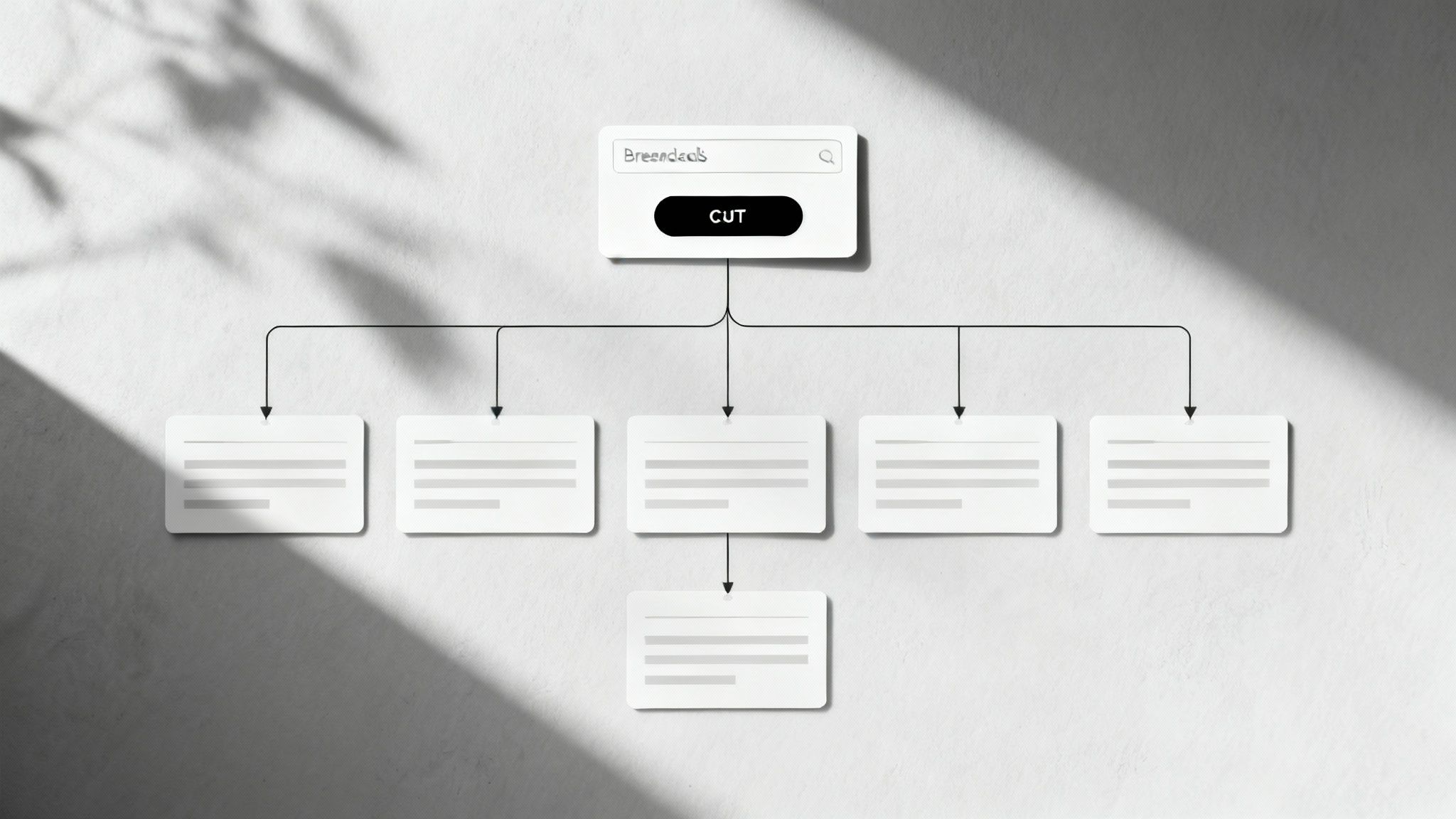
This part of your website auditing checklist focuses on how a real person interacts with your site. It assesses the clarity of your information hierarchy, the ease of use of your navigation menus, and the overall simplicity of the user journey from landing page to checkout.
Key Areas to Audit
For a D2C or ecommerce brand, a frictionless user journey is non-negotiable. Prioritize these areas in your UX audit:
- Navigation & Menu Structure: Your main navigation should be simple and predictable. Limit top-level menu items to 5-7 essential categories to avoid overwhelming users. Amazon, despite its massive catalog, uses a clear, categorized menu that guides users from broad departments to specific product aisles.
- Search Functionality: A prominent, functional search bar is a lifeline for users with high purchase intent. Ensure it provides relevant results, offers auto-suggestions, and can handle common misspellings. A powerful site search acts as a direct conversion tool for customers who know exactly what they want.
- Information Hierarchy & Layout: The most critical information, like your value proposition, best-selling products, or current promotions, should be "above the fold" on key pages. Use visual cues, clear headings, and logical grouping to organize content, making it scannable and digestible for busy shoppers.
- Breadcrumbs & User Orientation: Implement breadcrumb navigation (e.g., Home > Men's Apparel > Shirts) on category and product pages. This simple feature helps users understand where they are on your site and allows them to navigate back to previous levels with a single click, reducing frustration and bounce rates.
Pro Tip: A seamless navigation structure is a cornerstone of a high-performing site. To dive deeper into optimizing user journeys for sales, explore these detailed conversion rate optimization best practices that directly complement your UX audit findings.
9. Phase 9: Form Validation & Conversion Tracking
A critical, yet often overlooked, part of a website auditing checklist involves scrutinizing every user submission point. Forms are the gateways to conversion, whether it's a lead capture, newsletter signup, or the final checkout process. If these gateways are broken, confusing, or untracked, you are directly losing revenue and valuable customer data.
This phase audits the entire form submission journey, from the user interface and error handling to the backend data capture and analytics tracking. It ensures a seamless experience for the user and accurate conversion measurement for your business, making it an essential step for any ecommerce or lead generation site.
Key Areas to Audit
Your audit of forms and tracking mechanisms should focus on functionality, user experience, and data integrity:
- Form Functionality & Error Handling: Manually test every form on your site. Can you submit it successfully? Does it work on both desktop and mobile devices? Check that required fields are clearly marked. More importantly, test what happens when you enter incorrect data. The form should provide clear, inline validation feedback (e.g., "Please enter a valid email address") without clearing all the user's previously entered information.
- Checkout Process Optimization: For ecommerce sites, the checkout form is the most important one. Audit for friction points like requiring an account to purchase, asking for unnecessary information, or having a confusing layout. A single-column layout is often best for mobile. Amazon’s one-click checkout is the gold standard for a reason: it removes nearly all friction.
- Analytics & Conversion Tracking: Submitting a form is useless if you can't measure it. Verify that a unique "thank you" or confirmation page is triggered upon successful submission. Ensure your analytics tool (like Google Analytics 4) has a goal or conversion event set up to fire specifically on this confirmation page URL. This is fundamental for tracking campaign ROI and conversion rates accurately.
- User Experience (UX) Details: Little things make a big difference. Are your forms short and to the point, ideally with 5-7 fields or less? Do they use clear placeholder text that disappears when the user starts typing? For longer processes like checkout, a progress bar helps manage user expectations and reduces abandonment.
Pro Tip: Don't just track form completions; track form abandonment. Using tools like Hotjar or Microsoft Clarity, you can identify which specific fields are causing users to drop off. This insight allows you to pinpoint and fix the exact source of friction in your conversion funnel.
10. Analytics Implementation & Tracking
Verifying your analytics and tracking implementation is a fundamental part of any comprehensive website auditing checklist. Without accurate data, your marketing and business decisions are based on guesswork. This phase ensures that your analytics platform, like Google Analytics 4 (GA4), is correctly configured to capture the user interactions that matter most to your business goals.
This audit involves scrutinizing your tracking setup to confirm data accuracy, from basic pageviews to complex ecommerce transactions. It's about building a reliable data foundation to measure performance, understand user behavior, and uncover actionable insights that drive growth.
Key Areas to Audit
For any ecommerce or D2C website, a meticulous analytics audit should focus on the following critical components:
- Platform Configuration & Data Integrity: Start by confirming that your Google Analytics 4 (or other analytics platform) tracking code is correctly installed on every page of your site. Use browser extensions like Google Tag Assistant to verify. Crucially, set up filters to exclude internal IP addresses and known bot traffic to prevent skewed data that could lead to flawed strategic decisions.
- Ecommerce Tracking: For online stores, implementing Enhanced Ecommerce tracking (or the GA4 equivalent) is non-negotiable. This setup allows you to measure product impressions, add-to-cart actions, checkout funnel steps, and completed transactions. Auditing this ensures you can accurately calculate conversion rates and attribute revenue to specific marketing channels.
- Goal & Event Tracking: Beyond sales, you must track key micro-conversions. Set up custom event tracking for important actions like newsletter sign-ups, "notify me when back in stock" clicks, or video plays. Define these as conversion goals in GA4 to monitor user engagement and progression through the customer journey.
- Cross-Domain & Cross-Device Tracking: If your customer journey spans multiple domains (e.g., your main site and a separate checkout portal), ensure cross-domain tracking is properly configured to maintain a single user session. Similarly, setting up Google Signals or a User-ID system helps you understand how users interact with your brand across different devices.
Pro Tip: Use Google Tag Manager (GTM) to manage all your tracking scripts and tags from a single interface. This streamlines the process, reduces reliance on developers for minor tracking updates, and helps maintain a clean, organized implementation that is easier to audit and scale over time. Embracing this tool is a core part of building effective data-driven marketing strategies.
10-Point Website Audit Comparison
| Item | Implementation Complexity (🔄) | Resource Requirements (⚡) | Expected Outcomes (⭐📊) | Ideal Use Cases (💡) | Key Advantages (⭐) |
|---|---|---|---|---|---|
| Mobile Responsiveness & Compatibility | Medium 🔄 (responsive CSS, cross-device testing) | Medium ⚡ (dev time, device testing) | ⭐⭐⭐⭐ 📊 Better mobile UX, SEO boost, higher conversions | Mobile-first sites, e-commerce, PWAs | Improved UX across devices; mobile SEO gains |
| Page Load Speed & Performance | High 🔄🔄 (server tuning, asset pipeline) | Medium-High ⚡⚡ (CDN, caching, dev ops) | ⭐⭐⭐⭐⭐ 📊 Lower bounce, higher conversions, SEO uplift | High-traffic, media, e-commerce sites | Direct impact on conversions and search rankings |
| SEO & Search Engine Optimization | Medium 🔄 (technical + content work) | Medium ⚡ (tools, content resources) | ⭐⭐⭐⭐ 📊 Increased organic visibility and CTR over time | Content sites, e-commerce seeking organic growth | Long-term traffic and improved SERP presence |
| Security & SSL/HTTPS Implementation | Medium 🔄 (config, headers, scanning) | Low-Medium ⚡ (certificates, monitoring) | ⭐⭐⭐⭐ 📊 User trust, required for payments, SEO benefit | Sites handling payments or user data | Protects data, builds credibility, reduces breaches |
| Accessibility Compliance (WCAG Standards) | Medium-High 🔄🔄 (design + testing with assistive tech) | Medium ⚡ (dev changes, testing tools, user testing) | ⭐⭐⭐⭐ 📊 Expanded audience, reduced legal risk, better UX | Government, public services, large brands, inclusive sites | Inclusive UX, legal compliance, broader reach |
| Broken Links & Crawlability Issues | Low 🔄 (scan and fix redirects/404s) | Low ⚡ (tools, occasional dev fixes) | ⭐⭐⭐ 📊 Improved crawlability and user trust, fewer lost visits | Large content sites, publishers, legacy sites | Quick SEO/UX wins; preserves link equity |
| Content Quality & Duplicate Content | Medium 🔄 (audit + rewrite) | High ⚡⚡ (writers, editors, tools) | ⭐⭐⭐⭐ 📊 Better engagement, authority, reduced SEO penalties | Blogs, knowledge bases, product pages | Improves authority and conversion through quality content |
| User Experience & Navigation Structure | Medium-High 🔄🔄 (research, testing, redesign) | Medium ⚡ (UX research, prototyping, dev) | ⭐⭐⭐⭐ 📊 Reduced bounce, improved conversions, easier journeys | E-commerce, SaaS, complex information sites | Intuitive flows, higher engagement, fewer support requests |
| Form Validation & Conversion Tracking | Medium 🔄 (validation + analytics) | Medium ⚡ (tracking tools, QA) | ⭐⭐⭐⭐ 📊 Higher completion rates, cleaner data, accurate conversions | Lead gen, sign-ups, checkout flows | Better data quality, reduced spam, improved conversion insights |
| Analytics Implementation & Tracking | Medium-High 🔄🔄 (tagging, events, QA) | Medium ⚡ (tools, analyst/dev time) | ⭐⭐⭐⭐ 📊 Actionable insights, ROI measurement, funnel visibility | Marketing-driven businesses, e-commerce, SaaS | Data-driven decisions, reliable KPI tracking |
From Audit to Action: Prioritizing Your Path to Profitability
Completing the comprehensive website auditing checklist is a monumental achievement. You now possess a detailed blueprint of your website's health, a diagnostic report detailing every strength, weakness, and opportunity for growth. However, the real transformation begins now, in the transition from analysis to action. The true value of this audit isn't the data itself, but the strategic, prioritized roadmap you build from it.
The sheer volume of information can feel overwhelming, but a structured approach will bring clarity and focus. The journey from a list of findings to a high-performing ecommerce engine is paved with intentional prioritization. Avoid the trap of trying to fix everything at once; instead, focus on a system that maximizes your return on investment for both time and resources.
The Impact vs. Effort Matrix: Your Prioritization Framework
A powerful way to organize your audit findings is by using a simple impact versus effort matrix. This model helps you categorize tasks into four key quadrants, ensuring you tackle the most valuable initiatives first.
- Quick Wins (High Impact, Low Effort): These are the low-hanging fruit. Think of tasks like fixing critical broken links, optimizing high-traffic product page titles and meta descriptions, or correcting glaring form validation errors. These changes require minimal resources but can yield immediate, tangible benefits in user experience and SEO.
- Major Projects (High Impact, High Effort): These are the game-changers that often require significant investment. This quadrant includes deep technical SEO fixes like improving Core Web Vitals, a complete overhaul of your site navigation for better UX, or implementing a comprehensive accessibility strategy to meet WCAG standards. These projects should be planned carefully and are often the cornerstone of long-term growth.
- Fill-Ins (Low Impact, Low Effort): These are tasks worth doing when time permits but shouldn't distract from more critical initiatives. Examples might include updating older blog content with internal links or standardizing image alt text across non-critical pages. Schedule these for slower periods or delegate them to junior team members.
- Reconsider (Low Impact, High Effort): These tasks should be approached with caution. They consume significant resources for a minimal return. An example might be a complete redesign of a low-traffic, low-conversion page. Often, these findings are best placed on the back burner or re-evaluated later.
Turning Insights into a Continuous Growth Cycle
The most successful ecommerce and D2C brands understand that a website audit is not a static, one-time event. It is a dynamic, cyclical process that fuels continuous improvement and adaptation. Your digital storefront exists in a constantly evolving ecosystem of search engine algorithms, competitor strategies, and customer expectations.
Key Takeaway: A website audit should be the start of an ongoing conversation about your website's performance, not the end of a project. Treat this checklist as a recurring guide for quarterly or bi-annual health checks.
By regularly revisiting your website auditing checklist, you create a proactive culture of optimization. You move from a reactive state of fixing problems as they arise to a strategic state of anticipating challenges and capitalizing on opportunities before your competitors do. This iterative process of analysis, implementation, and measurement is what separates good websites from great ones, ultimately building a resilient, high-converting, and profitable ecommerce engine.
Feeling overwhelmed by the data or unsure how to translate these findings into a strategic growth plan? The experts at Next Point Digital specialize in turning complex website audits into actionable, revenue-driving roadmaps. We help ecommerce brands prioritize and execute high-impact optimizations across SEO, CRO, and paid media to accelerate your path to profitability. Learn more about our data-driven approach at Next Point Digital.