

If you think finding the right Amazon keywords is just about chasing high search volume, you’re playing a game that ended years ago. To succeed today, you have to get inside the customer's head and focus on two things: customer intent and relevance.
The best methods don't come from a single tool; they come from digging into competitor ASINs, pulling real data from Amazon's Brand Analytics and Search Term reports, and uncovering those long-tail phrases that scream, "I'm ready to buy."
Mastering Modern Amazon Keyword Strategy
The old playbook of stuffing your Amazon listing with the highest-volume keywords and hoping for the best is officially dead. Winning on Amazon now is all about understanding the why behind a customer’s search.
Amazon’s A10 algorithm is smarter now. It doesn't just match words; it prioritizes listings that actually satisfy a customer's intent and lead to a sale. This shift means your whole keyword discovery process has to be more strategic and genuinely data-driven.
It’s a huge change from just targeting broad, high-traffic terms. Your goal now is to build a complete keyword map that follows the customer’s journey—from the moment they realize they have a problem to the second they click "Add to Cart."

Intent Over Volume
The game has moved on. It's all about relevance, conversion, and natural language. Amazon's A10 algorithm now looks at how keywords connect to actual shopper behavior and historical conversion rates, going way beyond simple keyword matching.
For example, a super-specific, long-tail keyword like 'toy that teaches coding for beginners UK' might only get 1,640 searches a month. But here's the kicker: its conversion rates can hit between 18-24%. Why? Because it's so precise. It captures a buyer with a very specific need, proving that targeting these queries pays off.
This is what separates the casual window shoppers from the serious buyers. Someone searching for "blender" is probably just browsing. But a person typing in "quiet personal blender for morning smoothies"? They have a problem to solve and are much, much closer to making a purchase. Your job is to find and capture that high-intent traffic.
The core of modern Amazon SEO is aligning your product's language with the customer's problem. When you find keywords that solve a specific problem, you find customers who are ready to buy.
Building Your Keyword Foundation
A winning keyword strategy starts with a solid foundation. This isn’t about just making a giant list of terms; it’s about sorting them into smart, logical groups that will guide your listing optimization and PPC campaigns later on.
Think of it less as a mad dash to find keywords and more like building a detailed library. You want to cover every possible angle a customer might use to find a product like yours.
To do this, you have to think like your ideal customer. What problems are they trying to solve? What features matter most to them? The answers are where your most profitable keywords are hiding.
Understanding the different types of keywords and how they perform is a great place to start.
Here’s a quick breakdown of keyword types and how they usually translate into sales.
Keyword Types and Their Conversion Power
| Keyword Type | Typical Search Volume | Example | Conversion Potential |
|---|---|---|---|
| Broad | Very High | "shoes" | Low |
| Category | High | "men's running shoes" | Moderate |
| Long-Tail | Moderate | "lightweight running shoes for flat feet" | High |
| High-Intent | Low to Moderate | "buy Brooks Ghost 14 size 11" | Very High |
As you can see, the more specific the search, the more likely the shopper is to convert. Broad terms are great for initial research and awareness, but the real money is in those long-tail and high-intent phrases that signal a buyer is ready to make a decision.
Reverse-Engineer Your Competitors' Keywords
Your top competitors have already spent a ton of time and money figuring out what works on Amazon. Why start from scratch when you can ethically peek at their playbook? Analyzing their keyword strategy gives you a massive head start.
This process is often called a 'Reverse ASIN' lookup, and it's one of the smartest shortcuts in the Amazon game. You just plug a competitor's product ASIN into a keyword tool, and it spits out the exact search terms driving their organic rankings and—more importantly—their sales.
But this isn't about blind copying. The real magic is in understanding why certain keywords work for them and, crucially, spotting the gaps they've missed.

Looking at these reports shows you which keywords are worth fighting for and which are probably too competitive or just plain wrong for your product. It’s all about working smarter, not harder.
The Power of Reverse ASIN Lookups
The logic here is simple: if a keyword is making a top competitor money, there’s a good chance it can make you money, too. These tools pull back the curtain on every keyword a competitor is indexed for and, in many cases, which ones they're actively bidding on in their ad campaigns.
Modern tools go way beyond just listing phrases. They'll give you data points like estimated monthly search volume, the main ASIN's organic rank, and even how many sales a keyword likely generates. This is how you spot the keyword gaps your competition is completely overlooking.
Ultimately, this method helps you quickly build a solid list of relevant, high-intent keywords that are already proven to convert in your niche.
Identifying Strategic Keyword Gaps
Once you have the data, the real work begins. Your goal isn't to just mirror your competitor's strategy—it's to build a better one. The key is hunting for "keyword gaps," which are valuable terms your competitors rank for, but you don't.
Pro Tip: Don't just stalk your #1 competitor. Pull data for three to five different ASINs, including both market leaders and scrappy up-and-comers. This gives you a much richer, more complete picture of the keyword landscape.
Here's how I break down the analysis:
- High-Volume, Low-Competition Terms: I always look for keywords with good search volume where my competitors have a weak organic rank (think page two or worse). These are golden opportunities to swoop in and grab traffic.
- Long-Tail Opportunities: Big competitors often chase the broad, hyper-competitive keywords. You can find absolute gold in the specific, long-tail phrases they ignore. These terms almost always convert better because they match a very specific customer need.
- Feature-Specific Keywords: Does your product do something unique that theirs doesn't? Search their keyword list for terms related to that feature. If they aren't ranking, you've just found an uncontested area to own.
To make this whole process faster, especially when you're dissecting multiple competitors, you might want to look into AI competitor analysis tools that can automate a lot of this grunt work.
Analyzing Sales and Ranking Data
Don't just look at the keywords themselves; you have to dig into the performance metrics tied to them. This data is critical for prioritizing your efforts and deciding where to put your ad budget. If you're new to this, our guide on understanding Amazon sales data is a great place to start.
Focus on keywords that drive a real chunk of a competitor's estimated sales. A keyword bringing in 10% of their monthly revenue is infinitely more valuable than one driving less than 1%. This tells you which terms are actually converting browsers into buyers.
Also, pay close attention to where their ASIN ranks for a given keyword. If they're consistently in the top three spots, you know that keyword is a pillar of their strategy. While it'll be tough to beat them, outranking them there could seriously shift market share in your favor. On the flip side, keywords where they rank poorly could be easy wins for you. This kind of analysis gives you a clear road map for building a keyword arsenal that doesn't just compete—it dominates.
Tap Into Amazon's Own Keyword Data
Why pay for third-party tools that guess at search volume when Amazon gives you real customer data for free? While checking out what your competitors are doing is powerful, some of the most actionable insights come straight from Amazon's own reports. This is where you find the keywords already proven to work for your specific products.
These native tools cut through the noise and show you exactly what paying customers are typing into the search bar right before they buy. This isn't theoretical data; it's a direct line into your shopper's brain.
By focusing on these sources, you can move from broad market estimates to a precise, data-backed strategy. You’ll uncover the exact language your customers use, which is invaluable for both your organic ranking and your ad campaigns.
Decipher Your Amazon Search Terms Report
The Amazon Search Terms Report is your secret weapon for PPC optimization, but its value goes way beyond just managing ad spend. Tucked away in your advertising console, this report details every single customer search query that triggered an ad impression for your products.
This thing is a goldmine. You get to see the raw, unfiltered search terms that led shoppers to your listings, including the ones that resulted in clicks and, most importantly, sales. It’s the ultimate source of truth for what actually converts.
I regularly pull this report and sort it by "Orders" to immediately see which search terms are driving the most sales. These are your high-intent, money-making keywords.
Key Insight: The Search Terms Report often uncovers surprising long-tail keywords you would never have found through traditional research. A customer might convert on a highly specific phrase like "silent click wireless mouse for late night work," revealing a key use case you can emphasize in your listing.
Once you identify these converting terms, your next steps are clear:
- Move them into your listings. If a term from your ad report isn't already in your title, bullet points, or backend keywords, it needs to be. You can learn more about how to strategically place these terms in our guide to optimize Amazon product listings.
- Create targeted campaigns. Take your highest-converting search terms and move them into precise manual PPC campaigns, often using exact match to control spend and maximize ROI.
- Identify negative keywords. The report also shows you which terms generated clicks but no sales, helping you build a negative keyword list to stop wasting ad budget on irrelevant traffic.
Leverage Amazon Brand Analytics
For sellers enrolled in Amazon Brand Registry, Brand Analytics is one of the most powerful tools at your disposal. This dashboard provides aggregated data on the most popular search terms on Amazon during a specific period, ranked by search frequency.
Unlike the Search Terms Report, which is specific to your own ad performance, Brand Analytics gives you a market-level view. You can see the top keywords in your entire category, not just the ones you happen to be bidding on.
The "Top Search Terms" dashboard is particularly useful. It shows you the most popular queries and reveals the top three products that customers clicked on after making that search. This lets you see which competitors are winning the click share for the most important keywords in your niche. Analyzing this data helps you understand the competitive landscape and identify high-value keywords to target.
Mine the Amazon Search Bar
One of the simplest yet most effective ways to find Amazon keywords is to use the platform's own search bar autocomplete feature. This method is free, fast, and reveals genuine, long-tail customer queries based on popular search patterns.
Start by typing a "seed" keyword for your product—like "yoga mat"—into the search bar. Don't press enter. Instead, watch the suggestions that automatically pop up. Amazon is literally showing you the most frequent searches that begin with that phrase.
To dig deeper, go through the alphabet. Type "yoga mat a," then "yoga mat b," and so on. This simple trick will uncover dozens of long-tail variations, such as:
- "yoga mat carrying strap"
- "yoga mat for hot yoga"
- "yoga mat thick non slip"
These suggestions are direct reflections of what real customers are looking for. They reveal specific features, pain points, and desired uses, giving you a list of high-intent keywords to build your listing around. This manual process is an invaluable step for understanding customer language.
Organize and Prioritize Your Keyword List
So, you’ve done the hard work. You’re staring at a massive spreadsheet, probably filled with hundreds—if not thousands—of potential keywords. It's a goldmine of data, but let's be honest, it’s more overwhelming than useful right now.
This is where most sellers get it wrong. They immediately chase the keywords with the highest search volume. But a keyword with 50,000 monthly searches is worthless if it's not actually relevant to your product, or if the competition is so insane you'll never crack the first page.
The real goal is to find that sweet spot between search volume, relevance, and your ability to realistically compete. This next step is all about bringing order to the chaos and turning that jumbled list into a strategic roadmap for your listing and PPC campaigns.
Master Keyword Clustering
Instead of seeing your list as hundreds of individual terms, it's time to start thinking in "keyword clusters." This is just a fancy way of saying you group related keywords together based on what the customer is actually trying to find.
Think about it: a customer searching for "waterproof hiking boot" has a very different need than someone searching for "lightweight trail running shoe," even though both are footwear. Grouping by intent lets you build laser-focused content and ad campaigns that speak directly to each type of shopper.
For example, you can start building clusters around themes like:
- Problem-Solving Keywords: Terms like “noise cancelling headphones for office calls” or “non slip yoga mat for hot yoga.” These are pure gold.
- Feature-Based Keywords: Phrases that call out specific attributes, like “stainless steel coffee maker” or “bamboo cutting board with juice grooves.”
- Competitor & Brand Keywords: Searches that include competitor names or comparison terms like “GoPro alternative.”
- Use-Case Keywords: Terms tied to a specific application, like “camping tent for cold weather” or “travel backpack for laptop.”
This is where all your data sources come together. You're pulling insights from your reports, Brand Analytics, and even the search bar itself to paint a full picture of how real customers are shopping.
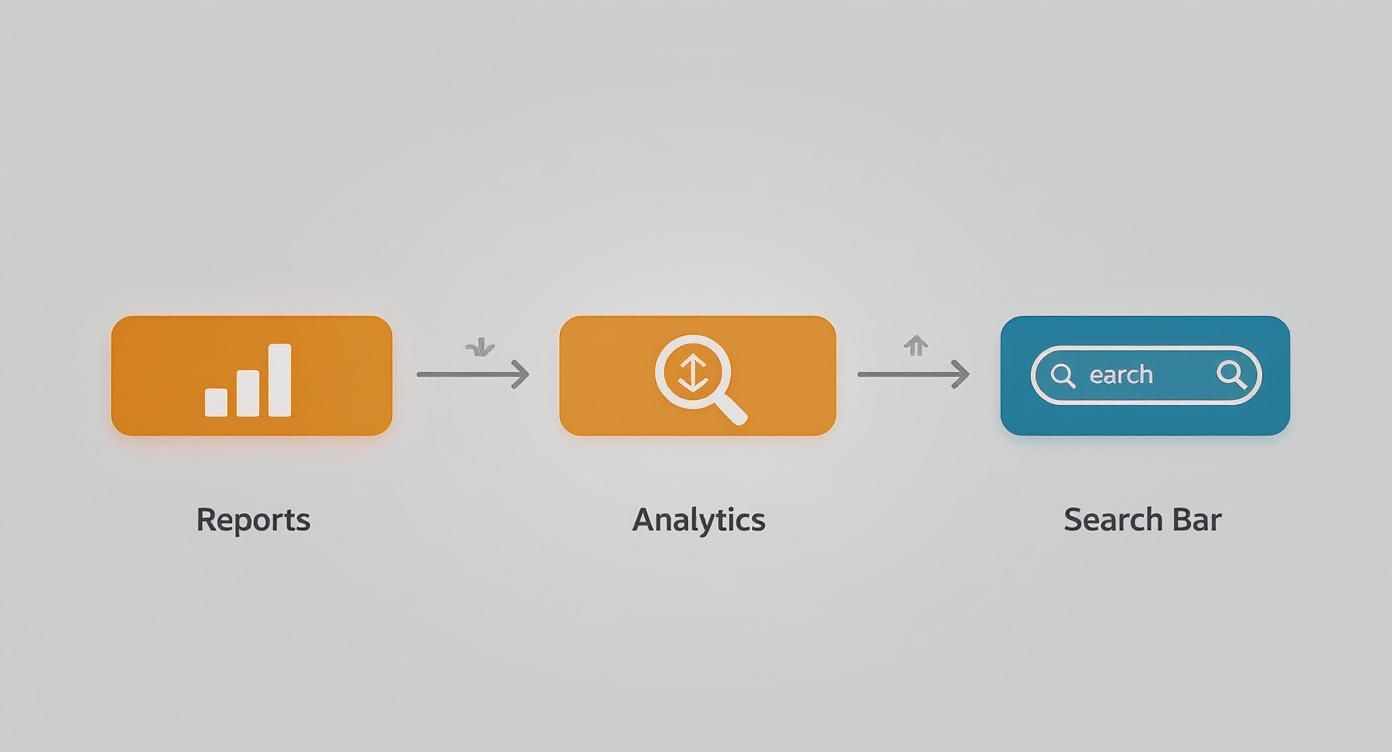
This process shows that a solid strategy isn't about one magic tool; it's about tapping into multiple data streams straight from Amazon to understand exactly what your customers are looking for.
Build a Prioritization Scorecard
Once you've got your keywords clustered, it's time to get ruthless with prioritization. A simple scorecard system is one of the most effective ways to do this because it strips away emotion and forces you to look at the cold, hard data.
Your goal here is to assign a score to each keyword based on a few key metrics. This helps you bubble up the true top-tier opportunities that will actually move the needle on your sales.
A keyword isn't "good" or "bad" in a vacuum. Its value is entirely relative to your product, your goals, and your ability to rank for it. A balanced scorecard helps you see that complete picture.
I highly recommend using a simple spreadsheet for this. It keeps everything organized and gives you a clear, actionable game plan when it's time to start optimizing your listing and building campaigns.
Here’s a basic framework you can copy and adapt. The idea is to score each metric on a scale of 1-10, where 10 is the most desirable outcome (e.g., high volume, perfect relevance, low competition).
Keyword Prioritization Scorecard Framework
Use this framework to score and prioritize keywords based on key metrics, helping you identify the most strategic terms for your product and ad campaigns.
| Keyword | Monthly Search Volume | Relevance Score (1-10) | Competition Score (1-10) | Final Priority Score |
|---|---|---|---|---|
| Example Keyword A | High (e.g., 25,000) | 9 (Directly describes product) | 3 (Very high competition) | Calculated Score |
| Example Keyword B | Medium (e.g., 2,500) | 10 (Perfect match) | 8 (Low competition) | Calculated Score |
| Example Keyword C | Low (e.g., 300) | 7 (Related feature) | 10 (Almost no competition) | Calculated Score |
To get your Final Priority Score, a simple weighted average works wonders. For example: (Volume Score * 0.3) + (Relevance Score * 0.5) + (Competition Score * 0.2). Notice how this formula gives the most weight to relevance—that's because relevance is almost always the most critical factor for driving actual conversions.
Once you’ve scored everything, just sort your list by that final score. And there you have it: a clear, prioritized roadmap that tells you exactly which keywords to focus on first. These high-priority terms should be the backbone of your product title, bullet points, and your most important ad campaigns.
You've done the hard work and pulled together a killer list of keywords. That's a huge win, but it’s only half the battle. Those terms don't mean a thing until you strategically weave them into your product listing and ad campaigns. This is where your data-driven research finally turns into actual sales.
Placing your keywords in the right spots sends clear signals to Amazon's A10 algorithm, telling it exactly what your product is and who it's for. This isn't about keyword stuffing; it's about writing natural, compelling copy that puts the customer first and the algorithm second.
Think of this process as a blend of science and art—you're marrying high-priority keywords with persuasive language that convinces shoppers to click "Add to Cart."
Strategic Keyword Placement for Maximum Impact
Every part of your product detail page is prime real estate for your keyword strategy. You want your most valuable assets in the most visible locations.
Here’s how to distribute your keywords for the best results:
- Product Title: This is your most powerful SEO field, period. Your #1 primary keyword has to go here, ideally near the beginning. A title like "12oz Organic Whole Bean Coffee, Dark Roast for Espresso" is infinitely more effective than "Great Coffee Beans."
- Bullet Points (Key Product Features): This is where your secondary keywords and important long-tail phrases come into play. Weave them into benefit-driven statements that answer common customer questions and highlight your product's best features.
- Product Description: Perfect for long-tail keywords and contextual phrases that felt clunky in the bullets. Use this space for storytelling, explaining your product's value and naturally incorporating terms that describe specific use-cases or solve problems.
- Backend Search Terms: This is your hidden arsenal. Fill this section with all the synonyms, common misspellings, and keyword variations you couldn't fit into the customer-facing copy. Don't repeat keywords from your title or bullets here—it’s a complete waste of valuable space.
Your keyword placement strategy should follow a simple hierarchy: the more important the keyword, the more prominent its placement. The title gets the hero keyword, bullets get the supporting cast, and the backend catches everything else.
Aligning Keywords with Your PPC Campaigns
Your keyword research shouldn't just live in a spreadsheet for your listing. It's the blueprint for building profitable Pay-Per-Click (PPC) campaigns. When your organic and paid strategies are in sync, they create a powerful flywheel effect that boosts both visibility and sales velocity.
Structuring your campaigns around the keyword clusters you created earlier is a game-changer. It gives you incredible precision over your ad spend and allows you to tailor your ad copy to match specific customer intent.
For instance, you can build a campaign targeting your "Problem-Solving" keyword cluster. The ad copy can speak directly to that pain point, leading to higher click-through rates and better conversions. It's a much smarter approach than lumping all your keywords into one massive, disorganized campaign.
Keeping Your Keyword Strategy Current
The Amazon marketplace is always moving. Consumer trends shift, new competitors pop up, and the language customers use evolves constantly. Right now, general high-volume search terms in major markets include 'coffee', 'Lego', 'Nintendo Switch', and 'PS5,' which tells you a lot about current consumer demand. What's hot today might be irrelevant tomorrow.
Amazon also has strict field limits—like 200 characters for titles and 500 characters per bullet point—so every keyword choice has to be deliberate. Set a recurring reminder on your calendar to review your keyword performance every quarter. It's your chance to phase out terms with declining relevance and swap in rising long-tail phrases to keep your listing fresh and competitive.
Of course, once you've dialed in your keywords and optimized your listing, you need to convert that traffic. This is where visuals become critical. Investing in professional Amazon product photography can make your listing truly stand out and turn those hard-earned views into sales.
Common Questions About Amazon Keywords
Even with a solid strategy in place, Amazon keywords can feel like a moving target. Questions pop up all the time, from how often you should be updating your lists to whether you can actually swipe a competitor's brand name. Let's clear up some of the most common points of confusion with direct, no-fluff answers.
Think of this as your field guide for navigating the finer points of keyword implementation. Getting these details right is often what separates a listing that just sits there from one that truly dominates its category.
How Often Should I Refresh My Keywords?
If you treat your keyword strategy as a one-and-done task, you're leaving money on the table. The Amazon marketplace is always in motion, with customer trends and competitor tactics shifting constantly. A good rule of thumb is to perform a thorough keyword review at least once per quarter.
But that's not a hard-and-fast rule. If you're in a hyper-competitive niche or selling a product with big seasonal swings, a monthly check-in is a much smarter move.
I usually recommend a two-tiered approach to my clients:
- Weekly Scan: Give your Amazon Search Terms Report a quick look. You're hunting for new, high-converting customer queries that you can plug directly into your PPC campaigns or backend search terms. This takes 15 minutes and keeps you agile.
- Quarterly Deep Dive: This is where you do the heavy lifting. Re-run your competitor analysis, dive into Brand Analytics to find new top search terms, and overhaul your master keyword list based on real performance data.
This rhythm keeps you responsive to market changes without getting you stuck in a constant cycle of analysis paralysis.
Should I Repeat Keywords Across My Listing?
Absolutely not. This is one of the most common—and wasteful—mistakes I see sellers make. Amazon’s A10 algorithm is smart; it only needs to see a keyword or phrase once anywhere in your listing (title, bullets, description, backend) to index you for it.
Repeating keywords gives you zero extra ranking juice. Worse, it eats up valuable character space that could be used for other relevant terms you want to rank for.
Key Takeaway: Every keyword spot in your listing is precious real estate. Use a keyword once in the most strategic place, then move on. This lets you cast a much wider net to show up in a broader range of customer searches.
A strategic distribution is way more effective:
- Title: Your most important, highest-volume primary keyword goes here.
- Bullet Points: Weave in your secondary keywords and feature-specific long-tail phrases.
- Backend Search Terms: This is the perfect spot for synonyms, common misspellings, and long-tail variations that didn’t fit naturally into the customer-facing copy.
What Is the Difference Between PPC Match Types?
Understanding match types is the key to controlling your ad spend and getting your ads in front of the right shoppers. These settings tell Amazon how closely a customer's search needs to align with your keyword to trigger your ad.
- Broad Match: This casts the widest net possible. Your ad can show for searches that are simply related to your keyword, including synonyms and variations. It's great for discovery when you're first launching a campaign and want to find new customer search terms.
- Phrase Match: This is more restrictive. The customer's search has to contain your keyword phrase in the correct order, but it can have other words before or after it. Think of it as a middle ground.
- Exact Match: The most precise and controlled option. The search query must match your keyword almost exactly. This match type usually delivers the highest conversion rates and is best reserved for your proven, top-performing keywords.
A classic workflow is to start with broad and phrase match in "research" campaigns to find out which terms actually convert. Once you have that data, you graduate those winners into a tightly controlled "performance" campaign using exact match. Mastering this flow is a critical step when you're learning how to increase sales on Amazon.
Can I Use Competitor Brand Names As Keywords?
Yes, but you have to be extremely careful about where you use them. Targeting a competitor's brand name is a legitimate and often powerful strategy for poaching shoppers who are in the final stages of comparison shopping.
You can target competitor brand names in two specific places:
- In your backend search term fields.
- As keywords in your manual PPC campaigns (both Sponsored Products and Sponsored Brands).
Here’s the critical part: you must NEVER include a competitor's trademarked brand name in any part of your listing that a customer sees. That means keeping it out of your title, bullet points, product description, and A+ Content. Putting it there is a direct violation of Amazon's policies and can get your listing suppressed—or even get your account suspended for trademark infringement.
Finding the right keywords is just the first step. Turning that data into a profitable, scalable strategy is where the real work begins. At Next Point Digital, we specialize in transforming keyword research into measurable growth. We build data-driven roadmaps that optimize your listings, supercharge your ad campaigns, and drive sustainable sales.
Ready to see what a professional strategy can do for your brand? Visit us at https://npoint.digital to learn how we make growth simple and significant.