

Amazon ad management isn't just about flipping a switch and hoping for the best. It's the hands-on, strategic process of creating, monitoring, and constantly refining your paid campaigns on the platform. This is a continuous cycle of data analysis and smart adjustments, all aimed at one thing: maximizing your return on ad spend (RoAS) and fueling real business growth.
It’s this proactive approach that separates the brands that scale from the ones that stay stagnant.
Why Proactive Amazon Ad Management Is a Game-Changer

One of the most common mistakes we see is brands just "running" ads. A "set it and forget it" mindset is the fastest way to burn through your budget with almost nothing to show for it. Amazon is far too competitive for a passive strategy to work anymore.
Proactive Amazon ad management means treating your advertising like a core business function, not just another marketing task you check off a list. When you're hands-on, you're always in control, making informed tweaks that directly impact your bottom line.
The Impact of Active Management
An active strategy means diving deep into your campaigns—Sponsored Products, Sponsored Brands, and Sponsored Display. It’s about more than just throwing bids at keywords; it’s about understanding the entire customer journey and using your ads to influence shoppers at every single stage.
With effective management, you can:
- Control Costs: By constantly refining bids and adding negative keywords, you stop wasting money on clicks that will never convert.
- Increase Visibility: You can strategically target top-of-search placements for your most important keywords, getting in front of high-intent shoppers right when they're ready to buy.
- Boost Sales Velocity: A well-managed campaign drives consistent sales, which in turn improves your product's organic ranking. This creates a powerful flywheel effect where paid ads directly fuel your organic growth.
The opportunity here is massive. Amazon's ad revenue recently soared to USD 56.22 billion, a 20% jump from the year before, with Sponsored Products leading the charge. That kind of growth tells you just how intense the competition is—and why a sharp, managed strategy is essential to stand out.
The real difference between a successful Amazon business and a struggling one often comes down to one thing: how actively they manage their ad spend. Passive advertising gets passive results.
Moving from Reactive to Proactive
A proactive approach is built on a deep understanding of your performance metrics and a willingness to test and iterate. Instead of waiting for problems to pop up, you anticipate market shifts and adjust your strategy before they happen.
This is a fundamental piece of any successful data-driven marketing strategies, where every decision is backed by cold, hard data. It’s this shift—from reacting to a bad ACoS to proactively shaping it—that unlocks sustainable growth and real profitability on the platform.
Setting the Stage for a Profitable Ad Spend
Driving paid traffic to an Amazon product listing is a lot like inviting guests to a party. If the house is a mess, nobody is going to stay long, and they definitely won't buy anything. It’s the same exact principle here—sending expensive clicks to a product detail page that isn't optimized is the single fastest way to burn through your ad budget with zero return.
Before you spend a single dollar, your listing needs to be “retail ready.” This isn’t just some catchy phrase we throw around; it’s an absolute prerequisite for any successful Amazon ad management strategy. It means your product page is fully dialed in to convert the traffic you’re about to pay for.
Auditing Your Product Detail Page
First things first: take a critical, honest look at your listing from a shopper's perspective. Does it inspire confidence? Does it clearly scream value? A truly retail-ready listing nails a few key areas.
Your imagery has to do more than just show the product. It needs to tell a story. This means having a mix of:
- High-resolution hero images on a pure white background that make your product pop.
- Lifestyle photos showing the product in use, helping shoppers picture it in their own lives.
- Infographics that call out key features, benefits, or dimensions, answering questions before a customer even thinks to ask them.
Next up is your copy. You have to focus on benefits, not just features. A feature is what your product is (like "titanium construction"), while a benefit is what the customer gets from it (like "an ultra-durable tool that will last a lifetime"). You need to weave your primary keywords into a compelling title and bullet points that speak directly to customer pain points.
A common mistake is treating the product page like a simple catalog entry. Think of it as your most important salesperson—one that works 24/7. Its job is to persuade, inform, and ultimately, convert.
Finally, you have to use A+ Content (or Premium A+ Content if you're brand-registered). This is your chance to crush purchase barriers with rich visuals, comparison charts, and a deeper brand story. A well-designed A+ section can bump conversion rates by up to 10%, which gives your ad spend a much better shot at succeeding. If you need a deeper dive, our guide on how to optimize Amazon product listings has a complete checklist.
The Non-Negotiable Role of Reviews
On Amazon, social proof is everything. A product with zero reviews, or even just a handful, feels like a risky bet to a new buyer. No amount of ad spend can fix a fundamental lack of trust.
Your pre-launch or early campaign strategy has to include a plan for getting those first crucial reviews. You could use the Amazon Vine program or just focus on amazing post-purchase customer service to encourage organic feedback. You should aim for at least 15-20 reviews with a 4.3-star rating or higher before you even think about pouring serious money into ads.
Defining Clear Advertising Goals
"More sales" is not a goal; it's a wish. Effective Amazon ad management is built on specific, measurable objectives. Before you launch a single campaign, you have to define what success actually looks like for you.
Your goals could be something like:
- Achieving a target ACoS (Advertising Cost of Sale): For instance, maintaining an ACoS of 30% to make sure every ad-driven sale is profitable.
- Improving organic rank: Using ads to drive sales velocity for a top keyword, with the goal of hitting the top 3 organic spots within 90 days.
- A successful product launch: Focusing on generating awareness and initial sales, even if that means running a higher ACoS for the first few weeks.
Having specific targets like these turns your advertising from a cost center into a strategic investment. For big sales events, checking out specific tips for maximizing Amazon Prime Day ad performance can give your seasonal strategy a huge lift. By setting the stage correctly, you ensure every single click you pay for has the maximum potential to become a sale.
Designing a Scalable Amazon Campaign Structure
A messy campaign structure is a surefire recipe for wasted ad spend and missed opportunities. Without a logical architecture, your efforts become chaotic, making it nearly impossible to analyze performance, control your budget, or scale effectively.
The goal here is to move beyond Amazon’s default settings and build a sophisticated, tiered structure that works for you, not against you. Think of it less like a single bucket for all your keywords and more like a well-organized filing cabinet where everything has its proper place. This separation is fundamental to long-term profitability and control.
Before you even think about ad spend, though, you need a solid foundation. Profitable advertising is built on a bedrock of optimized listings, positive reviews, and clear business goals.
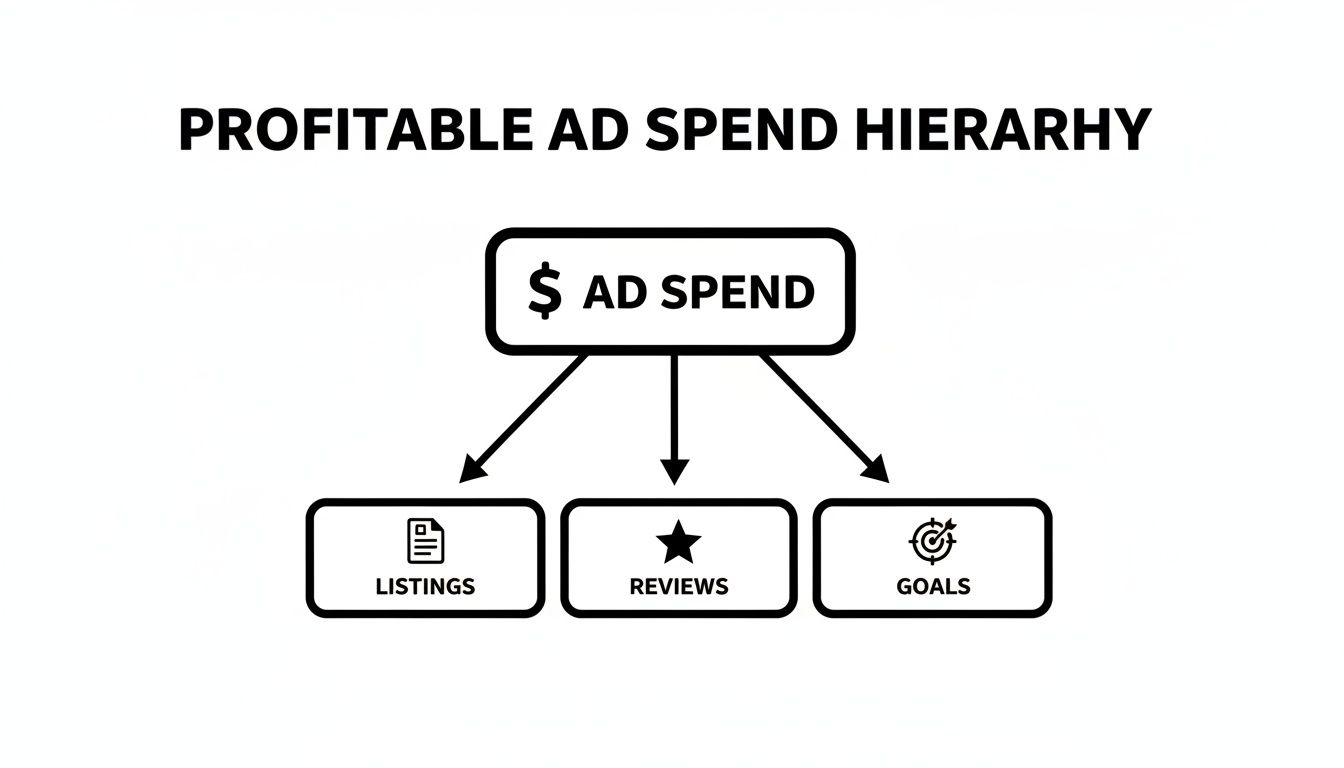
This visual makes it clear: ad spend isn't an isolated activity. Its success is directly tied to how "retail-ready" your products are.
The Three Foundational Campaign Tiers
A scalable structure typically involves three distinct types of campaigns, each with a unique job in your advertising ecosystem. This model allows you to manage keywords and bids based on their performance level, from initial discovery to proven profitability.
- Research Campaigns (Auto & Broad Match): This is where you uncover new, high-converting customer search terms. An Automatic campaign lets Amazon’s algorithm find relevant keywords for you, while a Broad Match campaign gives you slightly more control while still casting a wide net.
- Performance Campaigns (Exact Match): Once a search term from your Research campaigns proves it can drive sales at a profitable ACoS, you “graduate” it. You move it into a dedicated Exact Match campaign where you can assign a higher budget and bid more aggressively, knowing it’s a proven winner.
- Brand Defense Campaigns (Branded Terms): These campaigns target your own brand and product names. The goal here is simple: protect your valuable digital real estate from competitors who might be bidding on your terms to steal your traffic.
By separating campaigns this way, you create a keyword lifecycle. New terms are discovered in Research, proven in Performance, and your brand is protected with Defense. This segmentation is a cornerstone of advanced Amazon ad management.
Campaign Structure Blueprint
To make this clearer, here’s a simple blueprint that breaks down how these campaigns work together. This model ensures every keyword and every dollar has a specific, measurable purpose.
| Campaign Type | Purpose | Keyword Targeting | Example Use Case |
|---|---|---|---|
| Research | Discover new, relevant customer search terms. | Auto & Broad Match | Let Amazon find long-tail keywords you hadn't considered for a new product launch. |
| Performance | Drive sales from proven, high-converting keywords. | Exact Match | Isolate top-performing keywords like "men's waterproof hiking boots" to maximize sales. |
| Brand Defense | Protect brand equity and prevent traffic theft. | Branded & Product Terms | Bid on your own brand name to stop a competitor from showing up first in the search results. |
Following a structured approach like this one is what separates amateur sellers from professional brands. It brings order to the chaos and lays the groundwork for profitable scaling.
Structuring Ad Groups for Granular Control
Let's apply this to a real-world scenario. Imagine you’re a footwear brand selling running shoes. You have two main product lines: the "TrailBlazer" for hiking and the "StreetStride" for urban running. Each comes in men's and women's versions.
A messy approach would be to dump all these products into one ad group. A scalable structure, however, creates hyper-specific ad groups.
Your campaign structure might look something like this:
- Campaign: SP – StreetStride – Performance – Exact
- Ad Group: Men's StreetStride
- Ad Group: Women's StreetStride
- Campaign: SP – TrailBlazer – Performance – Exact
- Ad Group: Men's TrailBlazer
- Ad Group: Women's TrailBlazer
This granularity pays off big time. It ensures that the keywords in the "Men's TrailBlazer" ad group only show ads for the men's hiking shoe, leading to higher relevance, better click-through rates, and improved conversions.
This level of detail is essential if you want to understand how to truly grow sales on Amazon with precision.
The Overlooked Power of a Naming Convention
As your product catalog and ad campaigns grow, things can get confusing fast. A clean, consistent naming convention is a simple but powerful tool that brings clarity to your ad account. It’s an often-ignored detail that saves countless hours during performance analysis.
A good naming convention should tell you everything you need to know about the campaign at a glance.
A Practical Naming Convention Formula
We’ve found a simple and effective formula that works wonders: [Ad Type] – [Product/Group] – [Strategy] – [Match Type]
Using our footwear brand example, this translates to:
SP - TrailBlazer - Research - AutoSB - Brand - Defense - PhraseSD - StreetStride - Retargeting - VCPM
This instantly tells you if it's a Sponsored Products, Brands, or Display ad; which product it’s for; its strategic purpose; and the targeting type. When you have dozens or even hundreds of campaigns running, this organized approach makes reporting and optimization significantly easier. It’s a professional habit that underpins all successful Amazon advertising.
Mastering Keyword Bids and Budget Allocation
Once your campaigns are properly structured, you get to the real day-to-day work of managing Amazon ads. This is where you get into the weeds with bidding strategies and budget control—the two levers that have the most direct impact on your profitability and growth.
Getting this right is what separates guessing from making data-backed decisions that drive your ACoS down and your sales up.
This isn’t about setting a daily budget and crossing your fingers. It’s an active, ongoing process of analyzing and adjusting. You'll be mining your data for gold, turning the language your customers use into profitable keywords, and strategically moving your ad spend to where it will make the biggest difference.
Decoding Amazon Bidding Strategies
Amazon gives you a few different ways to bid on keywords. The right choice really depends on your campaign's goal and how long it's been running. Understanding the practical difference between them is absolutely critical if you want to keep your ad spend under control.
You’ve got three main bidding strategies to work with:
- Fixed Bids: This one is as straightforward as it gets. You set a bid, and Amazon won’t change it, no matter how likely a conversion is. It’s a great fit for brand defense campaigns where you absolutely, positively have to show up every time.
- Dynamic Bids (Down Only): This is the safest bet, especially for new campaigns. Amazon will automatically lower your bid in auctions it thinks are less likely to convert. You’ll never bid more than what you set, which is a great way to prevent wasted spend while you’re still gathering performance data.
- Dynamic Bids (Up and Down): This is the most aggressive approach. Amazon can crank your bid up by as much as 100% for top-of-search placements and up to 50% for others if it thinks a click will lead to a sale. Only use this on proven, high-performing keywords in your exact match campaigns. It can run up your CPC fast if you're not careful.
Think of these bidding strategies like driving a car. Fixed bids are like cruise control on a flat, empty highway. "Down only" is like tapping the brakes on a downhill to save gas. "Up and down" is flooring it to pass someone—powerful, but it burns through fuel.
Setting Your Initial Bids for Profitability
So, how do you decide what your first bid should be? A common mistake is just picking a number out of thin air or blindly accepting Amazon’s suggestion. A much smarter way is to ground your starting bid in your product’s profit margin. That way, you’re aiming for profitability from day one.
Here’s a simple framework to figure out your starting bid:
- Calculate Your Break-Even ACoS: This is just your profit margin before ad spend. If you sell a product for $50 and your total cost of goods (including shipping, fees, etc.) is $35, your profit is $15. Your break-even ACoS is ($15 / $50) = 30%.
- Determine Your Target ACoS: You want to make money, so your target ACoS has to be lower than your break-even point. Let’s shoot for a 25% ACoS.
- Estimate Your Conversion Rate (CVR): If you’re just starting out, a realistic estimate is somewhere between 5-10%. We'll use 8% for this example.
- Calculate Your Initial Max Bid: The formula is pretty simple: (Sale Price) x (CVR) x (Target ACoS). Using our numbers: ($50) x (0.08) x (0.25) = $1.00.
Your initial bid should be right around $1.00. This data-driven approach makes sure your bids are aligned with your actual business goals from the get-go. For a deeper dive into these metrics, check out our complete guide on what Amazon PPC is and how it all fits together.
Actively Managing Your Budget Allocation
Setting a budget is easy. Managing it is what separates the successful advertisers from everyone else. Active budget management means you’re not just capping your daily spend and walking away. You’re treating your budget as a fluid resource, ready to be shifted to capitalize on what’s working.
A huge part of this is knowing how much costs can swing. The average Cost Per Click (CPC) on Amazon is around $1.04, but this varies wildly by category. We see CPCs as low as $0.28 in culinary niches and as high as $1.41 for health products. This just goes to show you need a category-specific mindset, as heavy competition always drives up costs.
This screenshot shows exactly where you control these settings in the Amazon Ads console. You have the power to adjust budgets and bidding strategies for every single campaign, giving you precise control over where your money goes.
The best practice here is to do a weekly budget review. You’re looking for two things:
- Underperforming Campaigns: These are the campaigns with a high ACoS that are just burning through your budget without delivering results. Don't be afraid to slash their budgets and put that money elsewhere.
- High-Performing Campaigns: These are your winners—campaigns with a low ACoS that are consistently running out of budget before the day is over. Feed these campaigns more money. You want to capture every possible sale and maximize your total return.
This simple act of reallocating funds from your losers to your winners is one of the most powerful optimization tactics in Amazon ad management. It makes sure your money is always working as hard as it can for your business.
Turning Ad Data into Profitable Decisions
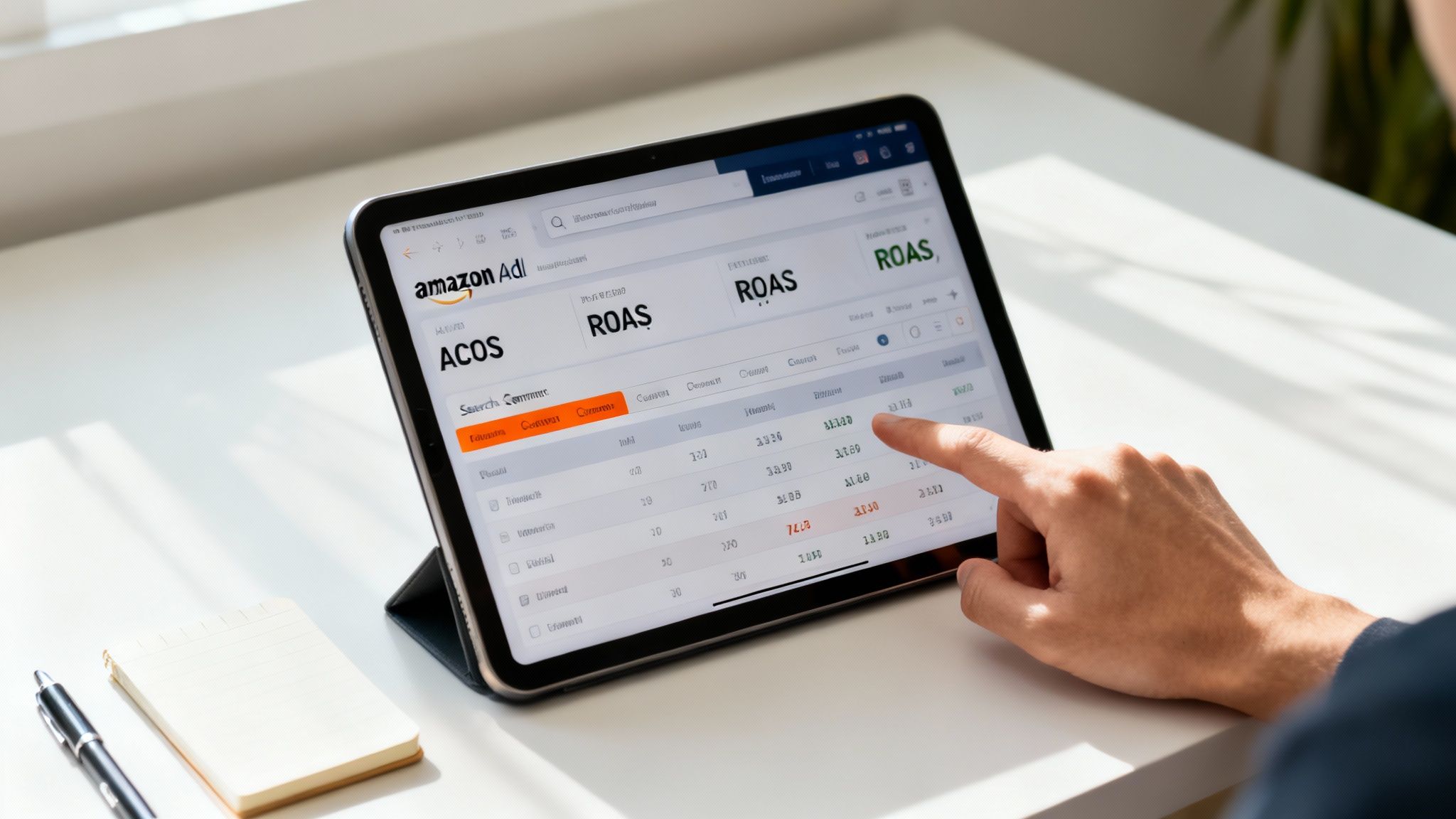
Running campaigns is only half the battle. The real work in Amazon ad management begins when the data starts rolling in, and frankly, raw data is useless without interpretation. Success hinges on your ability to read advertising reports, ignore the noise, and focus on the metrics that actually drive your business forward.
So many sellers get fixated on vanity metrics like impressions and clicks. While these numbers show activity, they don't tell you a thing about profitability. It's time to look deeper and start making decisions based on performance, not just presence.
Focusing on Metrics That Matter
If you want to turn ad spend into real profit, you need to master a few key performance indicators (KPIs). These are the metrics that give you a clear, honest picture of how efficiently your ads are converting shoppers into customers.
- ACoS (Advertising Cost of Sale): The classic Amazon metric. It shows your ad spend as a percentage of your ad revenue. A lower ACoS is generally a sign of higher efficiency.
- RoAS (Return on Ad Spend): This is just the inverse of ACoS, showing how many dollars in revenue you earn for every dollar you spend on ads. A $4 RoAS means you made $4 for every $1 spent.
- TACoS (Total Advertising Cost of Sale): This might be the most telling metric of them all. It measures your total ad spend against your total revenue (both organic and ad-driven). This shows the true impact of ads on your overall business health. If your TACoS is decreasing over time, it means your ads are successfully boosting organic sales—and that's the ultimate goal.
Unlocking the Power of the Search Term Report
The single most valuable tool in your optimization arsenal is the Search Term Report. This report is pure gold, showing you the exact search queries customers used right before clicking your ad. Analyzing this thing isn't a one-time fix; it's a continuous cycle.
This is where you find both treasure and trash. You’ll uncover completely irrelevant searches that are draining your budget, which you should immediately add as negative keywords. For example, if you sell "leather dog collars" and see clicks coming from "vegan leather dog collars," adding "vegan" as a negative exact match keyword stops that wasted spend instantly.
Your Search Term Report is a direct line into the mind of your customer. It tells you, in their own words, what they are looking for. Ignoring this report is like ignoring free market research.
On the flip side, you'll also find high-converting customer search terms in your research campaigns. These are your proven winners. The next step is to "graduate" these terms by moving them into their own exact match performance campaigns, where you can give them a dedicated budget and bid more aggressively to maximize sales.
Creating a Continuous Optimization Loop
Effective Amazon ad management is not a straight line with a finish line. It's an ongoing loop: analyze, adjust, test, and repeat. This is what leads to long-term, sustainable profitability and ensures your campaigns adapt to changing market conditions and customer behavior.
Your weekly or bi-weekly routine should look something like this:
- Review Performance: Dive into your campaign manager and analyze ACoS, RoAS, and conversion rates for each campaign and ad group.
- Analyze Search Terms: Pull the Search Term Report. Hunt for new negative keywords and high-performing customer searches.
- Adjust Bids: Bump up bids on keywords that are converting profitably. Dial back bids on those with a high ACoS and no sales.
- Reallocate Budget: Shift spend away from underperforming campaigns and pour it into your proven winners that are hitting their targets.
This cycle is crucial because shoppers on Amazon are there to buy. In fact, Amazon ads have impressive platform-wide conversion rates of 9-10%, with well-optimized listings pushing this even higher to 10-15%. This high purchase intent means every dollar has a massive potential for return, making meticulous analysis absolutely vital.
Of course, understanding the broader context helps, too. A solid foundation in data-driven marketing strategies can improve your ability to make profitable decisions across all your advertising efforts. When you pair that knowledge with granular Amazon data, you create a powerful combination for growth. To go even further, check out our detailed guide on using Amazon sales data to inform your entire business strategy.
Common Questions About Managing Amazon Ads
Once you start running Amazon ads, the real-world questions pop up fast. The day-to-day work isn't just about setting a budget and forgetting it; it's full of quick decisions, strategic trade-offs, and figuring out what the data is really telling you.
Here are some direct, no-fluff answers to the questions we hear from sellers all the time. These insights come from years in the trenches, helping brands turn ad spend into actual, sustainable growth.
How Long Does It Take to See Results from Amazon Ads?
You’ll see impressions and clicks roll in within hours, but don’t let that early data fool you. Making smart decisions requires patience. You need to let a new campaign run for at least 2-4 weeks to gather enough meaningful performance data.
This gives you time to see which keywords are actually driving sales, not just racking up clicks. But getting to consistent profitability and a truly optimized campaign? That’s a longer game. Expect it to take 3-6 months of steady optimization as you trim the fat, find new winning keywords, and dial in your overall strategy.
What Is a Good ACoS for Amazon PPC?
There’s no magic number here. A “good” ACoS depends entirely on your product’s profit margin and what you’re trying to accomplish with a specific campaign. The first thing you absolutely must know is your break-even ACoS, which is just your profit margin before you spend a dime on ads.
If your profit margin is 35%, your break-even ACoS is 35%. For an established product, you’ll obviously want to aim for an ACoS well below that number to stay profitable.
A high ACoS isn't always a bad thing, though. When launching a new product, you might strategically accept a much higher ACoS—say, 60% or more—to get those crucial first sales, lock in reviews, and give your organic ranking a jumpstart. It’s an investment in momentum.
How Often Should I Optimize My Amazon Campaigns?
How often you tweak your campaigns really depends on how old they are. The key is to be consistent without making knee-jerk changes based on a day or two of weird data.
Here’s a good rhythm to follow:
- For New Campaigns: Check in on them 2-3 times per week. In the early days, you have to be aggressive about adding negative keywords to stop wasted spend and adjusting your initial bids as the first real performance numbers come in.
- For Mature Campaigns: A solid review once a week is usually plenty. For campaigns that are already stable and proven, your job is more about managing budgets, making small bid adjustments, and making sure performance stays on track.
The goal is to be active enough to stay in control but patient enough to let the data guide your big moves.
Should I Hire an Agency for Amazon Ad Management?
This all comes down to a simple trade-off between your time, budget, and expertise. If you're spending less than $2,000 a month on ads and have the bandwidth to really learn the platform, managing campaigns yourself is a great way to go.
But once your ad spend starts climbing past $5,000 per month, or if you’re juggling a large and complex product catalog, an agency’s expertise quickly pays for itself. A good agency brings specialized tools, knowledge from working across hundreds of accounts, and a dedicated team that can scale your growth while helping you sidestep the costly mistakes that are all too common at that level.
Ready to stop guessing and start growing? Next Point Digital combines data, strategy, and cutting-edge technology to build and scale profitable Amazon ad campaigns that deliver measurable results. Find out how we can simplify your growth.