

An Amazon Storefront is your brand's exclusive, multi-page digital flagship store right inside the world's largest online marketplace. Think of it as a dedicated space where you can showcase your entire product catalog and tell your brand story, completely free from competitor ads. It’s a curated environment that transforms the shopping experience from a simple transaction into brand immersion.
Your Brand's Digital Flagship on Amazon
A standard Amazon product page is like a single aisle in a massive supermarket. Customers can see your product, but they're also surrounded by competing items and distracting ads. Your Amazon Storefront, on the other hand, is like your own private boutique. You control the layout, the messaging, and the entire shopping journey.
This level of control allows you to tell a cohesive story, guide customers through your product collections, and build a relationship that goes far beyond a one-time purchase. It’s a powerful tool for establishing your brand identity and building trust on a platform crowded with millions of other sellers.
Differentiating Your Brand in a Crowded Market
The scale of Amazon's marketplace is staggering. Independent sellers now account for more than 60% of all sales in Amazon's store, with 61% of 2025 unit sales coming from third-party vendors. The average marketplace seller generated $290,000 in sales during 2024, proving that a well-executed presence can deliver serious revenue.
A custom Storefront is a key differentiator in this hyper-competitive environment, offering a unique space to stand out. You can find out more about how independent sellers are succeeding on the platform through Amazon's small business report.
By using a Storefront, you can:
- Create a Curated Experience: Group products into logical categories like "Best Sellers," "New Arrivals," or seasonal collections, making it easier for shoppers to discover more of what you offer.
- Showcase Your Brand Story: Use rich media like videos, lifestyle images, and compelling text to share your brand's mission, values, and what makes your products unique.
- Drive Higher Order Values: Strategically feature complementary products together, encouraging cross-sells and upsells within your own branded ecosystem.
A Storefront effectively transforms your presence from being just another seller on Amazon to being a distinct brand with a store on Amazon. This shift in perception is critical for building long-term customer loyalty and repeat business.
This dedicated brand hub provides a focused shopping experience that prevents customers from getting distracted by competitor ads—a common issue on standard product pages. For any brand serious about growth, understanding how to build and optimize this asset is a fundamental step. Our guide on how to increase sales on Amazon complements these strategies and is worth a read.
Unlocking the Strategic Benefits of a Branded Storefront
Beyond just looking good, an Amazon Storefront is a serious strategic asset that gives you a real advantage in a crowded market. Think of it like this: a standard product page is like renting a small kiosk in a bustling mall, but a Storefront is like owning your own flagship store on the main street. You control the environment, the story, and the customer’s entire shopping journey.
This control means you can finally move past basic product listings and build a brand presence that people actually remember. When you tell a compelling story and curate the whole experience, you forge a much stronger connection with shoppers, turning casual browsers into loyal fans.
Cultivate Brand Trust and Credibility
In a marketplace where shoppers are rightfully wary of sketchy third-party sellers, a professional Storefront acts as a massive trust signal. It shows you’re a legitimate, registered brand that has actually invested in its presentation on Amazon. This alone instantly elevates your credibility over sellers who are just relying on generic product pages.
A well-designed store lets you share your brand’s mission, its values, and where you came from using text, images, and video. This context helps shoppers connect with you on a deeper level, making their buying decision about more than just price and features. It’s how you build an emotional connection that fosters loyalty long-term.
An Amazon Storefront provides a competitor-free zone. Unlike product detail pages where rival ads can lure shoppers away, your store is an exclusive space dedicated entirely to your brand and your products.
This controlled environment is a game-changer. It keeps the customer focused on your products, preventing the decision fatigue that happens when they see dozens of competing options side-by-side.
Boost Sales and Average Order Value
One of the most immediate benefits of a Storefront is its power to increase how much each customer spends. By thoughtfully designing your store with strategic product collections, you can guide shoppers to discover items they might never have found otherwise.
Let’s say you sell high-quality kitchen knives. You could create dedicated pages within your store for different needs.
- For the Home Chef: A collection featuring the essential chef's knife, paring knife, and bread knife.
- Summer Grilling Essentials: A page showcasing carving knives, meat forks, and cutting boards.
- Gift Sets: Curated bundles perfect for holidays or special occasions, encouraging a bigger purchase.
This organized approach doesn't just simplify shopping; it actively promotes cross-selling. You can show how different products work together, making it easy for a customer who came for one item to walk away with three. This is a core part of many successful data-driven marketing strategies, where you use shopper behavior to inform how you present your products.
Create a Powerful Off-Amazon Marketing Hub
Every Amazon Storefront gets its own unique, easy-to-read URL (like amazon.com/yourbrand). This simple feature is a huge advantage for all your marketing efforts outside of Amazon. This URL is also indexable by search engines like Google, which means your store can show up in organic search results, driving free traffic directly to your branded space.
Better yet, this clean link is the perfect destination for all your off-Amazon ad campaigns. Whether you're running ads on social media, sending out an email newsletter, or working with influencers, you can point all that valuable traffic to a central landing page that’s actually built to convert. It's far more effective than just sending potential customers to a single product page, where they can get distracted or miss the full scope of what your brand offers. An Amazon Storefront ensures your marketing dollars land customers in an environment you fully control, maximizing your return.
How to Build Your First Amazon Store
So, you're ready to build your Amazon Store. The good news is that the process itself is pretty straightforward, but you need to get one key thing in place first. Before you even touch the Store Builder, you have to be enrolled in Amazon Brand Registry.
Think of Brand Registry as the keys to your new storefront. It's the non-negotiable first step that proves to Amazon you own your brand. To get approved, you'll need a registered and active trademark. Once that's sorted, Amazon unlocks a whole suite of tools for you, including the one you need to build your digital flagship.
The Initial Setup in Seller Central
With Brand Registry approval in hand, you can now head over to the Store Builder. You'll find it right inside your Seller Central account. Just navigate to "Stores" and then click "Manage Stores." This is where you'll start laying the groundwork for your brand's new home.
The first few steps are simple but they set the stage for everything else:
- Brand Display Name: This is the name shoppers will see. Make sure it’s your official, registered brand name.
- Brand Logo: You'll need to upload a high-quality logo that's at least 400×400 pixels. This is what will appear front and center in your store's header.
Once you’ve got those basics locked in, you’re ready to dive into the fun part: designing the layout and crafting the customer experience.
Structuring Your Store with Pages and Templates
Amazon’s Store Builder is a user-friendly, drag-and-drop tool—no coding required. You’ll kick things off by picking a template for your homepage. Amazon offers a few options like "Marquee," "Highlight," or "Product Grid," each designed to put a different spin on your brand, whether you want to lead with storytelling or jump right into showcasing products.
From there, you can start adding new pages to build out a full navigation menu, just like a regular website. A solid structure usually includes:
- Homepage: Your main welcome mat, introducing the brand and featuring top products or categories.
- About Us: A dedicated spot to tell your brand's story, share your mission, and connect with customers.
- Category Pages: Separate pages for each of your main product lines (e.g., "Skincare," "Haircare," "Body Care").
- Best Sellers: A curated page to help new shoppers find your most popular items right away.
This kind of navigation makes it easy for people to browse your entire catalog instead of getting lost. The goal is to guide them logically from your brand story to the specific products they're looking for. As you map this out, it's worth checking out these 10 things you should do when starting an Amazon store for some broader strategic advice.
Populating Your Store with Content Tiles
Each page you create is built by arranging different content tiles. These are the building blocks of your store. You can mix and match product grids, standalone images, videos, text blocks, and even shoppable images to create a rich, engaging experience that brings your brand to life. For a deeper dive into the logistics side of things, our guide on what Amazon FBA means for your business might be useful.
Submission and Review: Once you’ve finished designing, you'll submit your store for review. Amazon’s team will check it to make sure it follows all their content policies. This usually takes a few days, so be sure to plan ahead and avoid trying to launch right before a big holiday or sales event.
The Amazon marketplace is always shifting. While the number of new sellers has leveled off, the overall pie has gotten much bigger. For instance, in Q4 2025, third-party sellers contributed a staggering $52.8 billion to Amazon's net sales. That number alone shows why having a distinct, branded Storefront is more critical than ever to carve out your slice of the market. Building a solid store is your first step to navigating this competitive environment successfully.
Designing a Storefront That Converts Shoppers into Customers
A great Amazon Storefront is so much more than a digital product catalog; it’s a carefully crafted conversion engine. Building one is all about telling your brand’s story visually and guiding shoppers on a journey. When you get the design right, you transform passive browsers into active buyers—and eventually, loyal brand advocates.
The key is to think like a retail architect. You wouldn't design a physical store with confusing aisles and poor lighting, and the same principle applies here. Your goal is to create an intuitive, immersive, and visually appealing space that makes shopping feel effortless and enjoyable.
This simple process flow breaks down the high-level journey from concept to launch for your Storefront.
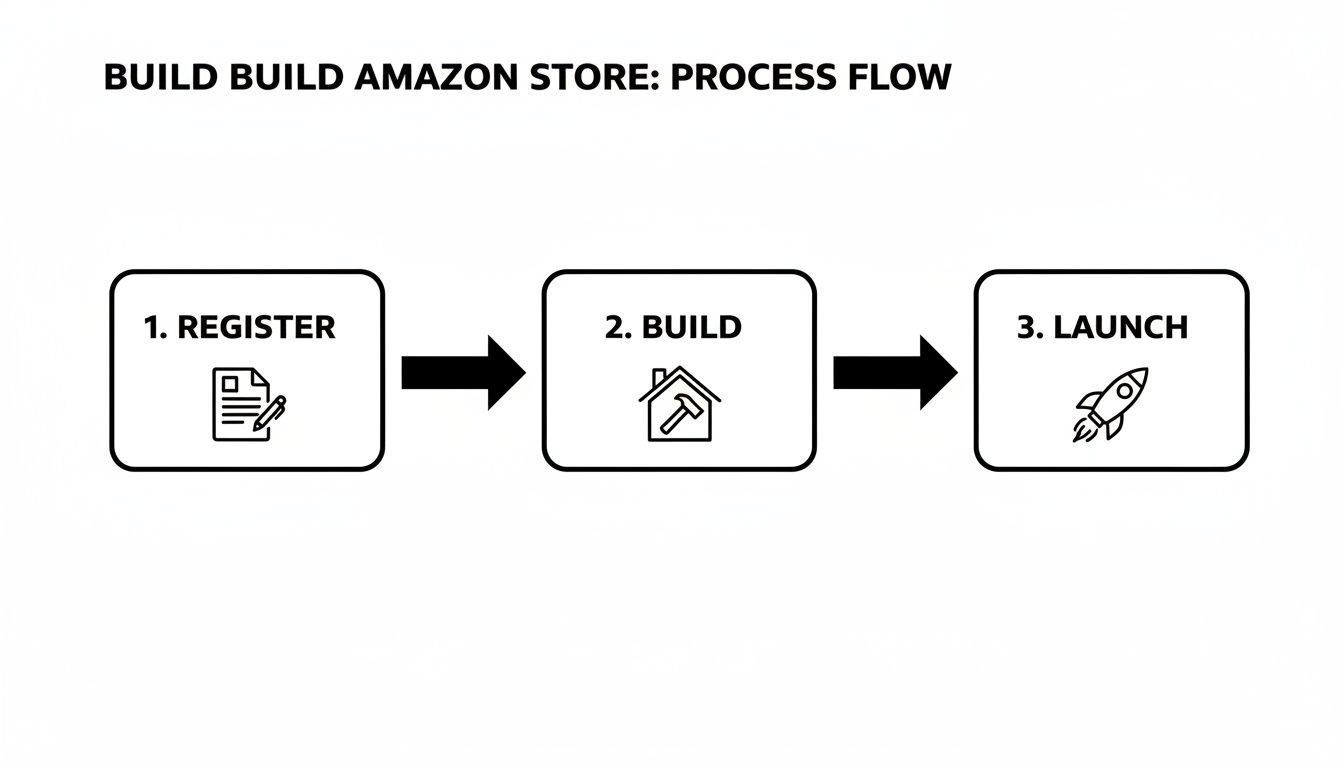
Each stage is a deliberate step toward creating a powerful brand asset on the platform, from getting into Brand Registry to building with modules and finally going live.
Mastering Amazon’s Content Modules
The foundation of a standout Storefront lies in how you use Amazon’s content modules. Think of these as drag-and-drop building blocks you use to construct each page. Using a smart mix of these tiles is what separates a generic, forgettable store from a dynamic, engaging brand experience.
Your primary tools include:
- Images and Shoppable Images: Use high-resolution lifestyle photos to show your products in real-world contexts. A shoppable image is even better, letting you tag specific products within a photo so customers can click and buy directly from an inspirational scene.
- Video Tiles: Video is easily one of the most powerful storytelling tools you have. Use it for brand stories, product demonstrations, or tutorials to grab attention and provide real value.
- Product Grids: These tiles are essential for showcasing your catalog. You can manually curate which products appear or set them to populate automatically based on keywords or best-seller status.
- Text Tiles: Don't sleep on the power of good copy. Use text tiles to share your brand’s mission, provide helpful information, or craft compelling headlines that guide shoppers down the page.
By strategically combining these elements, you create a narrative. You can lead with a captivating brand video, follow with a text block that explains your mission, and then present a curated grid of your top-selling products.
Structuring Navigation for Intuitive Browsing
A confusing navigation menu is a guaranteed way to lose a customer. Your store’s layout has to be logical and predictable, allowing shoppers to find exactly what they need with minimal effort. Put yourself in the shoes of a customer who has never heard of your brand—how would they explore your offerings?
Start by creating a clear hierarchy for your pages. A standard, effective structure often includes:
- Homepage: This is the front door to your brand. It should feature your most compelling content and direct visitors to key categories.
- Category Pages: Group your products into logical collections (e.g., "Men's Apparel," "Women's Apparel," "Accessories").
- About Us Page: Here's your chance to tell your story and build a real connection with shoppers.
- Best Sellers Page: Many shoppers are looking for social proof. A page dedicated to your most popular items makes their decision that much easier.
A well-structured Storefront functions like a great website. The navigation should feel so natural that the user doesn’t even have to think about it, allowing them to focus entirely on your brand and products.
This structured approach doesn't just improve the user experience; it encourages deeper exploration of your product catalog, which can significantly increase the average order value.
Prioritizing a Mobile-First Design
With a huge chunk of Amazon shoppers buying from their smartphones, designing for mobile isn't just a good idea—it's essential. The Amazon Store Builder includes a mobile preview, and you should be clicking on it constantly throughout your design process.
What looks great on a wide desktop monitor can easily become a cluttered, overwhelming mess on a small screen.
Keep these mobile-first principles top of mind:
- Bold Visuals: Use large, impactful images that are clear and compelling on a smaller display.
- Concise Text: Keep copy short and scannable. Long paragraphs are a nightmare to read on a phone.
- Simple Grid Layouts: Complex, multi-column layouts can break on mobile. Stick to simpler, single-column designs wherever you can.
By checking the mobile view frequently, you ensure every customer has a seamless and positive experience, no matter what device they're on. This attention to detail is crucial for maximizing conversions and is a core part of how you optimize Amazon product listings and the entire brand ecosystem around them. Building a beautiful, functional Storefront is the ultimate expression of your brand on Amazon.
Driving Traffic and Measuring Your Storefront's Success
Building a beautiful, intuitive Amazon Storefront is a huge win, but let's be real—it's only half the job. A stunning digital flagship won't do much for your bottom line if nobody ever sees it. The next, and most critical, step is to actively drive the right kind of traffic to your new brand hub and then measure what happens once they arrive.
To do this right, you need a two-pronged approach. You've got to capture shoppers who are already browsing on Amazon while also pulling in potential customers from your external marketing channels. It's this combination that creates a steady stream of visitors who are ready to explore your brand and, hopefully, make a purchase.
Attracting Visitors to Your Store
Think of your traffic strategies like sending out invitations. Some are handed out inside the Amazon ecosystem itself, while others are sent across the wider web. A balanced approach is absolutely key to maximizing your reach and making a real impact.
One of the most powerful on-Amazon tactics is using Sponsored Brands ads. These are the prominent ads you see at the very top of the search results, and they can link directly to your Storefront instead of just a single product. This lets you introduce shoppers to your entire brand world with one click, which often leads to bigger shopping carts.
You can also drive traffic internally by simply linking to your Storefront from your product detail pages. When a curious shopper clicks your brand name byline, you give them a clear path to discover more of what you offer.
But the real game-changer is using your Storefront's unique URL in your off-Amazon campaigns.
- Social Media: Run a campaign on Instagram or TikTok that sends followers to a curated collection in your store. This is perfect for influencer collaborations or seasonal promotions.
- Email Marketing: Got a new product launching? Announce it to your email list with a direct link to a dedicated page on your Storefront.
- Content Marketing: If you have a blog or work with publishers, you can use your store link as the main call-to-action, funneling engaged readers directly into a buying environment.
A crucial tool for this is Amazon Attribution. This is Amazon's own measurement program that shows you just how effective your off-Amazon marketing is at driving sales. It tracks the clicks and purchases, giving you clear data on which channels are actually delivering a solid return.
Measuring Performance with Store Insights
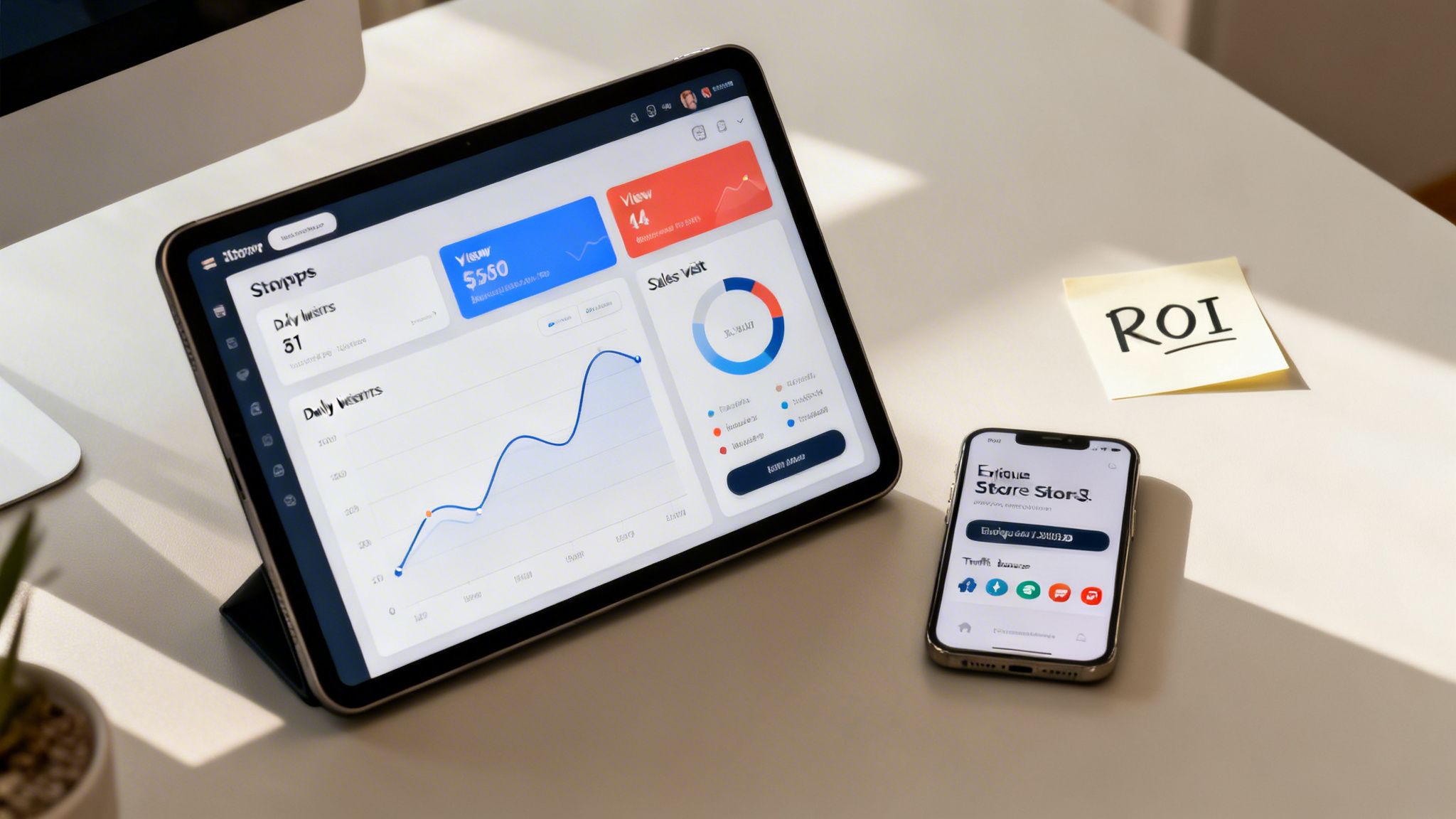
Driving traffic is great, but it's only effective if you know what happens next. This is where the Store Insights dashboard comes in. This powerful analytics tool, found right inside Seller Central, gives you the data you need to understand customer behavior and optimize your store for better results.
Think of this dashboard as your command center. It gives you a clear view of your store's health, letting you track trends and make decisions based on data, not guesswork.
The metrics inside Store Insights are your roadmap to optimization. They tell you a story about how shoppers are interacting with your brand's digital space. For a deeper dive into the numbers that matter, check out our complete guide to understanding your Amazon sales data.
Here are the key performance indicators (KPIs) you should be watching like a hawk:
| Metric | What It Measures | Why It Matters |
|---|---|---|
| Daily Visitors | The total number of unique users who visited your Storefront in a day. | Helps you understand the overall reach and effectiveness of your traffic-driving campaigns. |
| Views | The total number of page views within your store. | A high number of views per visitor suggests shoppers are engaged and exploring multiple pages. |
| Sales | The total revenue generated from shoppers who visited your Storefront. | This is the ultimate measure of your store's conversion effectiveness. |
| Sales per Visitor | The average sales generated by each unique visitor. | This metric shows the monetary value of each visit, helping you gauge profitability. |
By analyzing these metrics, you can spot your top-performing pages, see which traffic sources are the most valuable, and uncover opportunities to improve. For example, if a page is getting tons of views but few sales, that's a signal to rethink the product mix or tweak the layout. Continuous monitoring and testing are what turn your Amazon Storefront into a powerful, revenue-generating machine.
Common Questions About Amazon Storefronts
When brands first start looking into what an Amazon Storefront is, a few questions always come up. Getting clear on the details can help you figure out if this powerful tool is the right move for your business and what you can expect when you dive in.
Let’s walk through the most common questions, from costs and SEO impact to brand control, so you can move forward with confidence.
What Does It Cost to Set Up an Amazon Storefront?
Here’s the best part: creating an Amazon Storefront is completely free. Amazon doesn't charge you a dime to build, publish, or host your brand’s custom store. The only real requirement is that you’re enrolled in Amazon Brand Registry, which is also free but does require you to have a registered trademark.
So, where do the costs come in? It's all about the content you put on the page. You might have expenses related to:
- Professional Photography: High-quality lifestyle shots and product images are what give your Storefront that premium feel.
- Videography: A good brand story video or a few product demonstrations can make a huge difference in engagement.
- Copywriting: You need persuasive, on-brand text to tell your story and sell your products effectively.
Sure, you can build a store with the assets you already have. But investing in top-notch creative will almost always pay for itself in better results.
Does a Storefront Improve My Amazon SEO?
Yes, absolutely. A Storefront helps your Amazon presence both directly and indirectly. For starters, your store gets its own unique, easy-to-read URL (like amazon.com/yourbrand), which can be indexed by search engines like Google. This means you can start pulling in organic traffic from outside of Amazon.
But the real magic happens on Amazon itself. Your Storefront acts as a central hub for your Sponsored Brands ad campaigns. Instead of sending ad traffic to a single product page, you can direct shoppers to a curated brand experience. This keeps them engaged longer, increases session duration, and ultimately leads to more sales—all of which are huge positive signals for Amazon's A10 algorithm.
Can I Sell Products from Unauthorized Sellers on My Store?
No, and that’s a good thing. Your Storefront is exclusively for your brand's products—the ones you sell. You can't feature items listed by other sellers, even if they’re selling your authentic product through wholesale or arbitrage. This exclusivity is a core benefit because it gives you total control over how your brand is presented.
If you’re running into issues with unauthorized sellers or counterfeits, you need to know how to protect your brand. That might involve learning the ropes of filing an Amazon infringement report to get illegitimate listings taken down. Think of your Storefront as your brand's protected territory, designed to showcase only the products you sell and control. This builds trust with shoppers and proves your offerings are the real deal.
Juggling Amazon Brand Registry, Storefront design, and strategic advertising is a lot to handle. The team at Next Point Digital specializes in creating and optimizing Amazon Storefronts that don't just look amazing—they’re engineered to turn visitors into loyal customers. Let us help you build your brand's digital flagship.