

BSR is Amazon's relative rank of a product within a category or subcategory, where #1 outsells every other product in that list and a lower number means stronger recent sales than competitors, not a count of units sold.
You've opened your listing, noticed that its rank has worsened, and wondered whether you should cut the price or increase advertising. Before changing anything, you need to know what changed in your business, not just what changed on the listing.
BSR on Amazon is useful context, not a complete diagnosis. Read it alongside your sales records, category, and costs, and it becomes much easier to separate a competitive shift from a problem you need to fix.
What Amazon's Best Sellers Rank Measures
You spot a rank on your listing that looks disappointingly far from the top. Is the product struggling, or is that position reasonable for its category? The number alone can't answer.
Think of race standings. A runner's position tells you where they sit relative to the other runners, but it doesn't tell you their speed or how far they've traveled. Amazon's standings also change over time, so a position is an observation, not a permanent label.
An ASIN is Amazon's identifier for a product. Amazon assigns Best Sellers Rank to eligible ASINs within featured categories and subcategories, using sales history and giving recent sales greater weight, as described in its Seller Central explanation of sales rank.

Read the label beside the number
When you inspect the Best Sellers Rank entry in a listing's product information, read the category names alongside the positions. Don't copy a number into your tracking sheet without recording which list it belongs to.
A broad department and a specialized subcategory describe different competitive settings. A storage organizer might have a strong position among similar organizers while looking less prominent across a much broader household department.
Keep these boundaries clear:
- Not a sales target. A position doesn't specify how many orders you must generate.
- Not a marketplace percentile. It doesn't place your product against every item Amazon sells.
- Not a unit count. You can't multiply BSR by your selling price to calculate revenue.
- Not a profitability measure. A favorable position doesn't establish whether the orders were worth winning.
Practical rule: Treat BSR as a position to track, not a sales figure to calculate from.
That distinction changes the question you ask. Instead of wondering how much money a rank represents, ask whether your position is improving against relevant competitors while your own sales remain financially worthwhile.
How Amazon Calculates and Updates BSR
Amazon combines recent sales and historical sales, rather than treating BSR as a same-day sales leaderboard. Recent activity matters more, but older activity still contributes. That means a burst of orders can affect rank without permanently establishing a stronger position.
The infographic summarizes that relationship without assigning invented weights to either part.

Follow an order through the delay
A customer places an order. Your sales records and the displayed ranking don't necessarily reflect that purchase at the same moment.
Amazon says Best Sellers lists refresh hourly, while an individual order can take up to 12 hours to affect sales rank, according to its customer guidance on Best Sellers Rank. A refreshed list therefore doesn't mean every recent order has already entered the displayed result.
Books have separate published guidance. Amazon's KDP explanation of sales ranking says book rankings update at least once daily, changes may take up to two days to appear, and books can appear in up to three Best Seller Category lists.
The timing distinctions above are summarized below. For a new ASIN, a sales record and relevant featured-category assignment are prerequisites, not a promise of immediate display.
| Item type | List refresh | Order-to-rank delay | Ranking note |
|---|---|---|---|
| Standard product ASIN | Hourly | Up to 12 hours | Requires a sales record and relevant category assignment |
| Subcategory ranking | Hourly Best Sellers list refresh | Up to 12 hours | Compares a narrower competitor pool |
| Book ASIN through KDP | At least once daily | Changes may take up to two days | Can appear in up to three category lists |
| Brand-new ASIN | Applicable list schedule after eligibility | No separate new-ASIN guarantee established | Requires a recorded sale and relevant category assignment |
Why unchanged sales can produce a different rank
Your product isn't being evaluated in isolation. If competitors gain orders while your sales remain steady, your relative position can worsen.
The reverse is possible too. You might gain position without a meaningful improvement in your own business if competing products lose momentum.
My recommendation is to use scheduled observations rather than repeatedly refreshing the listing. Review movement across a meaningful sales window, keeping the documented delay in mind. For books, use the book-specific timing rather than assuming the standard-product window applies.
Reading BSR Within Its Category
A football team's place in a local league isn't directly comparable with another team's place in a national league. Both positions describe performance, but the opponents and competitive setting differ.
The same reasoning applies to Amazon categories. The category name is part of the measurement, not a footnote you can ignore.
Consider an illustrative storage organizer listed in both a broad household department and a narrow storage subcategory. Its subcategory position could look impressive while its department position looks modest. Those observations don't contradict each other because the product faces different comparison groups.
Compare products that share a list
Start by deciding what you're trying to learn. If you want to understand your position among direct substitutes, select the most relevant shared category rather than whichever rank makes your product look strongest.
Avoid comparing a book rank with a kitchen-product rank. Even if the displayed numbers match, you haven't established equivalent demand, unit volume, or commercial opportunity.
Use this reading routine:
- Identify the list. Record the full category or subcategory name beside your ASIN.
- Choose comparable products. Favor items that solve a similar shopper problem and compete in that same list.
- Observe a consistent window. Record your position and the comparison products under similar conditions.
- Add commercial context. Note visible price changes, promotions, and availability without assuming they explain every movement.
- Check your own results. Compare the ranking pattern with ordered units before drawing a conclusion.
Pricing deserves particular care. Use an Amazon pricing strategy that accounts for your costs and competitive positioning, rather than matching a rival just because its rank looks better.
A strong niche position is evidence about that niche. It isn't proof that the product dominates its broader department.
You can answer whether your position is useful only after defining the comparison. A relevant category, consistent observation window, and sensible competitor group make the number interpretable. Without those, even an attractive rank offers little guidance for your next decision.
Misconceptions That Mislead Sellers
An expensive mistake is treating a worsening rank as proof that customers have stopped buying. A seller might respond with unnecessary discounts, even though their own ordered units haven't declined.
Another mistake is assuming that a better position proves greater profitability. Before celebrating, check what you spent and what you kept.
Replace assumptions with checks
Amazon explains that BSR uses order data, not page views or customer reviews, and cautions that competitors' stronger sales can worsen your relative position even while you record sales in its sales-rank calculation guidance.
The table separates common interpretations from the checks that can support a decision.
| Common belief | What the data shows | What to do instead |
|---|---|---|
| A lower BSR means more units sold | Rank is relative, not a universal conversion to units | Check ordered units in Business Reports |
| A lower BSR means more profit | BSR doesn't establish your costs or contribution margin | Calculate margin alongside sales |
| BSR updates with every sale | Displayed rank can lag order activity | Allow for the timing window explained earlier |
| Reviews and page views push BSR up | Neither is a direct input to the calculation | Evaluate traffic and reviews separately |
| A falling rank means sales dropped | Competitor growth can worsen your relative position | Check your own unit trend first |
| A top spot stays put | Relative positions can change as competitor sales change | Monitor the comparison group over time |
Don't use BSR as an advertising report
Suppose you launch an advertising campaign and notice an improved rank later. That sequence is worth investigating, but it doesn't establish that the campaign caused the improvement.
Other orders, competitor changes, and the reporting delay can overlap. Use advertising-attributed sales to evaluate the campaign rather than assigning every favorable rank movement to your ads.
Keep keyword visibility separate too. If you're investigating search placement, use a dedicated process for tracking keyword rankings instead of substituting a category sales rank.
Your decision rule should be straightforward: a rank observation becomes actionable only after you cross-check it against business results. Use Business Reports for ordered units, advertising reports for campaign performance, and your cost records for contribution margin, meaning the amount left after relevant variable costs.
Diagnosing a Sudden Rank Move
The most common slip is reacting to the first reading after a change. You lower a price, stop a campaign, or replenish inventory, then treat the next displayed position as a verdict.
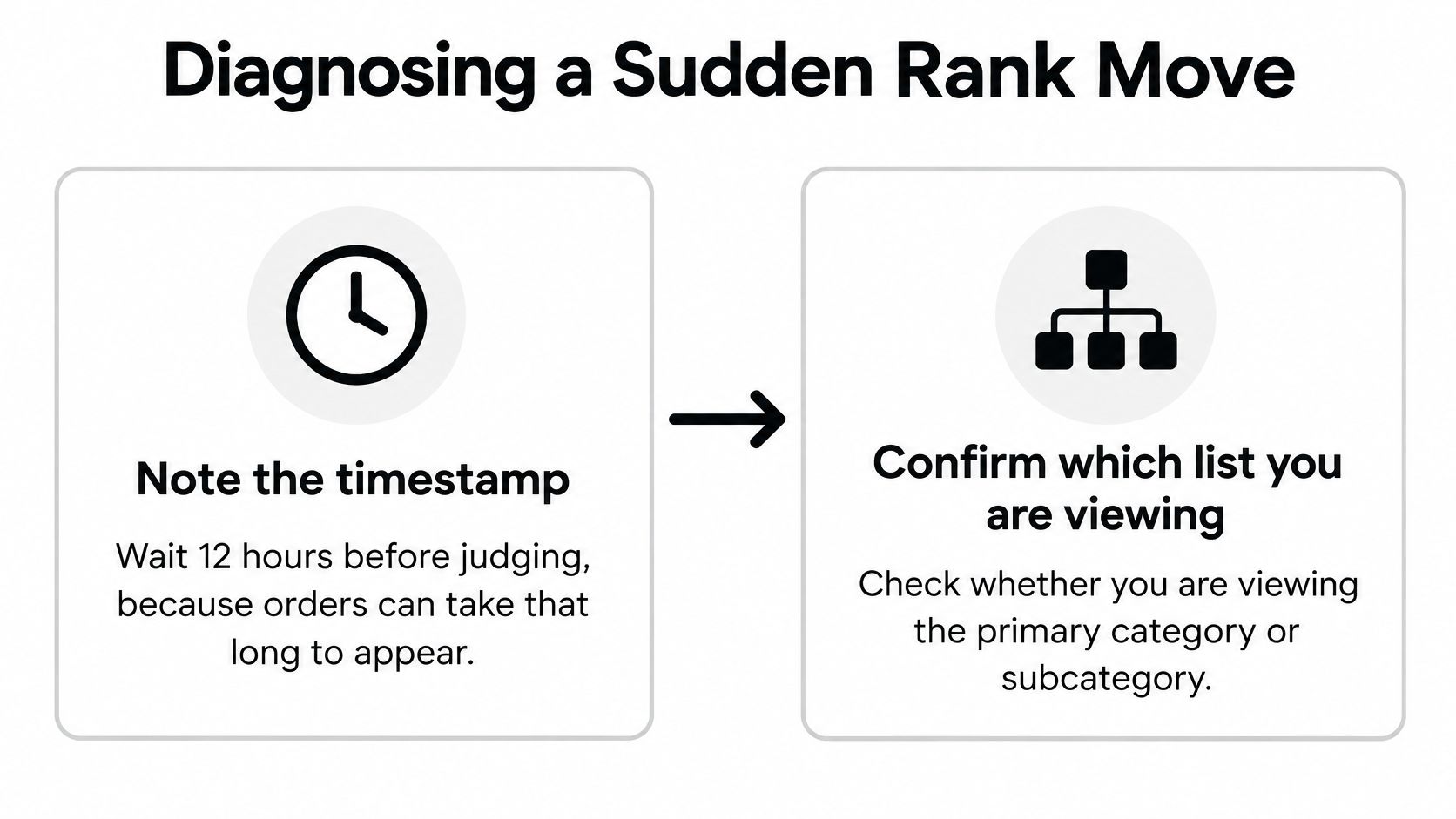
Start with timing and category identity before investigating causes.
Work through the evidence
Record when you noticed the change. Save the observation time and allow for the applicable reporting delay discussed earlier. Otherwise, you may compare fresh sales activity with a ranking that hasn't caught up.
Confirm the exact list. Check whether you're viewing the broad category or a subcategory. Comparing different lists can create an apparent jump that isn't a like-for-like change.
Pull your ordered-unit history. Match the sales window as closely as possible to the period you're investigating. Determine whether your own orders rose, fell, or stayed broadly steady before considering a response.
Review commercial changes. Check whether advertising, a coupon, a deal, or a price change started or ended around the same period. Treat these as possible explanations to test, not automatic proof of cause.
Inspect availability. Look for an unavailable offer or an inventory interruption that prevented purchases. Resolve a confirmed availability problem before trying to compensate with more advertising.
Examine relevant competitors. Review their visible prices, promotions, and availability. These observations can suggest a competitive explanation, but public rank movement doesn't reveal their exact ordered units.
Choose a response based on your sales. If your units held steady, don't make a defensive change solely because your position worsened. If units declined, investigate the listing, price, ads, and stock before selecting a remedy.
For additional context, consider how Amazon Brand Analytics fits into your broader investigation. Keep the evidence tied to the question you're answering rather than collecting dashboard screenshots without a decision in mind.
Use the accompanying video as a supplementary resource while keeping your own reports central to the diagnosis.
Decision checkpoint: A competitive-position change and a decline in your own sales require different responses.
Don't describe a rival surge as confirmed unless you have evidence beyond its rank. Sometimes the correct conclusion is narrower: your orders held steady, the relative position changed, and there's no demonstrated reason to alter your offer yet.
Tactics That Move Your Rank for Real
Fix the constraint you found before adding spend. If shoppers can't purchase your product, advertising won't solve the availability problem. If visitors aren't buying, attracting more of the same traffic may leave the underlying issue untouched.
The useful question isn't which tactic improves BSR fastest. It's which action can generate worthwhile orders under your current conditions.
Compare the levers and their trade-offs
These are operational options to test, not guaranteed ranking outcomes. Their effect depends on whether they produce orders and how competing products perform.
| Lever | How it can influence BSR | Caveat |
|---|---|---|
| Paid ads on high-intent keywords | Can generate additional recent orders | Keep advertising costs within your margin allowance |
| Time-limited promotion | Can create a temporary increase in orders | The ranking benefit may fade as those sales become older |
| Competitive pricing | Can help more visitors decide to purchase | Extra volume may not offset a thinner margin |
| Stock availability | Allows interested shoppers to keep ordering | Don't assume replenishment guarantees immediate rank recovery |
| Main image and listing copy | Can address uncertainty that prevents purchases | Isolate changes so you can interpret results |
| Accurate subcategory placement | Establishes a relevant comparison group | Category suitability matters more than an attractive position |
| Review growth | May support purchase confidence indirectly | Don't fabricate orders or manipulate reviews |
For advertising, begin with searches closely related to what the product does. Define your affordable acquisition cost before increasing the budget, then evaluate attributed sales and margin rather than rank alone.
A promotion needs a commercial purpose too. Decide whether you're testing demand, supporting a launch, or moving inventory. Don't assume that a temporary improvement will remain after the promotion ends.
Improve the offer without losing the economics
Competitive pricing doesn't mean automatically choosing the lowest price. For a framework to organize competitor-price monitoring, Scrappey's guide to pricing intelligence is a useful companion to your own cost calculations.
For listing work, address the questions a shopper needs answered before buying. A storage organizer's image should make its shape and intended use understandable; its copy should make dimensions, suitability, and limitations clear. These are testable improvements, not promises of a particular conversion lift.
Connect that work with your Amazon SEO strategy, while measuring whether the changes produce relevant traffic and orders. Better wording isn't a direct substitute for sales.
Finally, don't treat category placement as a shortcut or reviews as a ranking input. Choose an accurate category, pursue genuine customer feedback through appropriate channels, and reject fabricated activity. Return to the original diagnosis: choose the lever that addresses the demonstrated problem, then verify its effect on orders and contribution margin.
Deciding When BSR Should Drive a Product or Ad Move
BSR should flag a question; your business reports should determine the response. Use rank to spot trends and competitive changes, then use ordered units, advertising-attributed sales, conversion, and costs to decide what to do.
For product research, observe the candidate ASIN alongside relevant category leaders across several weeks. A single attractive position doesn't establish sustained demand, and a disappointing snapshot doesn't explain why the product sits there.

Build a log that supports decisions
Keep a shared sheet with fields for the observation date, time, ASIN, category, rank, ordered units, and advertising spend. Add notes for promotions, pricing changes, and availability interruptions.
Use consistent observation times and comparable sales windows. Calibrate what you observe against your own order history rather than importing a universal rank-to-sales formula.
- Product decisions. Look for a sustained pattern supported by your sales and inventory evidence.
- Advertising decisions. Evaluate campaign-attributed results and costs through your Sponsored Products analysis.
- Inventory decisions. Consider actual sales and stock movement, not just competitive position.
For jewelry sellers, JewelryBuyDirect's jewelry sell through metrics explained offers a related topic to explore alongside ranking. Keep inventory measures distinct from BSR rather than expecting either to answer every commercial question.
Set the action before you watch the number
Write down what evidence would justify a price, budget, or replenishment change. Require confirmation from your own results, but don't delay fixing an obvious availability problem while waiting for a longer ranking trend.
This week, start the tracking sheet for your priority ASINs and schedule a review. Bring the rank observations, ordered units, advertising results, and margin calculations together before making your next discretionary change.
Next Point Digital offers Amazon marketplace SEO, product listing optimization, advertising management, and reporting to help sellers connect visibility with sales performance. Visit Next Point Digital to discuss your priority ASINs and build an action plan grounded in orders, conversion, and profitability rather than BSR alone.