

To really increase sales on Amazon, you have to start by building a product listing that actually converts. This is the foundation. It’s about more than just stuffing in keywords; it's about crafting titles, bullet points, and descriptions that turn casual browsers into buyers before you even think about spending a dime on ads.
Get this part right, and everything else you do—from PPC to promotions—becomes massively more effective.
Crafting Your High-Conversion Product Listings
Think of your product page as your best salesperson, working 24/7 to close deals. Before you get lost in advanced advertising strategies, you absolutely have to optimize this core asset. This is ground zero for the customer.
The battle for attention is won or lost right on Amazon's digital shelf. More than 56% of consumers kick off their product search on Amazon, making it the default starting line for over half of all online shoppers. That stat alone shows you how big the opportunity is if you can just nail your presentation and searchability.
Mastering Keyword Research and Implementation
The goal isn't just to find keywords; it's to find the right ones—the ones that scream high buyer intent. You have to get inside your customer's head. What problem are they trying to solve with a product like yours?
Let's say you sell a "memory foam travel pillow." That's a decent starting point, but the real gold is in the long-tail keywords that reveal a specific need:
- "neck support travel pillow for long flights"
- "compact airplane pillow that clips to luggage"
- "washable memory foam pillow for road trips"
These phrases come from shoppers who know exactly what they want. Weaving them naturally into your title, bullet points, and backend search terms puts you directly in front of people who are ready to buy, not just window-shopping. If you want a deeper dive, check out our detailed guide on how to fully https://npoint.digital/optimize-amazon-product-listings/ for maximum visibility.
Your title is the most powerful piece of SEO real estate on the entire page. Lead with your main keyword phrase, then follow it up with critical features and benefits. A strong title doesn't just catch the algorithm's attention; it grabs the right human shopper.
Writing Persuasive and Benefit-Driven Copy
Once a shopper lands on your page, your words have to do the heavy lifting. This is where so many sellers drop the ball. They list dry, boring features instead of talking about compelling benefits.
A feature is what your product is. A benefit is what it does for the customer.
For instance, don't just say, "Made with 100% ripstop nylon." Translate that into a benefit: "Built with ultra-durable, tear-resistant ripstop nylon, so it can handle any adventure without falling apart." That small shift makes a huge difference because it connects with what the customer actually cares about. Mastering the art of creating compelling product descriptions is essential if you want to see your conversion rates climb.
To make this crystal clear, here’s a quick comparison of what a weak listing looks like versus one that’s built to convert.
Key Elements of a High-Converting Amazon Listing
| Listing Element | Ineffective Approach | High-Impact Approach |
|---|---|---|
| Title | "Travel Pillow – Gray" | "Ergonomic Memory Foam Travel Pillow for Neck Support on Airplanes, Cars & Trains; Compact & Washable" |
| Bullet Point 1 | "High-density foam" | "Provides Superior Neck Alignment: Prevents painful stiffness on long journeys with our contoured, high-density memory foam." |
| Bullet Point 2 | "Comes with a bag" | "Ultra-Portable & Hygienic: Includes a compact travel bag that clips to your carry-on and a machine-washable cover." |
| Description | "This is a great pillow." | "Imagine arriving at your destination feeling refreshed, not fatigued. Our travel pillow was designed for the modern nomad…" |
See the difference? The high-impact approach speaks directly to the customer’s problems and desires, making the decision to click "Add to Cart" a whole lot easier. It’s not just about describing the product; it’s about selling the solution.
Mastering Amazon PPC for Profitable Growth
Once your product listing is dialed in, paid advertising is the fastest way to get in front of customers who are ready to buy. But let’s be honest, without a solid plan, Amazon PPC can feel like you're just burning cash. The trick is to stop thinking of it as just a sales tool and start treating it like an intelligence-gathering machine.
Think of your paid ads as a way to learn exactly what customers are searching for the moment they decide to buy your product. That data is pure gold. It informs everything from the keywords on your listing to your off-Amazon marketing. It's a powerful feedback loop that fuels real, profitable growth.
Structuring Your Campaigns for Success
One of the biggest mistakes I see sellers make is dumping a bunch of keywords into a single manual campaign and just hoping for the best. A much smarter approach is to structure your campaigns in phases, moving from broad discovery to surgical precision.
This all starts with an automatic campaign. In this first step, you let Amazon's algorithm do the heavy lifting. It will test your ad against a huge range of search terms it thinks are relevant. Your job is to watch the search term report like a hawk.
- Harvest the Winners: Pinpoint the exact customer search terms that are driving clicks and—most importantly—sales. These are your proven money-makers.
- Find Negative Keywords: Dig up all the irrelevant searches that are wasting your ad spend. For instance, if you sell "leather dog collars," you might find you're paying for clicks on "cat collars." Add "cat" as a negative keyword to stop that budget leak immediately.
Give the automatic campaign a week or two to collect enough data, and then you're ready for the next phase.
Transitioning to Manual Campaigns
Now it’s time to take the driver's seat. Grab those high-performing search terms you harvested from your auto campaign and plug them into manual campaigns. This move gives you direct control, allowing you to set specific bids for keywords you know convert. You’re no longer guessing; you’re investing in proven terms.
If you want to get a better handle on the nuts and bolts, our guide explaining what is PPC on Amazon breaks down the fundamentals. Getting these concepts down is crucial for managing your budget effectively.
This entire process—researching, writing, and optimizing—is a cycle that never really ends. The workflow below shows how it all fits together.
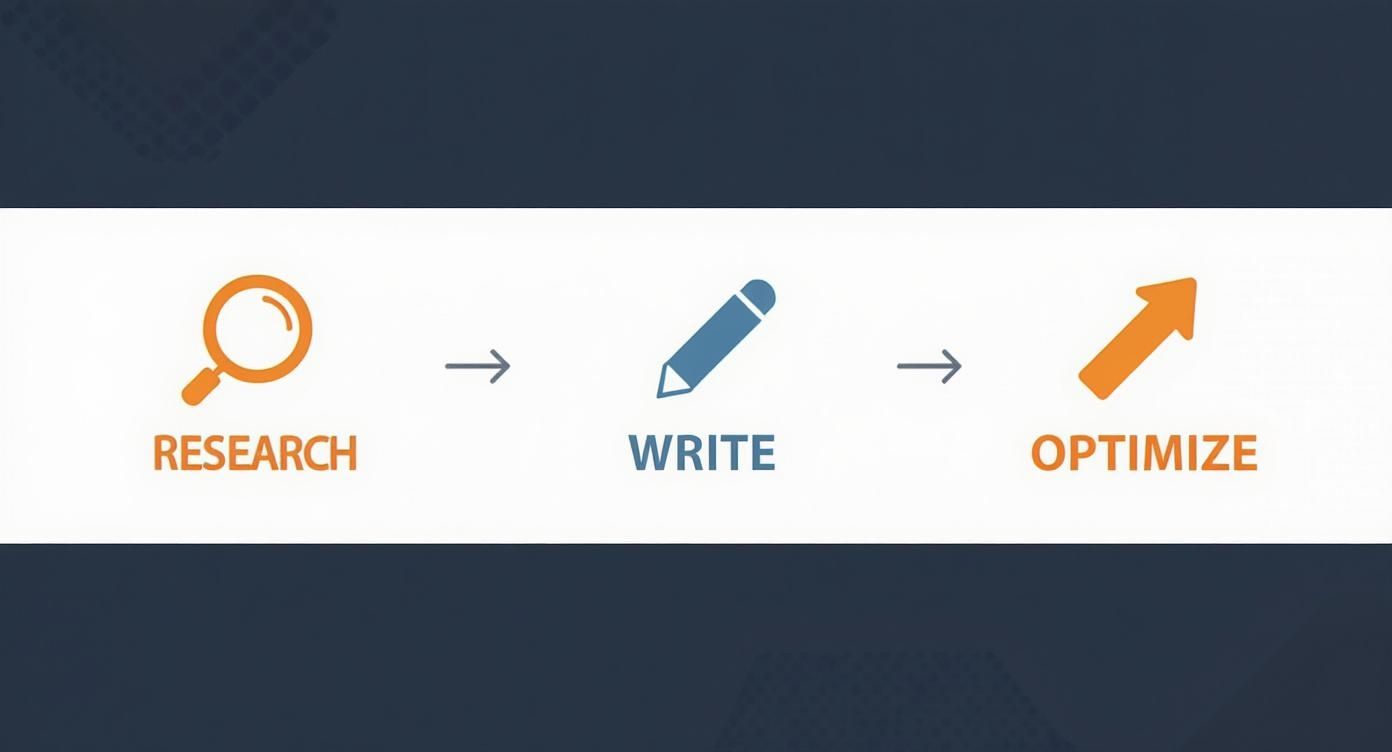
This visual is a great reminder that success on Amazon isn't about setting and forgetting. It’s about constantly refining your strategy based on the data you're collecting from tools like your PPC campaigns.
A critical metric you have to live and breathe is your Advertising Cost of Sales (ACoS). Your target ACoS should be tied directly to your product's profit margin. If your margin is 30%, an ACoS of 30% means you're breaking even on that ad-driven sale. Anything lower than that is pure profit.
Choosing the Right Ad Types
Amazon gives you a few different ad formats, and knowing when to use each one is key to a well-rounded strategy.
- Sponsored Products: These are the ads you see everywhere—in search results and on product pages. They’re your workhorse for targeting specific keywords and driving sales.
- Sponsored Brands: These ads sit at the top of the search results, featuring your logo, a custom headline, and several of your products. They are fantastic for building brand recognition and funneling traffic to your Storefront.
- Sponsored Display: These ads give you the power to retarget shoppers who viewed your products but didn't buy, following them both on and off Amazon.
By combining these ad types with smart promotions like coupons or limited-time deals, you create a powerful flywheel effect. The initial sales you get from PPC improve your organic ranking, which leads to more organic sales, building momentum that can eventually sustain itself.
Building Your Brand with A+ Content and Storefronts
While optimized listings and smart PPC campaigns are great for driving traffic, building a memorable brand is what creates long-term, defensible success. In the crowded Amazon marketplace, your brand identity is your moat. It’s what separates you from generic competitors and gives customers a reason to choose you and come back again.
Amazon gives you the tools to do this, specifically with A+ Content and Storefronts. These features let you move beyond a standard, text-heavy description and tell a richer, more engaging story that builds trust and, ultimately, boosts conversions.
Transforming Your Product Page with A+ Content
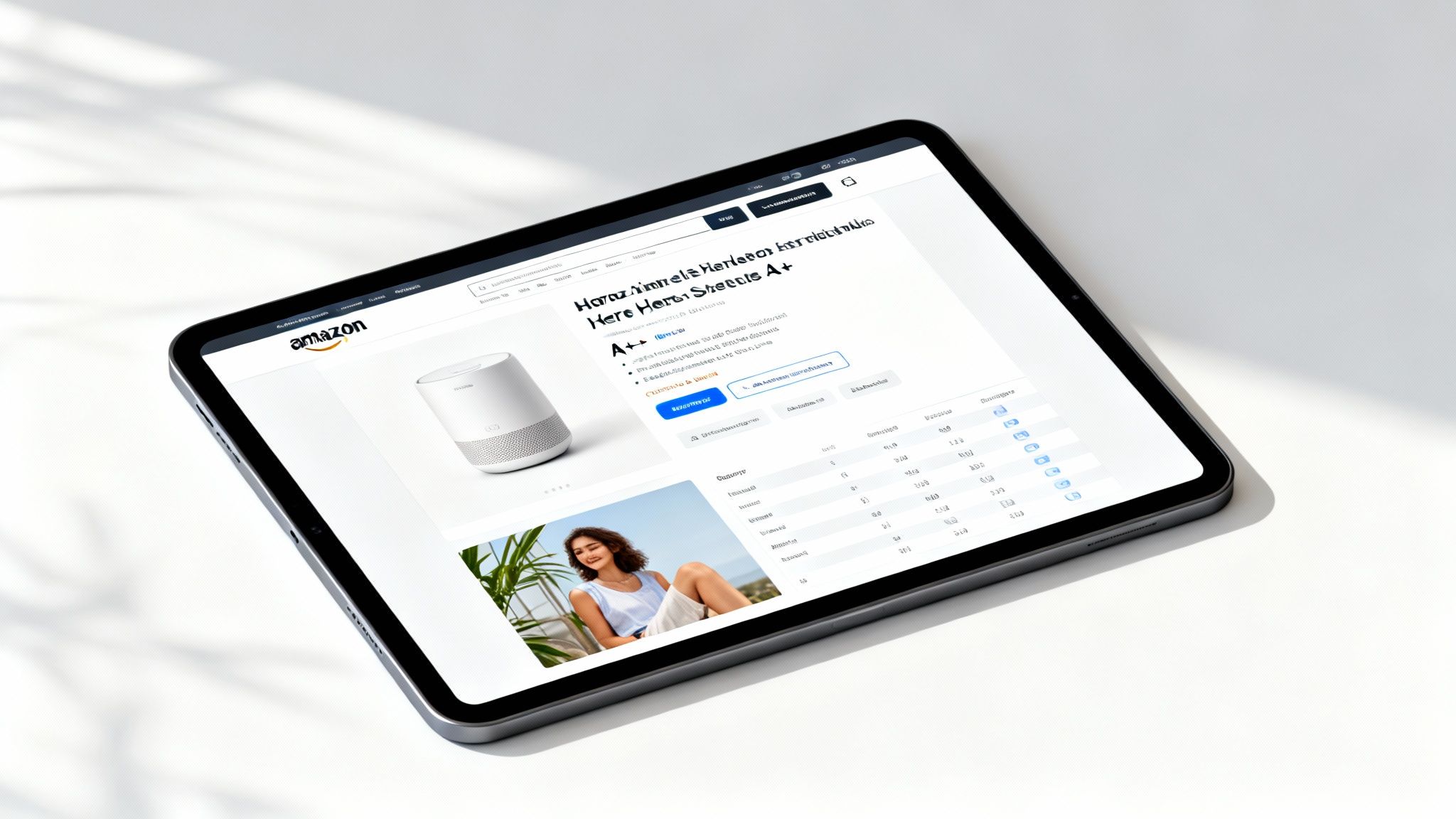
Think of A+ Content (what used to be called Enhanced Brand Content or EBC) as a premium landing page built right into your product listing. It replaces that plain text product description with a visually rich experience. This is your chance to use high-quality images, lifestyle shots, comparison charts, and detailed graphics to showcase your product’s true value.
Instead of just telling shoppers your product has certain features, A+ Content lets you show them how those features solve their problems. A company selling a high-end blender, for example, can use an A+ module to display vibrant images of smoothies, soups, and nut butters. That instantly connects the product with the customer's desired outcome.
Done right, A+ Content can significantly increase sales on Amazon by answering customer questions visually, reducing hesitation, and making your product feel more premium.
A+ Content is your best opportunity to preemptively handle customer objections. Use a comparison chart module to stack your product against competitors, clearly highlighting why yours is the superior choice. This small addition can stop a shopper from clicking away to do more research.
Key Modules for Effective A+ Content
Amazon offers a bunch of different modules you can mix and match to build your A+ layout. You don't need to use all of them; focusing on a few high-impact ones can make all the difference.
- Brand Story Module: This is where you introduce your brand’s mission and values. A compelling origin story or a clear commitment to quality can create an emotional connection that goes way beyond price.
- Comparison Charts: These are perfect for showing how your product stacks up against other models in your own lineup or against generic alternatives. Highlight key differentiators like material quality, unique features, or included accessories.
- Image & Text Modules: Combine large, aspirational lifestyle images with short, benefit-focused text. Show your product in use by your target customer to help them visualize it in their own life.
This strategic blend of visuals and storytelling helps create a more confident buying decision. It also aligns perfectly with Amazon's own push for a richer shopping experience. For example, Amazon's introduction of AI shopping assistants has made it easier for customers to find what they need, with early data showing users are 60% more likely to complete purchases. This AI-driven convenience is expected to drive more than $10 billion in incremental annual sales, proving that a better, more informative customer experience leads directly to more revenue. You can explore additional insights on Amazon's approach to increasing sales on DigitalCommerce30.com.
Creating a Curated Shopping Experience with Storefronts
If A+ Content is your product’s landing page, then your Amazon Storefront is your brand’s home base. It’s essentially a multi-page, custom-branded microsite within Amazon where you can showcase your entire product catalog, tell your brand story, and even embed videos.
A well-designed Storefront transforms your presence from a random collection of individual listings into a cohesive brand experience. You can organize products into logical categories, create pages for seasonal promotions, and guide shoppers through your offerings in a curated way.
Here's a pro tip: Drive traffic from your Sponsored Brands ads to your Storefront instead of just a single product page. This introduces shoppers to your entire brand ecosystem, which can increase the average order value and encourage them to follow your brand for future updates. That’s how you turn a one-time transaction into a long-term customer relationship.
Optimizing Your Inventory and Fulfillment Strategy

You can have the best listings and the sharpest ads on Amazon, but they won’t mean a thing if you can’t get your product into the customer’s hands. Solid operational efficiency is the unsung hero that can make or break your ability to increase sales on Amazon. If you stock out, your sales rank plummets, and all the hard work you put into marketing goes right out the window.
This is where your fulfillment strategy becomes a critical piece of the puzzle. The choice between managing logistics yourself or letting Amazon handle it has massive implications for your costs, customer experience, and ability to scale.
Choosing Your Fulfillment Model: FBA vs. FBM
On Amazon, you have two primary options: Fulfillment by Amazon (FBA) and Fulfillment by Merchant (FBM). Each has clear advantages depending on your business model, product type, and sales volume.
With Fulfillment by Amazon (FBA), you send your inventory to Amazon's warehouses, and they take over from there—storing, picking, packing, shipping, and even handling customer service. The single biggest perk? Your products automatically become eligible for Prime shipping. That little Prime badge is one of the most powerful conversion drivers on the entire platform.
On the other hand, with Fulfillment by Merchant (FBM), you’re in the driver’s seat. You handle the entire process yourself or work with a third-party logistics (3PL) partner. This gives you more control over your inventory and can be more cost-effective for large, heavy, or slow-moving items where FBA storage fees would be brutal. The catch, however, is that you miss out on automatic Prime eligibility, which can be a huge hurdle.
If you're still on the fence, our guide on what Amazon FBA means for your business breaks down the pros and cons in detail.
The decision often comes down to this: FBA gives you access to Amazon's world-class logistics and its most loyal customers, while FBM offers greater control and potentially lower fees on specific types of products. For most sellers focused on rapid growth, FBA is the clear winner.
Amazon continues to pour money into its fulfillment network, making FBA an even more compelling option. The company has made a $4 billion commitment to enhance delivery in rural U.S. areas, expanding same- and next-day delivery access by 60%. This shows just how much of a competitive edge FBA can give you. You can check out more insights on Amazon's delivery expansion and how it impacts sellers.
Managing Your Inventory Performance Index
It doesn’t matter which fulfillment method you choose—you absolutely have to keep a close watch on your inventory levels. Running out of stock (a stockout) is a disaster for your Best Seller Rank (BSR). The algorithm sees a stockout as a major negative signal, and it can take weeks to claw back the ranking you lost.
But the flip side is just as bad. Overstocking leads to punishing storage fees and ties up your capital in products that just aren't moving. Amazon actually tracks your operational health with a key metric called the Inventory Performance Index (IPI) score.
This score, ranging from 0 to 1,000, is basically your report card for managing FBA inventory. A high IPI score can grant you unlimited storage space, but letting it drop below the threshold will get you slapped with strict storage limits.
The key factors that influence your IPI score are:
- Excess inventory: The percentage of your FBA inventory that’s overstocked.
- Sell-through rate: Your units sold and shipped over the past 90 days divided by the average number of units you had in stock.
- Stranded inventory: Products sitting in a fulfillment center that aren't available for purchase because of a listing issue.
- In-stock inventory: How often your replenishable products have been in stock and ready to sell.
For any seller serious about scaling their business, maintaining a healthy IPI score is non-negotiable. It ensures you have the storage capacity you need to support sales growth, especially during critical peak seasons like Q4.
Generating Social Proof and Managing Your Reputation
On Amazon, trust is the currency that drives sales. Before a customer ever clicks "Add to Cart," they’re hunting for signals that your product is a safe bet. This is where social proof—specifically, your product reviews and seller feedback—becomes one of the most powerful tools in your arsenal.
Reviews aren't just about collecting stars. They are a critical part of the customer's decision-making journey, providing the unbiased validation that your product actually does what you claim it does. Getting this part right can turn a skeptical browser into a confident buyer, so building a system to ethically generate and manage feedback is non-negotiable if you want to sustainably increase sales on Amazon.
Encouraging Positive Product Reviews Ethically
Amazon plays by a very strict set of rules when it comes to soliciting reviews, so you absolutely have to play by their book. Gone are the days of offering incentives for a glowing review. Today, the smartest approach is simply to make it as easy as possible for happy customers to share their thoughts.
The simplest, most compliant method is right inside Seller Central: the "Request a Review" button. This feature sends a standardized, pre-approved email to the buyer, asking for both a product review and seller feedback. You can't customize the message, but it’s a completely safe and surprisingly effective way to nudge customers.
If you want to get a bit more strategic, consider using an approved third-party email automation tool. These platforms let you send review requests in a more targeted way, like waiting a few days after the product is delivered. This gives the customer time to actually use it, and that small timing adjustment can make a world of difference in the quality and quantity of reviews you receive.
A classic rookie mistake is asking for a review way too soon. If you're selling a skincare product, nobody is going to see results in 24 hours. You have to time your request to match the customer's experience with the product. That's how you get meaningful feedback.
Handling Negative Reviews Like a Pro
No matter how fantastic your product is, negative reviews are going to happen. It's just part of the game. The key isn't avoiding them—it's how you respond when they pop up. If you view a negative review as an opportunity instead of a disaster, you can actually strengthen your brand's reputation.
When a bad review comes in, here’s what you do:
- Never get defensive. Start by thanking the customer for their feedback, even if you think they're completely wrong.
- Acknowledge their issue. Show a little empathy. Let them know you understand their frustration.
- Offer a solution publicly. This could be a refund, a replacement, or even just some guidance on how to use the product correctly.
Responding publicly shows potential customers that you stand behind your product and genuinely care about customer satisfaction. It can turn a complaint into a testament to your excellent service, which can be just as powerful as a five-star review. Effectively managing feedback is just one of many ways to improve conversion rates in ecommerce.
The Importance of Your Seller Feedback Score
While product reviews are all about the item itself, your Seller Feedback score is Amazon’s report card on you as a business. This rating focuses on the entire buying experience—shipping time, packaging, customer service—and it directly impacts your ability to win the Buy Box. A high feedback score signals to Amazon that you're a reliable seller, making them far more likely to feature your offer.
The Amazon ecosystem is massive and incredibly competitive. More than 55,000 independent sellers recently generated over $1 million in sales, a figure that shows just how big the opportunity is. Events like Prime Day keep shattering records, with huge sales driven by sellers like you. In an environment this crowded, a rock-solid reputation, built on both product reviews and seller feedback, is what will set you apart and keep your sales flywheel spinning. If you want to dive deeper into the numbers, you can explore the latest Amazon stats on their blog.
Driving External Traffic to Your Amazon Listings
If you want a serious competitive edge, you need to think beyond Amazon's own search algorithm. While everyone else is locked in a bidding war over the same keywords, you can be building your own private highways of high-intent traffic straight to your product pages.
This isn't just about finding another traffic source; it's about building a more resilient business that doesn't live or die by Amazon's A9 algorithm.
By creating your own traffic streams from places like social media, niche blogs, or influencer collaborations, you take back control. You get to meet customers where they already spend their time, introducing your brand to entirely new audiences who would have never found you otherwise.
Finally, You Can Measure Your Off-Amazon Efforts with Attribution
For years, the biggest headache with driving external traffic was measurement. You could send hundreds of clicks from a Facebook ad to your listing, but you had no idea if they actually turned into sales. It was a complete black box.
Thankfully, Amazon Attribution changes the game.
This tool is a must-use. It gives you the hard data you need by generating special tracking URLs. You create a unique link for each marketing channel—one for your email newsletter, another for your TikTok campaign, and a third for that guest post you wrote.
Amazon Attribution isn't just a reporting tool; it’s a strategic compass. It shows you exactly which external channels are driving sales, so you can stop guessing and start investing your marketing budget where it truly counts.
By digging into the data, you can finally answer the important questions. Is that influencer partnership actually moving the needle? Or is your money better spent on Google Shopping ads? Attribution gives you the clarity to double down on what works and kill what doesn't.
Practical Strategies for Driving External Traffic
Building off-Amazon traffic doesn't have to be some overly complicated, expensive venture. The goal is simple: find where your target audience hangs out online and give them a compelling reason to check out your Amazon page.
Here are a few proven channels to get you started:
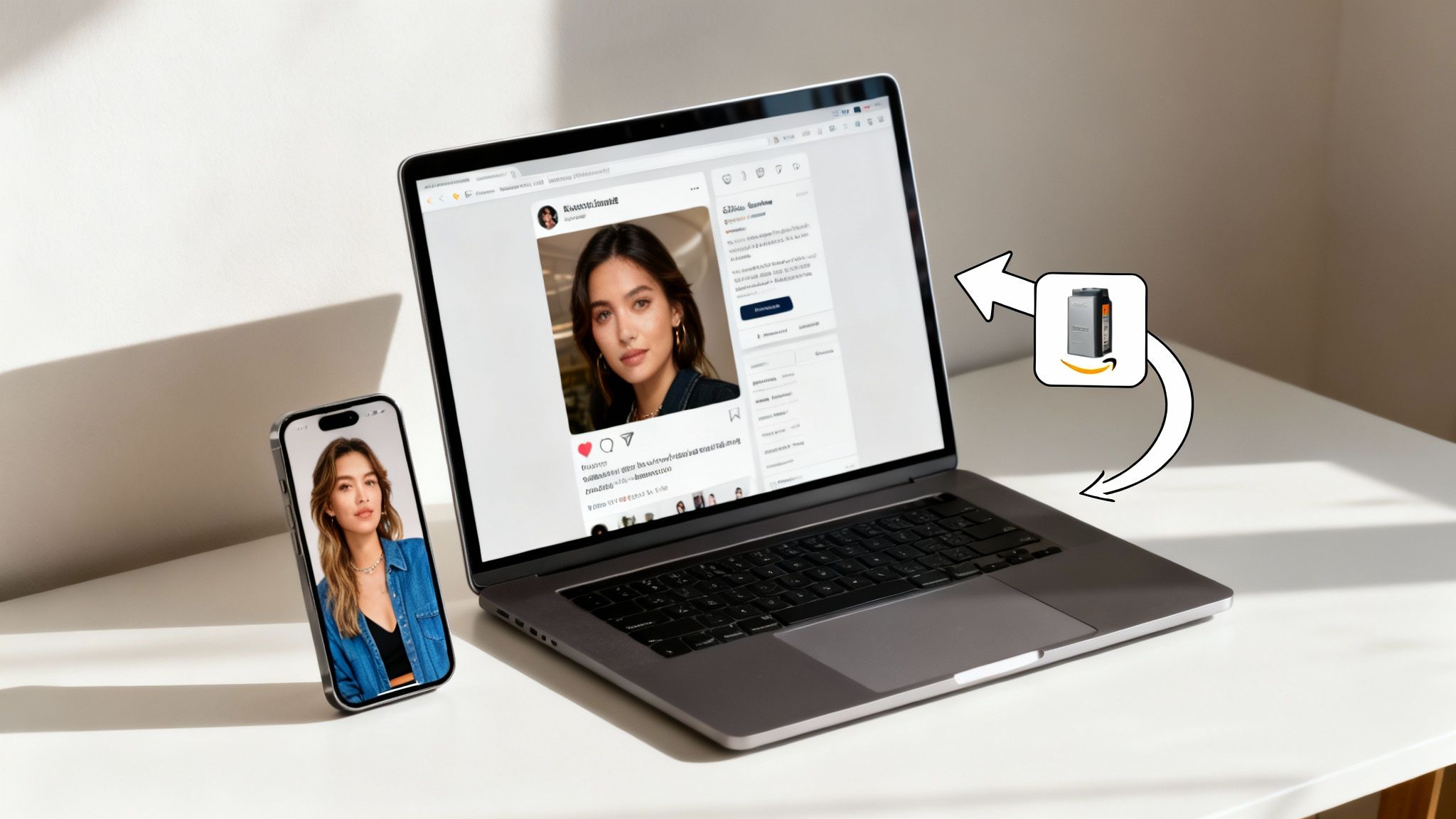
- Influencer Marketing: Find creators in your niche who have a real, authentic connection with their followers. A simple product feature in an Instagram Story or a mention in a YouTube video can drive immediate, high-quality traffic.
- Niche Blogs and Publications: Identify the blogs your ideal customers read and work to get a product review or a placement in a gift guide. A link from a trusted source builds instant credibility and sends motivated buyers your way.
- Social Media Campaigns: Run targeted ad campaigns on platforms like Facebook, Instagram, or Pinterest. Use eye-catching visuals and send that traffic to a custom Amazon Storefront page to show off a whole collection of products, not just one.
These methods are just the tip of the iceberg. The world of digital marketing is huge, and you can explore more ideas in our guide covering the best ecommerce marketing strategies.
The opportunity here is massive. Amazon consistently captures over 40% of the U.S. e-commerce market share, meaning more than four of every ten dollars spent online goes through them. Driving your own targeted traffic is how you claim a bigger piece of that pie.
Common Questions About Growing Amazon Sales
When you're grinding away, trying to scale your Amazon sales, the same questions tend to pop up again and again. Let's cut through the noise and get you some straight, practical answers to the hurdles most sellers face.
How Long Does It Take to See More Sales?
It varies, but if you're putting in the work, you can start seeing some real traction within 30-60 days. This usually comes after you’ve dialed in your listings and launched a smart PPC campaign.
But building real, predictable momentum? That often takes 3-6 months. That's the timeframe where you've gathered enough data to really refine your strategy, build up some reviews, and create a solid foundation for long-term growth.
What Is a Good ACoS for My Campaigns?
Honestly, there's no single magic number for ACoS (Advertising Cost of Sales). It all comes down to your product's profit margin. A solid starting point is to aim for an ACoS that's at or just below your break-even point.
When you're launching a new product, it’s completely normal to accept a higher ACoS. The goal here is visibility and sales velocity. For your established products, though, the focus should shift to pure profitability. You have to know your numbers first.
Is FBA or FBM Better for Increasing Sales?
For most sellers who are serious about growth, FBA (Fulfillment by Amazon) is the hands-down winner. That little Prime badge is one of the most powerful conversion drivers on the entire platform and massively boosts your shot at winning the Buy Box.
Sure, FBM gives you more control over your logistics, but FBA gives you direct access to Amazon's army of loyal Prime customers. It just removes so much friction from the buying process for a huge chunk of shoppers, which almost always translates to higher sales. For a wider view on scaling your entire e-commerce operation, you might want to explore these proven strategies for online business growth.
Scaling on Amazon isn't about guesswork. It requires a clear strategy that ties together optimization, advertising, and sharp operations. At Next Point Digital, we build data-driven roadmaps that help brands turn clicks into customers and achieve profitable growth. Visit us at https://npoint.digital to see how we can help you win.